
RAVESOUND X1 User manual

RAVESOUND X1
True Wireless Earbuds

English
Deutsch
Français
Español
মୁ
01
10
19
28
37

EN
What’s in the Box
RAVESOUND X1 Charging Case
USB-C Cable User Manual
Ear Tips (S, M, L)
1
2Product Diagram
01
Touch button control zone Microphone
Earbuds LED indicator Charging contactor
USB-C charging port Charging case
Charging dock Charging case indicator

3
3
4
02
Charging
1.Place earbuds back into the charging
case to activate the case battery
level LED indicator.
2.Place earbuds back into the charging
case and the earbuds will start charging.
3.Fully charge both the earbuds and the charging case before the first-time usage.
4.Fully dry off the earbuds and the USB port before charging.
Battery level
White ON for 3 seconds >10%
White flash 3 times <10% Please charge
Connect USB-C cable for charging
White always ON –Charging
White OFF –Charging complete
Specifications

03
Bluetooth version V5.2
Bluetooth frequency 2.402GHz-2.48GHz
Bluetooth transmitted power <7dBm
Bluetooth profile A2DP, AVRCP, HFP, HSP
Maximum working range 15m(without obstacle)
Battery capacity 35mAh x 2(earbuds); 310mA(charging case)
Charging time 1.5 hour(for earbuds); 2.5 hours(for charging case);
Playtime Up to 5 hours, Totally 20 hours with the charging case;
(varies by volume level and audio content)
Input
Dimentions
Weight
DC 5V/1A
Note: If the earbuds is not worn correctly, they may affect the bass effect.
61.68mm x 46.99mm x 29.01mm
1.Choose the ear tips that fit your ears the best. 2.Identify the left and right earbuds.
3.Insert the earbuds into the canal of your ears. 4.Turn and find the most comfortable position.
42g
5How to Fit

04
6Pairing Your Earbuds
1.First-time Pairing with Device
Step 1: Remove both earbuds from the charging case simultaneously and the earbuds will
automatically power on and enter into pairing mode.
Step 2: Activate Bluetooth on your Bluetooth-enabled device and search for other
Bluetooth devices.
Step 3: Select “RAVESOUND X1” from the list of Bluetooth devices shown
(if a password is needed, type ‘0000’).
Step 1. Unpair the earbuds from the Bluetooth-enabled device that’s connected. The earbuds
will disconnect from the current device and enter into pairing mode for another pair.
Step 2. Search on the new device and connect.
Notes:
2.Connect to a New Device
●The earbuds will automatically connect with the device they were last paired with when
pick up the earbuds from the charging case.
●Each earbud could be used independently.
RAVESOUNDX1

05
7Functions
Open the charging case and pick up the earbuds, the earbuds will automatically power on.
Place the earbuds back into the charging case, the earbuds will automatically power off.
Power on Power off
Note: If the earbuds is not connected to any device, they will automatically power off after
5 minutes for save the battery life.
RAVESOUND X1 RAVESOUND X1

06
Play/Pause
Tap twice (L/R)
Tap twice (L/R)
Tap and hold for 2s (L/R)
Next track
Tap and hold for 2s (R)
Volume up
Tap once (R)
Previous track
Tap and hold for 2s (L)
Volume down
Answer/End a call
Reject a call
Tap once (L) LR
L/R
L/R
L/R
x2
x2
x2
x2
x1
Playing music
Hands free conversation
x2
x1
Tap triple (L/R)
Transfer two calls x3
07
Note
●Turn on the game mode can drop latency to as low as 100ms and improve the playing
game and video experience, but it will shorten the connection distance. We suggest you
turn off the game mode when you use the earbuds for music.
●The normal mode provide latency about 200ms.
●Bluetooth technology can’t eliminate latency.
8Earbuds LED Indicator
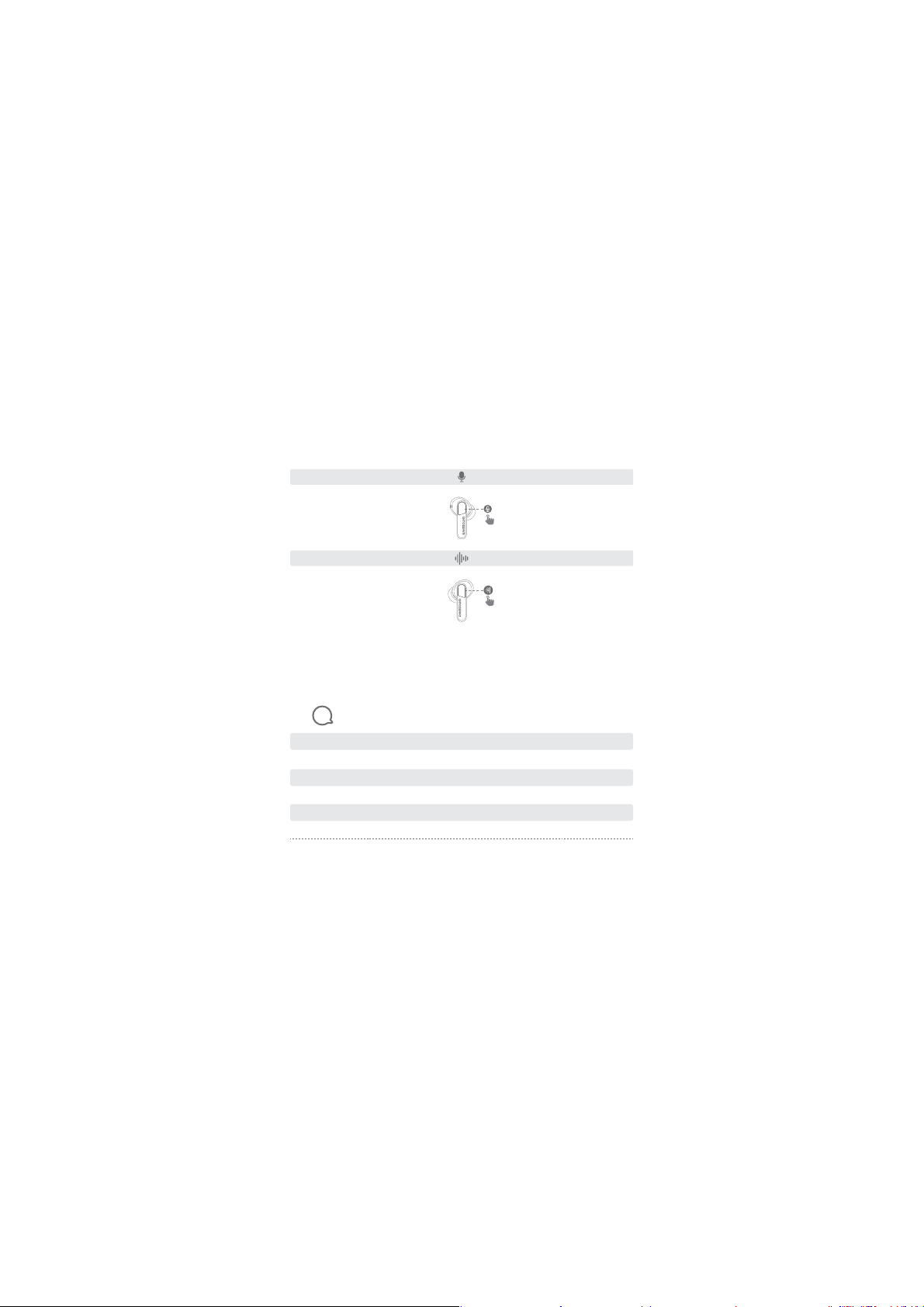
R
Activate the voice assistant
Tap triple (R)
Voice assistant x3
L
Game Mode
Tap triple (L)
Game mode ON/OFF x3
Power on White indicator flashes once
Power off White indicator flashes twice
Charging White always ON
Factory reset White Indicator flashes triple
Pairing mode White Indicator flashes
Successfully connected Indicator goes out

08
If you fail to build connection between two earbuds, or between earbuds and Bluetooth
device, please try the following steps:
1.Place both earbuds into the charging case.
2.Keep the charging case open, touch and hold the button on each earbud at the same
time for at least 10s until they flash alternately in white for 3 times then earbuds have
been reset successfully.
3.Pick up both earbuds to power on, then delete the old connection from the Bluetooth
device and reconnect “RAVESOUND X1”.
9Reset and Reconnecting
Q: Can I use both earphones separately?
A: Yes, each earbud could be used independently.
Q: The earphones are turning on, but it doesn’t connect to my device?
A: To connect the earbuds to your device, please check if the Bluetooth of the device is on
at first, then select ’RAVESOUND X1’ on the Bluetooth list to get paired. If the earbuds
still can’t connect to your device, please try to reset it, or contact our customer support.
10 Troubleshooting
10s
RAVESOUND X1
RAVESOUNDX1
RAVESOUND X1
RAVESOUND X1
flash in white
Table of contents
Languages:


