
Power Fist 9103250 User manual
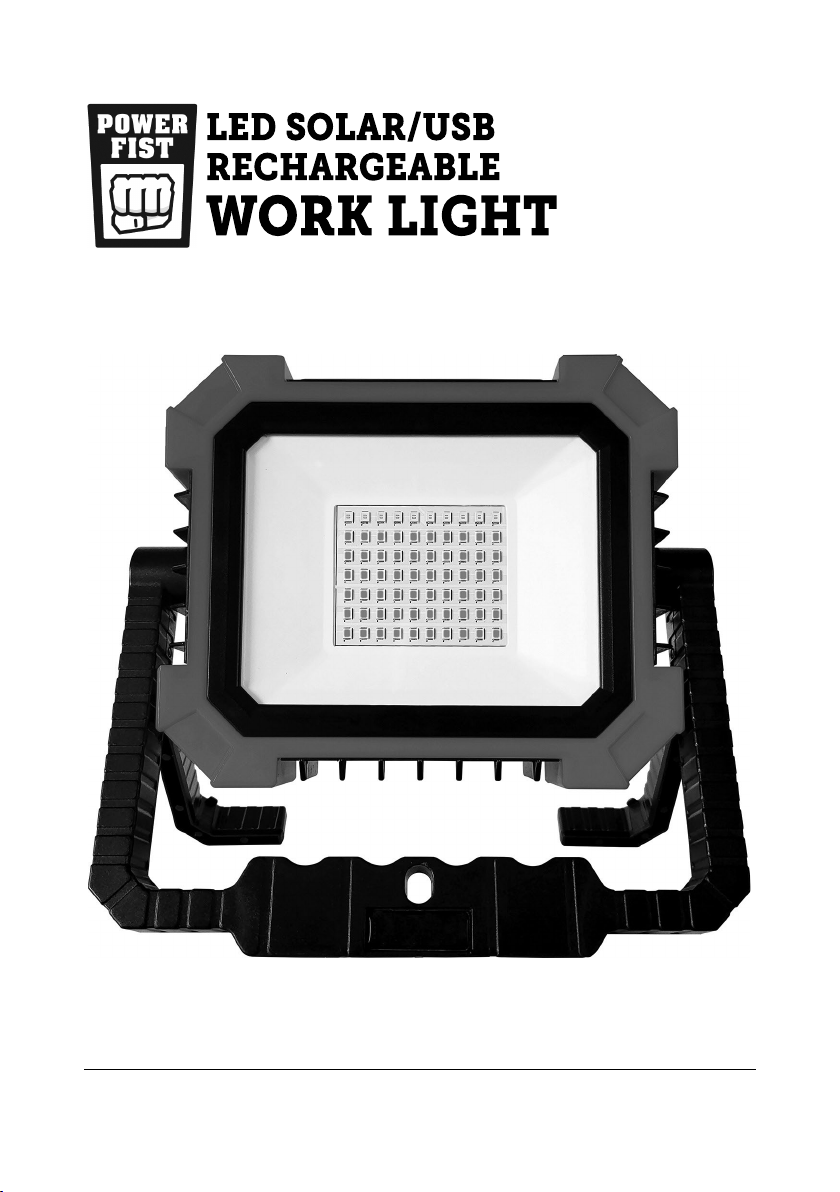
V1.0 9103250
Please read and understand all instructions before use. Retain this manual for
future reference.

This page is intentionally left blank.

SPECIFICATIONS
Voltage Rating 3.7V DC
Wattage 10W
Lamp Type LED
Lumens Rating 1,000 lm
Power Source Li-ion Battery
Run Time 4 Hours
Rated Life 30,000 Hours
Base Type Rotate Stand
Housing Material ABS
Output Modes ON/OFF
Switch Type Push Button
Colour/Finish Blue/black
INTRODUCTION
Illuminate workspaces in the garage, shop or on the jobsite with this portable
LED work light. The rechargeable work light has three illumination settings:
high, medium and dim. The work light can be set up on it's stand, placed on a
hook or attached to a steel surface with the magnets in the handle.
SAFETY
WARNING! Read and understand all instructions before using this tool.
The operator must follow basic precautions to reduce the risk of
personal injury and/or damage to the equipment.
HAZARD DEFINITIONS
Please familiarize yourself with the hazard notices found in this manual. A
notice is an alert that there is a possibility of property damage, injury or death
if certain instructions are not followed.
DANGER! This notice indicates an immediate and specic hazard that will result in
severe personal injury or death if the proper precautions are not taken.
WARNING! This notice indicates a specic hazard or unsafe practice that could result in
a serious injury if the proper precautions are not taken.
CAUTION! This notice indicates a potentially hazardous situation that may result in
minor or moderate injury if proper practices are not taken.
V1.0 LED SOLAR/USB RECHARGEABLE WORK LIGHT 9103250
Page 3 www.princessauto.com / 1-800-665-8685

NOTICE! This notice indicates that a specic hazard or unsafe practice will result in
equipment or property damage, but not personal injury.
WORK AREA
1. Operate in a safe work environment. Keep your work area clean, well-lit
and free of distractions. Place lights so you are not working in a shadow.
2. Keep anyone not wearing the appropriate safety equipment away from
the work area.
3. Store unused tools properly in a dry, safe and secure location to prevent
rust, damage or misuse.
4. Do not install or use in the presence of ammable gases, dust or liquids.
PERSONAL SAFETY
WARNING! Wear personal protective equipment approved by the
Canadian Standards Association (CSA) or American National Standards
Institute (ANSI).
PERSONAL PROTECTIVE EQUIPMENT
1. Always wear impact safety goggles that provide front and side protection
for the eyes. Eye protection equipment should comply with CSA Z94.3-07
or ANSI Z87.1 standards based on the type of work performed.
2. Wear protective clothing and gloves designed for the work environment,
materials and tools.
PERSONAL PRECAUTIONS
Control the tool, personal movement and the work environment to avoid
personal injury or damage to tool.
1. Do not operate any tool when tired or under the inuence of drugs,
alcohol or medications.
SPECIFIC SAFETY
WARNING! DO NOT let comfort or familiarity with product (gained from
repeated use) replace strict adherence to the tool safety rules. If you use
this tool unsafely or incorrectly, you can suer serious personal injury.
1. Use the correct tool for the job. This tool was designed for a specic
function. Do not modify or alter this tool or use it for an unintended
purpose.
9103250 LED SOLAR/USB RECHARGEABLE WORK LIGHT V1.0
www.princessauto.com / 1-800-665-8685 Page 4

2. Do not stare into the light. The light may cause irritation and temporarily
impair your vision.
POWER TOOL PRECAUTIONS
1. Do not use any power tool with a malfunctioning power switch or control.
A power tool that fails to respond to the controls is dangerous and can
cause an injury. A qualied technician must repair and verify the power
tool is operating correctly, before it can be used.
2. Shut the power o and disconnect the work light from the power supply
(if possible) before making any adjustments, cleaning or when storing.
Such preventive safety measures reduce the risk of starting the tool
accidentally.
ELECTRICAL SAFETY
WARNING! Do not touch or handle a live tool with any part of your body
that is wet or damp. Wet skin reduces resistance to electrical current,
increasing the danger of a serious or fatal shock.
1. Do not alter any parts of the tool or accessories. All parts and accessories
are designed with built-in safety features that may be compromised if
altered.
2. Protect yourself against electric shocks when working on electrical
equipment. Avoid body contact with grounded surfaces. There is an
increased chance of electrical shock if your body is grounded.
3. Do not expose the work light to rain, snow, frost or any other damp or wet
conditions. Water entering a tool will increase the risk of electric shock.
4. Make certain the power source conforms to requirements of your
equipment (see Specications).
UNPACKING
WARNING! Do not operate the tool if any part is missing. Replace
the missing part before operating. Failure to do so could result in a
malfunction and personal injury.
Remove the parts and accessories from the packaging and inspect for damage.
CONTENTS
Make sure that all items in the contents are included.
V1.0 LED SOLAR/USB RECHARGEABLE WORK LIGHT 9103250
Page 5 www.princessauto.com / 1-800-665-8685

•LED Work Light
IDENTIFICATION KEY
FIGURE 1.
A. Face Cover
B. Colour LEDs
C. White LEDs
D. Handle
E. Stand
F. Handle Hole
G. Magnet
H. Solar Panel
I. Waterproof Cover
J. USB-C Port
K. On/O/Selection
Switch
L. Indicator Light
M. USB Port
N. USB-C Charging
Cable
OPERATIONS
1. Position the work light in a location that will illuminate your workspace.
a. Ensure that the control panel is accessible when you set-up the
worklight.
b.
Stand
- Pull out the stand leg from the handle on each side. Place on
a at surface.
c.
Hook
- Swing the closed handle above the worklight. Slide the
handle's centre hole over a hook or protrusion.
d.
Magnet
- Swing the closed handled above the worklight. Place the
magnets against a steel or iron surface.
e. Angle the work light as desired once it is in position.
9103250 LED SOLAR/USB RECHARGEABLE WORK LIGHT V1.0
www.princessauto.com / 1-800-665-8685 Page 6
• USB charging cable
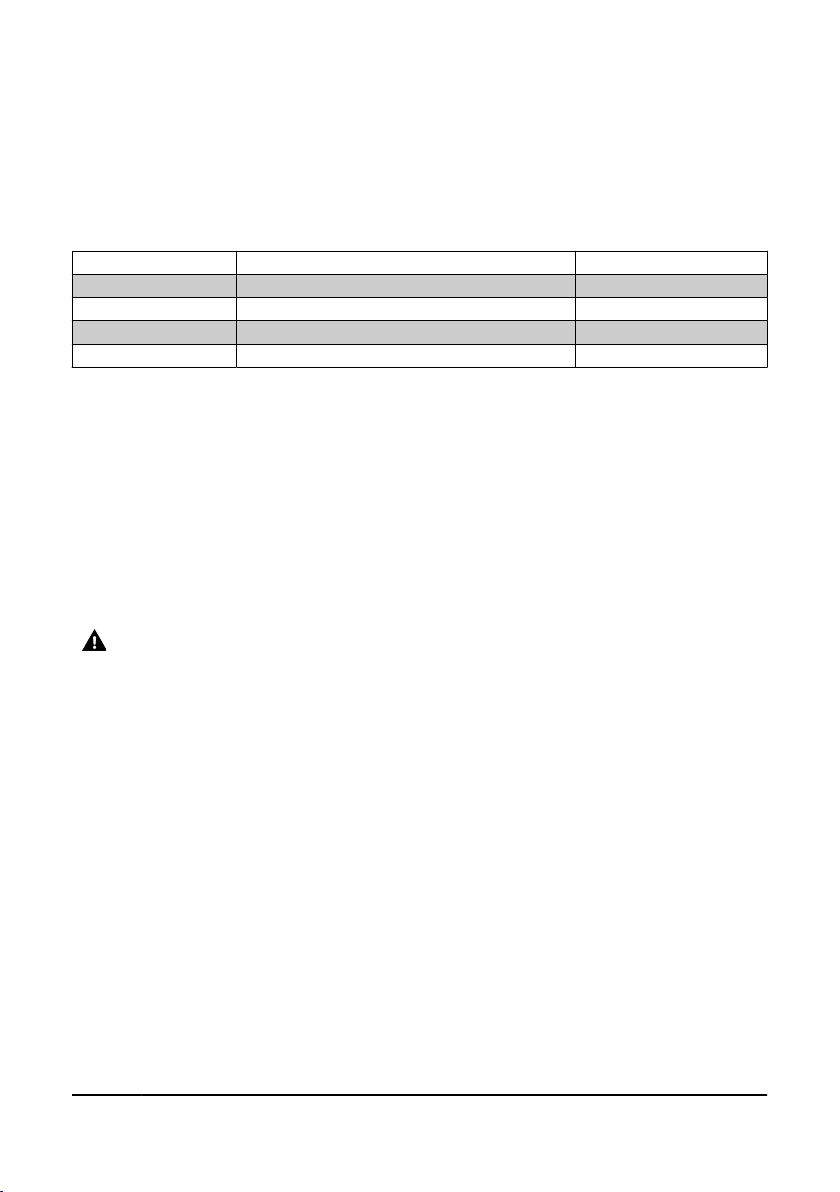
2. Press the on/o/selector switch to turn the LEDs on. Press again to select
the light intensity. The lower the intensity the longer the battery will last.
The battery duration is approximated and may vary.
You can use the work light while it is charging.
TABLE 1. OPERATING MODES
Mode 1 Strong Light 4 Hours
Mode 2 Moderate Light 8 Hours
Mode 3 Dim Light 20 Hours
Mode 4 SOS Flashing Light ---
Mode 5 O ---
CARE & MAINTENANCE
1. Maintain the tool with care. A tool in good condition is ecient, easier to
control and will have fewer problems.
2. Keep the tool handles or gripping surfaces clean and dry.
3. Maintain the tool’s labels and name plates. These carry important
information. If unreadable or missing, contact Princess Auto Ltd. for
replacements.
WARNING! Only qualied service personnel should repair the tool. An
improperly repaired tool may present a hazard to the user and/or others.
RECHARGING THE WORK LIGHT
1. Check the indicator lights to determine if you need to recharge the
battery.
2. Lift the waterproof cover.
3. Insert the charging cable's USB-C plug into the USC-C port.
4. Plug the USB plug into a power supply's USB port.
5. The glowing LEDs will indicate the battery's charge level.
6. Remove the charge cable and close the waterproof cover once the battery
is fully charged.
DISPOSAL
Recycle a tool damaged beyond repair at the appropriate facility.
V1.0 LED SOLAR/USB RECHARGEABLE WORK LIGHT 9103250
Page 7 www.princessauto.com / 1-800-665-8685

Contact your local municipality for a list of disposal facilities or by-laws for
electronic devices, batteries, oil or other toxic liquids.
TROUBLESHOOTING
Visit a Princess Auto Ltd. location for a solution if the tool does not function
properly or parts are missing. If unable to do so, have a qualied technician
service the tool.
9103250 LED SOLAR/USB RECHARGEABLE WORK LIGHT V1.0
www.princessauto.com / 1-800-665-8685 Page 8

V1,0 9103250
Vous devez lire et comprendre toutes les instructions avant d'utiliser l'appareil.
Conservez ce manuel afin de pouvoir le consulter plus tard.

Cette page a été laissée blanche intentionnellement.
Table of contents
Languages:
Other Power Fist Work Light manuals


Popular Work Light manuals by other brands


PowerSmith
PowerSmith PWLD080T Operator's manual

MaxLite
MaxLite 73683 installation instructions

Heitronic
Heitronic Trend 27867 Installation and operating instructions

Monzana
Monzana Gore MZCL10 manual

EINHELL
EINHELL TE-CL 18/2000 LiAC Original operating instructions

Bayco
Bayco NIGHTSTICK Dual-Light Xtreme Lumens... instruction manual