
Plinius KIOKIO User manual

The heart of music
www.pliniusaudio.com
KIOKIO
Power Amplifier
Instruction Manual


Contents
Introduction ...............................................................................................................2
Design Philosophy ...............................................................................................3
Unpacking ....................................................................................................................4
Placement & Ventilation ....................................................................................4
Care & Maintenance............................................................................................5
Precautions ................................................................................................................6
Front Panel Functions ........................................................................................7
Rear Panel Functions .........................................................................................8
Installation & Operation ....................................................................................11
Product Features ..................................................................................................14
Loudspeaker Selection .....................................................................................16
Troubleshooting .......................................................................................................17
Specifications ..........................................................................................................18
Index ................................................................................................................................19
All operational, technical and descriptive material in this publication
is subject to change at any time without notice. For further product
information or queries, please contact your Plinius dealer.
Plinius products are designed and manufactured by
Plinius Audio Limited, New Zealand.

2
PLINIUS KIOKIO
Introduction
Congratulations on your decision to become the proud owner of this
Plinius Kiokio Power Amplifier.
This manual has been prepared to help you understand the operation of your amplifier,
and to provide information about its design and the variety of ways it may be used.
We have designed and manufactured this amplifier to reproduce your favourite music
faithfully and accurately. With a little care and a full understanding of the operating
recommendations in this manual, your Plinius Kiokio Power Amplifier will provide years
of high-quality, trouble-free performance.
Please take the time to read this manual thoroughly before using your amplifier.
SERIAL NUMBER
FINAL TEST CERTIFIED BY

3
POWER AMPLIFIER
Design Philosophy
From a distance you can see that the design of the Plinius products is more than
an applied styling exercise to the front panel. We have started from the ground up
to produce a casing for our electronics that is unrivalled in its physical strength and
visual simplicity.
Wherever possible we have reduced the number of parts needed and then invested
massively in refining and producing the remaining parts to the highest quality
achievable with state of the art computer controlled machines allied with expert
craftsman. Examples of this approach include the hydraulically formed corners on
the amplifiers giving much greater strength and the one piece housing for the remote
control that looks, feels and genuinely is robust.
As with music that you are not familiar with, truly innovative new designs can take time
to understand and enjoy. How often have you heard music that you were first unsure
of, that over repeated listening, has become a firm favourite?
Our designs are fundamentally different to many other companies, and we hope that
you will take the time to explore their unique character and qualities because we have
not made them different simply to be different. We genuinely believe that their visual
and tactile qualities do improve the experience of listening to music and that is our
design goal!
Ross Stevens
DESIGN DIRECTOR

4
PLINIUS KIOKIO
Unpacking
Open the box from the top and remove the accessories
from the foam end caps. You may now proceed to lift
the unit from the box, Once the unit is removed you can
proceed with the removal of the foam end caps. These
caps are designed to fit on the front and back of the unit
for maximum protection. Retain the packaging for future
transportation of this unit.
Placement & Ventilation
This Plinius product may operate at a moderately high temperature, especially during
extended listening sessions. With this in mind, we recommend the following guidelines
for placement and ventilation:
• The ideal location is upon a rigid stand, away from direct contact with any
temperature sensitive materials, furniture or deep pile carpets.
• Ventilation through and around the amplifier should be kept unimpeded.
• Ensure heat vents (slots in the base and lid) are not covered or restricted in any way.
• Equipment racks should be of an open type with no closed side panels and no
closed front or rear panels.
• Ensure a minimum of 400mm clearance on all sides of your Plinius unit to other
equipment and the shelf above. Ensure the space between the chassis and shelf
below the unit is unobstructed at all times.
• DO NOT place this unit in an enclosed cabinet.
• DO NOT stack other audio components on top of this unit.
• NOTE: This unit has been designed for use in moderate climates only, not for tropical
conditions.
The design of this Plinius product incorporates a very high level of mechanical
decoupling of the input and output. It can however still be influenced by acoustical
feedback in the operating environment. The use of acoustic cones or a suitably spiked
amplifier stand or table may further enhance the performance of this amplifier. Consult
your Plinius dealer for further advice if required.

5
POWER AMPLIFIER
Care & Maintenance
With simple care and maintenance your Plinius product can be kept looking and
operating like new for many years to come.
MAINTAINING THE CONNECTORS
Exposed connectors such as the RCA connectors will be subject to environmental
factors, and over time the surface may degrade. This can be greatly reduced by fitting
readily available ‘RCA caps’ to reduce the effects of environmental elements on the RCA
connectors. These RCA caps or RCA shorting caps can also provide sonic benefits.
Connector cleaning products are also available to clean the RCA and cable connectors
and frequent checks and cleaning will help maintain a good signal connection.
NOTE: Do not use RCA shorting caps on output connectors or power amplifier input
connectors. Use RCA shorting caps on unused preamplifier stage input connectors only.
Standard RCA shielding caps can be used on any unused input or output connectors.
MAINTAINING THE SWITCHES
Switches should be maintained by using each various switch setting periodically.
Even if a switch or a switch setting is not used, it is a good idea to toggle small
switches and turn rotary switches though the full range of the switch several times in
succession to keep the contacts active. Performing this simple action will promote
longevity of the switch contacts.
SURFACE CLEANING
From time to time you may wish to clean the surface of your Plinius equipment to
remove dust, or any material build up from the atmosphere or on commonly used
controls. Your Plinius product is made up of parts that have a hard anodised or a
powder coat finish and will clean easily without being damaged.
Cleaning should be carried out using a soft cleaning cloth, dry or with either a small
amount of water or a very mild surface cleaner, while observing the following guidelines:
• As a safety precaution, always switch the equipment off prior to cleaning
• Always use a cloth that is soft and clean
• Never use abrasives or polishing compounds anywhere on the unit
• Never apply liquid directly to the surface of the unit
• Use the cloth dry or with mild surface cleaners of either liquid or foaming type
• Apply only small amounts of cleaner to the cloth
• DO NOT rub the surface but wipe clean only. Excessive rubbing may dull powder
coat or wear the screen printed text.

6
PLINIUS KIOKIO
Precautions
PLEASE TAKE SPECIAL NOTE OF THE FOLLOWING PRECAUTIONS
BEFORE OPERATING YOUR NEW AMPLIFIER.
• The Plinius Kiokio Power Amplifier can deliver in excess of 300 watts into 8 ohms.
This amplifier is also capable of a very large peak current delivery.
• The Plinius Kiokio Power Amplifier is capable of generating heat that could have
an adverse effect on other electronic equipment, furniture, etc.
• This amplifier is of direct-coupled design, and offers no protection from
preamplifiers that have a high DC component at their outputs.
• This amplifier operates at hazardous voltage levels. There are some alterations
that may be made by you, the owner. However, we recommend that any work
requiring removal of the lid be referred to a suitably qualified and experienced
service technician.
• DO NOT leave flammable material on the amplifier whilst running, as this could
pose a serious fire risk.
• DO NOT attempt to connect any input of this amplifier to its own outputs.
• DO NOT earth any output terminal or connect any of these terminals together
without following the instructions in this manual or seeking qualified assistance.
• DO NOT place this amplifier in any position where liquids, or any foreign material
may accidentally enter it.
• DO NOT connect any voltage source, short circuit, earth/ground or appliance
(other than suitable high fidelity loudspeakers) to the amplifier output terminals.
• DO NOT expose the unit to dripping or splashing.
• DO NOT place objects filled with liquids on the unit, e.g. vases.
• DO NOT place sources of naked flame on the unit, e.g. candles.
Some preamplifiers, processors, CD players etc, produce large switching pulses when
switched on causing a loud click through the loudspeakers. For this reason, turn on
all other equipment in your system before turning on your Plinius Kiokio, or ensure
that the amplifier is in STANDBY. You will not experience this phenomenon with Plinius
preamplifiers.

7
POWER AMPLIFIER
Front Panel Functions
The front of the Plinius Kiokio Power Amplifier incorporates all the facilities you will
require on a daily basis.
1. POWER LED
An LED in the centre of the front panel indicates the power is on. When first switched
on, the display will vary in brightness until the initialisation sequence is completed,
after which the LED remains lit.
2. MUTE SWITCH
It is not recommended practice to interfere with the input cables while the amplifier
is switched on and connected to the loudspeakers, so a Mute button is fitted to
interrupt the input signal. This allows you to connect and disconnect the input cables
without the necessity of turning the amplifier off, or to mute the signal momentarily
when desired.
3. STANDBY SWITCH
The standby switch operates the mute and low bias functions simultaneously to
enable the unit to be switched into a low bias power saving mode while keeping the
amplifier circuitry active. The amplifier is then ready for use and requiring only a few
minutes of warm-up before the very best of the amplifier’s sonic qualities may be
experienced. In Standby mode the LED is ON.
When the amplifier powers up from start, it will automatically go into Standby and
disconnect the speaker outputs. The standby switch or remote trigger can be used
to take the unit out of Standby and begin listening. NOTE: The Standby mode will
override mute. When taken out of standby the unit will return to the previous state.
1
2 3

8PLINIUS KIOKIO
Rear Panel Functions
This panel incorporates all the terminals for connecting the input signals from your
preamplifier and output to the loudspeakers and mains supply. Be sure that you
understand your system’s requirements fully before you make any connection to this
amplifier.
1. INPUT TERMINALS
Input terminals for your Plinius Kiokio Power Amplifier are easily accessible and fitted
near the top centre area of the rear panel.
RCA INPUTS: These standard RCA terminals are for use with unbalanced signals from
most signal sources such as audio preamplifiers.
XLR BALANCED INPUTS: XLR connectors fitted to this amplifier are for use with
balanced line signals from audio preamplifiers. Balanced signals are carried via a
three way cable that connects all three pins at each end of the interconnect cable.
The XLR input pin configuration used in all Plinius products is as follows:
PIN 1 to GND
PIN 2 to +Signal
PIN 3 to -Signal
NOTE: Because of the way balanced XLR inputs are configured it is not possible to
connect both XLR and RCA at the same time.
1 1
2
33
4
56
7
Table of contents
Other Plinius Amplifier manuals

Plinius
Plinius P10 User manual

Plinius
Plinius SA-50 User manual

Plinius
Plinius INSPIRE 880 User manual

Plinius
Plinius PLINIUS M7 User manual

Plinius
Plinius M16 User manual

Plinius
Plinius Reference M-10 User manual

Plinius
Plinius SA-201 User manual

Plinius
Plinius Tautoro User manual

Plinius
Plinius Odeon User manual

Plinius
Plinius Integrated Amplifier Hiato User manual

Plinius
Plinius KORU User manual

Plinius
Plinius 9200 User manual

Plinius
Plinius 9100 User manual

Plinius
Plinius SB-300 User manual

Plinius
Plinius SB-301 User manual

Plinius
Plinius P10 User manual

Plinius
Plinius 8150 Service manual

Plinius
Plinius 8100 User manual
Plinius
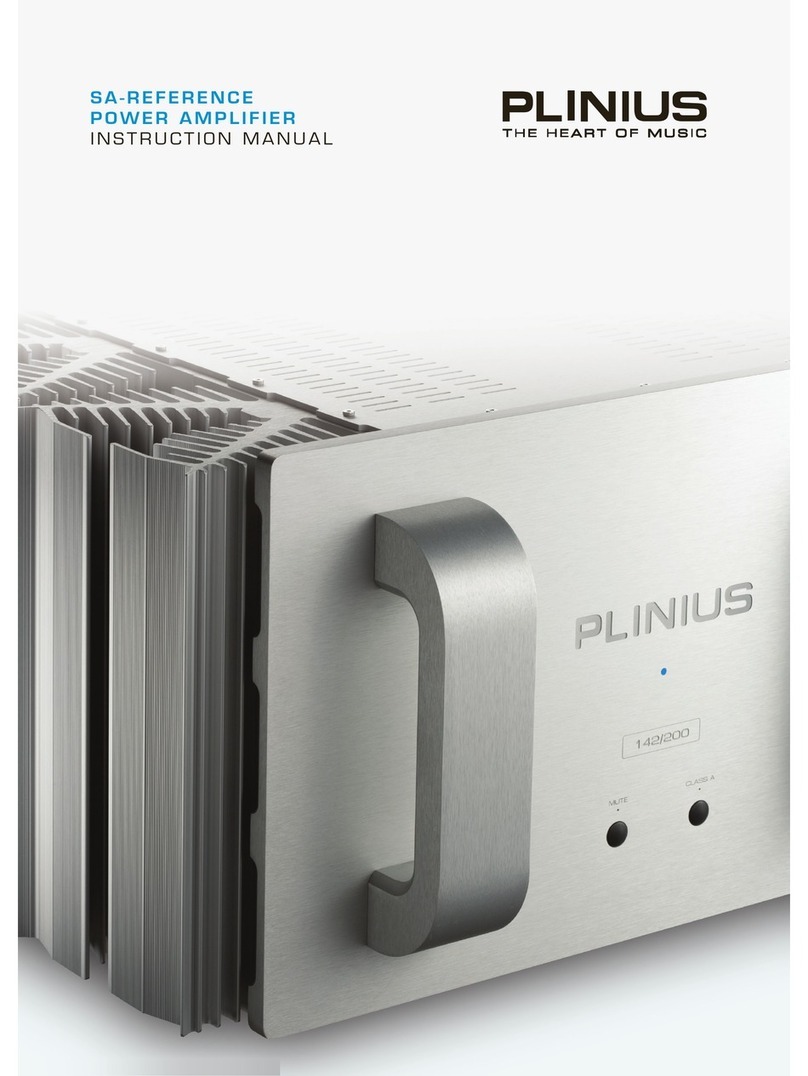
Plinius SA reference User manual

Plinius
Plinius JARRAH User manual


