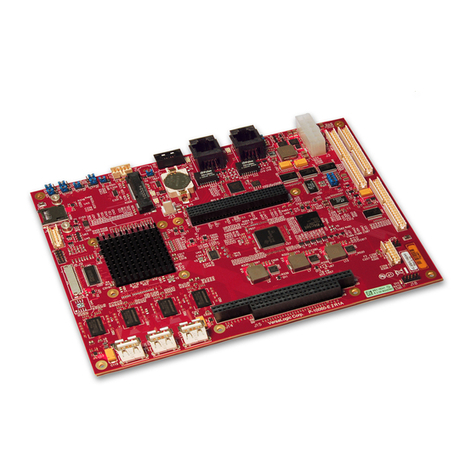
Phytec phyCORE-ADuC812 Programming manual

A product of a PHYTEC Technology Holding company
phyCORE-ADuC812
QuickStart Instructions
Using PHYTEC FlashTools98 for Windows and the Keil µVision2
Software Evaluation Development Tool Chain
Note: The PHYTEC Spectrum CD includes the electronic version of
the phyCORE-ADuC812 English Hardware Manual
Hinweis: Die PHYTEC Spectrum CD beinhaltet die elektronische
Version des deutschen phyCORE-ADuC812 Hardware Manuals
Edition: July 2002

phyCORE-ADuC812
© PHYTEC Meßtechnik GmbH 2002 L-462e_2
In this manual are descriptions for copyrighted products that are not explicitly
indicated as such. The absence of the trademark () and copyright () symbols
does not imply that a product is not protected. Additionally, registered patents and
trademarks are similarly not expressly indicated in this manual.
The information in this document has been carefully checked and is believed to be
entirely reliable. However, PHYTEC Meßtechnik GmbH assumes no
responsibility for any inaccuracies. PHYTEC Meßtechnik GmbH neither gives any
guarantee nor accepts any liability whatsoever for consequential damages resulting
from the use of this manual or its associated product. PHYTEC Meßtechnik
GmbH reserves the right to alter the information contained herein without prior
notification and accepts no responsibility for any damages which might result.
Additionally, PHYTEC Meßtechnik GmbH offers no guarantee nor accepts any
liability for damages arising from the improper usage or improper installation of
the hardware or software. PHYTEC Meßtechnik GmbH further reserves the right
to alter the layout and/or design of the hardware without prior notification and
accepts no liability for doing so.
Copyright 2002 PHYTEC Meßtechnik GmbH, D-55129 Mainz.
Rights - including those of translation, reprint, broadcast, photomechanical or
similar reproduction and storage or processing in computer systems, in whole or in
part - are reserved. No reproduction may occur without the express written
consent from PHYTEC Meßtechnik GmbH.
EUROPE NORTH AMERICA
Address: PHYTEC Technologie Holding AG
Robert-Koch-Str. 39
D-55129 Mainz
GERMANY
PHYTEC America LLC
203 Parfitt Way SW, Suite G100
Bainbridge Island, WA 98110
USA
Ordering
Information: +49 (800) 0749832
order@phytec.de 1 (800) 278-9913
info@phytec.com
Technical
Support: +49 (6131) 9221-31
support@phytec.com
Fax: +49 (6131) 9221-33 1 (206) 780-9135
Web Site: http://www.phytec.de http://www.phytec.com
2nd Edition: July 2002

Table of Contents
PHYTEC Meßtechnik GmbH 2002 L-462e_2
1 Introduction to the Rapid Development Kit.....................................1
1.1 Rapid Development Kit Documentation ......................................1
1.2 Overview of this QuickStart Instruction.......................................2
1.3 System Requirements ...................................................................3
1.4 The PHYTEC phyCORE-ADuC812............................................4
1.5 The Keil Software Evaluation Development Tool Chain.............7
2 Getting Started...................................................................................11
2.1 Installing Rapid Development Kit Software...............................11
2.2 Interfacing the phyCORE-ADuC812 to a Host-PC....................18
2.3 Starting PHYTEC FlashTools98 for Windows ..........................20
2.4 Downloading Example Code with FlashTools...........................21
2.4.1 "Blinky".........................................................................26
2.4.2 "Hello"...........................................................................28
3 Getting More Involved......................................................................33
3.1 Starting the Keil µVision2 Tool Chain.......................................33
3.2 Creating a New Project and Adding an Existing Source File.....35
3.3 Modifying the Source Code........................................................41
3.4 Saving the Modifications............................................................42
3.5 Setting Tool Chain Options ........................................................42
3.6 Building the Project....................................................................45
3.7 Downloading the Output File .....................................................46
3.8 “Hello2”......................................................................................47
3.8.1 Creating a New Project..................................................47
3.8.2 Modifying the Example Source.....................................48
3.8.3 Setting Tool Chain Options...........................................48
3.8.4 Building the New Project ..............................................48
3.8.5 Downloading the Output File........................................49
3.8.6 Starting the Terminal Emulation Program.....................50
4 Debugging...........................................................................................51
4.1 Preparing the Target Hardware to Communicate with
µVision2 Target Monitor............................................................52
4.2 Creating a Debug Project and Preparing the Debugger..............53
4.2.1 Creating a New Project..................................................53

phyCORE-ADuC812
© PHYTEC Meßtechnik GmbH 2002 L-462e_2
4.2.2 Setting Options for Target.............................................54
4.3 Preparing the Debugger..............................................................59
4.4 Starting the Debugger.................................................................61
4.5 Keil µVision2 Debug Features...................................................64
4.6 Using the Keil µVision2 Debug Features..................................66
4.6.1 Serial Window...............................................................66
4.6.2 Breakpoints....................................................................67
4.7 Single Stepping and Watch Window..........................................68
4.8 Running, Stopping and Resetting...............................................70
4.9 Changing Target Settings for the "Final Version" .....................71
5 Advanced User Information.............................................................75
5.1 FlashTools98 ..............................................................................75
5.2 STARTUP.A51 ..........................................................................77
5.3 Linking and Locating .................................................................78
Index of Figures
Figure 1: Keil Tool Chain Overview ...........................................................8
Figure 2: Mounting the phyCORE-ADuC812 onto the
phyCORE Development Board LD 5V......................................18
Figure 3: Important Connectors, Buttons and Suitable Jumper Settings
on the phyCORE Development Board LD 5V...........................19
Figure 4: Power Connector........................................................................19
Figure 5: Memory Model for Use with the Keil Monitor
(64 kByte RAM).........................................................................55

Introduction
© PHYTEC Meßtechnik GmbH 2002 L-462e_2 1
1Introduction to the Rapid Development Kit
This QuickStart provides:
•general information on the PHYTEC phyCORE-ADuC812 Single
Board Computer (SBC)
•an overview of Keil’s µVision2 software evaluation development
tool chain, and
•instructions on how to run example programs on the
phCORE-ADuC812, mounted on the PHYTEC
phyCORE Development Board LD 5V, in conjunction with
µVision2 IDE
Please refer to the phyCORE-ADuC8xx Hardware Manual for
specific information on such board-level features as jumper
configuration, memory mapping and pin layout. Selecting the links on
the electronic version of this document links to the applicable section
of the phCORE-ADuC8xx Hardware Manual.
1.1 Rapid Development Kit Documentation
This “Rapid Development Kit” (RDK) includes the following
electronic documentation on the enclosed “PHYTEC Spectrum
CD-ROM”:
•the PHYTEC phyCORE-ADuC8xx Hardware Manual and
phyCORE Development Board LD 5V Hardware Manual
•controller User's Manuals and Data Sheets
•this QuickStart Instruction with general “Rapid Development Kit”
description, software installation hints and four example programs
enabling quick out-of-the box start-up of the phyCORE-ADuC812
in conjunction with the Keil software development tools

phyCORE-ADuC812
2© PHYTEC Meßtechnik GmbH 2002 L-462e_2
1.2 Overview of this QuickStart Instruction
This QuickStart Instruction gives a general “Rapid Development Kit”
description, as well as software installation hints and four example
programs enabling quick out-of-the box start-up of the
phyCORE-ADuC812 in conjunction with the Keil software
development tools. It is structured as follows:
1) The “Getting Started” section uses three example programs:
•"Hello" and "Blinky" to demonstrate the download of user code
to the Flash device using PHYTEC FlashTools98 for Windows.
2) The "Getting More Involved" section provides step-by-step
instructions on how to modify both examples, create and build
new projects and generate and download output files to the
phyCORE-ADuC812 using the Keil tool chain and
FlashTools98.
3) The "Debugging” section provides a fourth example
program - “Debug” - to demonstrate monitoring of the board and
simple debug functions using the µVision2 debug environment.
In addition to dedicated data for this Rapid Development Kit, this
CD-ROM contains supplemental information on embedded
microcontroller design and development.

Introduction
© PHYTEC Meßtechnik GmbH 2002 L-462e_2 3
1.3 System Requirements
Use of this “Rapid Development Kit” requires:
•the phyCORE-ADuC812 SBC module
•the phyCORE Development Board LD 5V with the included DB-9
serial cable and AC adapter supplying 5 VDC / min. 500 mA
•the PHYTEC Spectrum CD
•an IBM-compatible host-PC (486 or higher running at least
Windows95/98)
For more information and example updates, please refer to the
following sources:
http://www.phytec.com - or - http://www.phytec.de
support@phytec.com - or - support@phytec.de
http://www.keil.com

phyCORE-ADuC812
4© PHYTEC Meßtechnik GmbH 2002 L-462e_2
1.4 The PHYTEC phyCORE-ADuC812
The phyCORE-ADuC represents an affordable, yet highly functional
Single Board Computer (SBC) solution in subminiature dimensions
(60 x 55 mm). The standard board is populated with a Analog Device
ADuC812 controller. The ADuC812 features an 8-channel 12-bit
resolution A/D-converter, two 12-bit D/A-converters, integrated
reference voltage source and a temperature sensor.
All applicable data/address lines and applicable signals extend from
the underlying logic devices to standard-width (2.54 mm / 0.10 in.)
pin headers lining the circuit board edges. This enables the
phyCORE-ADuC812 to be plugged like a “big chip” into target
hardware.
The standard memory configuration of the phyCORE-ADuC812
features 128 kByte external SRAM and 128 kByte external Flash for
code storage (64 kByte for FlashTools firmware and 64 kByte for
storage of user code). The Flash device allows direct on-board
programming. Three Chip Select signals are available for external
I/O connectivity.
The module communicates by means of an RS-232 transceiver and
operates within a standard industrial range of 0 to +70 degrees C. It
requires only a 150 mA power source.
PHYTEC FlashTools98 enables easy on-board download of user
programs.

Introduction
© PHYTEC Meßtechnik GmbH 2002 L-462e_2 5
phyCORE-ADuC812 Technical Highlights
•subminiature Single Board Computer (55 x 60 mm) achieved
through advanced SMD technology
•populated with an Analog Device microcontroller featuring
8 kByte of on-chip Flash for Code and 640 Bytes of EEPROM
Flash for data, an integrated reference voltage and a temperature
sensor
•ADuC812 microcontroller provides two 12-bit D/A-converters and
an 8-channel 12-bit resolution A/D-converter
•all digital ports as well as data and address lines extend to pin
header rows available at the edge of the board
•the analog inputs and outputs can be accessed over their specific
pin header connector
•128 kByte to 1 MByte SRAM on-board (SMD)1
•128 kByte to 512 kByte external Flash on-board(SMD)1
•on-board Flash programming with FlashTools
•flexible address decoding, configurable with software via complex
logic devices
•Bank latches for the Flash are integrated into the address decoder
•linear access to 16 MByte data via an additional pointer in the
microcontroller
•selectable RS-232 or RS-485 interface
•optional CAN interface with SJA1000 and CAN transceiver
82C251
•I²C Real-Time Clock
•optional 2 to 8 kByte I²C-EEPROM
•three Chip Select signals for connection of external peripheries
•requires only a 5 V /typ. <150 mA power source
1: Please contact PHYTEC for more information about additional modul configurations.

phyCORE-ADuC812
6© PHYTEC Meßtechnik GmbH 2002 L-462e_2
The phyCORE Development Board LD 5V, in EURO-card
dimensions (160 x 100 mm), is fully equipped with all mechanical
and electrical components necessary for the speedy and secure
insertion, and subsequent programming, of PHYTEC
phyCORE series Single Board Computers with standard width
(2.54 mm/ 0.10 in.) pin header connectors. Simple jumper
configuration readies the Development Board’s connection to any
phyCORE module (standard header pins), which plug pins-down into
the contact strips mounted on the phyCORE Development
Board LD 5V.
phyCORE Development Board LD 5V Technical Highlights
•Reset signal controlled by push button or RS-232 control line
CTS0
•Boot signal controlled by push button or RS-232 control line
DSR0
•low voltage socket for supply with regulated input voltage 5 VDC
•additional supply voltage 3.3 V
•two DB-9 sockets (P1A, P1B) configurable as RS-232 interfaces
•two additional DB-9 plugs (P2A, P2B) configurable as
CAN interfaces, connector P2B optionally configurable as RS-485
interface
•simple jumper configuration allowing use of the
phyCORE Development Board LD 5V with various PHYTEC
phyCORE SBC’s
•one control LED D3 for quick testing of user software
•2 x 160-pin Molex connector (X2) enabling easy connectivity to
expansion boards (e.g. PHYTEC GPIO-Expansion Board)
Other manuals for phyCORE-ADuC812
1
Table of contents
Other Phytec Single Board Computer manuals

Phytec
Phytec phyCORE-AM335x User manual

Phytec
Phytec phyCORE-OMAP44 Series User manual

Phytec
Phytec phyCORE-XC167 User manual

Phytec
Phytec PhyBOARD-Mira i.MX6 User manual

Phytec
Phytec phyCORE-AM65x User manual

Phytec
Phytec phyBoard Wega AM335x User guide

Phytec
Phytec phyCORE-i.MX7 User manual

Phytec
Phytec phyCORE-TC1796 User manual

Phytec
Phytec phyCORE-P8xC51Mx2 User manual

Phytec
Phytec phyCORE-AM64 Series User manual