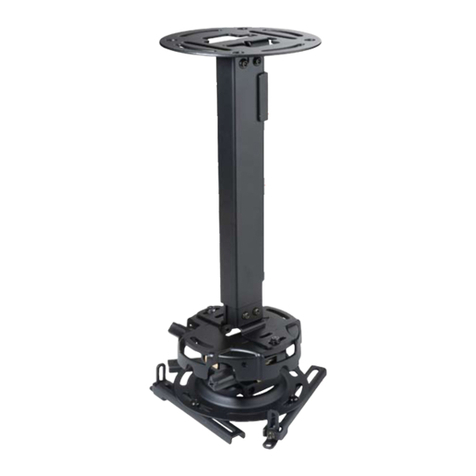
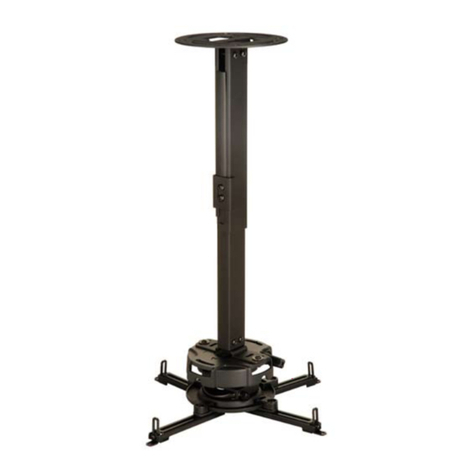
PEERLESS ELPMBPRG Guide

Installation and Assembly:
Advanced Projector Ceiling Mount with Precision
Gear
Model: ELPMBPRG
3215 W. North Ave. • Melrose Park, IL 60160 • (800) 865-2112 or (708) 865-8870 • Fax: (708) 865-2941 • www.peerlessmounts.com
Maximum UL Load Capacity: 50 lb (22.7 kg)
This product is UL Listed. It must be
installed by a qualied professional
installer.
Manufactured by Peerless Industries, Inc.
ISSUED: 04-01-08 SHEET #: 055-9254-7 04-21-10

ISSUED: 04-01-08 SHEET #: 055-9254-7 04-21-10
2 of 12
Visit the Peerless Web Site at www.peerlessmounts.com For Technical Support Contact Peerless Mounts at 1-800-729-0307 or 708-865-8870.
NOTE: Read entire instruction sheet before you start installation and assembly.
Table of Contents
Parts List.................................................................................................................................................................................3
Installation to Extension Column ............................................................................................................................................4
Installation To Wood Joist Ceilings .........................................................................................................................................5
Installation to Concrete Ceilings.............................................................................................................................................6
Installing Plates to Projector ..................................................................................................................................................7
Installing Connection Block to Projector Mount Assembly......................................................................................................9
Cable Management ............................................................................................................................................................. 10
Projector Alignment ..............................................................................................................................................................11
Accessories and Warranty Information................................................................................................................................ 12
Tools Needed for Assembly
• stud nder ("edge to edge" stud nder is recommended)
• phillips screwdriver
• drill
• 1/4" bit for concrete surface
• 5/32" bit for wood joist
• 3/8" (10 mm) socket or open end wrench
• Do not begin to install your Peerless product until you have read and understood the instructions and warnings con-
tained in this Installation Sheet. If you have any questions regarding any of the instructions or warnings, call Peer-
less customer care at 1-800-729-0307.
• This product should only be installed by someone of good mechanical aptitude, has experience with basic building
construction, and fully understands these instructions.
• Make sure that the supporting surface will safely support the combined load of the equipment and all attached hard-
ware and components.
• Never exceed the Maximum UL Load Capacity.
• Always use an assistant or mechanical lifting equipment to safely lift and position equipment.
• Tighten screws rmly, but do not overtighten. Overtightening can damage the items, greatly reducing their holding
power. See suggested torque values where applicable within these instructions.
• This product is intended for indoor use only. Use of this product outdoors could lead to product failure and personal
injury.
WARNING

ISSUED: 04-01-08 SHEET #: 055-9254-7 04-21-10
3 of 12
Visit the Peerless Web Site at www.peerlessmounts.com For Technical Support Contact Peerless Mounts at 1-800-729-0307 or 708-865-8870.
NOTE: Actual parts may appear slightly different than illustrated.
DE
L
FGI
H
JK
B
C
A
Parts List
Description Qty. Part Numbe
r
A
projector mount assembly 1 PRG-1W
Badapter plate 1 055-2806
Cdedicated adapter plate 1 055-2871
DM4 x 20 mm socket pin serrated washer head screw 4 510-2163
EM5 x 20 mm socket pin serrated washer head screw 4 510-2065
F3/8" spacer 4 590-2150
GM4 x 6 mm socket pin serrated washer head screw 6 510-2059
HAlligator
®
anchor 2 590-0097
I10-32 x 1/4'' socket pin screw with lock 1 520-2196
J4 mm security allen wrench 1 560-9646
Kwasher 2 540-1078
L#14 x 2.5'' wood screw 2 5S1-015-C04
Before you start check the parts list to ensure all of the parts shown are included.

ISSUED: 04-01-08 SHEET #: 055-9254-7 04-21-10
4 of 12
Visit the Peerless Web Site at www.peerlessmounts.com For Technical Support Contact Peerless Mounts at 1-800-729-0307 or 708-865-8870.
NOTE: Refer to accompanying instructions for ELPMBP01, ELPMBP02, ELPMBP03 or CMJ and ACC Series
Ceiling Mounts (sold separately) for installing these models to ceiling.
Screw projector mount assembly (A) onto extension column as shown in gure 1.1.
Use 4 mm allen wrench (J) to tighten swivel stop screw.
NOTE: Swivel stop screw is used to jam against threads of extension column or ush mount tube to prevent any
excess movement of projector mount assembly (A) as shown in detail 1. Do not overtighten screw; overtightening
screw will damage threads making it difcult to separate products.
Skip to step 2.
1
Installation to Extension Column
SWIVEL STOP
SCREW
A
g. 1.2
DETAIL 1
A
ARROW
INDICATES
FRONT OF
MOUNT
g. 1.1
A
EXTENSION COLUMN
(UL Listed ELPMBC01 or UL Listed
EXT and ADJ Series)
(Sold Separately)
Not Shown: UL Listed ELPMBP01, ELPMBP02, ELPMBP03 or UL
Listed CMJ and ACC Series Ceiling Mounts (Sold Separately).

ISSUED: 04-01-08 SHEET #: 055-9254-7 04-21-10
5 of 12
Visit the Peerless Web Site at www.peerlessmounts.com For Technical Support Contact Peerless Mounts at 1-800-729-0307 or 708-865-8870.
Place projector mount assembly (A) on ceiling as a template and mark the center of the two mounting holes. Make
sure that the mounting holes are in the center of the wood joist. Drill two 5/32" (4 mm) dia. holes to a minimum
depth of 2.5" (64 mm). Attach projector mount assembly (A) with two #14 x 2.5" (6 mm x 65 mm) wood screws (L)
and two at washers (K) as shown in gure 1.3 or gure 1.4 depending on joist orientation.
NOTE: Mounting slots on projector mount assembly allow for 30° (±15°) of swivel adjustment before fully securing
wood screws.
Tighten wood screws (L) using 3/8" (10 mm) socket or open end wrench or phillips screwdriver until projector
mount assembly (A) is rmly attached.
Skip to step 2.
LL
A
WOOD JOIST
KK
WOOD JOIST
A
ACCESS SLOT FOR
OPEN END WRENCH
ALLOWS TIGHTENING
OF WOOD SCREW (L)
1
Installation To Wood Joist Ceilings
g. 1.3 g. 1.4
ARROW INDI-
CATES FRONT
OF MOUNT
ARROW INDI-
CATES FRONT
OF MOUNT
• Installer must verify that the supporting surface will safely support the combined load of the equipment and all
attached hardware and components.
• Tighten wood screws so that projector mount assembly is rmly attached, but do not overtighten. Overtightening
can damage the screws, greatly reducing their holding power.
• Never tighten in excess of 80 in. • lb (9 N.M.).
• Make sure that mounting screws are anchored into the center of the stud. The use of an "edge to edge" stud nder
is highly recommended.
• Hardware provided is for attachment of mount through standard thickness drywall or plaster into wood studs. Install-
ers are responsible to provide hardware for other types of mounting situations (not UL evaluated).
WARNING

ISSUED: 04-01-08 SHEET #: 055-9254-7 04-21-10
6 of 12
Visit the Peerless Web Site at www.peerlessmounts.com For Technical Support Contact Peerless Mounts at 1-800-729-0307 or 708-865-8870.
Place projector mount assembly (A) on ceiling as a
template and mark the center of the two mounting holes.
Drill two 1/4" (6 mm) dia. holes to a minimum depth of 2.5"
(64 mm). Attach projector mount assembly (A) using two
Alligator® concrete anchors (H), two at washers (K), and
two #14 x 2.5" wood screws (L) as shown in Illustration A
and 1, 2 and 3).
NOTE: Mounting slots on projector mount assembly allow
for 30° (±15°) of swivel adjustment before fully securing
wood screws.
Tighten wood screws (L) using 3/8" (10 mm) socket or
open end wrench or phillips screwdriver until projector
mount assembly (A) is rmly attached.
Installation to Concrete Ceilings
1
• Concrete must be 2000 psi density minimum. Lighter density concrete may not hold concrete anchor.
• Make sure that the supporting surface will safely support the combined load of the equipment and all attached hard-
ware and components.
WARNING
CUTAWAY VIEW
INCORRECT
concrete
plaster/
dry wall
CORRECT
concrete
plaster/
dry wall
A
A
• Always attach concrete anchors directly to load-bearing
concrete.
• Never attach concrete anchors to concrete covered with
plaster, drywall, or other nishing material. If mounting to
concrete surfaces covered with a nishing surface is un-
avoidable, the nishing surface must be counterbored as
shown below. Be sure concrete anchors do not pull away
from concrete when tightening screws. If plaster/drywall
is thicker than 5/8", custom fasteners must be supplied by
installer (not UL approved).
• Tighten wood screws rmly, but do not overtighten.
Overtightening can damage the screws, greatly reducing
their holding power.
• Never tighten in excess of 80 in • lb (9 N.M.).
WARNING
WARNING
Illustration A
H
L
K
A
CONCRETE CEILING
ARROW INDI-
CATES FRONT OF
MOUNT
1
3
Drill hole and insert anchor
CONCRETE
CEILING
L
L
2A
H
H
H
Place mount over anchor and secure with screw and
washer
After repeating step one tighten all fasteners
K
K

ISSUED: 04-01-08 SHEET #: 055-9254-7 04-21-10
7 of 12
Visit the Peerless Web Site at www.peerlessmounts.com For Technical Support Contact Peerless Mounts at 1-800-729-0307 or 708-865-8870.
2
Installing Plates to Projector
Adapter Plate: PowerLite 1830, 1915, 1925W,
410W, 83V+, 83+, 84+, 85+, 825+, 826W+
Use adapter plate (B) as shown. Continue to step 3.
2-Plate Horizontal Conguration: PowerLite Pro
G5200WNL, G5350NL, G5150NL, G5000, 6110i
Attach adapter plate (B) to dedicated adapter plate
(C) using six M4 x 6 mm socket pin screws (G).
G
B
C
2
• All spacers shall be used where indicated. Not using spacers can cause damage to projector.
• It is the responsibility of the installer to ensure that the projector is properly ventilated.
CAUTION
NOTE: For all PowerLite® models, the manufacturer's product weight must be reviewed to ensure that the weight does not
exceed 50 lbs.
B

ISSUED: 04-01-08 SHEET #: 055-9254-7 04-21-10
8 of 12
Visit the Peerless Web Site at www.peerlessmounts.com For Technical Support Contact Peerless Mounts at 1-800-729-0307 or 708-865-8870.
C. PowerLite Pro G5350NL,
G5200WNL, G5150NL, G5000
B. PowerLite 6110i
Hole Patterns
C
D
A. PowerLite 83V+, 83+, 84+, 85+,
410W, 825+, 826W+, 1830, 1915,
1925W
2
NOTE: SHOULDER
INDICATES THE BACK OF
ADAPTER PLATE (B)
FRONT
FRONT FRONT FRONT
NOTE: Shoulder indicates back of adapter plate (B)
Flip projector upside down. Find your projector model from the hole patterns listed below. Using the holes indicated
on the corresponding hole pattern diagram, attach adapter plate (B) to projector using the appropriate number of
M4 x 20 mm socket pin serrated washer head screws (D) and spacers (F).
NOTE: Retaining spacers go between adapter plate and projector.
F
B

ISSUED: 04-01-08 SHEET #: 055-9254-7 04-21-10
9 of 12
Visit the Peerless Web Site at www.peerlessmounts.com For Technical Support Contact Peerless Mounts at 1-800-729-0307 or 708-865-8870.
CONNECTION BLOCK
A
FRONT OF MOUNT
Slide connection block with projector into projector mount assembly (A) as shown. Tighten captive screw to secure
projector to projector mount assembly (A).
IMPORTANT: For security installations, insert one #10-32 x 1/4" socket pin screw (I) through projector mount as-
sembly (A) and into connection block as shown.
3
4
A
CONNECTION BLOCK
• Always use an assistant or mechanical lifting equipment to safely lift and position the projector.
WARNING
Installing Connection Block to Projector Mount Assembly
CAPTIVE
SCREW
ARROW
INDICATES
FRONT OF
MOUNT
I

ISSUED: 04-01-08 SHEET #: 055-9254-7 04-21-10
10 of 12
Visit the Peerless Web Site at www.peerlessmounts.com For Technical Support Contact Peerless Mounts at 1-800-729-0307 or 708-865-8870.
Cable Management
To make an opening to route cables through
projector mount assembly, adjust projector mount
assembly to full upward tilt position and maximum
left or right roll position by turning knobs for
adjustments as shown in gure 5.1.
NOTE: Be certain tamper resistant screws are
not engaged before making adjustments (see
step 6-1).
Route cables through top of extension column as
shown in gure 5.2 and gure 5.3.
NOTE: A method for assisting cables through ex-
tension column may be required (example: string
tied to connector to help pull through extension
column).
Route cables through projector mount assembly as
shown in gure 5.4 and connect to projector.
KNOB FOR TILT
ADJUSTMENT
MAXIMUM
WIDTH
1-9/16"
(40 mm)
HEIGHT DIMENSION
WILL VARY DEPENDING
ON WIDTH DIMENSION
DO NOT
CRIMP
WIRES
BEND WIRES OF RCA
PLUGS IN OPPOSITE
DIRECTION
MAXIMUM DIMENSIONS
EXTENSION COLUMN
WILL ALLOW
g. 5.4
g. 5.1
KNOB FOR ROLL
ADJUSTMENT
OPENING FOR
ROUTING CABLES
ROUTE
CONNECTOR
THROUGH
FIRST
g. 5.3
CABLES WITH COMBINATION
OF VGA CONNECTOR
AND RCA PLUGS
5
EXTENSION
COLUMN
g. 5.2
Table of contents
Other PEERLESS Projector Accessories manuals

PEERLESS
PEERLESS PRG-EXA User manual

PEERLESS
PEERLESS PAP 40 Guide

PEERLESS
PEERLESS PRG-UNV-S Guide

PEERLESS
PEERLESS Paramount PPA Guide

PEERLESS
PEERLESS CMJ500R1 Guide

PEERLESS
PEERLESS A100WALLARM2 Guide

PEERLESS
PEERLESS PRS-1 Guide

PEERLESS
PEERLESS EXA and assembly Guide

PEERLESS
PEERLESS PSMU-PRS Guide

PEERLESS
PEERLESS PRS-UNV Guide

PEERLESS
PEERLESS PARAMOUNT I-PPF Guide

PEERLESS
PEERLESS Encore PJRL411 Guide

PEERLESS
PEERLESS PRS 35 Instruction Manual

PEERLESS
PEERLESS PRG-1S Guide

PEERLESS
PEERLESS CMJ455 Guide

PEERLESS
PEERLESS PAP 35 Guide

PEERLESS
PEERLESS PRS-EXC Instruction Manual

PEERLESS
PEERLESS ELPMBPJF Guide

PEERLESS
PEERLESS PSM-UNV Guide

PEERLESS
PEERLESS PRS Series Guide