
PayFacto PAX A920 Quick guide

PAX A920
Configuration and Setup Guide
November, 2021

Contents
Introduction........................................................................................................................................................ 3
Terminal Overview ............................................................................................................................................ 4
A920 Terminal Overview.............................................................................................................................. 4
Terminal Hardware ....................................................................................................................................... 5
Terminal Setup and Configuration..................................................................................................................... 6
Charging the Terminal................................................................................................................................... 6
Installing the Printer Paper............................................................................................................................ 7
Configuring the Terminal Display Language................................................................................................ 8
Configuring the Terminal Network Connections.......................................................................................... 9
Installing the SIM Card............................................................................................................................... 10
Configuring the Terminal Wi-Fi Connection .............................................................................................. 11
Terminal Usage ................................................................................................................................................ 12
Powering the Terminal On or Off ............................................................................................................... 12
Card Payment Options ................................................................................................................................ 13
Terminal Input Options ............................................................................................................................... 14
Replacing the Printer Paper ........................................................................................................................ 15

PAX A920 Configuration and Installation
Copyright© 2021 PayFacto Inc. Page 3of15
1.
2.
3.
◦
◦
◦
◦
◦
4.
◦
◦
◦
◦
Introduction
The PAX A920 mobile payment terminal is perfect for most applications, whether retail, bar/restaurant,
or delivery/transportation. Thissetup guide describes the following topics:
A920 Terminal Overview
Terminal Hardware
Initial terminal configuration
Charging the Terminal
Installing the Printer Paper
Installing the SIM Card
Configuring the Terminal Wi-Fi Connection
Configuring the Terminal Display Language
Working with the terminal
Powering the Terminal On or Off
Terminal Input Options
Card Payment Options
Replacing the Printer Paper

PAX A920 Configuration and Installation
Copyright© 2021 PayFacto Inc. Page 4of15
A920 Terminal Overview
This document will introduce you to your payment terminal as well as guide you through the process of
preparing and configuring your it in order to quickly begin processing payments.
Your PAX A920 payment processing terminal comes with the following:
You may also have an optional charger and external printer included, but this document addresses the
most basic delivery configuration.
Payment terminal
1.
AC power outlet
2.
Roll of printer paper
3.
Charging cable
4.

PAX A920 Configuration and Installation
Copyright© 2021 PayFacto Inc. Page 5of15
Terminal Hardware
The following illustrations show the location of the main terminal features and hardware:
Magnetic stripe
reader
1.
Front-facing camera
(not used)
2.
Color touchscreen
3.
Chip card reader
4.
Volume up button
5.
Power button
6.
Volume down button
7.
Micro USB charging
port
8.
Contactless payment
reader
9.
Printer
10.
Printer latch
11.
Rear camera/scanner
12.
Battery cover
13.
PAX A920 Configuration and Installation
Copyright© 2021 PayFacto Inc. Page 6of15
Charging the Terminal
After you remove the terminal and accessories from the box, you need to charge the terminal before you
can use it. The pre-installed battery has a protective cover on the contacts to prevent the possibility of a
short circuit during transport.
To charge the terminal:
NOTE: The terminal’s charging port may have a protective
cover; you will need to remove it before inserting the micro
USB port.
Turn the terminal over.
1.
On the back of the terminal at the bottom, slide the battery cover locking switch to the
right.
2.
Lift the battery cover off the terminal. You should notice a plastic tab at the top of the
battery.
3.
Lift the battery from the terminal and remove the plastic tab.
4.
Re-install the battery by sliding the thin segment into the terminal, near the charging
connectors, and pushing on the bottom of the battery to seat it correctly.
5.
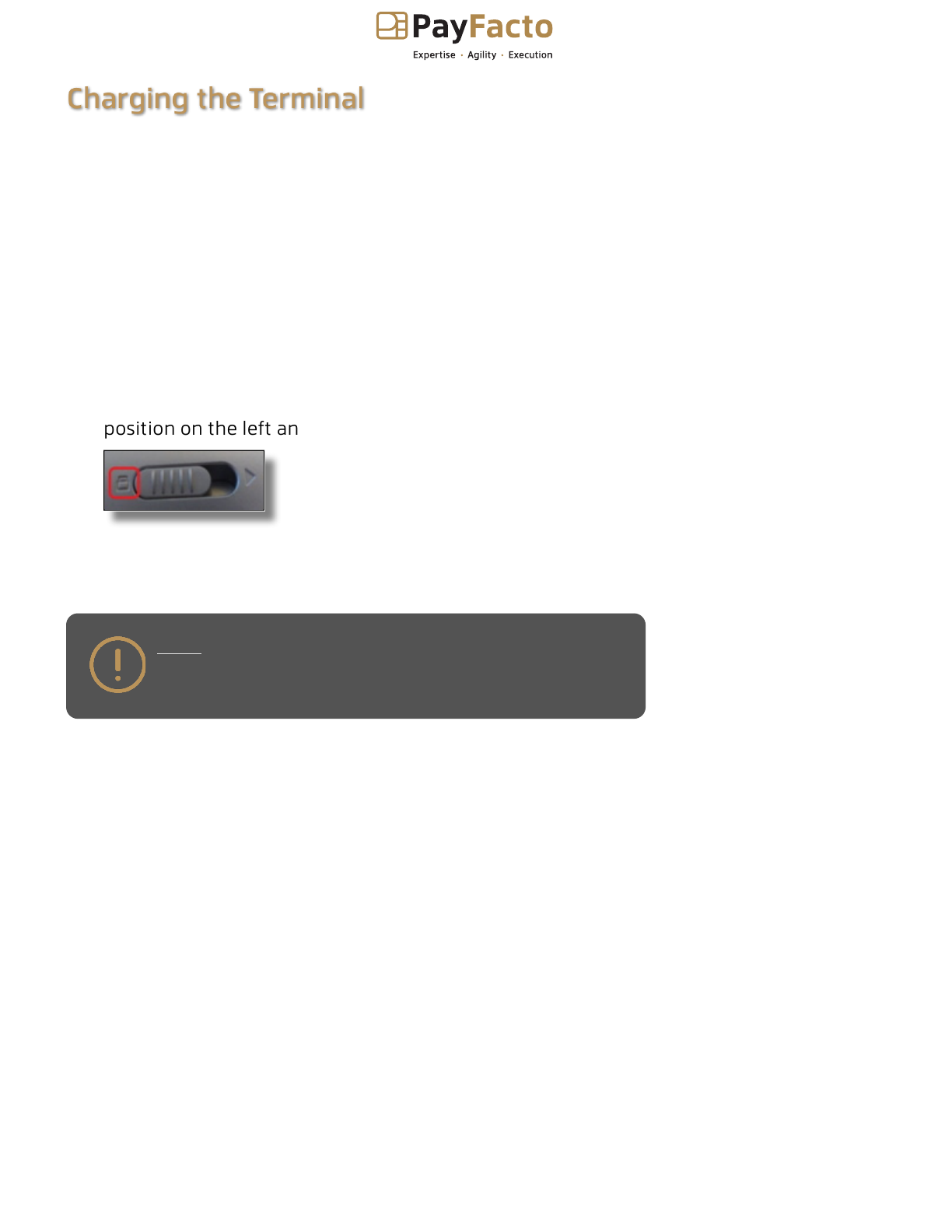
Re-install the battery cover on the terminal and slide the lock switch to the lock
position on the left and turn the terminal over.
6.
Insert the USB cable in the AC outlet and connect the outlet to an AC plug.
7.
Insert the micro USB connector in the terminal’s charging port, located on the left side,
below the Volume Down button. The terminal begins charging.
8.

PAX A920 Configuration and Installation
Copyright© 2021 PayFacto Inc. Page 7of15
Installing the Printer Paper
If the supplied roll of printer paper was not already installed in the terminal when you received it, you will
need to install it before you can print any transaction receipts.
TIP: This procedure also applies to replacing a roll of printer
paper.
To install the printer paper:
On the back of the terminal at the top, lift the lever to unlock and open the printer
cover.
NOTE: The printer cover opens on a hinge, it does not
come off the terminal.
1.
The paper tray contains an illustration of how to install the roll of paper.
2.
Place the roll of printer paper in the paper tray, leaving about 2 inches (5 cm) of paper
beyond the printer's cutter.
IMPORTANT! Make sure the paper unrolls from the back
of the roll, otherwise the printer will be unable to print
the transaction receipt.
3.
Close the printer cover until it snaps into place and remove any excess paper.
4.
PAX A920 Configuration and Installation
Copyright© 2021 PayFacto Inc. Page 8of15
Configuring the Terminal Display Language
By default, the terminal displays all information in English. This procedure explains how to change the
terminal’s display language if necessary.
IMPORTANT! Selecting a different language changes all text
that appears on the terminal.
To change the terminal display language:
On the terminal’s main screen, touch the Settings icon.
1.
On the
Settings
screen, touch the Please Input Password field and use the keypad to
type the password: either 9876 or pax9876@@.
2.
Touch the checkmark icon on the keypad when you are done and touch OK.
3.
Scroll to the Personal section and touch Language & input.
4.
Touch Language.
5.
Scroll to and touch the desired language.
6.
Touch the Back icon twice to return to the main screen.
7.

PAX A920 Configuration and Installation
Copyright© 2021 PayFacto Inc. Page 9of15
Configuring the Terminal Network Connections
The terminal requires a network connection to communicate with the payment processor server to process
transactions.
The PAX A920 is a mobile payment terminal that can connect to mobile (LTE) and wireless (Wi-Fi)
networks.
Mobile network access is required for delivery and transportation use, but it can also serve as a backup
connectionifyourWi-Finetworkreceptionisunreliableincertainareas.
Installing the SIM Card
•
Configuring the Terminal Wi-Fi Connection
•

PAX A920 Configuration and Installation
Copyright© 2021 PayFacto Inc. Page 10of15
Installing the SIM Card
If you plan to use your terminal outside of your usual wi-fi network, you need to install the mobile SIM
card, provided by PayFacto or your mobile communications provider. The SIM card will connect you to a
mobile network, allowing you to process payments anywhere the terminal has reception. The terminal
uses the regular (full) SIM card size.
NOTE: If you plan to use your terminal only on your wi-fi network, you can skip this procedure and
proceed directly to Configuring the Terminal Wi-Fi Connection.
To install the mobile SIM card:
The terminal should identify the SIM card and configure the mobile network settings automatically.
Make sure the terminal is powered off and turn the terminal over.
1.
On the back of the terminal at the bottom, slide the battery cover locking switch to the
right.
2.
Lift the battery cover off the terminal.
3.
Lift the battery from the terminal to remove and set aside.
4.
The terminal has illustrations for the different cards it can accept. Insert your SIM card
in the space identified as SIM1/SAM3 so the diagonal corner is facing the top right side.
IMPORTANT! The SIM card goes into the leftmost space
and should not require great force to insert.
5.
Re-install the battery by sliding the thin segment into the terminal, near the charging
connectors, and pushing on the bottom of the battery to seat it correctly.
6.
Re-install the battery cover on the terminal and slide the lock switch to the lock
position on the left.
7.
Power on the terminal by pressing and holding the Power button for 3 seconds.
8.
Other manuals for PAX A920
1
Table of contents
Other PayFacto Payment Terminal manuals

PayFacto
PayFacto PAX A80 Operator's manual

PayFacto
PayFacto PAX D210 User manual

PayFacto
PayFacto PAX A80 User manual

PayFacto
PayFacto PAX A35 Operator's manual

PayFacto
PayFacto AMP 8200 Quick guide

PayFacto
PayFacto PAX S80 User manual

PayFacto
PayFacto PAX A920 Pro Quick guide

PayFacto
PayFacto A80 User manual


