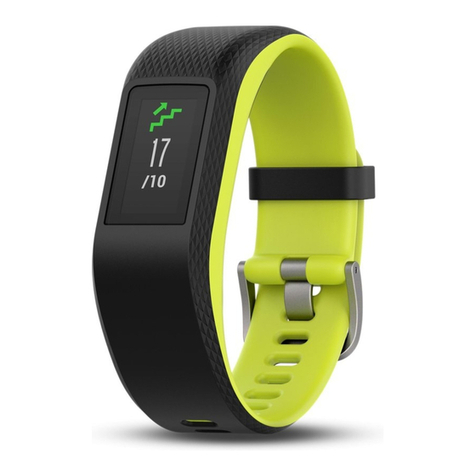
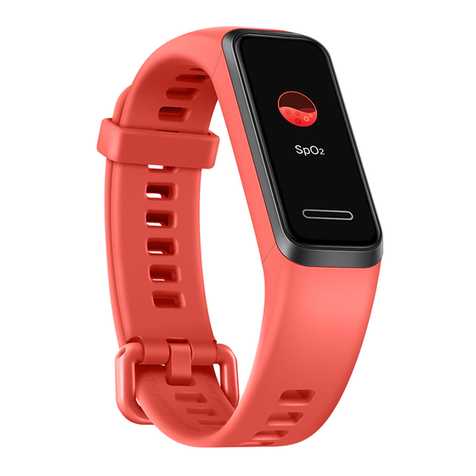
novasmart runR One User manual

GB
USER GUIDE
runR One
Fitness Tracker
Smartband

2
GETTING STARTED
Read this user guide carefully before using the
product. lt contains important information for your
safety as well as use and maintenance advice.
Keep this user guide for future reference. lf this
product is passed to a third party, this user guide
must be included.
SAFETY ADVICES
■ The product contains electrical components that
could cause injury if not handled properly.
■ Do not open the enclosure or disassemble the
product.
■ Do not use the product if the screen is cracked
or damaged.
■ Do not expose the product to extremely high or
low temperatures, or in high pressure and high
magnetic environment.
■ Do not use the product in a sauna or steam room.
■ Do not charge the product in wet environment,
as this may lead to corrosion of the charging ter-
minal hardware, resulting in charging failure.

3
■ Charge bracelet with 5 V/100-2000 mA, do not
use higher power supply voltage to prevent
overload.
■ Do not leave the product in direct sunlight for an
extended period of time.
■ Do not dispose the product in a fire. Built-in
battery could explode.
■ The product features a built-in battery, which is
not user replaceable.
■ Do not check call notifications or other data on
the product‘s screen while driving or in other
situations where distractions could be hazardous.
■ This product is not a toy and should not be used
by children.
■ This product is not a medical device and is not
intended to diagnose, treat, cure, or prevent any
disease.
■ The distance travelled may be inaccurate. lt is
for reference only and should not be used as any
navigational reference.
■ Wearing the product snugly can lead to skin
irritation due to rubbing and friction. Remove the
product periodically to allow your skin to dry and
breathe.
■ Do not wear the product too tight. This might
restricts blood flow, potentially affecting the
heart rate signal.

4
■ The product should usually rest a finger‘s width
below the wrist bone, as you would normally
wear a watch.
■ This product has been classified as IP67 and is
protected against the effects of temporary im-
mersion in water. For diving in larger depth, the
product is NOT suitable.
Consult your doctor prior to use if you
■ Have a medical or heart condition or any preexist-
ing conditions that might be affected by your use
of this product.
■ Are taking any photosensitive medicine.
■ Have epilepsy or are sensitive to flashing lights.
■ Have reduced circulation or bruise easily.
■ Begin or modify any exercise program.
Prolonged contact may contribute to skin irritation
or allergies in some users. lf you notice any signs
of skin redness, swelling, itchiness or other skin
irritation, please discontinue using the product.
CAUTION
The device may cause skin irritation.
!

5
Continued use, even after symptoms subside, may
result in renewed or increased irritation. lf symp-
toms persist, consult your doctor.
Blood pressure notice
■ Blood pressure can be subjected to wide fluctua-
tions in a short period of time as its level depends
on many factors. Usually the level of blood
pressure is lower in summer and higher in winter.
lt can change with atmospheric pressure and if
affected by many factors, e.g. physical work, emo-
tional state, stress, meals, dietary pattern, etc.
■ Different medicines, alcohol and smoking can
exert a large influence on the level of blood pres-
sure. Do not smoke, drink caffeinated beverages
or exercise within the 30 minutes before measur-
ing your blood pressure.
CAUTION
Only a medical practitioner is quali-
fied to interpret your blood pressure
measurements. Use of this Smartband
should not replace regular medical
examinations.
!

6
INTENDED USE
This Smartband is intended for monitoring fitness-
related metrics such as heart-rate, blood pressure,
distance walked or run, calorie consumption and
quality of sleep. Data measured should not be used
for any medical, ambulatory or dietary reference.
YOUR PRODUCT
11. Bracelet
2. Screen
3. Function key
2
3

7
4. Blood pressure and heart rate sensors
5. Build-in USB charging port
6. USB charging with built-in USB port
4
5
6
CHARGING
■ Identify the strap pointed to by a USB mark on
the back of the product. Hold the product body
with one hand and pull the strap with another
hand at 45 degrees away from the product to
reveal a built-in USB port.
■ Plug the built-in USB port charging end into the
USB port on your computer or mains charger
with 5V charging output. Charging range: from
100 mA to 2 A.

8
TURNING ON AND OFF
To turn on
■ Press and hold function key for 3 seconds.
■ The Smartband turns on and a main screen with
time and date is shown.
■ Long press the function key to switch the style of
the main screen.
■ Upon charging, a battery charging icon will be
displayed briefly followed by a short vibration.
■ Average charging time should take ca. 2 hours.

9
To turn off
■ Briefly press the function key to switch between
the menu items. Go to “More”, long press the
function key and switch to the turning off menu
as shown.
■ Press and hold function key for 3 seconds.
■ The Smartband vibrates and turns off.
>>

10
App Store Google Play
“FunDo Pro” app allows to use additional fea-
tures, such as
■Synchronization of date & time with your phone
■Dashboard with overview of all data measured
■Continuous heart rate and blood pressure mon-
itoring
■Overview of sleeping patterns
■Notifications for incoming calls, text messages,
Facebook, Twitter, WhatsApp, WeChat, etc.
■Alarm and sedentary settings
“FUNDO PRO” APP
For the best experience download and install the
“FunDo Pro” app on the App Store, Google Play or
by scanning the following QR code. Open the app
and confirm all permissions to access all features.
For this you need iOS 8.0 or higher, Android 4.4 or
higher Android version.
Other novasmart Fitness Tracker manuals