
NeuLog NUL-233 User manual
NEULOG WIDE RANGE TEMPERATURE LOGGER SENSOR GUIDE
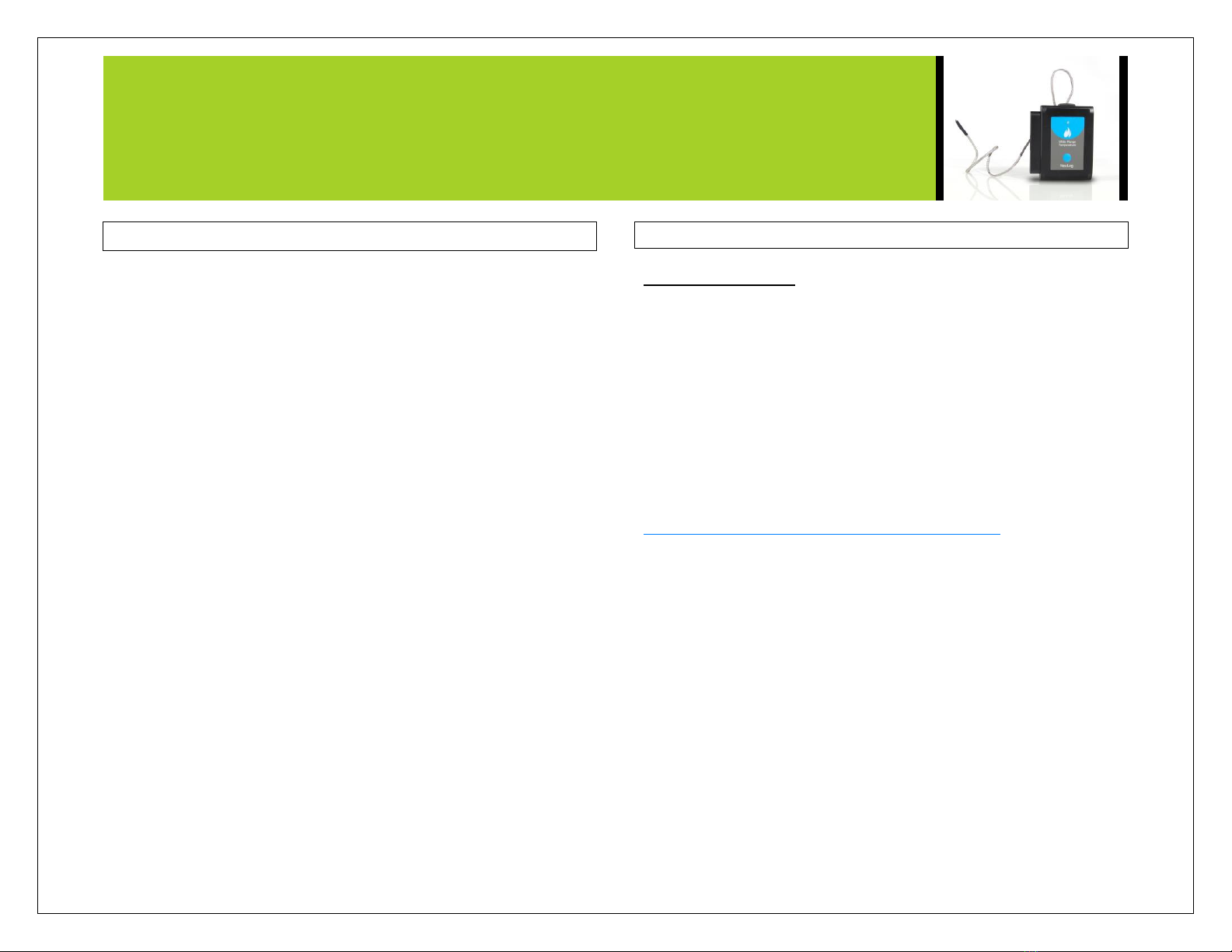
NeuLog wide range temperature logger sensor NUL-233
The NeuLog wide range temperature sensor can be used for any science
experiment or activity which requires accurate temperature measurements
such as in the fields of physics, chemistry, biology, environmental science,
etc.
The sensor comes pre-calibrated so you can start experimentation right out
of the box using this guide.
Using the wide range temperature sensor over other temperature sensors has
its advantages:
Sensor accurately can measure between -200°C and 1200°C –can be
used in direct flames.
Extremely durable with a mesh metal wire coating.
Hundreds of possible experimental subjects that can be done with the NUL-
233 sensors are: exothermic and endothermic chemical reactions, heat of
combustion for different materials, metabolism, heat and energy transfer,
effects of heat on enzyme function, weather studies, material thermal
conductance properties, and many more.
The wide range temperature sensor uses the following units of measure:
Celsius: The SI (International System of Units) unit of
temperature.
Fahrenheit: The temperature measurement unit of the English
System commonly used in the United States.
Quick start procedure:
PC or Mac Computer
Materials needed:
NUL-233 Wide Range Temperature Sensor
USB-200 USB Module
USB to mini USB cable (included with the USB-200 module)
Your wide range temperature sensor needs to be connected to a USB-200
module. The USB-200 module then connects to a computer via a USB to
mini-USB cable. Please note that you cannot plug the wide range
temperature sensor directly into the computer.
Resident PC software and browser based application can be downloaded for
free at
www.neulog.com/Download/SoftwareandApplication.aspx as well as a full
software user guide.
Note: Make sure not to download and install both types of software they
will conflict on the computer.
Procedure:
1. Install the NeuLog software
2. Connect the USB-200 module to the PC or Mac
3. Connect the wide range temperature sensor to the USB-200 module
(they directly plug together). Please note that there is no calibration
required for this sensor.
4. Open the NeuLog software.
5. Once the wide range temperature sensor logo appears on the left side
of the screen the probe has been automatically identified and you can
begin experimentation.
6. If the wide range temperature sensor is not automatically identified
then click the “Search for sensors” icon to find the sensor.
7. Select the “On-line experiment” button; this will open a graph below.

NEULOG WIDE RANGE TEMPERATURE LOGGER SENSOR GUIDE
8. Click on the “Module setup” button located on the wide range
temperature sensor icon in the module window to change the sensor
settings if need be.
9. Click on the experiment set up button to change the experiment
settings if need be (experiment duration for example).
10. The wide range temperature sensor will give a live reading in the box
to the left of the screen while plugged in.
11. To run an experiment and collect data click “Run experiment”.
12. To end data collection early, click “Stop experiment”.
Tablet, smart phone device
Materials needed:
NUL-233 Wide Range Temperature Sensor
WIFI-201 WiFi module
BAT-200 Battery
Your wide range temperature sensor needs to be connected to a WIFI-201
module. The WIFI-201 module will create a closed NeuLog WiFi network
which will stream the NeuLog data to a device of your choosing. Once your
device is wirelessly connected to the NeuLog network you can run
experiments and collect data through a browser of your choosing.
Procedure:
1. Connect the wide range temperature sensor directly to the left side
WIFI-201 (no wires required).
2. Connect a BAT-200 module to the right side of the WIFI-201 module.
3. Although not required, we recommend plugging the BAT-200 to an
outlet using a USB to mini USB charger (such as a typical cell phone
charger). The WIFI-201 module will run for 15-75 minutes (depending
on the sensor) without being plugged in.
4. The WIFI-201 can be powered directly using a mini to USB cord and
plugging it into your computer or a wall charger. Please note this
function is only available on WIFI-201 units with the USB icon on the
cover.
5. For further WIFI-201 instructions or the WIFI-201 quick start guide
please visit:
www.neulog.com/Download/SoftwareandApplication.aspx
6. The WIFI-201 indicator lights will flash; take no action until the LED
to the far left turns blue; this can take up to one minute.
7. Take your tablet or smart phone, go to the WiFi settings and select the
Neulog network which matches the WIFI-201 Module ID found on the
back of the WIFI-201 device. (NeuLogXXXX for example).
8. Give your device about 20 seconds to connect to the WIFI-201.
9. Once the device is connected, go to your browser and type the website
wifi201.com into the URL bar, then wait for 30-60 seconds.
10. You will see a “Control mode” icon in the browser, click on this icon.
11. The browser will then load a new screen and begin to auto detect the
sensor(s); this can take a minute. (You can stop the search when the
sensor is found.)
12. If the browser does not auto detect the sensor(s), select “Search for
sensors”.
13. Once the sensor is found you will see an icon on the left side of the
screen for the wide range temperature sensor. The icon will display
real time data.
14. Click on the “Module setup” button located on the wide range
temperature sensor icon in the module window to change the wide
range temperature probe settings if need be.
15. Click on the experiment set up button to change the experiment
settings if need be (Experiment duration for example).
16. To run an experiment and collect data, select “On-Line” experiment,
then select "Run".
17. If you have a newer generation WIFI-201 (with the USB icon on the
cover) this can be used as a USB-200, meaning you can tether the
probes directly to the computer using the WIFI-201. To engage
operation in this fashion, press 3 times on the panel key. Repeating this
operation will return the unit to WiFi mode.

NEULOG WIDE RANGE TEMPERATURE LOGGER SENSOR GUIDE
Operation with NeuLog viewer
Materials needed:
NUL-233 Wide Range Temperature Sensor
VIEW-101 Viewing Module
BAT-200 Battery
Procedure:
1. Connect the wide range temperature sensor to the left side of the
viewer.
2. Connect the BAT-200 module to the right side of the viewer.
3. The VIEW-101 will auto detect the sensor and you will see it appear
on the left side of the screen.
4. Once the sensor appears it will be monitoring data in real time.
5. To run an experiment and collect data click the run button (little green
person).
Off-line experiments
(Off-line experiments are for when you do not have a sensor connected
directly to a computer, tablet, smartphone, or NeuLog viewer).
Materials needed:
NUL-233 Wide Range Temperature Sensor
BAT-200 Battery
Materials needed to configure your offline experiment:
USB-200 Module or WIFI-201 module or VIEW-101 Module
USB to mini USB cable (included with the USB-200 module).
Procedure:
1. Connect the wide range temperature sensor directly to the left side of a
charged BAT-200 module.
2. When ready to collect data press the “Start/Stop” button on the wide
range temperature sensor, a red light will turn on for the duration of the
experiment.
3. To change the experiment settings first connect to your chosen device
(PC, Mac, tablet, smart device) and select the “Module setup” button.
(For more information on how to change the experiment settings view
quick start procedure section for your chosen device in this document.)
4. After the experiment has concluded (when the “Start/Stop” button is
pressed again or the data collection period ends) connect the sensor to
your chosen device. (full instructions in each device’s quick start
procedure section)
5. Open NeuLog software.
6. Click the “Off-line experiment” button.
7. Click the “Load data from sensors” button.
8. Select which experimental data to upload. (5 experimental runs can be
stored at one time on the NUL-233 wide range temperature sensor)

NEULOG WIDE RANGE TEMPERATURE LOGGER SENSOR GUIDE
Restoring sensor’s factory default settings:
Procedure:
1. Connect the USB-200 to a PC, Mac, tablet, or smart device.
2. Connect the wide range temperature sensor to a USB-200 module (they
directly plug together). Please note there is no calibration required for
this sensor.
3. Open the NeuLog software.
4. Click the “Tools” icon.
5. Click the “Restore sensor’s factory defaults” on the menu.
6. If prompted to clear the graph, click either the “Off-line experiment” or
“On-line experiment” (whichever you are using).
7. Click “Clear experiment results”.
8. Resume from step 4.
Included with sensor:
NeuLog NUL-233 Wide Range Temperature Sensor Guide (this
document).
Temperature sensor flexible probe attached by durable rubber-coated
wire to the sensor body.
Sensor specifications
Celsius
Fahrenheit
Range and
operation modes
-200°C to 1200°C
-328°F to 2192°F
ADC resolution
15 bit
Resolution
0.1°C
0.1°F
Max sample rate
(S/sec)
100
Sensor features:
Fully digital data.
Rugged plastic ergonomic case.
Push button switch for Start/Stop experiments in off line mode.
LED indicator of experiment status (blinks while collecting data).
Pre-calibrated sensing equipment.
Flexible wide range temperature probe attached directly to the sensor
body by a durable metal-coated wire.
Note: NeuLog products are intended for educational use.
Videos and experiment examples:
Videos, literature and other probes can be found at
http://www.neulog.com/
http://neulog.com/Widerangetemperatureloggersensor.php
Technical background:
The philosophy behind NeuLog’s plug and play technology is based on
each sensor’s ability to store its own data due to an internal flash memory
chip and micro-controller in each plastic NeuLog body. This technology
allows the sensor to collect and then store the digital data in the correct
scientific units (oC, oF, Lux, %, ppm, for example).
The sensor is pre-calibrated at the factory. The built-in software in the
logger can be upgraded at any time using software.
The wide range temperature uses a thermocoupler to accurately measure
temperatures from very cold (-200°C) to very hot (1200°C). Two

NEULOG WIDE RANGE TEMPERATURE LOGGER SENSOR GUIDE
wires of different compositions and thermal conductance properties are
connected at the ends.
Because the metal wires have different properties both heat and electricity
are conducted at different rates. Using the Seebeck Effect, a voltage is
created in the wires.
Different voltages are produced at different temperatures. The voltage is
what is directly measured and then converted into a very accurate
temperature reading.
Maintenance and storage:
Never submerge the NeuLog plastic body in any liquid.
Do not allow liquid into the wide range temperature sensor’s body.
After use, gently wipe away any foreign material from the wide range
temperature sensor.
Store in a box at room temperature out of direct sunlight.
Warranty:
We promise to deliver our sensor free of defects in materials and
workmanship for a period of 3 years from the date of purchase. Our
warranty does not cover damage of the product caused by improper use,
abuse, or incorrect storage. Sensors with a shelf life such as ion selective
proves have a warranty of 1 year. Should you need to act upon the warranty
please contact your distributor. Your sensor will be repaired or replaced.
Thank you for using NeuLog!
Flexible, simple, fast, forward thinking.
W: www.neulog.com
A: 850 St Paul Street, Suite 15, Rochester, NY 14605
P: 1.866.553.8536
V10012013
Table of contents
Other NeuLog Accessories manuals

NeuLog
NeuLog NUL-211 User manual

NeuLog
NeuLog NUL-232 User manual

NeuLog
NeuLog NUL-208 User manual

NeuLog
NeuLog NUL-231 User manual

NeuLog
NeuLog NUL-206 User manual

NeuLog
NeuLog NUL-231 User manual

NeuLog
NeuLog NUL-212 User manual

NeuLog
NeuLog NUL-223 User manual

NeuLog
NeuLog NUL-245 User manual

NeuLog
NeuLog NUL-202 User manual

NeuLog
NeuLog NUL-227 User manual

NeuLog
NeuLog NUL-233 User manual

NeuLog
NeuLog NUL-211 User manual

NeuLog
NeuLog NUL-209 User manual

NeuLog
NeuLog NUL-209 User manual

NeuLog
NeuLog NUL-235 User manual

NeuLog
NeuLog NUL-205 User manual

NeuLog
NeuLog NUL-224 User manual

NeuLog
NeuLog NUL-212 User manual

NeuLog
NeuLog NUL-220 User manual













