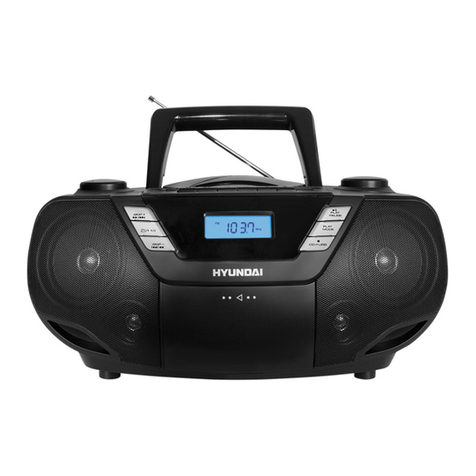
Naxa NPB-267 User manual

MP3/CD/USB Boombox with Bluetooth®
NPB-267
Instruction Manual
Please read carefully before use and keep for future reference.
15073-CD329BT EN
P/N:227-00329N17-002LK
size:210*145mm黑白印刷
70G书纸,40版20页订装

Page 2 Naxa Electronics
Table of Contents
Thank You ..................................................................... 3
In the Box ...................................................................... 3
Before You Start ........................................................... 4
At a Glance .................................................................... 5
Power Source..................................................................7
AC Power...........................................................................................7
Battery Power..................................................................................7
Basic Functions............................................................. 8
Switching the Unit On/Off............................................................8
Setting the Function Mode ..........................................................8
Adjusting the Volume.................................................................... 8
Headphone Jack ............................................................................. 9
Using the Radio............................................................. 9
Tuning to Radio Stations............................................................... 9
CD/MP3 Operation........................................................ 9
About Compact Discs.................................................................... 9
Loading a Disc............................................................................... 10
Playing a Disc................................................................................ 10
Selecting a Desired Track/Passage........................................... 10
Programming Tracks ................................................................... 11
Repeat Play Modes .......................................................................12
Listening to USB...........................................................12
About USB Drives .........................................................................12
USB Operation...............................................................................13
Bluetooth®Operation .................................................13
AUX-In Operation........................................................14
Warnings and Precautions..........................................15
..............................................................19
Support ........................................................................19

www.naxa.com Page 3
Thank You
We know you have many choices when it comes to
technology; thank you for choosing us here at Naxa
Electronics. Established in 2001 in Los Angeles, Califor-
nia, we are dedicated to delivering products that en-
tertain and delight.
We trust that you will be happy with your purchase.
Please read this manual carefully and save it for refer-
and other product material at our website. Come visit
us on the web at www.naxa.com and see all that we
have to offer!
In the Box
Please take a moment to make sure that you have ev-
erything in the list below. Although we make every ef-
fort to ensure that each Naxa device is securely packed
and sealed, we know a lot can happen in between us and
you. If anything is missing, check back with your local
retailer to get immediate assistance. If they cannot help
you, please contact our Naxa Support team at www.
naxa.com/naxa_support.
NPB-267 boombox
AC power cable
User manual

Page 4 Naxa Electronics
Before You Start
Please take note of the following before you start.
Do not block the ventilation openings or holes.
Avoid installing the unit in locations described be-
low:
Places exposed to direct sunlight or close to
heat radiating appliances (such as electric
heaters, or on top of other stereo equipment
that radiate heat).
Places lacking ventilation or dusty places.
Places subject to constant vibration.
Places that are humid or moist.
Operate turning controls and switches as instruct-
ed in manual.
sure that the power cord is properly installed.
Store your tapes or CD in a cool area to avoid dam-
age from heat.
CAUTION: TO REDUCE THE RISK OF ELECTRIC SHOCK,
DO DOT REMOVE COVER (OR BACK). NO USER SER-
-
FIED SERVICE PERSONNEL.
WARNING: Remove batteries if exhausted or ifthey will
not be used again for a long period. The incorrect use
of batteries can cause electrolyte leakage and will cor-
rode the compartment or cause the batteries to burst,
therefore:
Do not mix battery types, e.g. alkaline with zinc
carbonate.
When inserting new batteries, replace all batteries
at the same time.

www.naxa.com Page 5
At a Glance
!
1 DISPLAY. Displays player status information.
2 TUNING dial. Turn right to tune to a higher radio
station; turn left to tune to a lower station.
3 STANDBY INDICATOR
4 BAND Band button
5 FUNCTION Function button
6STANDBY Power/Standby button
7/ Play/Pause/Pair button
8 FOLD./10+
FOLD./10–
Folder Up/10+ and Folder
Down/10– buttons
9 PROG./P-MODE Program/Play Mode button
10 Stop button
11 Previous/Reverse and Next/
Forward butotns
12 Headphone jack. Connect headphones or ear-
phones to this 3.5mm output to listen to audio
privately.

Page 6 Naxa Electronics
!
13 USB PORT. Load USB memory sticks here. The
USB port is designed for music playback from
charge high-power devices.
14 AUX IN JACK. Play audio from a device that is
connected to this 3.5mm input jack.
15 VOLUME dial. Turn to adjust the volume level.
16 HANDLE. Raise the handle to transport the unit
safely and easily.
17 SPEAKERS. Full-range drivers deliver powerful
stereo sound.
18 CD DOOR. Open the door to load compact discs
in the CD compartment. The label side of the
disc should face up.
19 FM ANTENNA. Extend the antenna fully
and adjust its position to optimize FM radio
reception.
20 Battery door. Remove the door to the battery
compartment to load 6 UM-2 “C” size batteries
for portable power.
21 AC power socket
22 AC voltage selector
23 BLUETOOTH PAIR INDICATOR

www.naxa.com Page 7
Power Source
The unit can be powered by AC household power, or by
batteries.
AC Power
This unit can operate on AC 110 V or 220 V power.
Before connecting the boombox to AC power, make
sure that the voltage selector [22] found on the rear of
the boombox is set to match the type of power pro-
vided in your area.
With the included AC power cable, connect the AC pow-
er socket [21] found on the rear of the unit to a wall
power outlet that provides AC power.
Please contact your local power utility if
you are unsure which type of power is sup-
plied by your household outlet. Improperly
setting the voltage selector is hazardous
the unit and your property!
Please be sure the power outlet you plug
-
stant (unswitched) power.
L Battery operation will be automatically
disabled when AC power is used.
Battery Power
Install 6 UM-2 “C” size batteries to enjoy music wher-
ever you are.
1) Remove battery door [20] found on the bottom of
the boombox.
2) Load six “C” size batteries, taking care to match the
polarities marked on the inside of the compart-
ment (+, –).
3) Replace the battery door [20].
Remove the batteries if they are exhausted
or will not be used for a long time.
Batteries contain chemicals that may be
regulated by your local government. Dis-

Page 8 Naxa Electronics
pose of them properly according to regula-
tions.
L The boombox will not use the batteries if the
power cable is connected to the AC power
-
box when you want to use battery power.
Basic Functions
Press the STANDBY button [6] to turn the boombox
on or off.
L -
connect the power.
Setting the Function Mode
While the boombox is on, press the FUNCTION button
[5] to change the active function mode. The available
modes are:
RADIO: Listen to AM or FM radio broadcasts.
CD: Play compact discs (CD-audio or CD-MP3).
USB: Play MP3s from USB memory sticks.
AUX: Play audio from devices connected to the AUX
input jack.
BLUETOOTH: Stream audio from wireless players
with Bluetooth®.
Adjusting the Volume
Rotate the VOLUME dial on the unit to adjust the vol-
ume level.

www.naxa.com Page 9
Headphone Jack
Lower the volume on the boombox before connecting
headphones or earphones to the 3.5mm headphone
jack [12]. Once connected, slowly adjust the volume to
a comfortable level.
L -
phones are connected.
Using headphones for prolonged periods or
at a high volume can damage your hearing
permanently.
Using the Radio
Listen to FM or AM radio broadcasts.
1) Press the FUNCTION button [5] to select RADIO
mode.
2) Press the BAND button [4] to select the AM or FM
radio band.
Tuning to Radio Stations
1. Tune to a station by rotating the TUNING dial [2].
The station frequency is shown on the display.
2. To optimize reception when listening to stations
on the FM band, fully extend the telescopic FM
antenna [19] and adjust its orientation. To opti-
mize reception for AM stations, gently reposition
the boombox. AM reception will be best when the
boombox is placed in an open space.
CD/MP3 Operation
Press the FUNCTION button [5] to select CD mode.
About Compact Discs
This player is compatible with all digital audio CDs,
digital audio CD-Recordable discs (CD-R) and CD-Re-
CD-DA format digital audio CDs.
This player is also compatible with MP3-CDs. These are

Page 10 Naxa Electronics
L Only handle a CD by its edge. Avoid touch-
ing the label or the playable side with your
hands or any other object.
Loading a Disc
1. Press PUSH TO OPEN on the CD door to open it.
2. Place an audio CD/MP3 DISC into the tray with the
down).
3. Close the CD door (make sure it clicks into place).
4. To remove a disc, press the CD STOP button to stop
playback. Make sure the disc stops spinning com-
pletely, then press PUSH TO OPEN to open the CD
door. Grasp the disc by its edges and take it out
carefully.
L
completely before opening the CD DOOR
system has completely read the disc before
proceeding with other functions.
The display will show “NO DISC” if no disc is
loaded or if the disc is unreadable.
Lower the handle [16] before opening the
CD compartment. A raised handle will
prevent the CD compartment door from
opening completely.
Playing a Disc
1. To start, pause, or resume playback, press the /
button [7].
2. To stop playback, press the button [10].
Selecting a Desired Track/Passage
To select a desired track:
Press the or buttons until the desired track
appears on the display.
Other manuals for NPB-267
1
Table of contents
Languages:
Other Naxa Portable Stereo System manuals