Naxa NDL-287 User manual
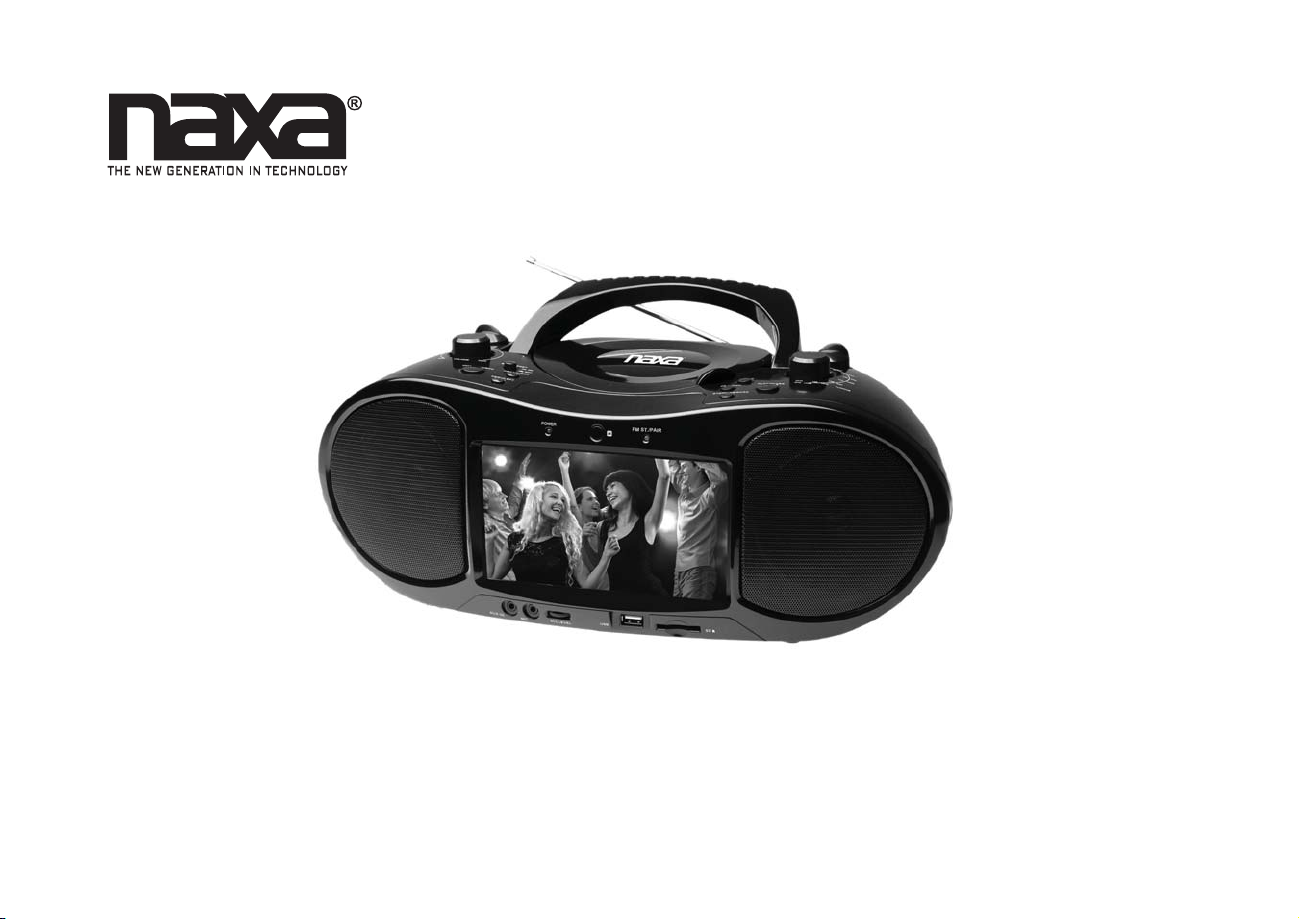
7” Bluetooth®DVD Boombox with TV
NDL-287
Instruction Manual
Please read carefully before use and keep for future reference.

Page 2 Naxa Electronics
Table of Contents
Thank You ..................................................................... 4
In the Box ...................................................................... 4
Before You Start ........................................................... 5
At a Glance .................................................................... 6
Main Unit......................................................................................... 6
Remote Control.............................................................................13
Using the Remote Control..................................................14
Installing or Replacing the Batteries................................14
Connect Power.............................................................16
Using AC Power..............................................................................16
Using the DC Car Adapter ............................................................16
Using Batteries..............................................................................16
Basic Functions............................................................ 17
Turning the Unit On and Off .......................................................17
Adjusting the Volume...................................................................17
Turning the Screen On and Off ...................................................17
Using the Number Keypad ..........................................................18
DVD Mode .....................................................................18
Playing a DVD ................................................................................18
Program Mode...............................................................................19
Playing Digital Music/Video Files..............................................20
Playing Digital Photo Files ..........................................................21
TV Mode....................................................................... 23
Connecting an External Antenna .............................................. 23
About Antennas and Channel Reception........................ 24
Channel Search.............................................................................24
Watching TV .................................................................................. 25
TV Options Menu.......................................................................... 25
Search Menu Options..........................................................25
...........................................................26
System Menu Options.........................................................26
Bluetooth®Mode........................................................ 26
Connecting a Device for the First Time (Pairing).................... 26
Playing Connected Devices ........................................................ 27
AUX Mode.................................................................... 28
USB/Card Mode........................................................... 28

www.naxa.com Page 3
Radio (AM/FM) Mode.................................................. 29
Tuning to a Radio Station .......................................................... 29
Setup Menu................................................................. 30
General Setup Page .....................................................................30
Audio Setup Page..........................................................................31
Video Setup Page ......................................................................... 32
Preference Page ........................................................................... 32
Optional Connections ................................................ 34
Connect to a TV (AV Out).............................................................34
About Optical Discs .................................................... 35
Disc Types...................................................................................... 35
Video DVDs............................................................................35
Audio CDs ..............................................................................35
Picture CDs (JPEG)................................................................36
DVD Features................................................................................ 36
DVD Region Codes........................................................................ 36
Disc Care and Maintenance........................................................ 37
Handling a Disc.....................................................................37
Cleaning a Disc .....................................................................37
Warnings and Precautions......................................... 38
Troubleshooting ......................................................... 42
.............................................................44
Support ....................................................................... 45

Page 4 Naxa Electronics
Thank You
We know you have many choices when it comes to
technology; thank you for choosing us here at Naxa
Electronics. Established in 2001 in Los Angeles, Califor-
nia, we are dedicated to delivering products that en-
tertain and delight.
We trust that you will be happy with your purchase.
Please read this manual carefully and save it for refer-
and other product material at our website. Come visit
us on the web at www.naxa.com and see all that we
have to offer!
In the Box
Please take a moment to make sure that you have ev-
erything in the list below. Although we make every ef-
fort to ensure that each Naxa device is securely packed
and sealed, we know a lot can happen in between us
and you. If anything is missing, check back with your
local retailer to get immediate assistance. If they can-
not help you, please contact our Naxa Support team at
www.naxa.com/naxa_support.
NDL-287
AC power cable
DC car adapter cable
A/V cable
TV antenna
Remote control
User manual

www.naxa.com Page 5
Before You Start
Please take note of the following before you start.
Do not block the ventilation openings or holes.
Avoid installing the unit in locations described be-
low:
Places exposed to direct sunlight or close to
heat radiating appliances (such as electric
heaters, or on top of other stereo equipment
that radiate heat).
Places lacking ventilation or dusty places.
Places subject to constant vibration.
Places that are humid or moist.
Operate turning controls and switches as instruct-
ed in manual.
sure that the power cord is properly installed.
Store your DVDs and CDs in a cool area to avoid
damage from heat.
CAUTION: TO REDUCE THE RISK OF ELECTRIC SHOCK,
DO DOT REMOVE COVER (OR BACK). NO USER SER-
-
FIED SERVICE PERSONNEL.
WARNING: The battery used in this device may pres-
-
semble, incinerate, or heat the battery. Do not leave
the battery in a place subject to direct sunlight, or in a
car with its windows closed.
Page 6 Naxa Electronics
At a Glance
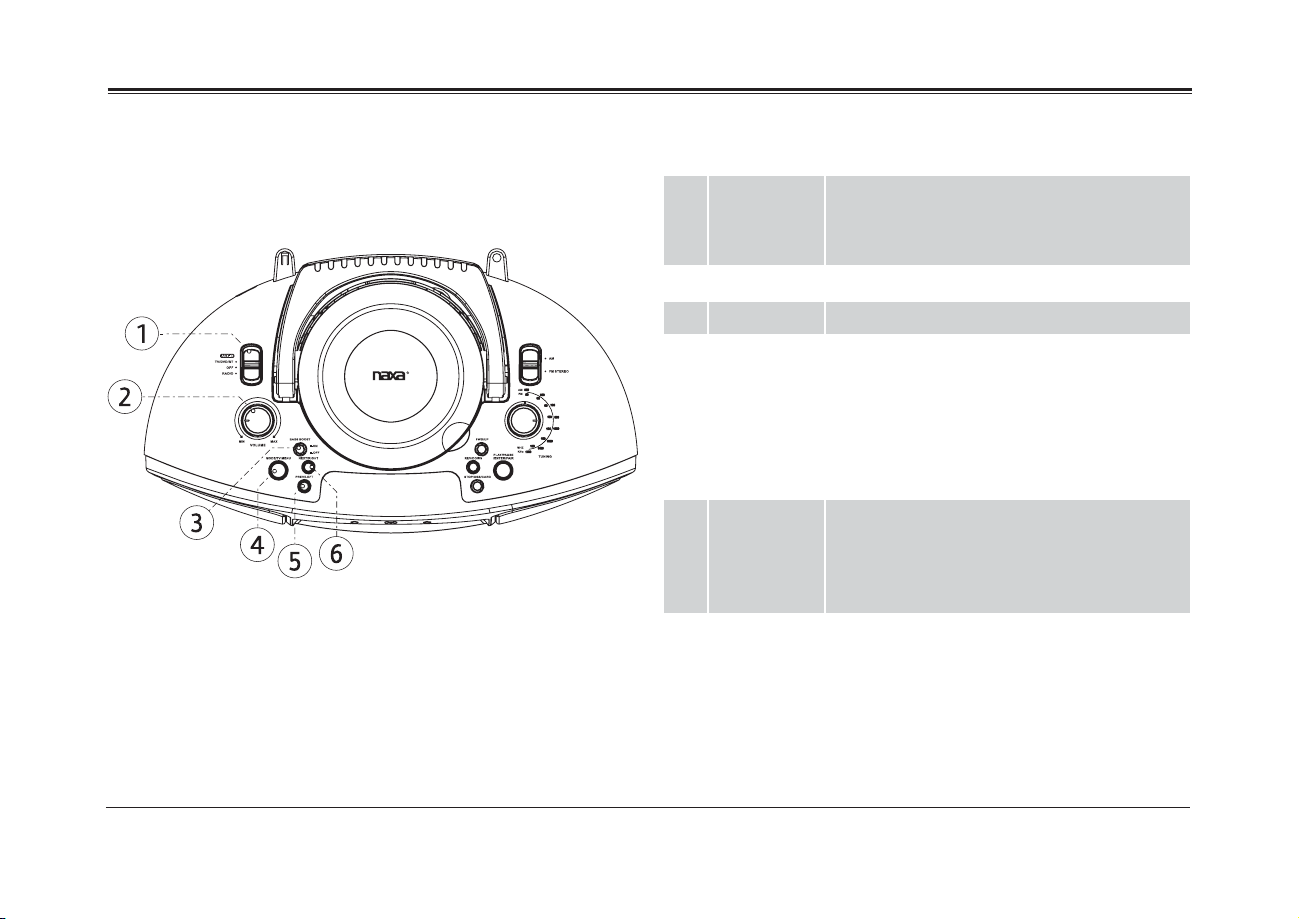
Main Unit 1 POWER/
FUNCTION
switch
Use the switch to change the active func-
tion mode.
Set the switch to “OFF” to turn the unit off.
2 Volume dial Turn to adjust the volume level.
3 Bass Boost Increase the bass level when set to ON.
4 MODE/TV
MENU
Mode: When the FUNCTION switch is set
to TV/DVD/BT/AUX, press MODE to change
the active function mode between DVD,
Bluetooth, and AUX.
Menu: Press and hold to access the menu
screen.
5 PREV/LEFT Previous: Press to go to the previous title,
chapter, or track.
Left: Press to browse left in menu/option
screens.
6 NEXT/RIGHT Next: Press to go to the next title, chapter,
or track.
Right: Press to browse right in menu/option
screens.
www.naxa.com Page 7
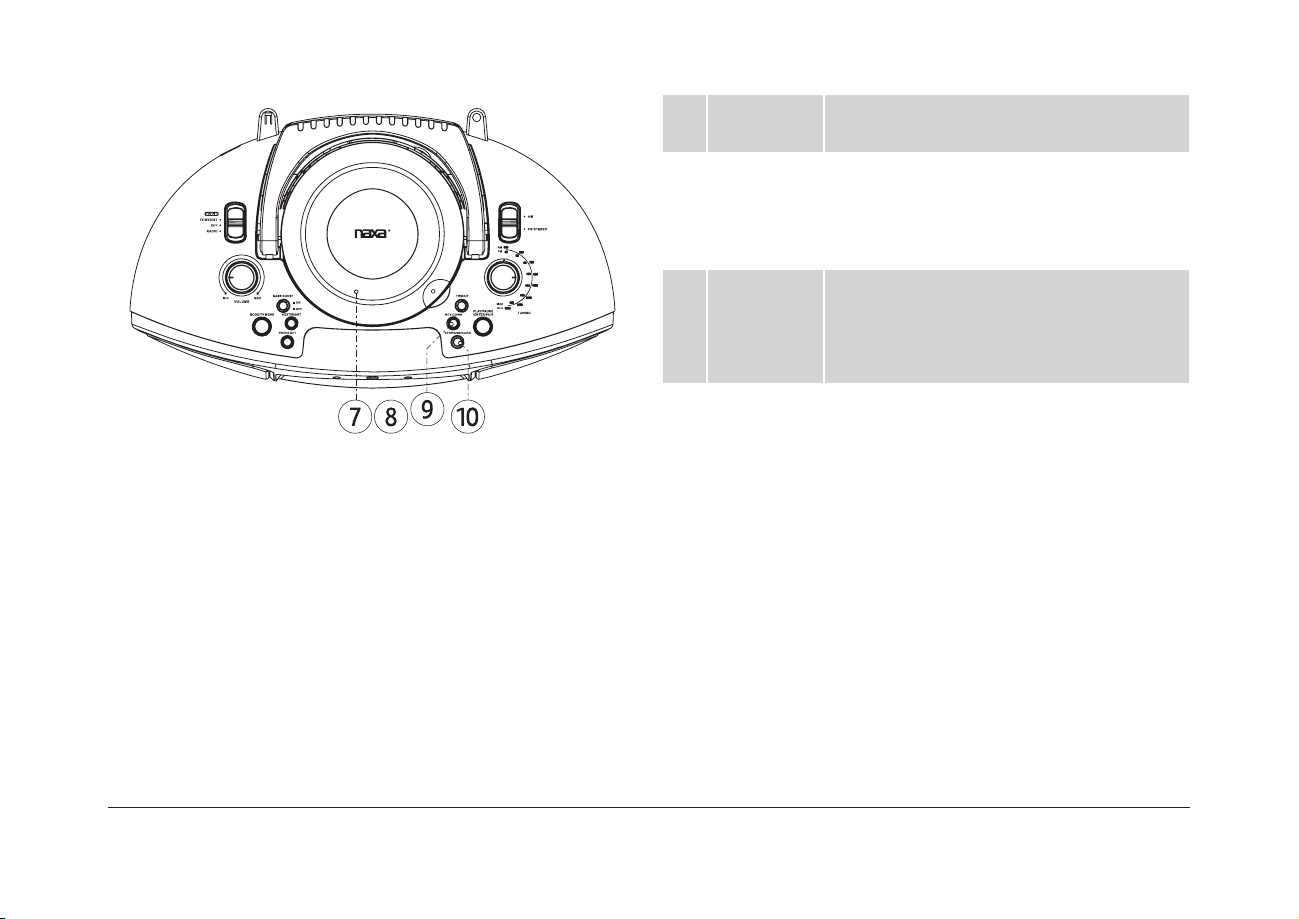
7 Disc Door Open the disc door to add or remove DVD
and CD discs from the unit.
8 Open Disc
Door
Lift here to open the Disc Door. To close the
Disc Door, press down gently.
Never open the door while a disc is play-
ing or spinning!
9 REV/DOWN Reverse: During playback, press and hold
to scan back quickly through the track.
Down: Press to browse down in menu/op-
tion screens.
10 STOP/USB/
CARD
Stop: During playback, press to stop.
USB/CARD: While the FUNCTION switch is
set to TV/DVD/BT/AUX, press and hold to
change the active function mode between
DVD/BT, USB, and CARD (SD).
Note: Make sure no cables are connected
to the AUX IN jack of the unit otherwise it
will stay in AUX mode.

Page 8 Naxa Electronics
11 PLAY/
PAUSE/
ENTER/PAIR
PLAY/PAUSE: Start, pause, or resume
playback.
ENTER: Press to select the highlighted item
in menu/option screens.
PAIR: When the unit is in BT mode and not
connected to a device, press to attempt
to pair with the most recently connected
device.
12 FWD/UP Forward: During playback, press and hold
to scan forward quickly through the track.
Up: Press to browse down in menu/option
screens.
13 TUNING dial Turn to tune to a radio station.
14 BAND
switch
When the FUNCTION switch is set to
RADIO:
Set to AM to tune to AM radio frequen-
cies (kHz).
Set to FM STEREO to tune to FM radio
frequencies (MHz).

www.naxa.com Page 9
15 Power
indicator
Lights red when the unit is on.
16 Remote
sensor
Detects signals from the remote control.
17 FM ST/PAIR
indicator
FM ST: Lights red when the FM radio tuner
is locked onto an FM stereo broadcast.
PAIR: Lights a steady blue when connected
to a Bluetooth®device. Flashes blue slowly
when ready to pair with a new device.
Flashes blue quickly when connecting to a
device.
18 AUX In 3.5mm AUX audio input.
19 MIC In 3.5mm microphone input. The microphone
is active in DVD, USB, and CARD modes.
20 MIC level
dial
Turn the dial to adjust the MIC In level (i.e.,
the volume of a connected microphone).

Page 10 Naxa Electronics
21 USB port Load USB memory sticks here. The USB
port is designed for media playback from
charge high-power devices.
22 Memory
card slot
Load memory cards here. Refer to the
list of supported memory cards.
23 LCD screen Enjoy your videos on a color TFT LCD
screen.
24 Speakers Full-range drivers deliver powerful stereo
sound.
Table of contents
Other Naxa Portable Stereo System manuals