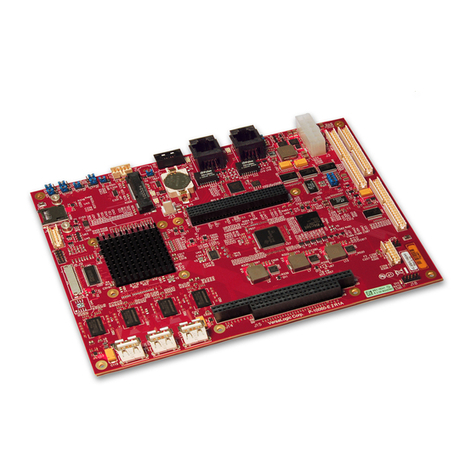
MSI MS-98E0 User manual

i
MS-98E0
(v1.x) Industrial Computer Board

ii
Preface MS-98E0
Preface MS-98E0
Copyright Notice
The material in this document is the intellectual property of MICRO-STAR INTER-
NATIONAL. We take every care in the preparation of this document, but no guar-
antee is given as to the correctness of its contents. Our products are under con-
tinual improvement and we reserve the right to make changes without notice.
Trademarks
All trademarks are the properties of their respective owners.
MSI®is a registered trademark of Micro-Star Int’l Co.,Ltd.
NVIDIA®is a registered trademark of NVIDIA Corporation.
AMD®is a registered trademark of AMD Corporation.
Intel®is a registered trademark of Intel Corporation.
Windows®is a registered trademark of Microsoft Corporation.
AMI®is a registered trademark of Advanced Micro Devices, Inc.
Award®is a registered trademark of Phoenix Technologies Ltd.
Realtek®is a registered trademark of Realtek Semiconductor Corporation.
Revision History
Revision Date
V1.0 2013/10
Technical Support
If a problem arises with your system and no solution can be obtained from the
user’s manual, please contact your place of purchase or local distributor. Alterna-
tively, please try the following help resources for further guidance.
Visit the MSI website for technical guide, BIOS
updates, driver updates, and other information:
http://www.msi.com/service/download/
Contact our technical sta at:
http://support.msi.com/
■
■
■
■
■
■
■
■

Preface MS-98E0
iii
Preface MS-98E0
Safety Instructions
Always read the safety instructions carefully.
Keep this User’s Manual for future reference.
Keep this equipment away from humidity.
Lay this equipment on a reliable at surface before setting it up.
The openings on the enclosure are for air convection hence protects the
equipment from overheating. DO NOT COVER THE OPENINGS.
Make sure the voltage of the power source and adjust properly 110/220V
before connecting the equipment to the power inlet.
Place the power cord such a way that people can not step on it. Do not place
anything over the power cord.
Always Unplug the Power Cord before inserting any add-on card or mod-
ule.
All cautions and warnings on the equipment should be noted.
Never pour any liquid into the opening that could damage or cause electrical
shock.
If any of the following situations arises, get the equipment checked by ser-
vice personnel:
The power cord or plug is damaged.
Liquid has penetrated into the equipment.
The equipment has been exposed to moisture.
The equipment does not work well or you can not get it work according
to User’s Manual.
The equipment has dropped and damaged.
The equipment has obvious sign of breakage.
DO NOT LEAVE THIS EQUIPMENT IN AN ENVIRONMENT UNCONDI-
TIONED, STORAGE TEMPERATURE ABOVE 60oC (140oF), IT MAY DAM-
AGE THE EQUIPMENT.
CAUTION: Danger of explosion if battery is incorrectly replaced. Replace only
with the same or equivalent type recommended by the manufacturer.
警告使用者:
這是甲類資訊產品,在居住的環境中使用時,可能會造成無線電干擾,在這種情
況下,使用者會被要求採取某些適當的對策。
■
■
■
■
■
■
■
■
■
■
■
◯
◯
◯
◯
◯
◯
■

iv
Preface MS-98E0
Preface MS-98E0
Chemical Substances Information
In compliance with chemical substances regulations, such as the EU REACH
Regulation (Regulation EC No. 1907/2006 of the European Parliament and the
Council), MSI provides the information of chemical substances in products at:
http://www.msi.com/html/popup/csr/evmtprtt_pcm.html
Battery Information
European Union:
Batteries, battery packs, and accumulators should not be
disposed of as unsorted household waste. Please use the
public collection system to return, recycle, or treat them in
compliance with the local regulations.
Taiwan:
For better environmental protection, waste batteries should
be collected separately for recycling or special disposal.
California, USA:
The button cell battery may contain perchlorate material and requires special
handling when recycled or disposed of in California.
For further information please visit:
http://www.dtsc.ca.gov/hazardouswaste/perchlorate/
Danger of explosion if battery is incorrectly replaced. Replace only with the
same or equivalent type recommended by the manufacturer.

Preface MS-98E0
v
Preface MS-98E0
CE Conformity
Hereby, Micro-Star International CO., LTD declares that this device
is in compliance with the essential safety requirements and other
relevant provisions set out in the European Directive.
FCC-A Radio Frequency
Interference Statement
This equipment has been tested and found to comply with the
limits for a Class A digital device, pursuant to Part 15 of the FCC Rules. These
limits are designed to provide reasonable protection against harmful interference
when the equipment is operated in a commercial environment. This equipment
generates, uses and can radiate radio frequency energy and, if not installed and
used in accordance with the instruction manual, may cause harmful interference
to radio communications. Operation of this equipment in a residential area is
likely to cause harmful interference, in which case the user will be required to
correct the interference at his own expense.
Notice 1
The changes or modications not expressly approved by the party responsible for
compliance could void the user’s authority to operate the equipment.
Notice 2
Shielded interface cables and AC power cord, if any, must be used in order to
comply with the emission limits.
VOIR LA NOTICE D’INSTALLATION AVANT DE RACCORDER AU RESEAU.
This device complies with Part 15 of the FCC Rules. Operation is subject to the
following two conditions:
this device may not cause harmful interference, and
this device must accept any interference received, including interference that
may cause undesired operation.
WEEE Statement
Under the European Union (“EU”) Directive on Waste Electrical and
Electronic Equipment, Directive 2002/96/EC, which takes effect on
August 13, 2005, products of “electrical and electronic equipment”
cannot be discarded as municipal waste anymore and manufacturers
of covered electronic equipment will be obligated to take back such products at
the end of their useful life. MSI will comply with the product take back require-
ments at the end of life of MSI-branded products that are sold into the EU. You
can return these products to local collection points.
1)
2)

vi
Preface MS-98E0
Contents
Copyright Notice............................................................................................ ii
Trademarks ................................................................................................... ii
Revision History ............................................................................................ ii
Technical Support.......................................................................................... ii
Safety Instructions.........................................................................................iii
Chemical Substances Information ............................................................... iv
Battery Information....................................................................................... iv
CE Conformity............................................................................................... v
FCC-A Radio Frequency Interference Statement ......................................... v
WEEE Statement .......................................................................................... v
Overview............................................................................................1-1
Mainboard Specications...........................................................................1-2
Mainboard Layout ......................................................................................1-4
Hardware Setup ................................................................................2-1
Quick Component Guide............................................................................2-2
Memory ......................................................................................................2-3
Power Supply.............................................................................................2-4
Rear Panel I/O ...........................................................................................2-5
Connector...................................................................................................2-7
Jumper .....................................................................................................2-13
Slot...........................................................................................................2-17
BIOS Setup........................................................................................3-1
Entering Setup ...........................................................................................3-2
The Menu Bar ............................................................................................3-4
Main ...........................................................................................................3-5
Advanced ...................................................................................................3-6
Boot..........................................................................................................3-12
Security ....................................................................................................3-13
Chipset.....................................................................................................3-16
Power .......................................................................................................3-17
Save & Exit...............................................................................................3-19
WDT & GPIO..................................................................................... A-1
WDT Sample Code ................................................................................... A-2
GPIO Sample Code .................................................................................. A-3

1-1-1
Thank you for choosing the MS-98E0, an excellent industrial computer
board.
Based on the innovative Intel® HM76 chipset for optimal system efcien-
cy, the MS-98E0 accommodates the Intel®Mobile Ivy Bridge processor
and supports up to 2 DDR3 1066/ 1333/ 1600 SO-DIMM slot to provide
the maximum of 16GB memory capacity (it depends on CPU support).
The MS-98E0 is durable under extreme environments and suitable to be
applied in every industrial eld, such as digital signage, kiosk, gaming,
industrial control automation and POS.
1Overview

1-2
Overview MS-98E0
Overview MS-98E0
Mainboard Specications
Processor
Intel®Mobile Ivy Bridge■
Chipset
Intel®HM76 chipset■
Memory
2 DDR3 1066/ 1333/ 1600 MHz Unbuffered, non-ECC SO-DIMM slot, sup-
porting the maximum of 16GB (it depends on CPU support)
■
LAN
LAN1: Intel®82579LM GbE-PHY LAN
LAN1: Intel®I210-AT GbE LAN
■
■
Audio
Realtek ALC887 audio codec
Compliant with Azalia 1.0 specs
■
■
Storage
2 SATA 6Gb/s ports■
Rear Panel I/O
1 RS-232/422/485 serial port
1 DVI-I port *
2 HDMI ports
2 USB 3.0 ports
2 Gigabit LAN jacks
■
■
■
■
■

Overview MS-98E0
1-3
Overview MS-98E0
Onboard Pinheaders/ Connectors/ Jumpers
2 DC power connectors
2 USB 2.0 connectors (supporting 4 USB 2.0 ports)
5 Serial port connectors
1 Front panel connector
1 PS/2 keyboard/ mouse combo connector
1 LVDS connector *
1 GPIO connector
1 CPU fan connector
1 System fan connector
1 SATA power connector
1 Chassis intrusion connector
1 TPM connector
1 Audio connector
1 S/PDIF-out connector
1 Amplitier connector
1 Clear CMOS jumper
2 Serial port power jumpers
1 AT/ATX select jumper
1 NVM LAN jumper
1 ME jumper
1 SIM Card Holder
1 LVDS power jumper
■
■
■
■
■
■
■
■
■
■
■
■
■
■
■
■
■
■
■
■
■
■
Slot
1 PCIe x16 slot
2 Mini-PCIe slots (the top side slot supports including mSATA function)
■
■
Form Factor
170mm x 170mm (mini-ITX)■
Environmental
Operating Temperature: 0oC ~ 60oC
Storage Temperature: -20oC ~ 80oC
Humidity: 5% ~ 90% RH, Non-Condensing
■
■
■
* DVI-D and LVDS can not be output simultaneously, please select one for output
in BIOS setup.

1-4
Overview MS-98E0
Overview MS-98E0
Mainboard Layout
Serial Port LAN
Port
USB 3.0
Port
LAN
Port
DVI-I Port
Back Panel Front Panel
Connector
CPU Fan Connector
COM Port
Power Jumper
Clear CMOS
Jumper
AT/ATX Jumper
SO-DIMM Slot
COM Port
Connector
USB 2.0
Connectors
SATA Ports
DC Power
Connector
Amplier
Connector
SATA Power
Connector
GPIO Connector
TPM
Connector
PS/2
Keyboard
/ Mouse
Combo
Connector
LVDS Connector
LVDS Power Jumper
Mini-PCIe Slot (supports mSATA)
PCIe Slot
Audio
Connector
HDMI Port
Mini-PCIe power
select jumper
COM Port
Power Jumper
Fan Connector
Chassis intrusion
connector
ME Jumper
S/PDIF -Out
connector
PCIe
conguration
Jumper
PCIe
conguration
Jumper
NVM LAN
Jumper
Table of contents
Other MSI Single Board Computer manuals