
Microtest 626 Series User manual

3 in 1 Transformer Testing System
626X+7721+7605
User Manual
Ver. 1.01
September-2020

Copyright and Trademark
Do not attempt to reproduce any part of this publication or transmit it by
any form or method, whether through electronic, mechanical, copying,
recording or other means, without the prior written permission of
Microtest Co., Ltd. We shall neither be subjected to any responsibilities
or obligations for the information contained in this Manual nor bear
damage responsibility resulting from the use of the information contained
herein. All brands and trademark are the properties of Microtest Co., Ltd.
Microtest Co., Ltd. and its affiliates shall not be liable for the damage,
losses or costs incurred due to the accidental use, misuse or abuse by the
product buyer or the third party; or the unauthorized modification, repairs
or change of the product; or the failure in following the operation and
maintenance instructions established by Microtest.
The content and the product specifications shall be subject to change
without further notice.
2015 @ Microtest Corporation. All rights reserved.

Contents
Chapter 1 Notes ......................................................................................................................... 6
1.1 Safety Signs................................................................................................................. 6
1.2 Electrification and Electric Shock............................................................................... 6
1.3 Grounding ................................................................................................................... 6
1.4 Power .......................................................................................................................... 7
1.5 Warm Up..................................................................................................................... 7
1.6 External control unit.................................................................................................... 7
1.7 Machine Malfunction.................................................................................................. 8
1.8 Ending the test............................................................................................................. 8
1.9 Placement and Storage ................................................................................................ 8
1.10 Emergency Handling................................................................................................... 8
1.11 General instructions .................................................................................................... 8
1.12 Static............................................................................................................................ 9
Chapter 2 General Descriptions................................................................................................. 9
2.1 Features ....................................................................................................................... 9
2.2 Package and Accessories........................................................................................... 11
2.3 Front panel ................................................................................................................ 11
2.4 Rear panel.................................................................................................................. 12
2.5 Fixture F7721 ................................................................................................................ 13
2.6 Setting process............................................................................................................... 14
Chapter 3 6265/ 6266/ 6267 Function Setting......................................................................... 14
3.1 Main Menu................................................................................................................ 14
3.2 System Setup (SYSTEM) ......................................................................................... 16
3.3 Transformer Setting Menu ........................................................................................ 23
3.3.1 WINDING/FIXTURE Setting................................................................................ 23
3.3.2 Test Sequence Setting............................................................................................. 25
3.3.3 L/Lk/Q/Rac/Z/D/θ/X/Y Setting.............................................................................. 26

3.3.4 Rdc Setting ............................................................................................................. 30
3.3.5 Turn Ratio Test Setting .......................................................................................... 34
3.4.6 Capacitance Testing Setting ................................................................................... 37
3.3.7 Balance Test Setting............................................................................................... 41
3.3.8 Pin Short Test Setting............................................................................................. 42
3.3.9 Correction Setting................................................................................................... 43
3.3.10 Complete Deviation Setting ................................................................................. 44
3.4 Test Mode ................................................................................................................. 46
3.5 File Management....................................................................................................... 47
3.5.1 Loading File............................................................................................................ 47
3.5.2 Saving As ............................................................................................................... 48
3.6.3 Creating New File................................................................................................... 49
3.6.4 Deleting File ........................................................................................................... 50
Chapter 4 7721 Function Setting............................................................................................. 51
4.1 System Setup Menu (Sys) ......................................................................................... 51
4.1.1 System Setup .......................................................................................................... 51
4.1.2 Test Configuration.................................................................................................. 52
4.1.3 Date & Time........................................................................................................... 54
4.1.4 Password................................................................................................................. 55
4.2 Function Menu (Func)................................................................................................... 56
4.2.1 Self-test................................................................................................................... 57
4.2.2 Surge voltage calibration........................................................................................ 58
4.2.3 Surge voltage test ................................................................................................... 59
4.2.4 About….................................................................................................................. 59
4.3 Test Setting Menu (Set)................................................................................................. 60
4.3.1 Fixture/ Sequence ................................................................................................... 60
4.3.2 Insulation ................................................................................................................ 62
4.3.3 Hipot test setting..................................................................................................... 63

4.3.4 Surge(L/S) .............................................................................................................. 65
4.3.5 Wire ........................................................................................................................ 69
4.3.6 L, Lk, Rdc, TR, C................................................................................................... 70
4.4 File................................................................................................................................. 70
4.4.1 Load........................................................................................................................ 71
4.4.2 New ........................................................................................................................ 71
4.4.3 Save as.................................................................................................................... 72
4.4.4 Delete...................................................................................................................... 72
4.5 Statistics(Stat)................................................................................................................ 73

Chapter 1 Notes
This instrument is not suitable for outdoor use, especially in humid or
highly dusty locations. Improper use of this instrument may result in
electric shocks. Please read the safety descriptions carefully before using
this tester in order to avoid improper or wrongful use and causing accidents.
1.1 Safety Signs
Caution:
Please read the content of this Manual carefully.
High-voltage hazard
symbol:
The output terminal may release lethal voltage.
Please read the safety instructions described in
this chapter.
Grounding:
Before working with this tester, be sure to
connect this terminal with the ground to prevent
from touching the housing as to cause
electrocution accident due to current leakage.
Warning sign:
If the product is improperly used, it may cause
adverse results to the instrument or the Test Piece.
If the product is improperly used, it may cause
injury or even death.
1.2 Electrification and Electric Shock
In order to prevent electric shocks, the wearing of insulating plastic gloves is
recommended before using this tester to perform testing related tasks.
1.3 Grounding
The back panel of the instrument is fitted with a safe ground terminal. Be sure to
connect this ground terminal to the ground to prevent the operator from touching the
housing as to cause the electrocution.

1.4 Power
6265/ 6266/ 6267:
Power cables that comply with the local country specifications must be used, and
connectors applicable to IEC320 connectors must be used for the connection of this
instrument. Users must ensure that the ground cable is properly grounded. If a fuse is
included in the power plug, use fuses that comply with 0.8 ampere safety regulations.
Ensure that AC power is used before use and adjust the 115V/230V power selection
switch on the rear panel so that the machine matches the local power voltage.
7721, 7605:
The scope of power used by this instrument is 98Vac ~ 132Vac or 192Vac ~ 264Vac.
To insert the power source, please check if the power to be connected is identical to
the power-shifting sign indicated on the back panel. When changing the fuse, it is
required to use a specific type of fuse designed in the same ampere to prevent the
electrical wire from burning. Before making any replacement, please remove the plug
to prevent danger.
1.5 Warm Up
The tester can operate normally once the power is turned on; however, in order to
achieve the accuracy within specification, please turn on the machine in advance and
let it warm up for 30 minutes or more before use.
1.6 External control unit
This unit is able to execute external control. For this purpose, please ensure that the
operator is not touching the signal output end and the Test Piece to avoid causing a
hazard.

1.7 Machine Malfunction
If the tester malfunctions, such as the voltage displayed on the voltmeter differs
greatly from the voltage set, or that the high voltage output warning light remains on
though there is no high voltage output, etc., please stop using this machine
immediately and contact our company or your dealer for repairs.1.7 Test End
Please turn off the power switch when this tester is not in use.
1.8 Ending the test
When not using the instrument, please shut off the Power Switch. To restart the Power
Switch after being disconnected, please wait for a few seconds; however, do not
execute consecutive on/off action of the power.
1.9 Placement and Storage
The normal operating temperature and humidity range of this machine is 5 oC ~ 40 oC,
80% RH; the machine might malfunction if exceeded this range. The storage
temperature and humidity range of this machine is -20 oC ~ 70 oC, 80% RH. In order
to achieve accurate testing and for safety considerations, do not place this machine in
environments with direct sunlight exposure, high temperature, high humidity, frequent
vibrations, or excessive dust.
1.10 Emergency Handling
When there is electric shock or if the DUT or machine goes on fire, please switch off
the power and unplug the power cable.
1.11 General instructions
Do not place any combustible or heavy object on the instrument.
Avoid heavy impact that may damage the machine.
When cleaning the instrument, remove the power plug first and then
wipe with the soft cloth soaked with mild cleanser and fresh water.

If the instrument presents any Tolerance sign, do not attempt to dismantle
it for making repairs; instead, send the instrument to our professional
maintenance personnel for solving the problem.
1.12 Static
This instrument uses components that are very sensitive to static.
The desktop of the work table must be conductive material that is grounded.
When the soldering iron and tools are not in use, their contact end must be in
contact with grounded conductors.
The maintenance staff must wear static bracelets with leakage resistance less than
1MΩ.
The components or assembly base board must be placed in cases with protection
against static.
Chapter 2 General Descriptions
2.1 Features
‒0ne-stop test solution (6265/6266/6267 transformer tester + 7721 Impulse
winding tester + 7605 Hipot tester)
‒The 7721 Impulse winding tester is the main control instrument, which
controls the measurement sequence.
6265/ 6266/ 6267 Transformer Tester:
Frequency:
6265 10Hz~200kHz
6266 10Hz~500kHz
6267 10Hz~1MHz
Basic measurement accuracy: 0.1%.
20 Channels.

7721 Impulse winding Tester
21 channels.
Programmable impulse voltage, low-energy detection without damaging the
DUT.
Built-in storage 200 sets testing waveform.
Storage golden sample (DUT) standard waveform in the instrument, and
compare with the other sample waveform.
Provides 5 waveform comparison.
Hipot Tester
Test voltage:
AC 100V~ 5000V/ Leakage current 31m A.
DC 10V~ 6000V/ Leakage current 11m A.
IR 10V~1000V/ Insulation resistance 12G ohm.
Single channel
Arcing detection.
Adjustable ramp time (0.1s-10s).
This manual suits for next models
2
Table of contents
Other Microtest Test Equipment manuals

Microtest
Microtest OMNIScanner User manual

Microtest
Microtest MT-6920R User manual

Microtest
Microtest 6235 User manual

Microtest
Microtest 7700 User manual

Microtest
Microtest 6235 User manual

Microtest
Microtest MICROSCANNER User manual

Microtest
Microtest HT-7630 User manual

Microtest
Microtest 7630 User manual
Microtest
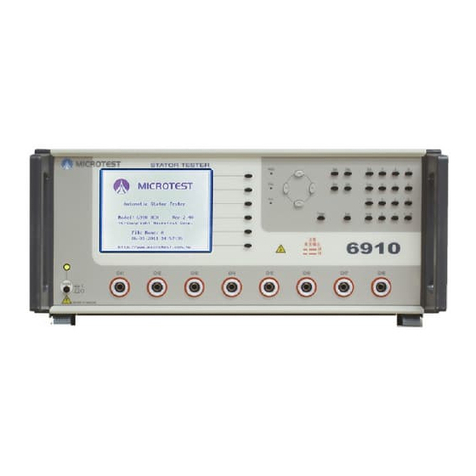
Microtest 6910 User manual

Microtest
Microtest CT-8750 User manual


