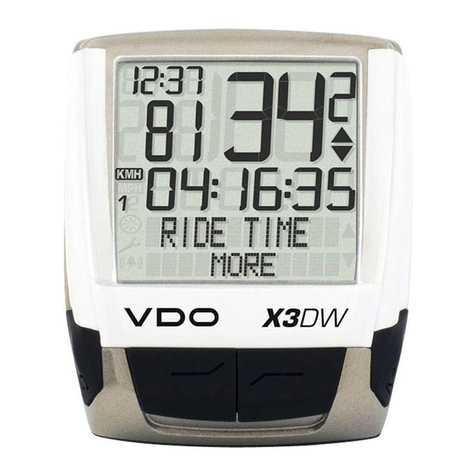
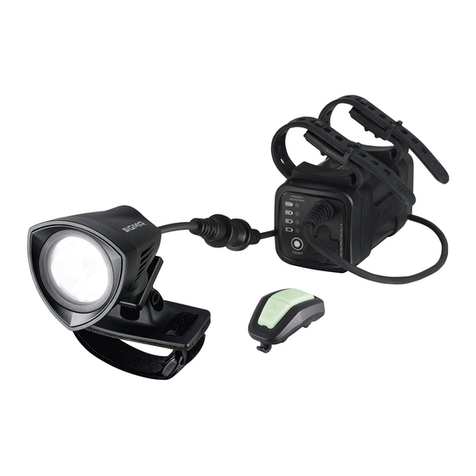
Memory-map Bike 250 User manual

Bike 250
User Manual

Memory-Map Bike 250
Safety Precautions
Use the power adapter included with the package, using power adapters other than the one provided will
result in malfunction and could prove dangerous.
About the power adapter:
1. Do not use the power adapter in a wet environment. When hands and feet are wet, do not touch the
power adapter.
2. While using the power adaptor, ensure that the area is well ventilated. Do not let paper or other
material cover the power adaptor, as this will interfere with cooling. Do not use the power adaptor
whilst it is in a bag.
3. Do not attempt to repair the device. If device is damaged or is in a wet environment, replace the
device immediately.
4. It is not recommended to charge from a PC because the PC power voltage is not enough to supply
the device.
Warranty Information
This warranty applies to parts and services that are manufactured and sold through SNOOPER. The
warranty length is one year from date of purchase (starting from the date on the sales receipt). Under
normal user operation, SNOOPER provides free repair services.
SNOOPER is not responsible for providing repairs or replacements of any software; SNOOPER does not
provide any warranty service for third party software/hardware.
Important instructions
1. Note: This warranty does not cover damage or malfunction from the below causes: unauthorized
disassembly/modification of unit, abuse or incorrect usage, accidental and other unpreventable
causes, operation under variables mentioned that are different from those in this product user
manual, using parts not made or sold by SNOOPER, or repairs done by anyone other than
SNOOPER and authorized retail/service providers.
2. Expendable parts are not covered in the warranty.
3. SNOOPER is not responsible for any program, data, or portable storage media damages or loss.
Please contact your local SNOOPER authorized service provider to learn more about geographical
limitations, proof of purchase requests, response time agreements, and other specific maintenance
service requests.

Memory-Map Bike 250
Copyright Information
No part of this manual, including the products and software described in it, may be reproduced, transmitted,
transcribed, stored in a retrieval system, or translated into any language in any form or by any mean, without
the express written permission of SNOOPER Technology, Inc.
Copyright, All Rights Reserved.
RF Exposure Warning
This equipment must be installed and operated in accordance with provided instructions and the antenna(s)
used for this transmitter must be installed to End-users and installers must be provided with antenna
installation instructions and transmitter operating conditions for satisfying RF exposure compliance.

Memory-Map Bike 250
Table of Contents
TABLE OF CONTENTS.................................................................................4
GETTING STARTED......................................................................................1
FEATURES ............................................................................................1
UNIT OVERVIEW....................................................................................2
BUTTONS..............................................................................................3
ACCESSORIES. .....................................................................................4
CHARGING THE BATTERY.......................................................................5
CONNECTING TO A PC...........................................................................6
INSTALLING BIKE MOUNT. ......................................................................7
USING THE MEMORY-MAP BIKE 250......................................................9
TURNING ON/OFF THE SYSTEM..............................................................9
MENU...................................................................................................9
ON SCREEN DISPLAY. ............................................................................9
STATUS ICONS. ...................................................................................12
FUNCTIONS AND OPERATIONS..............................................................14
SPORT MODE. ....................................................................................14
HISTORY. ............................................................................................15
ALERT. ...............................................................................................17
GENERAL SETTING..............................................................................18
SETTING. ............................................................................................22
Initial setup.....................................................................................24
TROUBLESHOOTING.................................................................................27
SPECIFICATIONS........................................................................................29

Memory-Map Bike 250
1
Getting Started
Congratulations on purchasing the Memory-Map Bike 250.
The Memory-Map Bike 250 is a compact, lightweight device with GPS finder and calorie calculation
designed for sporting use, plus GPS coordinates record storage to calculate CO2emissions saved and
calories expended from not driving.
Features
GPS positioning
Auto flip page
Automatic shutdown within set time when no signal is detected.
‘Place Finder’ function capable of leading the user to up to 5 recorded locations.
3 Sport modes for calorie calculation
Auto Log function starts log as soon as the satellite signal is fixed
One touch POI recording
Multi-language support
Support both metric and imperial unit
Support time zone setting
Support both 12:00 and 24:00 time format

Memory-Map Bike 250
2
Unit Overview.
Front View
Rear View
Left View
Mini USB Port
Down button
Mounting slot
LCD Screen
Left
Backlight/
Menu Power/ Record
Right button
Up

Memory-Map Bike 250
3
Buttons.
Use the Buttons for basic functions.
Icon Main Menu Menu Mode
Power/ Record OK
Turns the unit on and off.
Press this button to start
recording; press it again to
pause recording.
Backlight/ Menu Exit
Long press to activates the
backlight; short press to
enter menu mode.
Exits the submenu.
►
POI Select/ Right
Press the key to set a POI. Press the key to confirm and save.
Press to move the cursor to the
right.
◄
Save Exit/ Left
Press the key to save. Press the key to exit.
Press to move the cursor to the
left.
▼
Page Down Down
Flip page down. Press to move the cursor to the
down
▲
Page Up Up
Flip page up. Press to move the cursor to the
up.

Memory-Map Bike 250
4
Accessories.
Check the box for the following supplied accessories. If any is missing, contact your supplier immediately.
Memory-Map Bike
250
USB cable Quick Guide
Bike mount kit

Memory-Map Bike 250
5
Charging the Battery.
Using the AC Charger (Not included. Available as an optional extra)
1. Plug the mini USB plug of the AC charger into the mini USB port on the top of the handset.
2. Plug the AC charger into a wall outlet.
When charging, the Power indicator shows . After charging is complete, the Power indicator shows .

Memory-Map Bike 250
6
Connecting to a PC.
1. Connect the mini USB plug (smaller) of the USB cable to the mini USB port on the top of the system.
2. Connect the USB plug (larger) or the USB cable to a USB port on your computer.
Table of contents