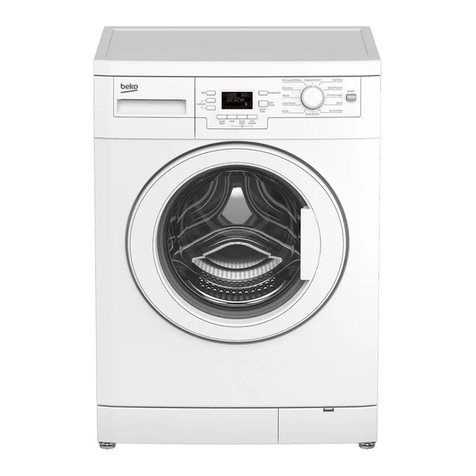
LG WD-3274RHD User manual

WASHING MACHINE
SERVICE MANUAL
READ THIS MANUAL CAREFULLY TO DIAGNOSE
TROUBLECORRECTLY BEFORE OFFERING SERVICE.
MODEL : WD-3274RHD / WD-3276RHD
CAUTION
Website:http://www.LGEservice.com [For U.S.A]
www.lg.ca [For CANADA]
E-mail:http://www.LGEservice.com/techsup.html

CONTENTS
1. SPECIFICATION............................................................................................................................3
2. FEATURES & TECHNICAL EXPLANATION ................................................................................ 4
3. PARTS IDENTIFICATION ............................................................................................................ 6
4. INSTALLATION............................................................................................................................. 7
5. OPERATION................................................................................................................................10
6. WIRING DIAGRAM / PROGRAM CHART...................................................................................12
7. TROUBLESHOOTING.................................................................................................................13
7-1.BEFORE PERFORMING SERVICE....................................................................................13
7-2.QC TEST MODE..................................................................................................................13
7-3.HOW TO KNOW THE WATER LEVEL FREQUENCY.........................................................13
7-4.ERROR DISPLAY................................................................................................................14
8. ERROR DIAGNOSIS AND CHECK LIST....................................................................................16
8-1. DIAGNOSIS AND ANSWER FOR ABNORMAL OPERATION...........................................16
8-2. FAULT DIAGNOSIS AND TROUBLESHOOTING ..............................................................19
9. DISASSEMBLY INSTRUCTIONS ...............................................................................................29
10. EXPLODED VIEW AND PARTS LIST .......................................................................................39
10-1. THE EXPLODED VIEW OF CABINET ASSEMBLY .........................................................39
10-2. THE EXPLODED VIEW OF CONTROL PANEL AND DISPENSER ASSEMBLY ............40
10-3. THE EXPLODED VIEW OF DRUM AND TUB ASSEMBLY .............................................41
10-4. THE EXPLODED VIEW OF DRYER................................................................................42
APPENDIX (Replacement parts list) ...........................................................................................43
2

3
1. SPECIFICATION
ITEM WD-3274RHD / WD-3276RHD
PO
WER SUPPLY 120V~, 60Hz
PRODUCT WEIGHT 156
1/2
lbs. (71 kg)
WASHING 140W
SPIN 300W
FAN MOTOR 25W
DRAIN MOTOR 40W
WASH HEATER 1000W
DRY HEATER 1200W
WASH 45rpm
SPIN No spin/400/800/1000/1400 rpm
OPERATION WATER PRESSURE 4.5 ~ 145 PSI (30 ~ 1000 KPa)
CONTROL TYPE Electronic
WASH CAPACITY 15
2/5
lbs. 7.0 kg
DRY CAPACITY3.0kg 8
4/5
lbs. 4.0 kg
DIMENSION 23
5/8
x 23
5/8
x 33
1/2
in.(600 x 600 x 850mm)
WASH PROGRAM
Cotton, Perm. Press, Wool/Silk, Rinse+Spin, Sanitary
WASH/DRY PROGRAM
Cotton, Perm. Press, Rinse+Spin, Sanitary
OPTION Dry only, Extra Rinse, Extra Wash
DOOR SWITCH TYPE Bi-Metal type
WATER LEVEL 8 steps (by sensor)
RESERVATION From 3 hours to 19 hours
SENSING OF THE LAUNDRY AMOUNT Adapted
FUZZY LOGIC Adapted
DISPLAY OF THE REMAINING TIME Adapted
ERROR DIAGNOSIS 10 items
POWER AUTO OFF Adapted
CHILD LOCK Adapted
AUTO RESTART Adapted
RAPID Adapted
ELECTRICITY
CONSUMPTION
REVOLUTION
SPEED

Automatic process from washing to drying.
Automatic process from washing to drying can be
selected easily.
Washing capacity : 15 5/2lbs.¡c7.0 kg¡d
Drying capacity : 8 4/5lbs.¡c4.0 kg¡d
More economical by Intelligent Wash System
Intelligent Wash System detects the amount of load and
water temperature, and then determines the optimum water
level and washing time to minimize energy and water
consumption.
Direct Drive system
The advanced Brushless DC motor rotates the Drum directly
without belt and pulley.
Child- ock
The Child-Lock system has been developed to prevent
children from pressing any button to change the program
during operation.
ow noise speed control system
By sensing the amount of load and balance, automaticaly
distributes load evenly to minimize the spinning noise level.
Auto Restart
Although the washing machine is turned off by a power failure,
it restarts automatically where it stopped when power is
supplied again. And it will be the same if the machine
unplugged and is plugged in again.
2. FEATURES & TECHNICAL EXPLANATION
4
2-1.FEATURES
SPIN TIME DELAY

2-2.DETERMINE WASHING TIME BY FUZZY LOGIC
To get the best washing performance optimal time is determined by sensing of water temperature,
selected washing temperature and laundry amount.
2-3.WATER LEVEL CONTROL
This model adopts a pressure sensor which can sense the water level in the tub.
Water supply is stopped when the water level to the preset level, then the washing program proceeds.
Spinning does not proceed until the water in the tub reduces a certain level.
5
FUZZY
LOGIC
laundry
amount
selected
washing
temperature
water
temperature
washing time
rinsing time
spin rhythm, time
the best
washing
performance
SENSING
PROCESSING
DETERMINATION
EFFECT

3. PARTS IDENTIFICATION
6
ACCESSORIES
Power plug
Control panel
Door
Lower cover
Adjustable feet
(For detergent and
fabric softener)
Drawer
Drum
Drain hose
Lower cover cap
Drain pump filter
Drain plug
If the supply cord is damaged,
it must be replaced by the
manufacturer or its service agents
or a similarly qualified person in
order to avoid a hazard.
Inlet hose(1 each) Wrench

Before servicing ask trouble the customer, what the trouble is.
Check the adjustment (power supply is 120V~ remove the transit bolts....)
Check the troubles referring to the troubleshooting.
Decide service steps referring to disassembly instructions.
Then, service and repair.
After servicing, operate the appliance to see whether it works OKor NOT.
STANDARD INSTALLATION
The appliance should be installed as follows.
REMOVE THE TRANSIT INSTALL THE APPLIANCE ADJUST THE
BOLTS ON FLAT AND FIRM SURFACE HORIZONTAL
Remove the transit bolts Turn the leveling feet to
(3EA: ) with supplied spanner. set the appliance horizontally.
Keep the transit bolts and
spanner for future use.
Insert the 3 caps
provided into the hole
The appliance goes up by
rotating the feet clockwise.
The appliance come down by
rotating the feet counterclockwise.
4. INSTALLATION
7
1
2

HOW TO CONNECT INLET HOSE
Check that the rubber washer is inside of the
valve connector.
Connect the inlet hose firmly to prevent leak.
CONNECT DRAIN HOSE
CONNECT POWER PLUG
8
Make sure that the hose is not twisted.
The drain hose should be placed under 100cm from the floor.
Connect the power plug to the wall outlet. Avoid connecting several electric devices,
It may be the cause of a fire.
Avoid submerging the end of the hose.

TEST OPERATION
9
POWER
START/PAUSE
POWER
Connect the power plug to In case of Coloureds program.
the outlet.
Connect the inlet hose.
Preparation for Press the power button. Press
the
Start/Pause
washing. button.
Press the button TEMP. Check if the drum rotates Check if water is supplied
and the present temperature clockwise and through the detergent
will be displayed. counterclockwise. dispenser.
Power off and then power on.
Check if the door can be
opened after 3 minutes.
Turn off Spin and Temp after
pressing the Start/Pause button
and start the machine again.
Check drain and Spin.
If SVC is needed during check,
remove the remaining water by
pulling out the hose cap.
Check the water heating. Check automatic reverse Check the water supply.
turn.
Check drain and spin
Power off and open the
Water removal
door

10
5. OPERATION
EXTRARINSE
HOT/COLD
WARM/WARM
WARM/COLD
COLD/COLD
TAB COLD/COLD
RINSE HOLD
TIME DRY
AUTO DRY
WASASH
SANITARY
COTTON
PREM. PRESS
WOOL/SILK
RINSE+SPIN
PREM. PRESS
RINSE+SPIN
COTTON
SANITARY
WASH/DRY
WASH
RINSRINSE
DRY
SPIN
DOODOOR LOCK
STAART/PAUSE
TIME LEFT
NO SPIN
400
800
1000
1400
EXTRAWASH
POWER
DRYONLY
SPINOPTION TEMP.TIME DELAY
DRY
START/PAUSE
Water temperature selector
Press the button to select water temperature.
The water temperature
[WARM/COLD WARM/WARM HOT/COLD
TAB COLD/COLD COLD/COLD] selected in Cotton
or Perm. Press.
[HOT/COLD] is selected for Sanitary only.
By pressing the button while operating the washer,
the present temperature is displayed.
Rinse hold
If you desire to leave fabrics in the machine without spinning after rinse to
prevent them wrinkling, you may select rinse hold by pressing the spin
button.
If you want to drain and spin, when Rinse Hold function is proceed, Press
the Start/Pause button to cancel the Rinse Hold function and select spin
speed or program. Press the Start/Pause button again to start program.
If you want to drain only, select the no spin.
If lamp turns on, that function has been selected.
Option
Extra Wash
•If the laundry is heavily soiled,
“Extra Wash”course is
effective.
•Extra Wash is available in
Sanitary, Cotton and
Perm. press.
Extra Rinse
•This option can be used to
add a rinse for people with
sensitive skin. Selecting the
Extra Rinse button is also
recommended when washing
heavily soiled fabrics which
needs a lot of detergent, or
when the wash load contains
towelling fabrics that have a
greater tendency to retain
detergent.
Child - lock
Child Lock system can be set and canceled by pressing
both [SPIN] and [TIME DELAY ] button simultaneously.
Once Child Lock is set, all button are inoperable.
Child Lock system can be set anytime even during
Power-off and operation.
It is automatically cancelled when an operational error
occur.
Other manuals for WD-3274RHD
3
This manual suits for next models
1
Table of contents
Other LG Washer manuals


Popular Washer manuals by other brands

Tricity Bendix
Tricity Bendix AW 1000 W Operating & installation instructions

Panasonic
Panasonic NA-F60L5WRB operating instructions

GE
GE WSLP1500 Dimensions and installation information

Electrolux
Electrolux EWF1284EDW Service manual

Bosch
Bosch WAN2829BSN User manual and installation instructions

VESTEL
VESTEL CMH-XL 7510 TE user manual