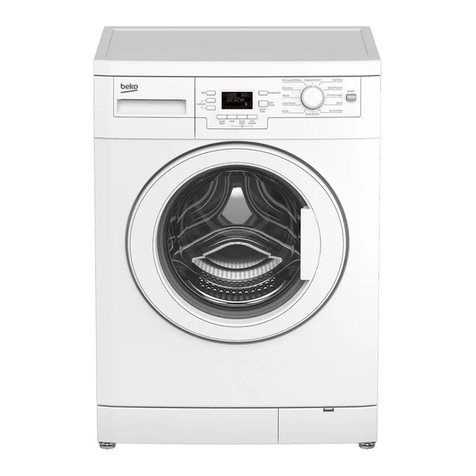
LG W3S1 Series User manual

CONFIDENTIAL
LAUNDARY CENTER
SERVICE MANUAL
READ THIS MANUAL CAREFULLY TO DIAGNOSE
PROBLEMS CORRECTLY BEFORE SERVICING THE UNIT.
CAUTION
MODELS : W3S1*
Any reproduction, duplication, distribution (including by way of email, facsimile or other electronic means), publication, modification,
copying or transmission of this Service Manual is STRICTLY PROHIBITED unless you have obtained the prior written consent of the
LG Electronics entity from which you received this Service Manual. The material covered by this prohibition includes, without limitation,
any text, graphics or logos in this Service Manual.
Copyright © 2019 - 2021LG Electronics Inc. All rights reserved. Only training and service purposes.

- 2 -
IMPORTANT SAFETY NOTICE
RECONNECT ALL GROUNDING DEVICES
The information in this service guide is intended for use by individuals possessing skill and experience in electrical,
electronic, and mechanical appliance repair. Any attempt to repair a major appliance may result in injury to persons,
and property damage. The manufacturer or seller cannot be responsible for the interpretation of this information, nor
can it assume any liability in connection with its use.
To avoid injury to persons, disconnect power before servicing this product. If electrical power is required for
diagnosis or test purposes, disconnect the power immediately after performing the necessary checks.
If grounding wires, screws, straps, clips, nuts, or washers used to complete a path to ground are removed for
service, they must be returned to their original position and properly fastened.
WARNING !
WHAT TO DO IF YOU SMELL GAS:
■ Do not try to light a match, or cigarette, or
turn on any gas or electrical appliance.
■ Do not touch any electrical switches. Do not
use any phone in your building.
■ Clear the room, building, or area of all
occupants.
■ Immediately call your gas supplier from a
neighbor’s phone. Follow the gas supplier’s
instructions carefully.
■ If you cannot reach your gas supplier, call
the re department.
IMPORTANT
Electrostatic Discharge (ESD) Sensitive Electronics
ESD problems are present everywhere. ESD may damage or weaken the electronic control assembly. The new
control assembly may appear to work well after repair is nished, but failure may occur at a later date due to ESD
stress.
■ Use an anti-static wrist strap. Connect wrist strap to green ground connection point or unpainted metal in the
appliance.
- OR -
Touch your nger repeatedly to a green ground connection point or unpainted metal in the appliance.
■ Before removing the part from its package, touch the anti-static bag to a green ground connection point or
unpainted metal in the appliance.
■ Avoid touching electronic parts or terminal contacts; handle electronic control assembly by edges only.
■ When repackaging the failed electronic control assembly in an anti-static bag, observe the instructions above.

- 3 -
CONTENTS
1. SPECIFICATIONS............................................................................................................................................................................. 4
2. FEATURES & TECHNICAL EXPLANATION.................................................................................................................................... 5
2-1. Features...................................................................................................................................................................................... 5
2-2. Neuro Fuzzy Washing Time Optimization (Washer) ................................................................................................................... 6
2-3. Water Level Control .................................................................................................................................................................... 6
2-4. Door Control................................................................................................................................................................................ 6
3. PARTS IDENTIFICATION ................................................................................................................................................................. 8
4. INSTALLATION & TEST................................................................................................................................................................. 10
5. OPERATION ................................................................................................................................................................................... 13
5-1. Control Panel Features............................................................................................................................................................. 13
5-2. Cycle Guide(Washer)................................................................................................................................................................ 14
5-3.Cycle Guide (Dryer) ................................................................................................................................................................... 17
5-4. Special Functions...................................................................................................................................................................... 19
6. TEST MODE.................................................................................................................................................................................... 20
6-1. Safety Caution .......................................................................................................................................................................... 20
6-2. Load Test Mode (Washer)......................................................................................................................................................... 20
6-3. How To Check The Water Level Frequency.............................................................................................................................. 20
6-4. Diagnostic Test (Dryer) ............................................................................................................................................................. 21
6-5. Installation Test (Duct Check) ................................................................................................................................................... 32
7. TROUBLESHOOTING.................................................................................................................................................................... 35
7-1. Safety Caution .......................................................................................................................................................................... 35
7-2. Error Mode Summary................................................................................................................................................................ 35
7-3. Troubleshooting With Error (Washer) ....................................................................................................................................... 38
7-4. Troubleshooting Else (Washer)................................................................................................................................................. 42
7-4. Troubleshooting Else (Dryer) .................................................................................................................................................... 47
7-5. Troubleshooting Not Drying (Dryer) .......................................................................................................................................... 54
7-6. Troubleshooting for ow sensor dryer....................................................................................................................................... 74
7-7. Before using the Tag On function.............................................................................................................................................. 75
8. COMPONENT TESTING informat (WASHER) .............................................................................................................................. 79
8-1. Filter Assembly (Line Filter) ...................................................................................................................................................... 79
8-2. Door Lock Switch Assembly...................................................................................................................................................... 80
8-3. Stator Assembly ........................................................................................................................................................................ 82
8-4. Pump Motor Assembly.............................................................................................................................................................. 83
8-5. Inlet Valve Assembly ................................................................................................................................................................. 84
8-6. Thermistor Assembly ................................................................................................................................................................ 85
8-7. Component Tesing Information (Dryer)..................................................................................................................................... 87
9. GAS SETTING ................................................................................................................................................................................ 90
9-1.Change Gas Setting (Natural Gas, Propane Gas)..................................................................................................................... 90
9-2. Gas Valve Flow ......................................................................................................................................................................... 91
10. DISASSEMBLY INSTRUCTIONS (WASHER).............................................................................................................................. 92
10. DISASSEMBLY INSTRUCTIONS (DRYER) ............................................................................................................................... 102
11. EXPLODED VIEW....................................................................................................................................................................... 114
12. WIRING DIAGRAM..................................................................................................................................................................... 122

- 4 -
1. SPECIFICATIONS
Model W3S1CVK2*
Name LAUNDARY CENTER
Power supply
WASHER : 120V, 60Hz, 11A
DRYER(ELEC) : 120/240V, 60Hz, 26A, 22.5lb / 120/208V, 60Hz, 23A, 22.5lbx
DRYER(GAS) : 120V, 60Hz, 13A, 22.5lb
Size 27 in (W) X 30 ⅜ in (D) X 74 ⅜ in (H), 55 in (D with door open)
70 cm (W) x 77 cm (D) x 189 cm (H), 139.6 cm (D with door open)
Capacity
- Washer : 4.5 cu.ft. (DOE)
- Dryer : Steam cycle - IEC 7.4 cu.ft. (8 lb/3.6 kg)
Normal cycle - IEC 7.4 cu.ft. (22.5 lb/10.2 kg)
Weight Gas : 314.3 lb (142.6kg) - 327.1 lb (148.4 kg)
Electric : 311.6 lb (141.3 kg) - 323.7 lb (146.8 kg)
To reduce the risk of injury you must adhere to all industry recommended safety procedures
including the use of long sleeved gloves and safety glasses. Failure to follow all of the safety
warnings in this manual could result in property damage, injury, or death.

- 5 -
2. FEATURES & TECHNICAL EXPLANATION
2-1. Features
■Ultra Capacity
The larger drum enables not just higher head drop and stronger centrifugal force,
but also less tangling and wrinkling of the laundry. Heavier loads, such as king size comforters,
blankets, and curtains, can be washed.
■Direct Drive System (Washer)
The advanced brushless DC motor directly drives the drum without belt and pulley.
■Tilted Drum and Extra Large Door Opening
Tilted drum and extra large opening make it possible to load and unload clothing
more easily.
■Automatic Wash Load Detection (Washer)
Automatically detects the load and optimizes the washing time.
■Control Lock
The control lock prevents children from pressing any button to change the settings
during operation.
■SMART DIAGNOSIS™
Should yo u experience any technical difc ulty with your washing machine, is capable of
producing multiple distinct different motions for optimal washing performance with very little noise
and vibration. The motor assembly also contains fewer moving parts, thus resulting in fewer
repairs.
How to USE?
Press and hold the Steam + Extra Rinse(Washer) / Steam + Reduce Static (Dryer) buttons for 3
seconds or until the audible tones start. Hold the smartphone mouthpiece
to the logo until the data transfer is complete.
■Flow Sensor (Dryer)
This FlowSenseTM function detects the clogging or blocking of ducts.
Clogged duct vents or hoses decrease efciency in drying cloths.
Clogged vents can also cause re. This function alerts you to the need of cleaning the duct. When
the alarm about Duct clogging is displayed, clean the duct or call a servicer to clean them.

- 6 -
2-2. Neuro Fuzzy Washing Time Optimization (Washer)
2-3. Water Level Control
2-4. Door Control
To get the best washing performance, optimal time is determined by the water temperature, the selected washing
temperature, and the size of the load.
● This model incorporates a pressure sensor which can sense the water level in the tub.
● The water supply is stopped when the water level reaches the preset level, the washing program then proceeds.
● Spinning does not proceed until the water in the tub drains to a certain level.
● The door can be opened by pulling the door handle whenever washer is not in operation.
● When the cycle is completed, the DOOR LOCKED light will turn off.
● If a power failure has occurred while in operation, the door will unlock after 5 minutes.
● Clicking sounds can be heard when the door is locked/unlocked.
water
temperature
selected
washing
temperature
NEURO
FUZZY
SENSING PROCESSING
DETERMINATION
EFFECT
the best
washing
performance
washing time
rinsing time
spin rhythm, time
load
size

- 7 -
■ The Washer Door Can Not Be Opened
■ Control Lock
■ Flow Sensor (Dryer)
● While the machine is in operation.
● After a power failure, and the machine has been unplugged during operation.
● While the Door Lock light is on.
● While the motor is rotating, even though the operation may be paused.
● The Control Lock is used to restrict unwanted users from operating the machine.
Press and hold Soil(Washer)/Time Dry(Dryer) for 3 seconds to either lock or unlock the machine’s controls.
● Only the Power button remains active while the Control Lock feature is engaged.
● The Control Lock can be activated while the machine is already in operation
● The Control Lock will remain engaged until the end of the current cycle. To disengage the Control Lock , press
and hold Soil(Washer)/Time Dry(Dryer) for 3 seconds.
The FlowSenseTM display consists of LED lamp. The display has only two possible displays as only two possible
displays as shown here.
➀No Response.
➁ LED; turned on.
Flow Sensor Function
LED; turned on :
RESTRICTED

- 8 -
3. PARTS IDENTIFICATION
■ Parts
Control Panel
Lint Filter
Dryer Drum
Dryer Door
Dryer Door Magnet
Detergent Dispenser Drawer
Washer Door
Washer Drum
Washer Door Magnet
Drain Hose
Drain Pump Filter
Drain Pump Filter Cover
Leveling Feet
Power Cord(for Dryer gas models)
Terminal Block Access Panel(for electric models)
Cold Water Inlet (for Dryer System)
Exhaust Duct Outlet
Gas connection(for gas models)
Hot and Cold Water Inlets
Shipping Bolts
Drain Hose
Power Cord (for washer)

- 9 -
■ Accessories
Included Accessories
Required Accessory (sold separately)
Non-skid Pads Elbow Bracket (for securing drain hose)
Hole Caps Y connector
Wrench Drying Rack (on some models)
Tie Strap
Hot and Cold Water Hoses for Washer Short Cold Water Hoses
Cold Water Hose for Dryer Tie Straps
•Required accessory is sold separately. It can be ordered through LG Website.
US: www.lg.com/us
NOTE
•Contact LG Customer Service at 1-800-243-0000 (1-888-542-2623 in Canada) if any accessories are missing.
•For your safety and for extended product life, use only authorized components. The manufacturer is not responsible
for product malfunction or accidents caused by the use of separately purchased unauthorized components or parts.
•The images in guide may be different from the actual components and accessories, and are subject to change by the
manufacturer without prior notice for product improvement purposes.

- 10 -
4. INSTALLATION & TEST
Before servicing, ask the customer what the trouble is.
When installing or repairing the washer, put on long gloves and safety glasses.
Check the setup (power supply is 120 VAC, remove the transit bolts, level the appliance, etc.)
Check with the troubleshooting guide.
Plan your service method by referring to the disassembly instructions.
Service the unit.
After servicing, operate the appliance to see whether it functions correctly.
■
STANDARD INSTALLATION
The appliance should be installed as follows:
REMOVE THE SHIPPING
BOLTS
INSTALL THE APPLIANCE
ON A FLAT AND FIRM SURAFCE
ADJUST THE
LEVELING
•Remove the 4 shipping bolts with
the supplied wrench.
※ Remove the lower bolts st. It is
easier that way.
•Keep the shipping bolts and spanner
for future use.
•Insert the 4 caps (provided) into the
hole.
•Turn the leveling feet to adjust
the appliance.
•Turn clockwise to raise;
counterclockwise to lower.
•Do not raise the front of the
appliance with a wood block
or similar object. Doing so can
cause serious injury or death.
Table of contents
Other LG Washer manuals
Popular Washer manuals by other brands

Tricity Bendix
Tricity Bendix AW 1000 W Operating & installation instructions

Panasonic
Panasonic NA-F60L5WRB operating instructions

GE
GE WSLP1500 Dimensions and installation information

Electrolux
Electrolux EWF1284EDW Service manual

Bosch
Bosch WAN2829BSN User manual and installation instructions

VESTEL
VESTEL CMH-XL 7510 TE user manual