
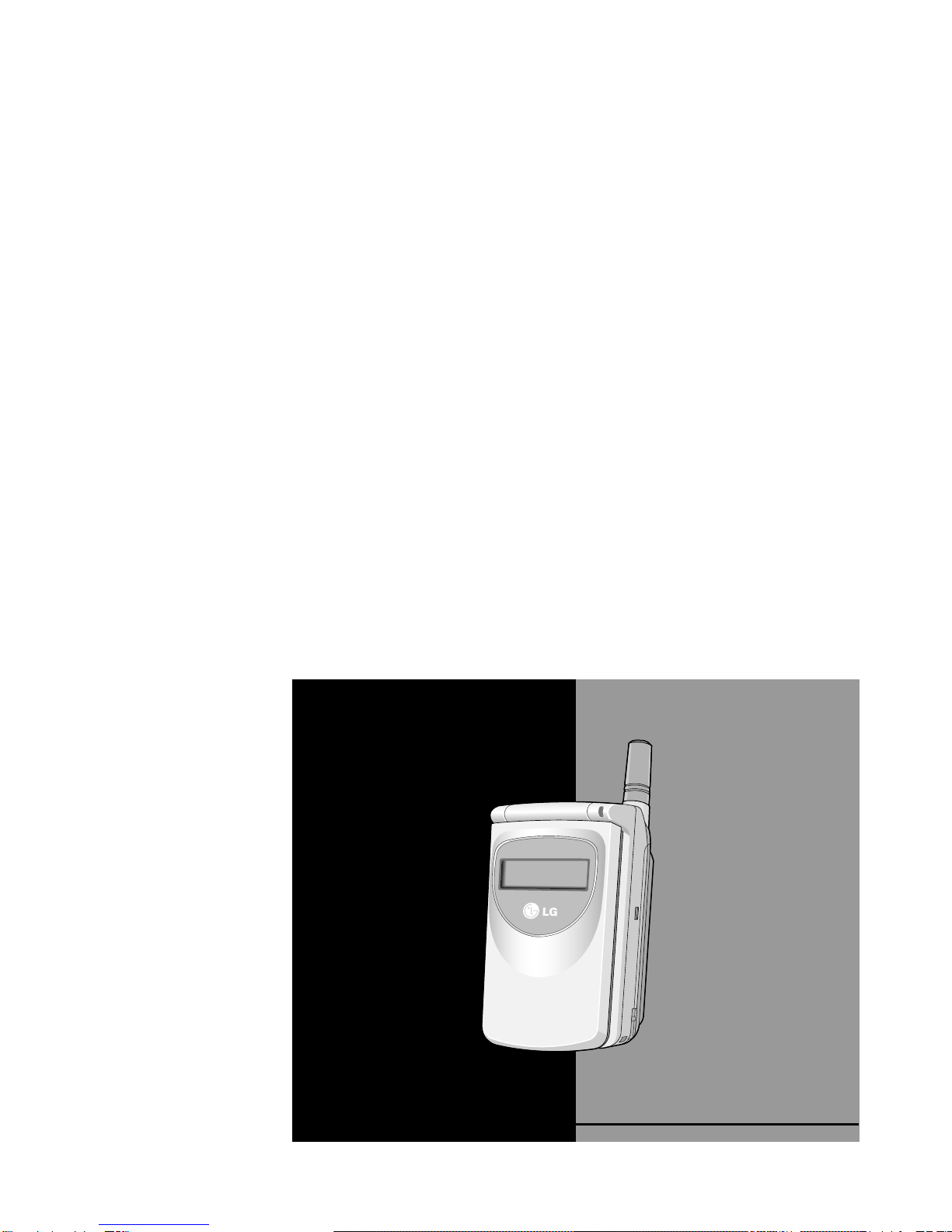
LG LG-600 User manual

GSM Phone
USER'S MANUAL
MODEL : LG - 600
ENGLISH
Please read this manual carefully before
operating your set. Retain it for future reference.

3
LG-600 GSM Phone
LG-600 has a polished style which provides
users’ a better feel and convenience.

4
For Your Safety
All radio transmitters carry risks of interference with electronics in close
proximity.
GSM Phones must be switched off at all times in an
aircraft.
Do not activate near petrol stations, fuel depots,
chemical plants or blasting operations.
Avoid use in hospitals : medical electronics, e.g.
pacemakers and hearing aids can be affected.
Minor interference may affect TVs, radios, PCs, etc.
Do not hold the phone in your hand while driving.
Do not dismantle phone or battery.
5
Please note:
Use only specified batteries and chargers as others can
damage the phone.
Unusable batteries should be disposed of in accordance
with relevant legislation.
Only use ORIGINAL accessories to avoid damage to
your phone.

6
Overview
Accessories.......................................................................... 10
Part of the Phone ................................................................ 11
• Front of the Phone ............................................................ 11
• Rear of the Phone ............................................................. 12
Key Description ................................................................... 13
• Side of the Phone ............................................................. 14
• Alphanumeric Keys ........................................................... 15
Display Information
Display Information ............................................................. 16
• On-Screen Icons ............................................................... 16
Getting Started
Installation ........................................................................... 18
• Installing the SIM Card ...................................................... 18
• Installing the Battery ......................................................... 19
• Charging the Battery ......................................................... 20
Powering On Sequence ...................................................... 21
Access Codes ...................................................................... 22
• PIN1 code (4 to 8 digits) ................................................... 22
• PIN2 code (4 to 8 digits) ................................................... 22
• PUK1 code (4 to 8 digits) ................................................... 22
• PUK2 code (4 to 8 digits) ................................................... 22
• Security code (4 to 8 digits) ............................................... 22
Write and Read Messages .................................................. 23
• Write message ................................................................... 23
• Read message................................................................... 23
eZi Text.................................................................................. 24
• How to Use eZi Text .......................................................... 24
Contents

7
Call Functions
Making and Answering Calls ............................................. 27
• Making Calls ..................................................................... 27
• Answering Calls ................................................................ 28
Recent Numbers .................................................................. 29
• Dialed Number ................................................................... 29
• Received Number .............................................................. 29
• Missed Number.................................................................. 29
Accessing the Menu
Phonebook ........................................................................... 30
• Search [Names 1] ............................................................. 30
• Search E-Mail [Names 2] .................................................. 31
• Add Entry [Names 3] ......................................................... 31
• Add E-Mail [Names 4] ....................................................... 32
• Groups [Names 5] ............................................................. 33
• Speed Dials [Names 6] ..................................................... 35
• Delete all [Names 7] .......................................................... 35
• Memory [Names 8] ............................................................ 35
• Copy [Names 9] ................................................................ 36
• Service Dial Number [Names 10] (SIM dependent) .......... 37
• Own Number [Names 11] ................................................. 37
MMI Structure ...................................................................... 38
Using the Menu ................................................................... 42
Menu Navigation by scrolling ............................................ 42
Shortcuts into Menus ......................................................... 42
Messages [Menu 1] ............................................................. 43
• Write Message [Menu 1-1] ................................................ 43
• Outbox [Menu 1-2] ............................................................ 44
• Inbox [Menu 1-3] ............................................................... 45

8
• Status Report [Menu 1-4] .................................................. 46
• Call Voicemail [Menu 1-5] ................................................. 46
• Cell Broadcast [Menu 1-6] ................................................ 47
• Memory Status [Menu 1-7] ................................................ 48
• Setting [Menu 1-8] ............................................................. 49
Call Option [Menu 2] ........................................................... 50
• Call Divert [Menu 2-1] ....................................................... 50
• Call Barring [Menu 2-2] ..................................................... 51
• Call Waiting [Menu 2-3] ..................................................... 52
• Sending Number [Menu 2-4] ............................................. 53
• Closed User Group [Menu 2-5] ......................................... 53
Call Charge [Menu 3] - (SIM dependent) ........................... 54
• Call Duration [Menu 3-1] ................................................... 54
• Call Costs [Menu 3-2] ....................................................... 54
• Cost Settings [Menu 3-3] .................................................. 55
Security [Menu 4] ................................................................ 56
• PIN Enable [Menu 4-1] ...................................................... 56
• Change Codes [Menu 4-2] ................................................ 56
• Fixed Dial Number [Menu 4-3] .......................................... 57
Setting [Menu 5] .................................................................. 58
• Network Selection [Menu 5-1] ........................................... 58
• Phone Setting [Menu 5-2] ................................................. 58
• Call Setting [Menu 5-3] ..................................................... 60
• Time Setting [Menu 5-4] .................................................... 62
• Profiles [Menu 5-5] ............................................................ 63
Accessories [Menu 6] ......................................................... 65
• Scheduler [Menu 6-1] ........................................................ 65
• World Time [Menu 6-2] ..................................................... 67
• Calculator [Menu 6-3] ........................................................ 67
• Unit Convert [Menu 6-4] .................................................... 67
• Game [Menu 6-5] .............................................................. 68
• PC Sync ............................................................................ 68

9
Voice Dial [Menu 7] ............................................................. 69
• Training [Menu 7-1] ........................................................... 69
• Search [Menu 7-2] ............................................................ 69
• Setting [Menu 7-3] ............................................................. 70
• Delete all [Menu 7-4] ......................................................... 70
Internet [Menu 8] ................................................................. 71
• Home [Menu 8-1] .............................................................. 71
• Bookmarks [Menu 8-2] ...................................................... 71
• Profiles [Menu 8-3] ............................................................ 72
• Empty Cache [Menu 8-4] .................................................. 72
In Internet Menu .................................................................. 73
Additional Functions
How to Send DTMF tones ................................................... 74
• Wait Characters ................................................................ 74
• Interrogating your Answering Machine(example) ............. 74
• During a Call ..................................................................... 74
In-Call Options ..................................................................... 75
How to Use Data and Fax Call ............................................ 79
• Making a Data or Fax call ..................................................79
• Making a Voice & Fax call ................................................. 80
Voice Memo ......................................................................... 81
• Voice Memo ...................................................................... 81
• Voice Memo Menu ............................................................ 81
Care and Maintenance ..................................................... 82
Technical Data...................................................................... 83
• General ............................................................................. 83
• Dimensions ....................................................................... 83
• Ambient Temperatures ..................................................... 83

Accessories Overview
10
Check to make sure that you have all the parts shown below.
<Optional Accessories>
Handset
Travel Adapter
Desktop Charger
(DC-11G)
Extended Battery
(BEL-11G)
Data Kit/CD
(DK-10G) Handsfree
Portable
(PHF-10G)
Cigar Lighter Adapter
(CLA-10G)
User’s Guide
Standard Battery
Belt Clip
Hands-Free Car Kit
(IHF-11G)
Card(s)
Other manuals for LG-600
4
Table of contents
Other LG Cell Phone manuals


Popular Cell Phone manuals by other brands


Blackbe;rry
Blackbe;rry Q10 user guide

Blackbe;rry
Blackbe;rry Bold 9900 user guide

Blackbe;rry
Blackbe;rry STORM 9500 - VERSION 5.0 user guide

ISAFE MOBILE
ISAFE MOBILE IS655.2 operating manual

Blackbe;rry
Blackbe;rry CURVE 8300 - SMARTPHONE Getting started guide

Blackbe;rry
Blackbe;rry 8707 - VERSION 4.1 user guide