LG C3300 User manual

C3300 User Guide
C3300
User Guide
Some of contents in this manual may differ from your phone
depending on the software of the phone or your service provider.
Part No. MMBB014740
Issue 1.0
Printed in Korea

C3300 User Guide
English
English

C3300
Table of Contents
Introduction . . . . . . . . . . . . . . . . . . . 8
Guidelines for safe and
efficient use . . . . . . . . . . . . . . . . . . . 9
C3300 features . . . . . . . . . . . . . . . . 14
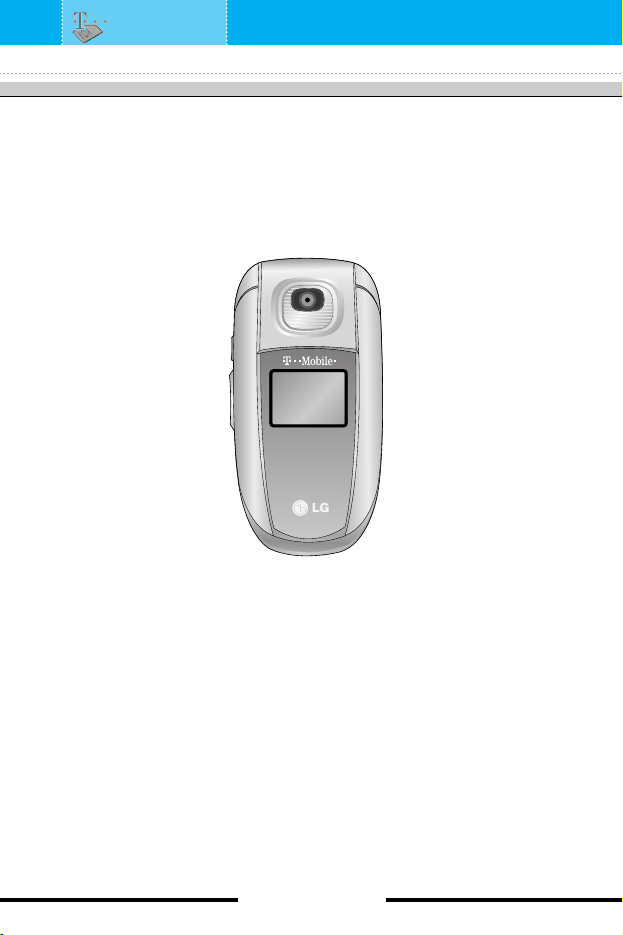
Parts of the hone . . . . . . . . . . . . . 14
Dis lay information . . . . . . . . . . . . 19
Getting started . . . . . . . . . . . . . . . . 20
Installing the SIM card and
the handset battery . . . . . . . . . . . . . 20
Charging the battery . . . . . . . . . . . . 22
Disconnecting the adapter . . . . . . . . 23
Turning your hone on and off . . . 24
Turning your phone ON . . . . . . . . . . 24
Turning your phone O . . . . . . . . . 24
Access codes . . . . . . . . . . . . . . . . . 24
PIN code . . . . . . . . . . . . . . . . . . . . . 24
PIN2 code . . . . . . . . . . . . . . . . . . . . 25
PUK code . . . . . . . . . . . . . . . . . . . . 25
PUK2 code . . . . . . . . . . . . . . . . . . . 25
Security code . . . . . . . . . . . . . . . . . . 25
Barring assword . . . . . . . . . . . . . 25
General functions . . . . . . . . . . . . . 26
Making and answering calls . . . . . 26
Making a call . . . . . . . . . . . . . . . . . . 26
Making a call using the send key . . . 26
Making an international call . . . . . . . 26
Ending a call . . . . . . . . . . . . . . . . . . 26
Making a call from the phonebook . . 27
Adjusting the volume . . . . . . . . . . . . 27
Answering a call . . . . . . . . . . . . . . . 27
Switching quickly to
Vibrate only mode . . . . . . . . . . . . . . 28
Signal strength . . . . . . . . . . . . . . . . . 28
Entering text . . . . . . . . . . . . . . . . . . 28
Changing the text input mode . . . . . 29
Contacts . . . . . . . . . . . . . . . . . . . . . 32
[4C3300 User Guide ]

In call menu . . . . . . . . . . . . . . . . . . 32
During a call . . . . . . . . . . . . . . . . . . 32
Multi arty or conference calls . . . . 34
Making a second call . . . . . . . . . . . . 34
Ending a multiparty call . . . . . . . . . . 35
Menu tree . . . . . . . . . . . . . . . . . . . . 36
Selecting functions and o tions . . 38
S ecial . . . . . . . . . . . . . . . . . . . . . . 39
My Media . . . . . . . . . . . . . . . . . . . . 40
Photos . . . . . . . . . . . . . . . . . . . . . . 40
Pictures . . . . . . . . . . . . . . . . . . . . . 40
Sounds . . . . . . . . . . . . . . . . . . . . . . 40
Games & more . . . . . . . . . . . . . . . . 40
Call register . . . . . . . . . . . . . . . . . . 43
Missed calls . . . . . . . . . . . . . . . . . . 43
Received calls . . . . . . . . . . . . . . . . 43
Dialled calls . . . . . . . . . . . . . . . . . . 44
Delete recent calls . . . . . . . . . . . . . 44
Call charges . . . . . . . . . . . . . . . . . . 44
Call duration . . . . . . . . . . . . . . . . . . 44
Call costs . . . . . . . . . . . . . . . . . . . . . 45
Settings . . . . . . . . . . . . . . . . . . . . . . 45
GPRS information . . . . . . . . . . . . . 46
Call duration . . . . . . . . . . . . . . . . . . 46
Data volumes . . . . . . . . . . . . . . . . . 46
Messages . . . . . . . . . . . . . . . . . . . . 47
Write text message . . . . . . . . . . . . 47
Write Multimedia messages . . . . . 49
Inbox . . . . . . . . . . . . . . . . . . . . . . . 51
Outbox . . . . . . . . . . . . . . . . . . . . . . 52
Drafts . . . . . . . . . . . . . . . . . . . . . . . 53
Listen to voice mail . . . . . . . . . . . . 54
Info message . . . . . . . . . . . . . . . . . 54
Read . . . . . . . . . . . . . . . . . . . . . . . . 54
Topics . . . . . . . . . . . . . . . . . . . . . . . 55
Tem lates . . . . . . . . . . . . . . . . . . . . 55
Text templates . . . . . . . . . . . . . . . . . 55
Multimedia templates . . . . . . . . . . . . 56
Signature . . . . . . . . . . . . . . . . . . . . . 57
Settings . . . . . . . . . . . . . . . . . . . . . 57
Text message . . . . . . . . . . . . . . . . . 57
Multimeadia message . . . . . . . . . . . 58
Voice mail centre . . . . . . . . . . . . . . . 59
Info message . . . . . . . . . . . . . . . . . . 59
Push message . . . . . . . . . . . . . . . . . 60
t-zones . . . . . . . . . . . . . . . . . . . . . . 61
Contacts . . . . . . . . . . . . . . . . . . . . . 62
Search . . . . . . . . . . . . . . . . . . . . . . 62
Add new . . . . . . . . . . . . . . . . . . . . . 63
Caller grou s . . . . . . . . . . . . . . . . . 64
S eed dial . . . . . . . . . . . . . . . . . . . 64
Settings . . . . . . . . . . . . . . . . . . . . . 65
Set memory . . . . . . . . . . . . . . . . . . . 65
Search by . . . . . . . . . . . . . . . . . . . . 65
[5C3300 User Guide ]

[6C3300 User Guide ]
View options . . . . . . . . . . . . . . . . . . 65
Co y all . . . . . . . . . . . . . . . . . . . . . 65
Delete all . . . . . . . . . . . . . . . . . . . . 66
Information . . . . . . . . . . . . . . . . . . . 66
Organiser . . . . . . . . . . . . . . . . . . . . 67
Alarm clock . . . . . . . . . . . . . . . . . . 67
Scheduler . . . . . . . . . . . . . . . . . . . . 68
Calculator . . . . . . . . . . . . . . . . . . . . 69
Unit converter . . . . . . . . . . . . . . . . .69
World time . . . . . . . . . . . . . . . . . . . 70
Voice recorder . . . . . . . . . . . . . . . . 70
Record . . . . . . . . . . . . . . . . . . . . . . 70
View list . . . . . . . . . . . . . . . . . . . . . . 71
Memory status . . . . . . . . . . . . . . . . 71
S/W version . . . . . . . . . . . . . . . . . . 71
Camera . . . . . . . . . . . . . . . . . . . . . . 72
Take hoto . . . . . . . . . . . . . . . . . . . 72
Take in modes . . . . . . . . . . . . . . . . 74
My hotos . . . . . . . . . . . . . . . . . . . 75
Settings . . . . . . . . . . . . . . . . . . . . . 76
Memory status . . . . . . . . . . . . . . . . 76
Settings . . . . . . . . . . . . . . . . . . . . . 77
Profiles . . . . . . . . . . . . . . . . . . . . . . 77
Changing the profile . . . . . . . . . . . . . 77
Customising profiles
- Personalise . . . . . . . . . . . . . . . . . . 77
Customising profiles
- Rename . . . . . . . . . . . . . . . . . . . . 78
Date & Time . . . . . . . . . . . . . . . . . . 79
Set date . . . . . . . . . . . . . . . . . . . . . . 79
Date format . . . . . . . . . . . . . . . . . . 79
Set time . . . . . . . . . . . . . . . . . . . . . . 79
Time format . . . . . . . . . . . . . . . . . . . 79
Phone settings . . . . . . . . . . . . . . . . 80
Display settings . . . . . . . . . . . . . . . . 80
Language . . . . . . . . . . . . . . . . . . . . 80
Call settings . . . . . . . . . . . . . . . . . . 81
Call divert . . . . . . . . . . . . . . . . . . . . 81
Answer mode . . . . . . . . . . . . . . . . . 82
Send my number . . . . . . . . . . . . . . . 82
Call waiting . . . . . . . . . . . . . . . . . . . 82
Minute minder . . . . . . . . . . . . . . . . . 82
Auto redial . . . . . . . . . . . . . . . . . . . . 82
Closed user group . . . . . . . . . . . . . . 83
Security settings . . . . . . . . . . . . . . 84
PIN code request . . . . . . . . . . . . . . . 84
Phone lock . . . . . . . . . . . . . . . . . . . 84
Call barring . . . . . . . . . . . . . . . . . . . 85
ixed dial number . . . . . . . . . . . . . . 86
Change codes . . . . . . . . . . . . . . . . . 86
Network settings . . . . . . . . . . . . . . 87
Automatic . . . . . . . . . . . . . . . . . . . . 87

Manual . . . . . . . . . . . . . . . . . . . . . . 87
Preferred . . . . . . . . . . . . . . . . . . . . . 87
GPRS setting . . . . . . . . . . . . . . . . . 88
Power on . . . . . . . . . . . . . . . . . . . . . 88
When needed . . . . . . . . . . . . . . . . . 88
Internet . . . . . . . . . . . . . . . . . . . . . . 89
Home . . . . . . . . . . . . . . . . . . . . . . . 90
Bookmarks . . . . . . . . . . . . . . . . . . . 90
Profiles . . . . . . . . . . . . . . . . . . . . . . 91
Go to URL . . . . . . . . . . . . . . . . . . . . 93
Cache settings . . . . . . . . . . . . . . . . . 93
Cookies settings . . . . . . . . . . . . . . . 94
Security certification . . . . . . . . . . . . . 94
Reset profiles . . . . . . . . . . . . . . . . . 94
Browser version . . . . . . . . . . . . . . . . 94
Reset settings . . . . . . . . . . . . . . . . 94
Q&A . . . . . . . . . . . . . . . . . . . . . . . . 95
Accessories . . . . . . . . . . . . . . . . . . 98
Technical data . . . . . . . . . . . . . . . . 99
[7C3300 User Guide ]

[8C3300 User Guide ]
Congratulations on your purchase of the advanced and compact
C3300 mobile phone, designed to operate with the latest digital
mobile communication technology.
This user guide contains important information on the use and
operation of this phone. Please read all the information carefully for
optimal performance and to prevent any damage to or misuse of
the phone. Any changes or modifications not expressly approved in
this user’s guide could void your warranty for this equipment.
Introduction

Read these simple guidelines. Breaking the rules may be
dangerous or illegal. urther detailed information is given in this
manual.
Ex osure to radio frequency energy
Radio wave ex osure and S ecific Absor tion Rate (SAR)
information
This mobile phone model C3300 has been designed to comply with
applicable safety requirement for exposure to radio waves.
This requirement is based on scientific guidelines that include
safety margins designed to assure this safety of all persons,
regardless of age and health.
• The radio wave exposure guidelines employ a unit of
measurement known as the Specific Absorption Rate, or SAR.
Tests for SAR are conducted using standardized method with the
phone transmitting at its highest certified power level in all used
frequency bands.
• While there may be differences between the SAR levels of various
LG phone models, they are all designed to meet the relevant
guidelines for exposure to radio waves.
• The SAR limit recommended by the international Commission on
Non-Ionizing Radiation Protection (ICNIRP), which is 2W/kg
averaged over ten (10) gram of tissue.
• The highest SAR value for this model phone tested by DASY4 for
use at the ear is 1.05W/kg (10g).
• SAR data information for residents in countries/regions that have
adopted the SAR limit recommended by the Institute of Electrical
and Electronics Engineers (IEEE), which is 1.6 W/kg averaged
over one (1) gram of tissue (for example USA, Canada, Australia
and Taiwan).
[9C3300 User Guide ]
Guidelines for safe and efficient use

[10 C3300 User Guide ]
Product care and maintenance
Warning: Use only batteries, charger and accessories
a roved for use with this articular hone model.
The use of any other ty es may invalidate any a roval or
warranty a lying to the hone, and may be dangerous.
• Do not disassemble this unit. Take it to a qualified service
technician when repair work is required.
• Keep away from electrical appliance such as a TV, radio or
personal computer.
• The unit should be kept away from heat sources such as radiators
or cookers.
• Do not drop.
• Do not subject this unit to mechanical vibration or shock.
• The coating of the phone may be damaged if covered with wrap
or vinyl wrapper.
• Use dry cloth to clean the exterior of the unit.
(Do not use solvent such as benzene, thinner or alcohol.)
• Do not subject this unit to excessive smoke or dust.
• Do not keep the phone next to credit cards or transport tickets;
it can affect the information on the magnetic strips.
• Do not tap the screen with a sharp object; otherwise, it may
damage the phone.
• Do not expose the phone to liquid or moisture.
• Use the accessories with caution and follow relevant instructions.
• Do not touch the antenna unnecessarily.
Guidelines

Efficient hone o eration
To enjoy optimum performance with minimum power consumption
please:
• Hold the phone as you speak to any other telephone. While
speaking directly into the microphone, angle the antenna in a
direction up and over your shoulder. If the antenna is extendable/
retractable, it should be extended during a call.
• Do not hold the antenna when the phone is in use. If you hold it,
it can affect call quality. It also may cause the phone to operate as
a higher power level that needed and shorten talk and standby
times.
• If your mobile phone supports infrared, never direct the infrared
ray at anyone’s eye.
Electronics devices
All mobile phones may get interference, which could affect
performance.
• Do not use your mobile phone near medical equipment without
requesting permission. Avoid placing the phone over the
pacemaker, i.e. in your breast pocket.
• Some hearing aids might be disturbed by mobile phones.
• Minor interference may affect TVs, radios, PCs, etc.
[11 C3300 User Guide ]
Guidelines
Other manuals for C3300
5
Table of contents
Other LG Cell Phone manuals
Popular Cell Phone manuals by other brands

Blackbe;rry
Blackbe;rry Q10 user guide

Blackbe;rry
Blackbe;rry Bold 9900 user guide

Blackbe;rry
Blackbe;rry STORM 9500 - VERSION 5.0 user guide

ISAFE MOBILE
ISAFE MOBILE IS655.2 operating manual

Blackbe;rry
Blackbe;rry CURVE 8300 - SMARTPHONE Getting started guide

Blackbe;rry
Blackbe;rry 8707 - VERSION 4.1 user guide