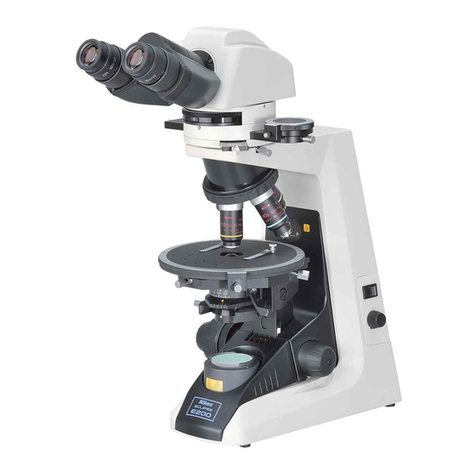
Leica ES2 User manual

Leica ES2
Leica EZ4
Leica EZ4 W
User Manual
Ryf AG
Bettlachstrasse 2
2540 Grenchen
tel 032 654 21 00
fax 032 654 21 09
www.ryfag.ch

Leica E Series User Manual 2
Congratulations!
You have just purchased a Leica E Series stereo-
microscope – an excellent choice! Viewing
entire objects under magnification imparts
perspectives and discoveries that would not be
possible with the naked eye.
In developing our stereomicroscopes, we have
placed great emphasis on simple, self-explan-
atory operation. However, please take the time
to read the instruction manual and the notes on
operating safety, to learn about all the features
and capabilities of your instrument so that
you can use it safely and to its best advantage.
Should you have any questions, please consult
your local Leica representative. We are gladly at
your service!

Leica E Series User Manual 3
Chapter Overview
Safety and Use 6
Leica ES2 14
Leica EZ4 and Leica EZ4 W 22
Eyepieces (only for Leica EZ4) 33
Photography Using the Leica EZ4 W 41
Get Set! 47
The Camera Remote Control (Optional) 55
Care, Transport, Contact Persons 68
Specifications 70
Dimensions 72

Leica E Series User Manual 4
Safety and Use
Symbols Used 7
Safety Instructions 8
Regulatory Compliance Information 10
Instructions for Use 12
Leica ES2
Overview: Leica ES2 15
Transport, Placement and Storage 16
The Correct Interpupillary Distance 17
Using the LED Illuminator 18
Focusing 19
Magnification Display 20
Adjusting the Resistance of the Focus Drive 21
Leica EZ4 and Leica EZ4 W
Overview: Leica EZ4 23
Instrument Variant: Leica EZ4 W 24
Transport, Placement and Storage 25
The Correct Interpupillary Distance 26
Switching on the LED Illuminator 27
Controlling the Automatic Shutoff 28
Illumination Types 29
Focusing 30
Contents
Magnification Display 31
Adjusting the Resistance of the Focus Drive 32
Eyepieces (Only for Leica EZ4)
Changing Eyepieces (Only for Leica EZ4, Open Version) 34
Eyepieces and Eyecups (Only for Leica EZ4, Open Version) 35
Dioptric Correction (Only for Leica EZ4, Open Version) 36
Graticules (Only for Leica EZ4, Open Version) 38
Graticules: Preparation 39
Inserting the Graticules 40
Photography using the Leica EZ4 W
Introduction 42
The Basics 43
Leica EZ4 W: Overview 44
Unpacking 46
Get Set!
USB Mode – Capturing and Adjusting Images Using a Computer 48
SD Mode – Capturing Images Without a Computer or
Without a Wireless Device 50
Adjusting Settings While in SD Mode 52
WiFi Mode – Capturing and Adjusting Images Using a Wireless Device 53
Ethernet Mode – Capturing and Adjusting Images Using a Network 54

Leica E Series User Manual 5
Contents (Continued)
The Camera Remote Control (Optional)
Optional Remote Control 56
Viewing Images and Movies With the Optional Remote Control 57
Calling up the Camera Menu 58
COLOR (Automatic White Balance) 59
COLOR (Manual White Balance) 60
EXPOSURE 61
RESOLUTION 62
SETUP CAMERA (Camera Settings) 63
SETUP ETHERNET 64
SETUP WiFi 65
Pairing Cameras With Remotes 67
Care, Transport, Contact Persons
Care, Transport, Contact Persons 69
Specifications
Specifications 71
Dimensions
Leica ES2 73
Leica EZ4 W 75
Leica EZ4, 10× Eyepieces 77
Leica EZ4 without Eyepieces 79

Leica E Series User Manual Safety and Use 6
Safety and Use

Leica E Series User Manual Safety and Use 7
Symbols Used
Read and understand user manual
before using this device.
Warning of a danger
This symbol indicates especially impor-
tant information that must be read and
complied with. Failure to comply can cause the
following:
OHazards to personnel
OFunctional disturbances or damaged
instruments
Warning of hazardous electrical voltage
This symbol indicates especially impor-
tant information that, if not observed,
can cause the following:
OHazards to personnel
OFunctional disturbances or damaged
instruments
Danger due to hot surface
This symbol warns against touching hot
surfaces, e.g. those of light bulbs.
Important information
This symbol indicates additional infor-
mation or explanations that intend to
provide clarity.

Leica E Series User Manual Safety and Use 8
Before installing, operating or using the
instrument, it is mandatory to read this
user manual. In particular, please observe all
safety instructions.
The "Safety Concept" brochure contains addi-
tional safety information regarding service
work, requirements and the handling of the
microscope, accessories as well as general
safety instructions.
You can combine individual system articles with
articles from external suppliers. Please read the
user manual and the safety requirements of the
supplier.
To maintain the unit in its original condition
and to ensure safe operation, the user must
follow the instructions and warnings contained
in these user manuals.
Warning of a danger
This symbol indicates especially impor-
tant information that is mandatory
to read and observe. Failure to follow these
instructions may pose hazards to personnel,
cause instrument malfunctions or damage the
instrument.
Hazardous electrical voltage
This symbol indicates especially impor-
tant information that is mandatory
to read and observe. Failure to follow these
instructions may pose hazards to personnel,
cause instrument malfunctions or damage the
instrument.
Important information
This symbol indicates additional infor-
mation or explanations that intend to
provide clarity.
EC Declaration of Conformity
Electrically operated accessories are
constructed based on the state of the art of
technology and are provided with an EC Decla-
ration of Conformity.
Technical Safety
To connect the Leica E Series microscopes to
power, use a power cable that meets the power
cable specifications in your country. The power
socket used has to be equipped with a 16 A or
10 A fuse. Only connect the instrument to a
grounded power socket that has been installed
according to regulations. The power supply
voltage has to correspond to the voltage speci-
fied on the identification label. Make sure that
the ground connection is neither defective
nor interrupted, since otherwise a malfunction
poses a risk of fatal injury. Never unplug the
power plug with moist or wet hands. There is
danger of an electric shock.
Safety Instructions

Leica E Series User Manual Safety and Use 9
Safety Instructions (Continued)
Instrument safety and EMC
Our device has been designed, produced and
tested in compliance with
OIEC EN 61010-1: Electrical equipment for
measurement, control and laboratory use
– Safety – Part one: general requirements
OEN 60950-1: Information technology equip-
ment – Safety – Part one: general require-
ments
ORadio interference suppression in compli-
ance with EN 55011 class B
ONoise immunity in compliance with
DIN EN 61326-1.
The device meets the requirements of EU
directives
O2006/95/EG Low voltage directive
O2014/30/EU EMC directive
O2011/65/EU RoHS directive
and carries the CE mark.
The device must be disposed of in
accordance with 2012/19/EU WEEE
directive.
Intended for indoor use only in all EU member
states, EFTA states and Switzerland.
Leica EZ4 W
OEN 300328: Electromagnetic compatibility
and Radio spectrum Matters (ERM); Wide-
band transmission systems; Data transmis-
sion equipment operating in the 2,4 GHz
ISM band and using wide band modulation
techniques; Harmonized EN covering essen-
tial requirements under article 3.2 of the
R&TTE directive.

Leica E Series User Manual Safety and Use 10
Regulatory Compliance Information
FCC Requirements for Operation in the United States
FCC radio frequency interference warnings
and instructions
This equipment has been tested and found to
comply with the limits for a Class B digital
device, pursuant to Part 15 of the FCC Rules.
These limits are designed to provide reason-
able protection against harmful interference
in a residential installation. This equipment
generates, uses and can radiate radio frequency
energy and, if not installed and used in accor-
dance with the instructions, may cause harm-
ful interference to radio communications.
However, there is no guarantee that interfer-
ence will not occur in a particular installation.
If this equipment does cause harmful interfer-
ence to radio or television reception, which can
be determined by turning the equipment off
and on, the user is encouraged to try to correct
the interference by one or more of the follow-
ing measures:
OReorient or relocate the receiving antenna.
OIncrease the separation between the equip-
ment and receiver.
OConnect the equipment into an outlet on
a circuit different from that to which the
receiver is connected.
OConsult the dealer or an experienced radio/
TV technician for help.
FCC information to user
This product does not contain any user service-
able components and is to be used with
approved antennas only.
Any product changes or modifications will
invalidate all applicable regulatory certifica-
tions and approvals.
FCC guidelines for human exposure
This equipment complies with FCC radiation
exposure limits set forth for an uncontrolled
environment. This equipment should be
installed and operated with minimum distance
of 20 cm between the radiator and your body.
This transmitter must not be co-located or oper-
ating in conjunction with any other antenna or
transmitter.
FCC caution
OAny changes or modifications not expressly
approved by the party responsible for
compliance could void the user's authority
to operate this equipment.
OThis device complies with Part 15 of the
FCC Rules. Operation is subject to the
following two conditions: (1) This device
may not cause harmful interference, and
(2) this device must accept any interference
received, including interference that may
cause undesired operation.
OThis device and its antenna(s) must not be
co-located or operation in conjunction with
any other antenna or transmitter.
Other manuals for ES2
2
This manual suits for next models
3
Table of contents
Other Leica Microscope manuals

Leica
Leica SP5 confocal User manual

Leica
Leica K3C User manual

Leica
Leica DM IRB User manual

Leica
Leica DM1000 LED User manual

Leica
Leica ARveo User manual

Leica
Leica A60 S User manual

Leica
Leica MC120 HD User manual

Leica
Leica Z6 APO User manual

Leica
Leica DM1000 LED User manual

Leica
Leica F12 I User manual