Kinivo BTC8 User manual

BTC8 – User Manual
Bluetooth Hands Free Car Kit & FM
transmitter

CONTENTS
1.Warranty…………………………………………………….…1
2.BriefIntroduction…………………………………………..1
a) Bluetooth Wireless Communication Technology
b) About BTC8
c) FM transmitter:
d) Line in and Line out:
e) USB Charging Socket:
3.BeforeUse……………………………………………….…….3
a) Overview
4.BasicOperation………………………………………………5
a) Installation
b) Turning on/ off BTC8
c) Operation of BTC8
d) Adjusting Frequency
e) Pairing BTC8 with Bluetooth devices
f) Music Playback
g) Making Calls with BTC8
h) Line-out
i) LED Indicator
5.CareandMaintenance…………………………………13
6.FAQs……………………………………………………………14
7.Specifications………………………………………….…..16

P 1/16
Please read the Bluetooth BTC8 user manual carefully before
using it.
1. Warranty
BTC8 is covered under a 1 year limited hardware
assistance or if you have any questions
2. BriefIntroduction
a) Bluetooth Wireless Communication Technology
Bluetooth is a standard of close range radio-communication
technology that was drawn up by Ericsson, IBM, Intel, Nokia
and Toshiba. With Bluetooth technology, we can achieve the
highest transmission rate among cell phones, computers,
printers, PDAs and other devices. The max transmission
range of class 2 is 10 meters while the max transmission
range of class 1 can reach up to 100 meters.
b) About BTC8
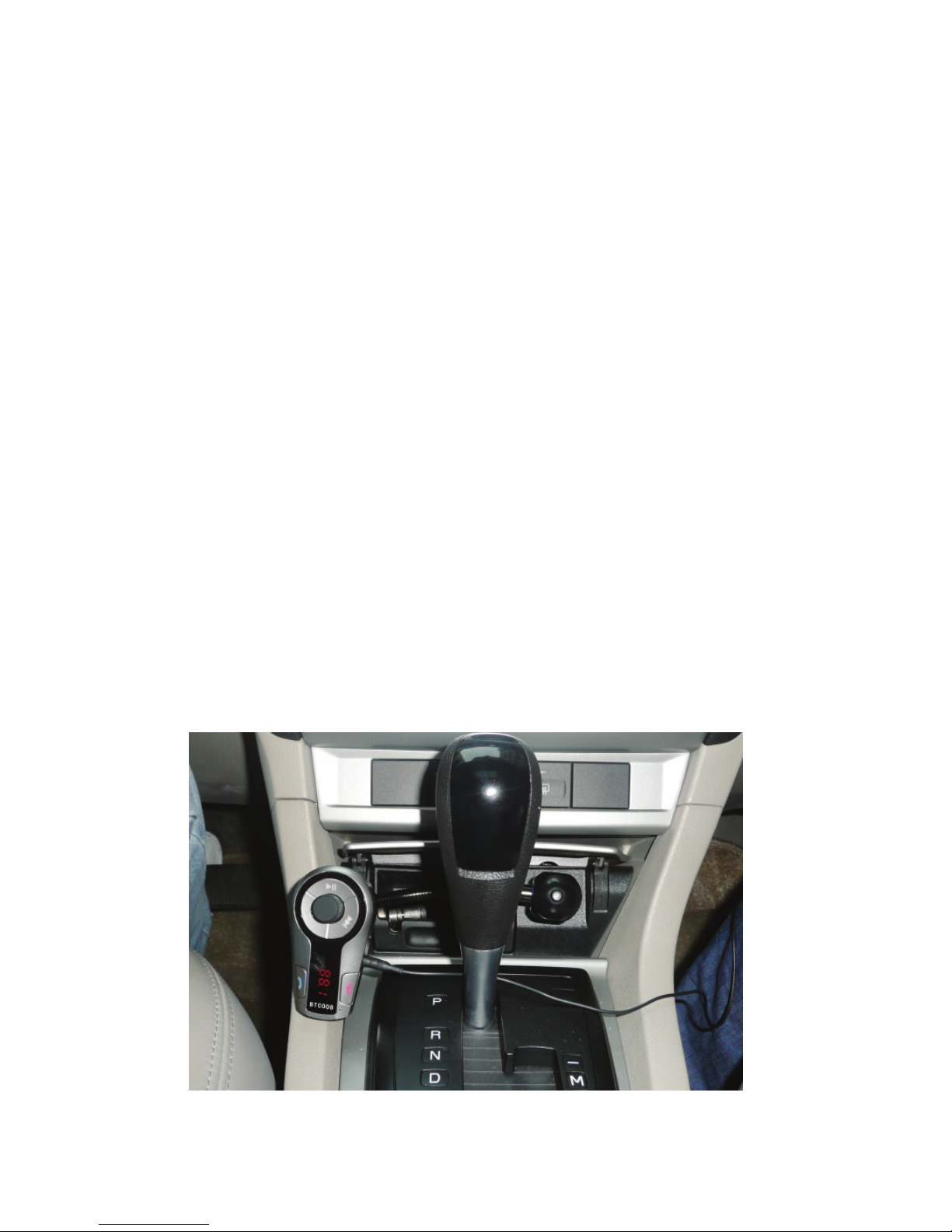
BTC8 is a Bluetooth hands-free car kit with a Bluetooth stereo
receiver and built-in FM transmitter. It has a DC 5V USB
Charging socket to charge devices. With BTC8 you can make
calls and listen to your music using the FM stereo in your car.
BTC8 has following features:
i) Bluetooth hands-free car kit—Pair with a Bluetooth cell
phone or PDA supporting HFP:
(1) Answer call, end call and reject call
(2) Redial last number
(3) Adjust volume
ii) Bluetooth music receiver - Pair with a Bluetooth music
device or Bluetooth transmitter supporting A2DP:
(1) Enjoy music wirelessly
P 2/16
(2) Adjust volume
(3) Remotely control pause/play
(4) Remotely control previous/next song
c) FM transmitter:
i. Transmit calls or music to the car’s FM radio
ii. Adjust transmission frequency
iii. Adjust volume
d) Line in and Line out:
i. Line in—Transmit music to BTC8 from a music
playback device with a 3.5mm audio cable
ii. Line out—Transmit calls or stereo music from BTC8 to
the car’s stereo system with a 3.5mm audio cable
instead of using the FM transmission.
e) USB Charging Socket:
BTC8 has a USB charging socket which provides DC 5V
voltage for charging other devices.
Note: If you want to charge other devices using the USB
socket, the cigarette lighter socket needs to provide 400mA at
least.
P 3/16
3. BeforeUse
a) Overview
Main body
Cigarette lighter plug
P 4/16
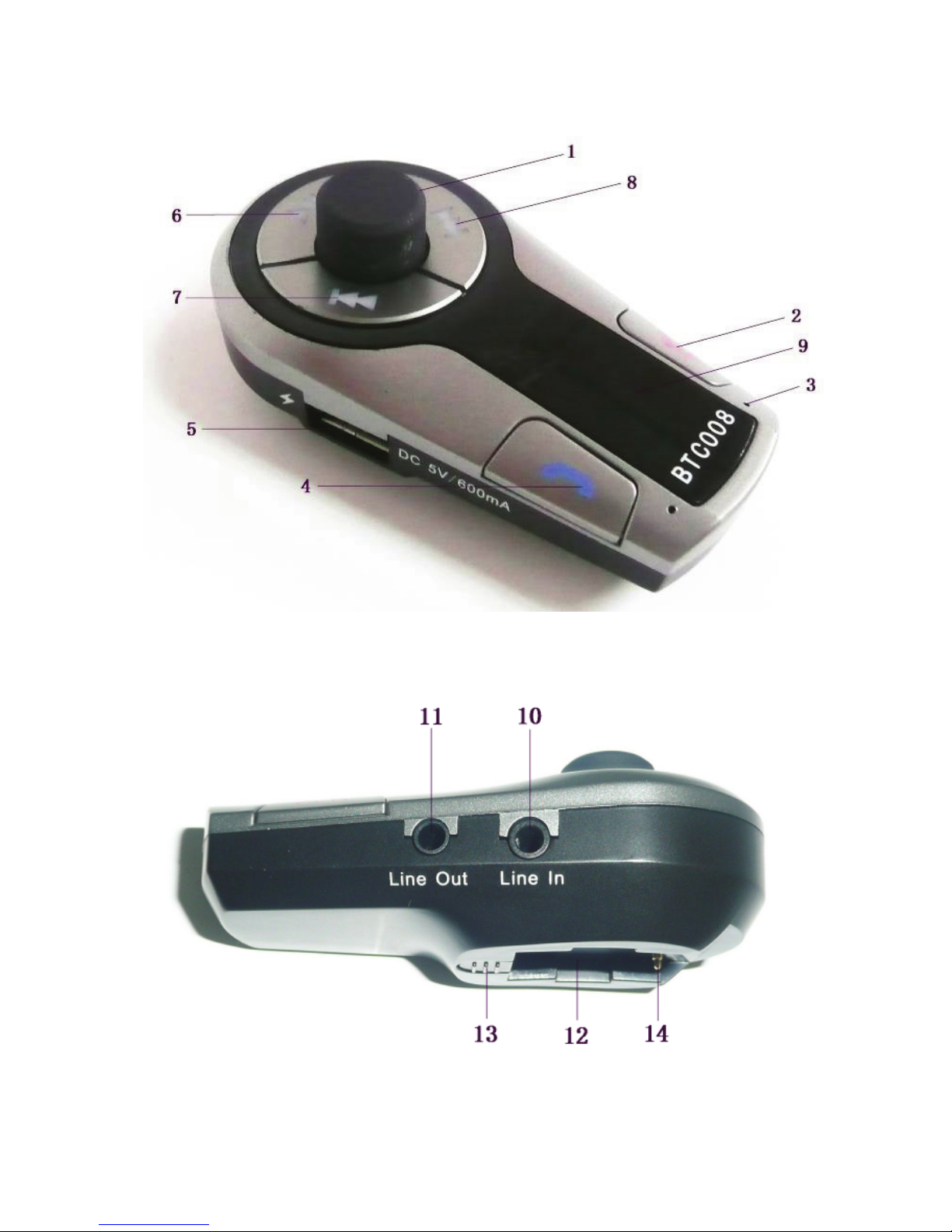
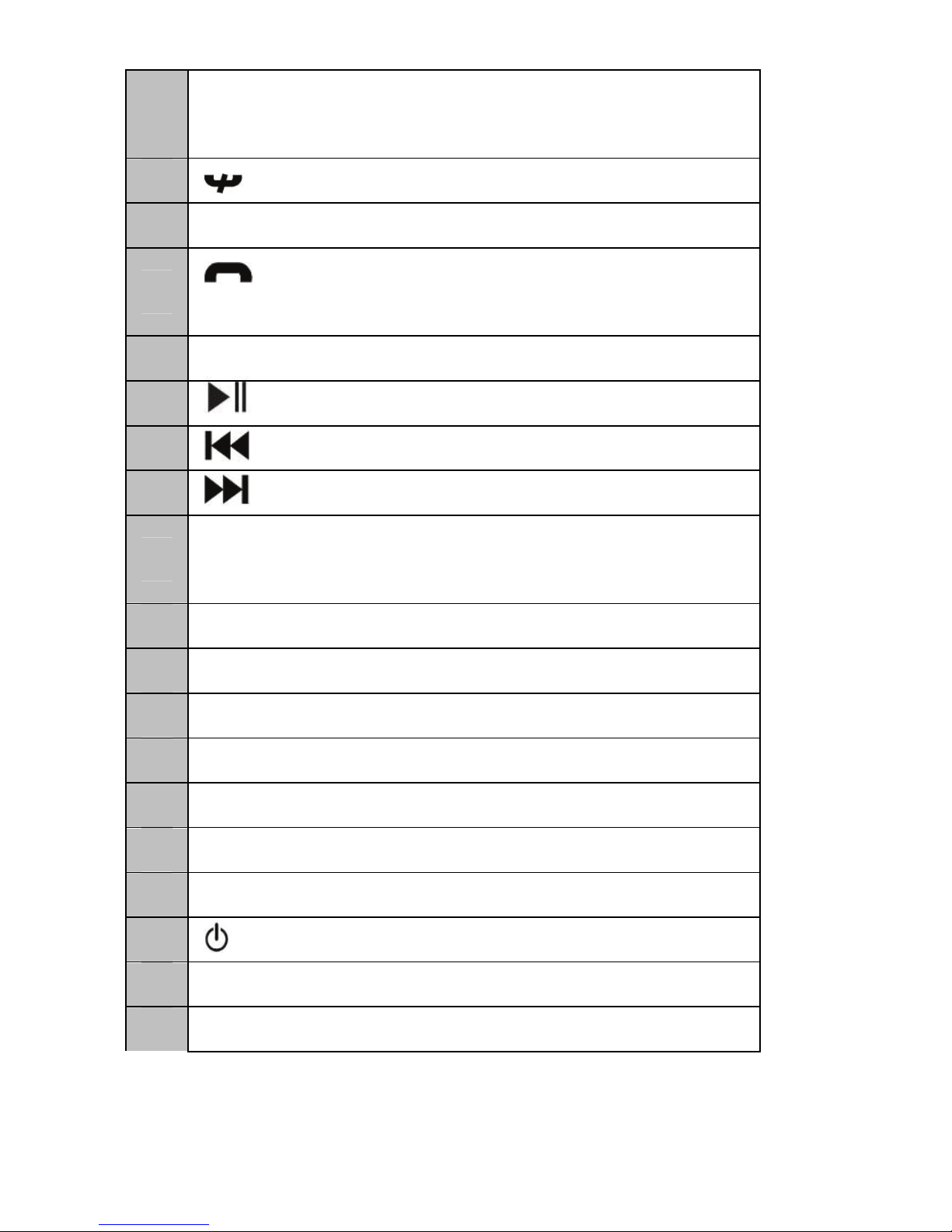
1 MFB button—Adjust frequency, adjust volume
and auto search
2 button—End call and reject call
3 Microphone
4 button—Enter pairing mode, redial last
number and answer call
5 USB socket—Charge other devices
6 button—Pause/play
7 button—Previous song
8 button—Next song
9 Display screen—Display frequency and
volume
10 Line In—3.5mm audio input
11 Line Out—3.5mm audio output
12 Connecting slot
13 Spring button
14 Connecting thimble
15 Cigarette lighter plug
16 Power LED indicator
17 button——Power switch
18 Flexible neck
19 Connecting buckle
P 5/16
4. BasicOperation
a) Installation
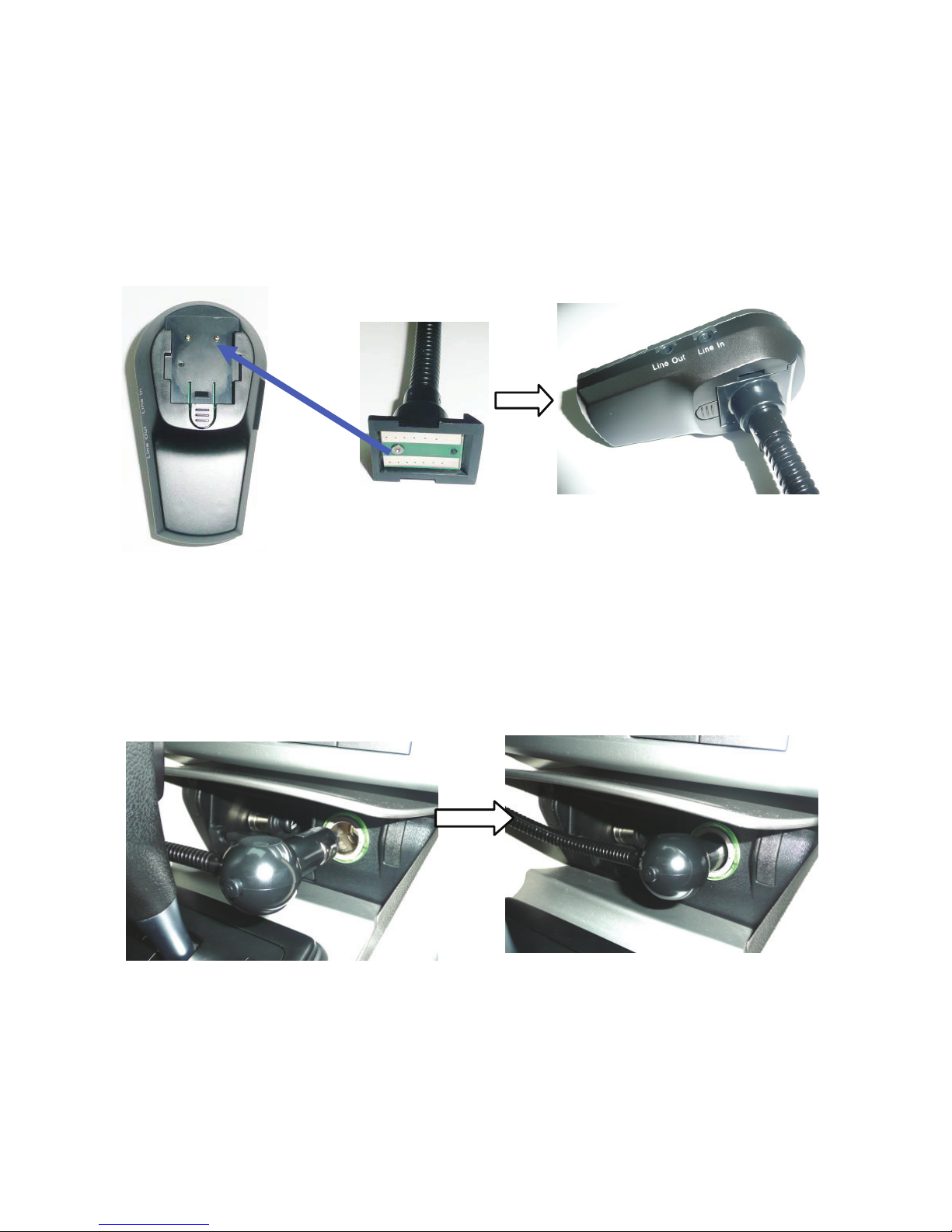
i. Connect Cigarette Lighter Plug with Main Body:
Press down the spring button as shown below and
connect the ‘connecting buckle’to the main body’s
connection slot. Then, release the button. Once the button
is released ensure that both parts are securely connected.
Before connection After connection
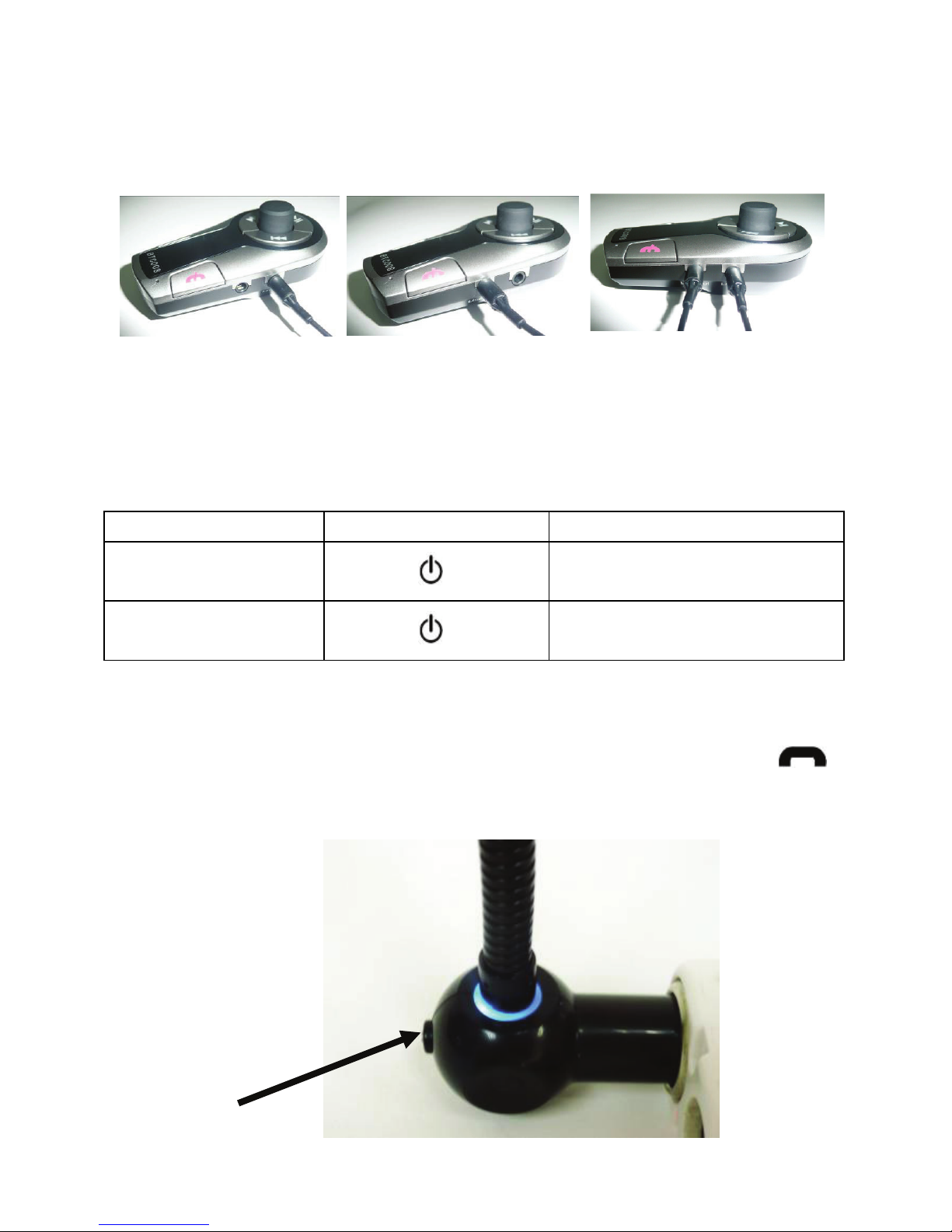
ii. Insert the Cigarette Lighter Plug into the Car
Cigarette Socket, as shown in the following
pictures:
Before plugging in Plugged in
Note:
The output voltage of the car cigarette socket that
provides power to the BTC8 must be DC 12V, it must
not exceed DC 13.5 V.
Connect to
P 6/16
BTC8 is not compliant with car cigarette sockets
whose output voltage is DC 24V.
iii. 3.5mm Audio Cable Connection
Linein Lineout Linein&Lineout
b) Turning on/ off BTC8
Function Operation LED indicator
Turn on BTC8 press button Power LED indicator
comes on
Turn off BTC8 press button Power LED indicator
goes off
Note: Every time BTC8 is turned on,it will automatically
connect to the last connected Bluetooth device. If you want it
to enter pairing mode, you have to press and hold the
button for about 2 seconds (red and blue LEDs flash
alternately).
Power button

P 7/16
c) Operation of BTC8
Function Status of
BTC8 Operation
Basic Function
Enter
pairing
mode
Just turned
on
Press and hold button
for about 2 seconds (red and
blue LEDs flash alternately)
Adjust
frequency Turned on
Rotating MFB button twice
towards the right side will
increase the frequency by
0.1MHZ;
Rotating MFB button twice
towards the left side will
decrease the frequency by
0.1MHZ
Auto
search Turned on
An unused frequency will be
found & displayed when you
press & hold the MFB button
for 3 seconds
Adjust
volume
Conversatio
n/Music
playback
Press the MFB button to
enter volume adjustment
mode. Rotate MFB button
towards the right side to
increase volume, left to
reduce volume
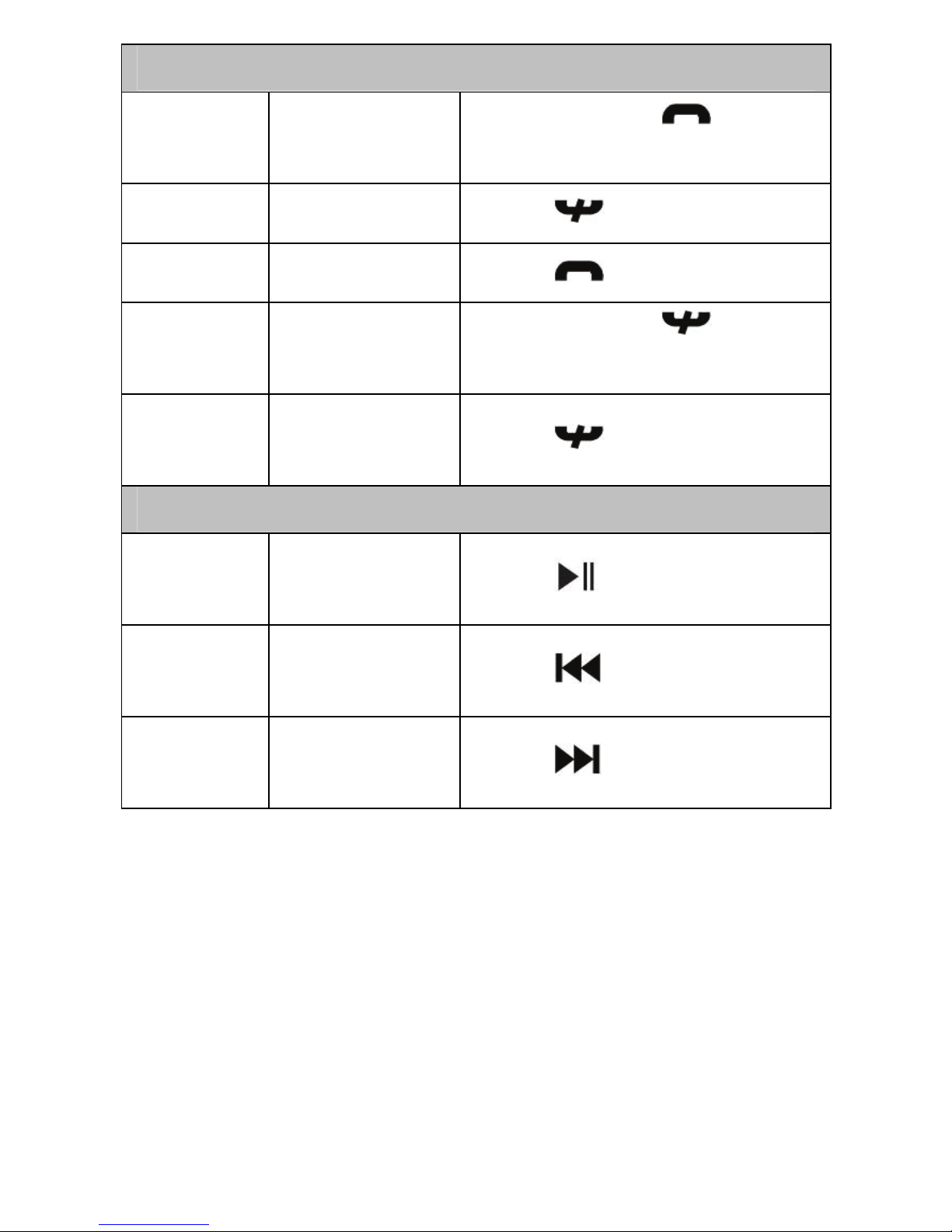
P 8/16
Making a Call
Redial
last
number
Standby
mode
Press and hold button
for about 3 seconds
Cancel
calling Calling Press button
Answer
call Ringing Press button
Reject
call Ringing Press and hold button
for about 2 seconds
End call Conversat
ion mode Press button
Music Playback
Pause/
play
Playing
music Press button
Previous
song
Playing
music Press button
Next
song
Playing
music Press button
d) Adjusting Frequency
Before using BTC8, you have to adjust its frequency to be the
same as that of the car’s FM radio.
i. Adjust the frequency of your car’s FM radio to a
frequency that is not occupied by a broadcasting radio
station;
ii. Rotate MFB button of BTC8 to adjust its frequency to be
the same as that of the car’s FM radio.
iii. Auto frequency selection: An unused frequency will
Table of contents
Other Kinivo Automobile Accessories manuals