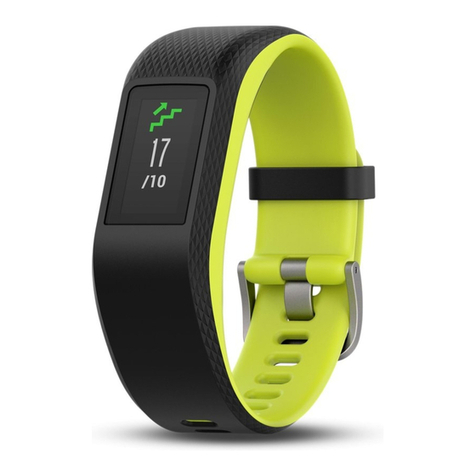
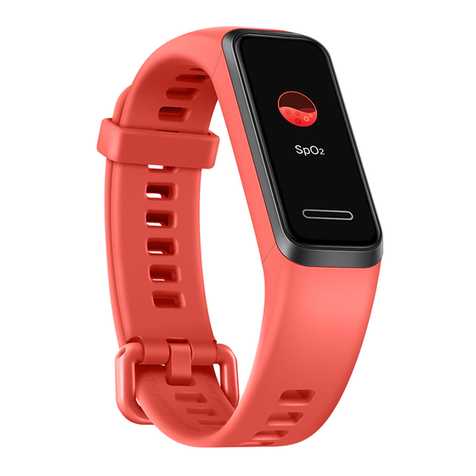
iSport W240 User manual

User’s Manual
Model: W240
Bluetooth Activity Monitor

MAIN FUNCTIONS
· Transmit data via Bluetooth Low Energy (Bluetooth 4.0).
· Time mode: display minute, hour, day, month and power
status.
· Data display: current steps, calories, distance, exercise time
and target completion rate.
· Sleep monitoring.
· 15 days total work out memory.
Function Parameter Range:
Steps 0 999999 Steps
Calories 0 999999 Kcal
Distance 0 9999.99 Km
Exercise time 00:00 23:59
Target completion rate 0 999%
OLED Screen Display And Operation
K1=MODE
2

BASIC FUNCTIONS
Functions Switch Operation:
Switch Mode Press K1 to switch modes in the following sequence.
Time display Steps display
Calories display
Distance
Exercise timer
Target progress
Target status
Alarm
3
BASIC FUNCTION
1. For the first time to use Activity Tracker, press and hold K1 for 5 s
to wake up the tracker and go to time mode.Time Display will
2. Press K1 for 1s under time mode, scroll through step mode,
calories mode, distance mode,exercise time mode, target goal
mode, target status mode and alarm mode.
3. Relative logo icon will flash at 1HZ by dynamic images under
any display mode.
4. Each pression of K1 will wake up the display and it will enter
power saving mode automatically after no operation for 10 s
under any mode display.
5. Clear all data(steps,calories burned, distance, target goal) of
the day at midnight.
6. Each press of K1 leads to 30s' automatic bluetooth match.
If not synchronized in 30 s, press K1 again to sync.
be 12:00 by default.

MODE CHANGE
Time Display
Bluetooth Synchronization
Display:
First step to ensure the connection and sync between APP and
tracker.
4
Operation
1. Download & open APP--SETTING--DEVICE--REFRESH. Press
k1 to wake up the Tracker. Choose "activity tracker X" to
pair. If paired successfully, the screen displays“ ”for 3s
and the tracker vibrates for 1s.The icon of device name
will change from grey to blue color to show connection.
If pair failed, tracker will have no response, APP will
display "Connect lost" or "Connect fail".
2. There will be vibration reminder for the pair of each mode.
Remarks: At sleep mode, the tracker can not be searched.
Please check the data on the APP after sync.
The interface above will not show if the app is not synchronized.
Functions
1. Current time & battery status display.
2. 12/24 hour display format switch. SETTING--Unit: If you
select “Metric”, time display will be in 24h format. If you
select “Imperial”, time display will be in 12h format.

MODE CHANGE
Functions:
1. Display steps of current day.
2.Walking/running icon will switch alternately at 1HZ.
Step Mode
Calories Mode
Operation
Mode change: press K1 for 1s to enter step mode.
Operation
Mode change: press K1 to enter calories mode.
Functions:
1. Display current calories burned.
2. "Calories" logo will change from small to big alternately at
1HZ.
Operation
Mode change: Press K1 to enter distance mode.
5

MODE CHANGE
Distance Mode
Functions:
Display current walking distance .The data is showed with
two decimal places.
Operation
Mode change: Press K1 to enter exercise timer mode.
Functions:
Display current exercise time.
Operation
Mode change: Press K1 to enter target progress mode.
Functions:
1. Display current completed % of target step.
2. Each small grid means 3% of target step.
The will increase when the target finished increases.
Exercise Timer Mode
Target Progress Mode
Remarks: If APP & tracker are not synchronized, the stride length will be
60cm or 24 inch by default.
6

MODE CHANGE
Operation
Mode change: Press K1 to enter target status mode.
Operation
Mode change: Press K1 to enter alarm mode.
7
Functions:
1.Display the % of the goal finished and the corresponding
emotion logo.
2. "Smile" emotion shows when the target completion rate is
more than 60% otherwise the “Sad”emotion shows.
Target Status Mode
ALARM MODE
second alarm on
third alarm on forth alarm on

MODE CHANGE
Exercise reminder
Display:
The exercise reminder mode will show as the picture above.
display
switch
8
Remark:
1. Alarm's 12/24h format will sync with smart bluetooth device.
2. After you save alarm(s) and sync with tracker, the tracker will
display set alarm(s) for 2 s. If 4 alarms are set, then each alarm displays 2 s
3. If you set alarm(s) but don’t choose repeat day, the tracker will
Display:
1. 4 alarms can be set.The interface will show the
corresponding alarms you set on the APP. Please check the
picture above.
2.When 4 alarms are turned off, the interface displays as above.
3.When alarm time arrives, the “ “ logo will flash for 30 s
at 1HZ frequency and the band vibrates for 30 s.
Press "K1" when vibrating, alarm will stop and enter power
saving mode.

MODE CHANGE
Sleep & Wake-up Mode
Display instruction:
Interface will show as picture on the right.
Operation
1. Press K1 for 3 s at any mode. It will enter sleep mode.
sleep monitor display
9
Functions:
1. It is default not to display this mode. Only when you sync
APP with the tracker and open "Reminder function" will
work.
2. Set "No Exercise time", "Start time" and "End time" on
"REMINDER" setting interface, SAVE and sync the
tracker.
3. E.g. Set "No Exercise time": 20 minutes,"Start time":
09:00, "End time": 22:00. If user doesn’t exercise for 20
minutes, the band will vibrate at 09:20 for 20 s and remind
user to exercise.The Icon will falash alternately at 1HZ
frequency. If the tracker detect user's movement during
reminder time, it will recount. "Start time" will automatically
change to the time when the user stops moving.

MODE CHANGE
Charging Mode
2. At sleep monitor mode,press K1 for 3 s to wake up the
tracker and go back to the mode before sleep monitor.
When alarm rings under sleep mode, the vibration will also
wake up the tracker.
Functions:
1.The charging interface will show as picture below.
2.When battery remains 5%, it will flash and remind you to
charge.
10
Any mode Enter sleep
monitor function
Sleep monitorEnter wake up interface
Press K1
display 1 s
Automatically
display for 1 s
3 s
Press K1
3 s
Alarm rings
Table of contents
Other iSport Fitness Tracker manuals