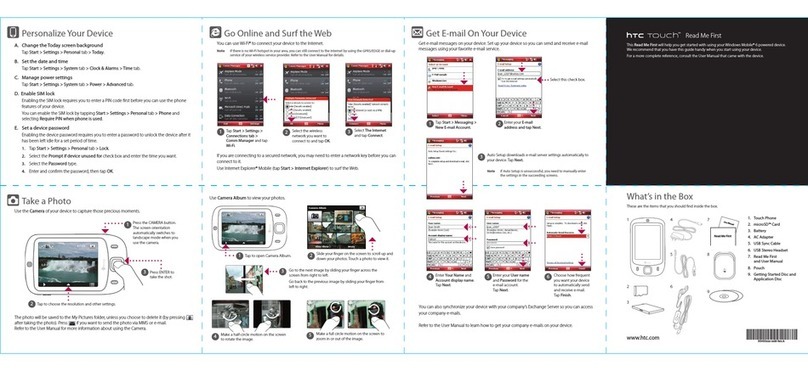
HTC Touch US Cellular User manual

PDA
Quick Start Guide

2
Please Read Before Proceeding
THE BATTERY IS NOT CHARGED WHEN YOU TAKE IT OUT OF THE BOX.
DO NOT REMOVE THE BATTERY PACK WHEN THE DEVICE IS CHARGING.
YOUR WARRANTY IS INVALIDATED IF YOU OPEN OR TAMPER WITH THE DEVICE’S OUTER CASING.
PRIVACY RESTRICTIONS
Some countries require full disclosure of recorded telephone conversations, and stipulate that you must inform the
person with whom you are speaking that the conversation is being recorded. Always obey the relevant laws and
regulations of your country when using the recording feature of your device.
INTELLECTUAL PROPERTY RIGHT INFORMATION
Copyright © 2007 High Tech Computer Corp. All Rights Reserved.
, , and ExtUSB are trademarks and/or service marks of High Tech Computer Corp.
Microsoft, MS-DOS, Windows, Windows NT, Windows Server, Windows Mobile, Windows XP, Windows Vista, ActiveSync,
Windows Mobile Device Center, Internet Explorer, Windows Live, MSN, Hotmail, Outlook, Excel, PowerPoint, Word, and
Windows Media are either registered trademarks or trademarks of Microsoft Corporation in the United States and/or
other countries.
Bluetooth and the Bluetooth logo are trademarks owned by Bluetooth SIG, Inc.
microSD is a trademark of SD Card Association.
Copyright © 2007, Adobe Systems Incorporated.
Copyright © 2007, Macromedia Netherlands, B.V.

3
Macromedia, Flash, Macromedia Flash, Macromedia Flash Lite and Reader are trademarks and/or registered trademarks
of Macromedia Netherlands, B.V. or Adobe Systems Incorporated.
Copyright © 2007, JATAAYU SOFTWARE (P) LTD. All Rights Reserved.
Copyright © 2007, Dilithium Networks, Inc. All Rights Reserved.
Copyright © 2007, Tao Group Limited. All Rights Reserved.
Licensed by QUALCOMM Incorporated under one or more of the following patents:
4,901,307 5,490,165 5,056,109 5,504,773 5,101,501 5,778,338
5,506,865 5,109,390 5,511,073 5,228,054 5,535,239 5,710,784
5,267,261 5,544,196 5,267,262 5,568,483 5,337,338 5,659,569
5,600,754 5,414,796 5,657,420 5,416,797
All other company, product and service names mentioned herein are trademarks, registered trademarks or service
marks of their respective owners.
HTC shall not be liable for technical or editorial errors or omissions contained herein, nor for incidental or
consequential damages resulting from furnishing this material. The information is provided “as is” without warranty of
any kind and is subject to change without notice. HTC also reserves the right to revise the content of this document at
any time without prior notice.
No part of this document may be reproduced or transmitted in any form or by any means, electronic or mechanical,
including photocopying, recording or storing in a retrieval system, or translated into any language in any form without
prior written permission of HTC.

4
Disclaimers
THE WEATHER INFORMATION, DATA AND DOCUMENTATION ARE PROVIDED “AS IS” AND WITHOUT WARRANTY OR
TECHNICAL SUPPORT OF ANY KIND FROM HTC. TO THE MAXIMUM EXTENT PERMITTED BY APPLICABLE LAW, HTC AND
ITS AFFILIATES expressly disclaim any and all representations and warranties, express or implied, arising by law or
otherwise, regarding the Weather Information, Data, Documentation, or any other Products and services, including
without limitation any express or implied warranty of merchantability, express or implied warranty of fitness for a
particular purpose, non-infringement, quality, accuracy, completeness, effectiveness, reliability, usefulness, that the
Weather Information, Data and/or Documentation will be error-free, or implied warranties arising from course of
dealing or course of performance.
Without limiting the foregoing, it is further understood that HTC and its Providers are not responsible for Your use or
misuse of the Weather Information, Data and/or Documentation or the results from such use. HTC and its Providers
make no express or implied warranties, guarantees or affirmations that weather information will occur or has occurred
as the reports, forecasts, data, or information state, represent or depict and it shall have no responsibility or liability
whatsoever to any person or entity, parties and non-parties alike, for any inconsistency, inaccuracy, or omission for
weather or events predicted or depicted, reported, occurring or occurred. WITHOUT LIMITING THE GENERALITY OF THE
FOREGOING, YOU ACKNOWLEDGE THAT THE WEATHER INFORMATION, DATA AND/OR DOCUMENTATION MAY INCLUDE
INACCURACIES AND YOU WILL USE COMMON SENSE AND FOLLOW STANDARD SAFETY PRECAUTIONS IN CONNECTION
WITH THE USE OF THE WEATHER INFORMATION, DATA OR DOCUMENTATION.
Limitation of Damages
TO THE MAXIMUM EXTENT PERMITTED BY APPLICABLE LAW, IN NO EVENT SHALL HTC OR ITS PROVIDERS BE LIABLE TO
USER OR ANY THIRD PARTY FOR ANY INDIRECT, SPECIAL, CONSEQUENTIAL, INCIDENTAL OR PUNITIVE DAMAGES OF
ANY KIND, IN CONTRACT OR TORT, INCLUDING, BUT NOT LIMITED TO, INJURY, LOSS OF REVENUE, LOSS OF GOODWILL,
LOSS OF BUSINESS OPPORTUNITY, LOSS OF DATA, AND/OR LOSS OF PROFITS ARISING OUT OF, OR RELATED TO, IN
ANY MANNER, OR THE DELIVERY, PERFORMANCE OR NONPERFORMANCE OF OBLIGATIONS, OR USE OF THE WEATHER
INFORMATION, DATA OR DOCUMENTATION HEREUNDER REGARDLESS OF THE FORESEEABILITY THEREOF.

5
Contents
1. What’s in the Box? ...................................................................................................6
2. The PDA Phone ........................................................................................................7
3. Getting Ready ........................................................................................................11
4. HTC Home ...............................................................................................................16
5. Making a Call .........................................................................................................17
6. Text Messages ........................................................................................................18
7. E-mail ......................................................................................................................19
8. Synchronizing Outlook Information ....................................................................21
9. Browsing the Internet ...........................................................................................23
10. Using the Camera ..................................................................................................24
11. Using Pictures & Videos ........................................................................................26
12. Entering Information ............................................................................................28
13. Status Indicators ....................................................................................................29
14. Customizing Your PDA Phone ...............................................................................31
15. Securing Your PDA Phone .....................................................................................32
16. More Information ..................................................................................................33
17. Warranty .................................................................................................................34

6
1. What’s in the Box?
Getting Started Disc
PDA Phone
Battery Mini-USB Stereo
Headset
Splitter Adapter
AC Adapter
Extra Stylus Pouch Support Documentation
including - Quick Start
Guide, Warranty, and EULA
USB Sync Cable
Quick Start Guide
Quick Start Guide
Quick Start Guide
Y-Splitter Cable

7
2. The PDA Phone
Front panel
Left LED: Shows Green and Amber lights for
CDMA standby, message, and network
status as well as for notification and
battery charging status.
Right LED: Shows a flashing Blue light when the
Bluetooth system is powered up and
ready to transmit Bluetooth radio
signal, or an Amber light for GPS
status.
Notification LEDs
Earpiece
Listen to a phone
call from here.
Touch Screen
TALK
Press to answer an
incoming call or dial
a number. NAVIGATION Control/ENTER
Press this multi-directional control up, down, left, or right to
move through menus and program instructions; carry out the
selection by pressing the center button.
END
Press to end a call or to return to
the Today screen.

8
Back and bottom panels
Sync Connector/Earphone Jack
Connect the supplied USB cable to synchronize
information or plug in the AC adapter to recharge
the battery. You can also connect the supplied
USB stereo headset for hands-free conversation or
for listening to audio media.
2
.
0
M
E
G
A
P
I
X
E
L
S
C
A
M
E
R
A
2
.
0
M
E
G
A
P
I
X
E
L
S
C
A
M
E
R
A
Speaker
2 Megapixel Camera
Back Cover
Slide the back cover
upward to remove it.
Self-portrait Mirror
Use it when taking
self-portrait shots.
Microphone
RESET
With the stylus, press the RESET
button to soft-reset your device.

9
Top, left, and right panels
POWER
Press to turn off the display temporarily.
To turn off the power, press and hold for
about 5 seconds.
Volume Slider
• Slide up or down to
adjust the speaker
volume.
• During a call, slide up
or down to adjust the
earpiece volume.
Lanyard/Strap holder
Storage Card Slot Cover
Remove the back cover and then
pry open the slot cover to install
the microSD card (not included)
for storing data.
CAMERA
Press to launch the Camera.
Stylus

10
Accessories
5
21 3
6
4
7 8
No. Accessory Function
1 AC adapter Recharges the battery.
2 USB Sync cable Connects your device to a PC and synchronizes data.
3 Stereo headset Provides a volume control slider and a Send/End button. Press the Send/End button to pick
up a call or put a call on hold; press and hold the button to end the call.
4 Battery
5 Pouch Acts as a protective carrying case for your device.
6 Stylus An extra stylus pen is provided.
7 Y-Splitter Cable Connect the AC adapter and a standard 2.5mm stereo headset to your device at the same
time.
8 Splitter Adapter Connect the AC adapter and the mini-USB stereo headset to your device at the same time.
Other manuals for Touch US Cellular
1
This manual suits for next models
1
Table of contents
Other HTC Cell Phone manuals

HTC
HTC Desire 820s dual sim User manual

HTC
HTC Touch VIVA User manual

HTC
HTC HTC Desire X Owner's manual

HTC
HTC kaiser KAIS120 User manual

HTC
HTC Typhoon User manual

HTC
HTC Desire 526G+ dual sim User manual

HTC
HTC HTC Incredible S User manual

HTC
HTC S710 - Smartphone - GSM User manual

HTC
HTC Hero Sprint User manual

HTC
HTC SkyWriter User manual