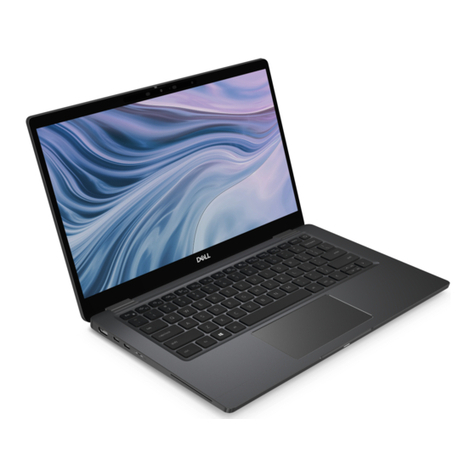
HP ProBook 640 G1 Installation guide

HP ProBook 640 G1 Notebook PC
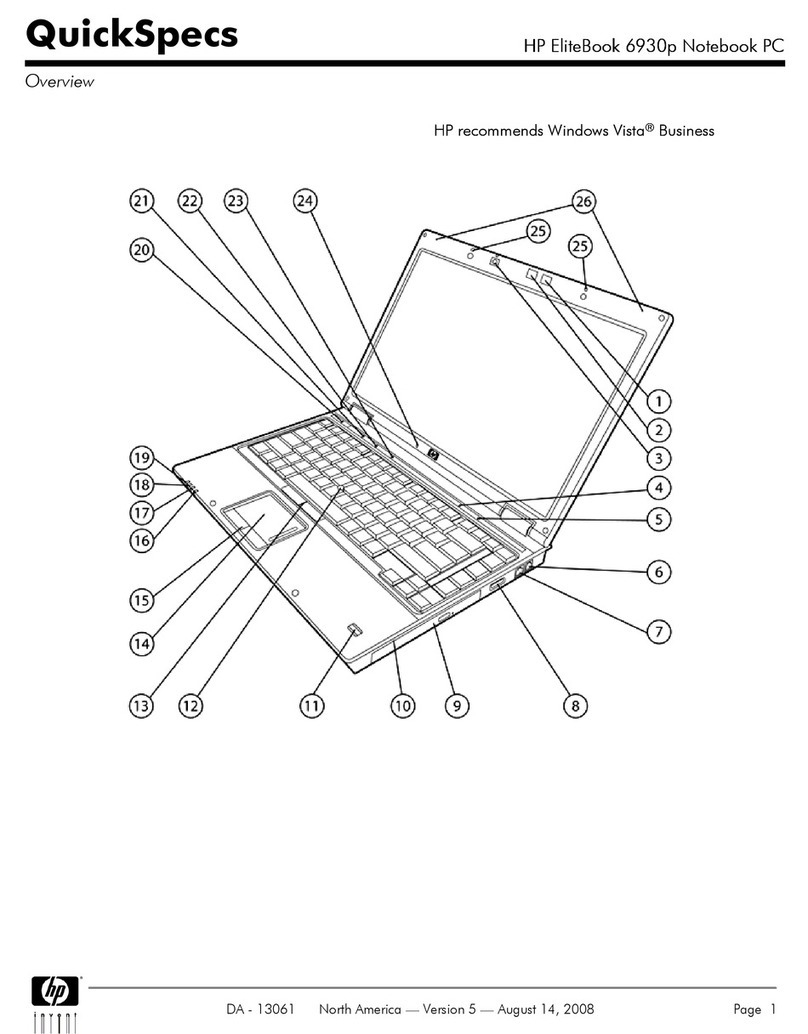
Front/Left
1.
WLAN antennas (2)
*
13.
Pointing stick buttons (select models only)
2.
WWAN antennas (2)
*
14.
Hard drive light
3.
Internal dual-microphone array (2)
**
15.
AC adapter/Battery light
4.
Webcam light (select models only)
16.
Power light
5.
Webcam (select models only)
17.
Wireless light
6.
Internal display switch
18.
Smart Card Reader
7.
Wireless button
19.
Optical Drive (select models only)
8.
Volume mute button
20.
USB 3.0 port (1)
9.
Pointing stick (select models only)
21.
USB 3.0 Charging port
10.
Fingerprint reader (select models only)
22.
RJ-45 (network) jack/lights
11.
Touchpad buttons
23.
Power connector
12.
Touchpad zone
24.
Power button
QuickSpecs
HP ProBook 640 G1 Notebook PC
HP ProBook 650 G1Notebook PC
Overview
DA - 14688 Worldwide — Version 8 — March 17, 2014
Page 1

* The antennas are not visible from the outside of the computer. For optimal transmission, keep the areas immediately around
the antennas free from obstructions.
** Models without optional webcam have single integrated microphone on left side of display panel.
Right
1.
Audio-out (headphone) jack/Audio-in (microphone) jack
4.
External VGA monitor port
2.
USB 3.0 ports (2)
5.
Vents (2)
3.
DisplayPort 1.2
6.
Security cable slot
QuickSpecs
HP ProBook 640 G1 Notebook PC
HP ProBook 650 G1Notebook PC
Overview
DA - 14688 Worldwide — Version 8 — March 17, 2014
Page 2

Bottom
1.
Service cover
5.
Service cover release lock
2.
Battery release latch
6.
Service door release latch
3.
SIM card slot- (inside battery bay)
7.
Battery bay
4.
Docking connector
8.
Vents
HP ProBook 650 G1 Notebook PC
QuickSpecs
HP ProBook 640 G1 Notebook PC
HP ProBook 650 G1Notebook PC
Overview
DA - 14688 Worldwide — Version 8 — March 17, 2014
Page 3

Front/Left
1.
WLAN antennas (2)
*
13.
Pointing stick buttons (select models only)
2.
WWAN antennas (2)
*
14.
Hard drive light
3.
Internal dual-microphone array (2)
**
15.
AC adapter/Battery light
4.
Webcam light (select models only)
16.
Power light
5.
Webcam (select models only)
17.
Wireless light
6.
Internal display switch
18.
Smart Card Reader
7.
Wireless button
19.
Optical Drive (select models only)
8.
Volume mute button
20.
USB 3.0 ports (2)
9.
Pointing stick (select models only)
21.
USB 3.0 charging
10.
Fingerprint reader (select models only)
22.
RJ-45 (network) jack
11.
Touchpad buttons
23.
Power connector
12.
Touchpad zone
24.
Power button
* The antennas are not visible from the outside of the computer. For optimal transmission, keep the areas immediately around
the antennas free from obstructions.
** Models without optional webcam have single integrated microphone on left side of display panel.
QuickSpecs
HP ProBook 640 G1 Notebook PC
HP ProBook 650 G1Notebook PC
Overview
DA - 14688 Worldwide — Version 8 — March 17, 2014
Page 4

Right
1.
Audio-out (headphone) jack/Audio-in (microphone) jack
4.
External VGA monitor port
2.
USB 3.0 ports (2)
5.
Vents (2)
3.
DisplayPort 1.2
6.
Security cable slot
QuickSpecs
HP ProBook 640 G1 Notebook PC
HP ProBook 650 G1Notebook PC
Overview
DA - 14688 Worldwide — Version 8 — March 17, 2014
Page 5

Bottom
1.
Service cover
5.
Service cover release lock
2.
Battery release latch
6.
Service door release latch
3.
SIM card slot (inside battery bay)
7.
Battery bay
4.
Docking connector
8.
Vents
QuickSpecs
HP ProBook 640 G1 Notebook PC
HP ProBook 650 G1Notebook PC
Overview
DA - 14688 Worldwide — Version 8 — March 17, 2014
Page 6

At A Glance
Windows 8 versions, Windows 7 versions, SUSE Linux, or FreeDOS 2.0
New thinner and lighter design - PC-ABS (Polycarbonate-Acrylnitrile/Butadiene/Styrene) durable material is nearly 20% thinner
than previous generation; soft-touch, more durable 4-step paint process; larger buttons (power), revamped keyboard (arrow
keys); latch/hook removal for clean palmrest design; top mounted speakers for optimized audio experience
Full-sized spill-resistant keyboard; full separate numeric keypad (HP ProBook 650 only)
Choice of 4th generation Intel® Core™ i7, i5 and i3 processors
Integrated Intel® HD Graphics 4600 or AMD Radeon™ HD 8750M discrete graphics with 1 GB dedicated GDDR5 video memory
New User Experience Software: HP ePrint, HP Wireless Hotspot (Win 8 only), HP PageLift, HP Trust Circles, HP Mobile Connect
(EMEA only)
Enhanced security features including HP Client Security, new HP Trust Circles and optional HP Fingerprint Reader
LED-backlit display
HP ProBook 640: 14.0-inch diagonal HD, HD+, FHD
HP ProBook 650: 15.6-inch diagonal HD or FHD
Optional HD webcam with dual-microphone array for video conferencing
DisplayPort 1.2 now native with integrated graphics
Four USB 3.0 (640) or Five USB 3.0 (650) ports for fast data transfer from devices (1 charging)
HD Audio with DTS Sound+ optimized for high fidelity audio
Wireless and speaker mute button to conveniently manage the connectivity and speaker.
Flexible wireless connectivity options:
HP Connection Manager allows full control over wireless connections, including 3G and 4G mobile broadband, Wi-Fi,
Ethernet and Bluetooth® (Win 7 only)
HP Mobile Connect (EMEA Only) (Win 8 Only)
Integrated 4G HP Mobile Broadband Modules
Integrated 802.11 b/g/n or a/b/g/n wireless LAN module
Integrated 802.11 ac, a/b/g/n or b/g/n with Bluetooth 4.0 combo card (Linux supports Bluetooth 2.1 only)
(Bluetooth sold separately or as an optional feature)
HP Wireless Hotspot (Win 8 Only)
Intel WiDi Software
Choice of 7200 rpm user-removable hard drive (up to 500 GB) with HP 3D DriveGuard, 5400 rpm user-removable hard drive (up
to 1 TB), 500 GB 7200 rpm Self Encrypting Drive, 500 GB 5400 rpm FIPS Self Encrypting Drive, 256 GB SED Solid State Drive, or
128/180 GB Solid State Drive
M.2 32GB flash cache for Intel Smart Response Technology
NOTE:
See important legal disclosures for all listed specs in their respective features sections.
QuickSpecs
HP ProBook 640 G1 Notebook PC
HP ProBook 650 G1Notebook PC
Overview
DA - 14688 Worldwide — Version 8 — March 17, 2014
Page 7

PRODUCT NAMES
HP ProBook 640 G1 Notebook PC
HP ProBook 650 G1 Notebook PC
OPERATING SYSTEM
Preinstalled
Windows 8 64
*
Windows 8 Pro 64
*
Windows 7 Professional 32 (available through downgrade rights from Windows 8 Pro 32)
**
Windows 7 Professional 64 (available through downgrade rights from Windows 8 Pro 64)
**
Windows 7 Professional 32
Windows 7 Professional 64
***
Windows 7 Home Premium 32
***
Windows 7 Home Premium 64
***
SUSE Linux Enterprise Desktop 11
FreeDOS 2.0
* Not all features are available in all editions of Windows 8. Systems may require upgraded and/or separately purchased
hardware, drivers and/or software to take full advantage of Windows 8 functionality. See
http://www.microsoft.com
for details.
** This system is preinstalled with Windows® 7 Pro software and also comes with a license and media for Windows 8 Pro software.
You may only use one version of the Windows software at a time. Switching between versions will require you to uninstall one
version and install the other version. You must back up all data (files, photos, etc.) before uninstalling and installing operating
systems to avoid loss of your data.
*** Not all features are available in all editions of Windows 7. This system may require upgraded and/or separately purchased
hardware to take full advantage of Windows 7 functionality. See
http://www.microsoft.com/windows/windows-7/
for details.
PROCESSOR
4th Generation Intel® Core™ i7-4600M with Intel HD Graphics 4600 (2.9 GHz, 4 MB cache, 2 cores)
*
Up to 3.6 GHz with Intel Turbo Boost Technology
4th Generation Intel® Core™ i5-4330M with Intel HD Graphics 4600 (2.8 GHz, 3 MB cache, 2 cores)
*
Up to 3.5 GHz with Intel Turbo Boost Technology
4th Generation Intel® Core™ i5-4300M with Intel HD Graphics 4600 (2.6 GHz, 3 MB cache, 2 cores)
*
Up to 3.3 GHz with Intel Turbo Boost Technology
4th Generation Intel® Core™ i5-4200M with Intel HD Graphics 4600 (2.5 GHz, 3 MB cache, 2 cores)
*
Up to 3.1 GHz with Intel Turbo Boost Technology
4th Generation Intel® Core™ i3-4100M with Intel HD Graphics 4600 (2.5 GHz, 3 MB cache, 2 cores)
*
4th Generation Intel® Core™ i3-4000M with Intel HD Graphics 4600 (2.4 GHz, 3 MB cache, 2 cores)
*
* Multi-Core is designed to improve performance of certain software products. Not all customers or software applications will
necessarily benefit from use of this technology. 64-bit computing on Intel® architecture requires a computer system with a
processor, chipset, BIOS, operating system, device drivers, and applications enabled for Intel® 64 architecture. Processors will not
operate (including 32-bit operation) without an Intel® 64 architecture-enabled BIOS. Performance will vary depending on your
hardware and software configurations. Intel's numbering is not a measurement of higher performance.
NOTE:
Processor speed denotes maximum performance mode; processors will run at lower speeds in battery optimization mode.
QuickSpecs
HP ProBook 640 G1 Notebook PC
HP ProBook 650 G1Notebook PC
Features
DA - 14688 Worldwide — Version 8 — March 17, 2014
Page 8

INTEL TURBO BOOST TECHNOLOGY
*
Intel Turbo Boost is a feature that speeds up the CPU for a short time. It is similar to overclocking the processor, except within a
framework provided by Intel. This feature provides additional performance and allows the computer to perform certain tasks
more quickly. It also draws additional power and generates additional heat. Therefore, if Turbo Boost is used while powered from
battery, it causes additional stress on the battery.
Using Turbo Boost while powered from battery might impact battery cycle life. Cycle life describes how long the battery will last
before it needs to be replaced. A cycle refers to one complete charge/discharge cycle of the battery. Because Turbo Boost causes
extra stress on the battery, it often shortens the lifetime of the battery.
HP decided not to enable Turbo Boost when powered from battery. This decision was based on the desire to give customers the
greatest battery cycle life possible. Turbo Boost is enabled when powered from AC adapter.
Based on customer requests, HP will provide an option to enable Turbo Boost while powered from battery. For the 2013 platform,
it will be an F10 option. Turbo Boost will be available for devices powered from battery by the end of the year. The additional
performance might cause a slight reduction in battery cycle life, but will not void the battery warranty.
*Implementing Turbo Boost in F10 option is only allowed for batteries over 40WHr.
CHIPSET
Mobile Intel® HM87 or QM87
INTEL CORE I5 WITH VPRO/CORE I7 WITH VPRO TECHNOLOGY CAPABLE
Intel Core i5 with vPro and Core i7 with vPro technology is a selectable feature that is available on units configured with select
processors, an Intel Centrino® Advanced-N or Ultimate-N WLAN module and a preinstalled Windows operating system. It provides
advances in remote manageability, security, energy efficient performance, and wireless connectivity. Intel Active Management
Technology 9.0 (iAMT) offers built-in manageability and proactive security for networked notebook PCs, even when they are
powered off
*
or when the operating system is inoperable. It can help identify threats before they reach the network, isolate
infected systems, and update PCs regardless of their power state.
*Requires a Windows operating system, network hardware and software, connection with a power source, and a direct (non-VPN)
corporate network connection which is either cable or wireless LAN.
NOTE: Some functionality of this technology, such as Intel® Active management technology and Intel Virtualization technology,
requires additional 3rd party software in order to run. Availability of future "virtual appliances" applications for Intel vPro
technology is dependent on 3rd party software providers. Microsoft Windows required. For hard drives, GB = 1 billion bytes. Actual
formatted capacity is less. Up to 30 GB for Windows 8 is reserved for system recovery software.
QuickSpecs
HP ProBook 640 G1 Notebook PC
HP ProBook 650 G1Notebook PC
Features
DA - 14688 Worldwide — Version 8 — March 17, 2014
Page 9

GRAPHICS
Integrated:
Intel® HD
*
Graphics 4600
Discrete:
AMD Radeon™ HD 8750M
**
, with 1 GB dedicated DDR5 video memory
***
* HD content required to view HD images.
*** AMD Dynamic Switchable Graphics technology requires an Intel processor, plus an AMD Radeon™ discrete graphics
configuration and is not available on FreeDOS and Linux OS. With AMD Dynamic Switchable Graphics technology, full enablement
of all discrete graphics video and display features may not be supported on all systems (e.g. OpenGL applications will run on the
integrated GPU or the APU as the case may be).
DISPLAY
HP ProBook 640
Internal
14" diagonal LED-backlit HD anti-glare SVA flat (1366 x 768)
14" diagonal LED-backlit HD+ anti-glare SVA flat (1600 x 900)
14" diagonal LED-backlit FHD anti-glare UWVA slim (1920 x 1080)
External
Up to 32-bit per pixel color depth
VGA
Port supports resolutions up to 1920 x 1080 external resolution @75 Hz
DisplayPort 1.2
Supports resolutions up to 2560 x 1600, 30-bit color depth at 60 Hz, and full HD (1920 x 1080) monitors, 24-bit color depth at 120
Hz
DVI-D (single link)
Video signal available through DVI port in optional HP Docking Station (sold separately)
supports resolutions up to 1600 x 1200 at both full and reduced blanking, and 1920 x 1200 at reduced blanking
Number of Displays Supported
Number of Displays with HP Advanced Docking Station
UMA
Discrete
ProBook 640
3 5
NOTE:
HD content required to view HD images.
NOTE:
Resolutions are dependent upon monitor capability, and resolution and color depth settings.
HP ProBook 650
Internal
15.6" diagonal LED-backlit HD anti-glare SVA flat (1366 x768)
15.6" diagonal LED-backlit FHD anti-glare SVA slim (1920 x1080)
External
Up to 32-bit per pixel color depth
VGA
Port supports resolutions up to 1920 x 1080 external resolution @75 Hz
DisplayPort 1.2
QuickSpecs
HP ProBook 640 G1 Notebook PC
HP ProBook 650 G1Notebook PC
Features
DA - 14688 Worldwide — Version 8 — March 17, 2014
Page 10
Other manuals for ProBook 640 G1
2
This manual suits for next models
1
Table of contents
Other HP Laptop manuals

HP
HP EliteBook 830 G6 Assembly instructions

HP
HP Elitebook 8560W User instructions

HP
HP Compaq Presario Manual

HP
HP Folio 13-1020 User manual

HP
HP Compaq Presario Manual

HP
HP OmniBook 6000 User manual

HP
HP OmniBook 6000 Owner's manual

HP
HP ProBook 4340s User manual

HP
HP Compaq nc2400 User manual

HP
HP Deskjet 2000 Manual

HP
HP Pavilion ZX5001 Parts list manual

HP
HP Compaq Presario Manual

HP
HP EliteBook x360 1040 G5 Manual

HP
HP Pavilion dv4-5000 User manual

HP
HP Pavilion 11 x360 PC Manual

HP
HP OMNIBOOK 3000 User manual

HP
HP EliteBook 8460p User manual

HP
HP Pavilion ze4200 - Notebook PC User guide

HP
HP Computer Operating manual

HP
HP Pavilion 11-s000 Manual