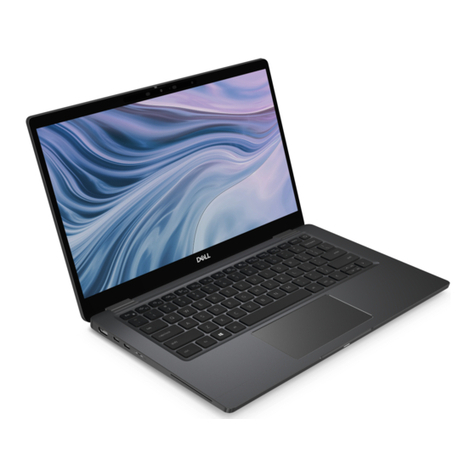
HP Envy 15 Manual

HP 15 Notebook PC
Maintenance and Service Guide

© Copyright 2015 HP Development Company,
L.P.
AMD is a trademark of Advanced Micro Devices,
Inc. Bluetooth is a trademark owned by its
proprietor and used by HP Inc. under license.
Intel, Celeron, Centrino, and Pentium are
trademarks of Intel Corporation in the U.S. and
other countries. Microsoft and Windows are
U.S. registered trademarks of the Microsoft
group of companies.
The information contained herein is subject to
change without notice. The only warranties for
HP products and services are set forth in the
express warranty statements accompanying
such products and services. Nothing herein
should be construed as constituting an
additional warranty. HP shall not be liable for
technical or editorial errors or omissions
contained herein.
Second Edition: August 2015
First Edition: November 2014
Document Part Number: 793965-002
Product notice
This guide describes features that are common
to most models. Some features may not be
available on your computer.
Not all features are available in all editions of
Windows. This computer may require upgraded
and/or separately purchased hardware, drivers,
and/or software to take full advantage of
Windows functionality. See
http://www.microsoft.com for details.
Software terms
By installing, copying, downloading, or
otherwise using any software product
preinstalled on this computer, you agree to be
bound by the terms of the HP End User License
Agreement (EULA). If you do not accept these
license terms, your sole remedy is to return the
entire unused product (hardware and software)
within 14 days for a refund subject to the
refund policy of your place of purchase.
For any further information or to request a full
refund of the computer, please contact your
local point of sale (the seller).

Important Notice about Customer Self-Repair Parts
CAUTION: Your computer includes Customer Self-Repair parts and parts that should only be accessed by an
authorized service provider. See Chapter 5, "Removal and replacement procedures for Customer Self-Repair
parts," for details. Accessing parts described in Chapter 6, "Removal and replacement procedures for
Authorized Service Provider only parts," can damage the computer or void your warranty.
iii

iv Important Notice about Customer Self-Repair Parts

Safety warning notice
WARNING! To reduce the possibility of heat-related injuries or of overheating the device, do not place the
device directly on your lap or obstruct the device air vents. Use the device only on a hard, at surface. Do not
allow another hard surface, such as an adjoining optional printer, or a soft surface, such as pillows or rugs or
clothing, to block airow. Also, do not allow the AC adapter to contact the skin or a soft surface, such as
pillows or rugs or clothing, during operation. The device and the AC adapter comply with the user-accessible
surface temperature limits dened by the International Standard for Safety of Information Technology
Equipment (IEC 60950).
v

vi Safety warning notice

Table of contents
1 Product description ....................................................................................................................................... 1
2 External component identication .................................................................................................................. 4
Right side ............................................................................................................................................................... 4
Left side ................................................................................................................................................................. 5
Display .................................................................................................................................................................... 6
Top .......................................................................................................................................................................... 8
TouchPad ............................................................................................................................................. 8
Lights ................................................................................................................................................... 8
Buttons and speakers ....................................................................................................................... 10
Keys ................................................................................................................................................... 11
Bottom ................................................................................................................................................................. 12
Locating system information .............................................................................................................................. 14
3 Illustrated parts catalog .............................................................................................................................. 15
Computer major components .............................................................................................................................. 15
Display assembly subcomponents ...................................................................................................................... 19
Miscellaneous parts ............................................................................................................................................. 20
Mass storage devices ........................................................................................................................................... 21
4 Removal and replacement procedures preliminary requirements .................................................................... 22
Tools required ...................................................................................................................................................... 22
Service considerations ......................................................................................................................................... 22
Plastic parts ....................................................................................................................................... 22
Cables and connectors ...................................................................................................................... 23
Drive handling ................................................................................................................................... 23
Grounding guidelines ........................................................................................................................................... 24
Electrostatic discharge damage ........................................................................................................ 24
Packaging and transporting guidelines .......................................................................... 25
Workstation guidelines ................................................................................................... 25
Equipment guidelines ..................................................................................................... 26
5 Removal and replacement procedures for Customer Self-Repair parts ............................................................. 27
Component replacement procedures .................................................................................................................. 27
Battery ............................................................................................................................................... 28
Service door ....................................................................................................................................... 29
vii

Memory module ................................................................................................................................ 30
WLAN module .................................................................................................................................... 31
Optical drive ....................................................................................................................................... 33
6 Removal and replacement procedures for Authorized Service Provider parts ................................................... 35
Component replacement procedures .................................................................................................................. 35
Display panel ..................................................................................................................................... 36
Keyboard ........................................................................................................................................... 38
Top cover ........................................................................................................................................... 40
Hard drive .......................................................................................................................................... 44
Power button board .......................................................................................................................... 47
TouchPad button board ..................................................................................................................... 49
Optical drive connector cable ............................................................................................................ 51
System board .................................................................................................................................... 52
RTC battery ........................................................................................................................................ 57
Fan ..................................................................................................................................................... 59
Heat sink assembly ........................................................................................................................... 61
Power connector cable ...................................................................................................................... 63
Speakers ............................................................................................................................................ 64
Display assembly ............................................................................................................................... 65
7 Using Setup Utility (BIOS) in Windows 8.1 ...................................................................................................... 73
Starting Setup Utility (BIOS) ................................................................................................................................ 73
Updating the BIOS ................................................................................................................................................ 73
Determining the BIOS version ........................................................................................................... 73
Downloading a BIOS update .............................................................................................................. 73
8 Using Setup Utility (BIOS) in Windows 10 ....................................................................................................... 75
Starting Setup Utility (BIOS) ................................................................................................................................ 75
Updating Setup Utility (BIOS) .............................................................................................................................. 75
Determining the BIOS version ........................................................................................................... 75
Downloading a BIOS update .............................................................................................................. 76
Synchronizing a tablet and keyboard (select products only) .............................................................................. 77
9 Backing up, restoring, and recovering in Windows 8.1 .................................................................................... 78
Creating recovery media and backups ................................................................................................................ 78
Creating HP Recovery media (select models only) ........................................................................... 78
Using Windows tools ........................................................................................................................................... 79
Restore and recovery ........................................................................................................................................... 79
Recovering using HP Recovery Manager ........................................................................................... 80
viii

What you need to know before you get started ............................................................. 80
Using the HP Recovery partition (select models only) ................................................... 81
Using HP Recovery media to recover .............................................................................. 81
Changing the computer boot order ................................................................................ 81
Removing the HP Recovery partition (select models only) ............................................ 82
10 Backing up, restoring, and recovering in Windows 10 .................................................................................... 83
Creating recovery media and backups ................................................................................................................ 83
Creating HP Recovery media (select products only) ......................................................................... 83
Using Windows tools ........................................................................................................................................... 84
Restore and recovery ........................................................................................................................................... 85
Recovering using HP Recovery Manager ........................................................................................... 85
What you need to know before you get started ............................................................. 85
Using the HP Recovery partition (select products only) ................................................. 86
Using HP Recovery media to recover .............................................................................. 86
Changing the computer boot order ................................................................................ 87
Removing the HP Recovery partition (select products only) ......................................... 87
11 Using HP PC Hardware Diagnostics (UEFI) ..................................................................................................... 88
Downloading HP PC Hardware Diagnostics (UEFI) to a USB device .................................................................... 89
12 Specications ............................................................................................................................................ 90
Computer specications ...................................................................................................................................... 90
15.6-inch display specications .......................................................................................................................... 90
Hard drive specications ..................................................................................................................................... 91
13 Power cord set requirements ...................................................................................................................... 92
Requirements for all countries ............................................................................................................................ 92
Requirements for specic countries and regions ................................................................................................ 92
14 Recycling .................................................................................................................................................. 94
Index ............................................................................................................................................................. 95
ix

x
Other manuals for Envy 15
15
Table of contents
Other HP Laptop manuals

HP
HP TBD Manual

HP
HP ENVY Manual

HP
HP Pavilion DV6-3020 Manual

HP
HP ProBook 6470b User instructions

HP
HP Dv4 1140go - Pavilion Entertainment - Core 2 Duo... Manual

HP
HP 649932-001 User manual

HP
HP 15-cb000 Manual

HP
HP EliteBook x360 830 G5 Manual

HP
HP Pavilion DM1-4050 User manual

HP
HP OmniBook 300 User manual

HP
HP Omnibook XE3 User manual

HP
HP Pavilion dv2799ea Special Edition User manual

HP
HP Pavilion dv9000 Manual

HP
HP Compaq Presario Mounting instructions

HP
HP Pavilion ZT3000 Instruction and safety manual

HP
HP Stream 14 Manual

HP
HP Compaq Notebook User guide

HP
HP ProBook 430 G7 Manual

HP
HP Net PC 20 User manual

HP
HP AF018CA User manual