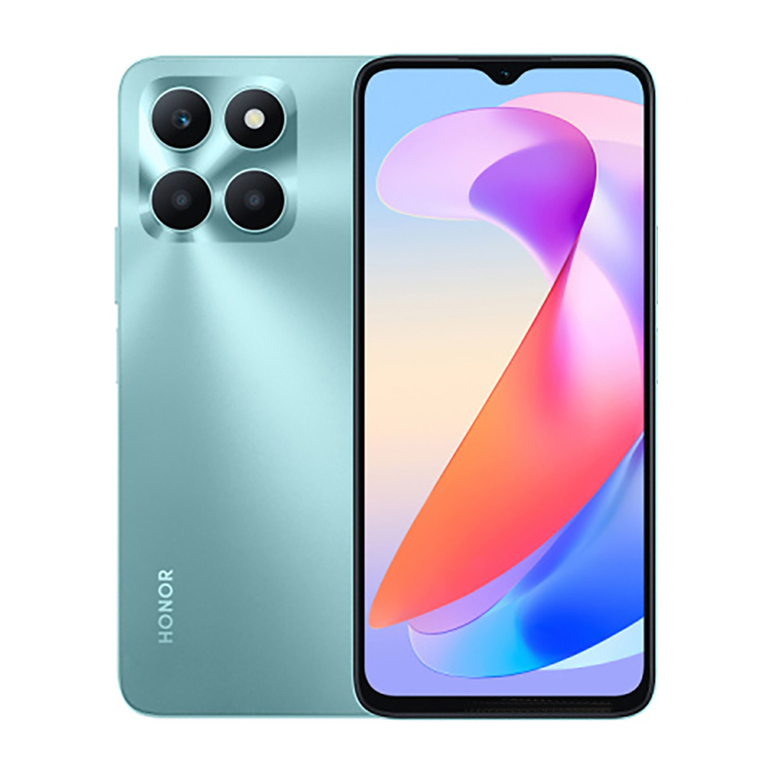
honor Magic V2 User manual

Quick Sta Guide
Guide de démarrage rapide
Kurzanleitung
Guida rapida
Guía de inicio rápido
Guia de Início Rápido
Snelstagids
Snabbstaguide
Ko stavejledning
Huigstaveiledning
Pika-aloitusopas
Skrócona instrukcja obsługi
Sparčiosios paleisties vadovas
Lühijuhend
Οδηγός γρήγορης έναρξης
Stručný návod k obsluze
Stručná úvodná príručka
Gyors útmutató
Ръководство за бърз старт
Упатство за брз почеток
Udhëzues për llimin e shpejtë
Kratko uputstvo
Akıllı Telefon Hızlı Kullanım Kılavuzu
Vodič za brzi početak
Priročnik za hiter začetek
Ghid de pornire rapidă
Īsā pamācība
Короткий посібник користувача
VER-N49

Contents
English.......................................................................... 1
Français........................................................................9
Deutsch.......................................................................19
Italiano........................................................................28
Español....................................................................... 37
Pouguês...................................................................46
Nederlands................................................................. 55
Svenska...................................................................... 64
Dansk.......................................................................... 71
Norsk ......................................................................... 78
Suomi......................................................................... 85
Polski.......................................................................... 92
Lietuvių .....................................................................101
Eesti.......................................................................... 108
Ελληνικά....................................................................115
Čeština......................................................................124
Slovenčina................................................................. 132
Magyar......................................................................140
Български................................................................ 148
Македонски..............................................................157
Shqip.........................................................................165
Srpski........................................................................ 173
Türkçe....................................................................... 180
Hatski..................................................................... 191
Slovenščina............................................................... 198
Română.....................................................................205
Latviešu ....................................................................213
i

English
Know Your Device
Before using the device, familiarise yourself with its
basic operations.
•To power on your device, press and hold the power
button until the screen turns on.
•To power o your device, press and hold the power
button, and then touch .
•To resta your device, press and hold the power
button, and then touch .
•Press and hold the Power and Volume down buttons
for more than 10 seconds to force resta your device.
/'$
Volume button Power button /
Fingerprint sensor
Card slot USB Type-C po/
Headset jack
•Please keep the NFC area close to other devices
or objects while using the NFC function.
•Please use standard Type-C digital headset,
Type-C analog headset is not suppoed.
•e following phenomena are normal: there may
be creases on the folding area of the inner
screen; there may be sound when you fold and
unfold the phone; the unfolded angle may be
slightly dierent. Please rest assured that you can
use the device normally.
•Check out the pre-installed Tips app and master
all the great features on your device.
1

Getting Staed
•Be careful not to scratch your device or hu
yourself when using the eject pin.
•Store the eject pin out of the reach of children to
prevent accidental swallowing or inju.
•Do not use cut or modied SIM cards with your
device as these may not be recognised and could
damage the card tray (slot).
•If your SIM card does not match your device,
please contact your carrier.
Follow the instructions in the following gures to set up
your device. Please use the eject pin included.
Ensure that the card is correctly aligned and its notch is
rst inseed into the card tray.
SIM Card Management
Select the default mobile data card and calling card as
needed. For details, check out the pre-installed Tips
app.•5G and 4G seice depends on the suppo of
your network carrier and its deployment of
relevant seices. Please contact your carrier to
activate 5G or 4G seice.
•5G and 4G seice may be unavailable in ceain
areas due to network inteerence.
•If this guide is inconsistent with the description
on the ocial website, the latter prevails.
2

For More Information
If you encounter any problems while using your device,
you can obtain help from the following resources:
•Visit https://www.hihonor.com to view device
information and other information.
•Visit https://www.hihonor.com/global/suppo/ for
the most up-to-date contact information for your
count or region.
•Go to Settings and enter the following keywords in
the search box to view the corresponding
information. E.g. Legal information, Safety
information, Authentication info, Regulato
information.
Safety Information
Please read all of the safety information carefully before
using your device to ensure its safe and proper
operation and to learn how to dispose of your device
properly.
Operation and Safety
• To prevent possible hearing damage, do not
listen at high volume levels for long periods.
•Using an unapproved or incompatible power adapter,
charger or batte may damage your device, shoen
its lifespan or cause a re, explosion or other hazards.
•Ideal operating temperatures are 0 °C to 35 °C. Ideal
storage temperatures are -20 °C to +45 °C.
•Pacemaker manufacturers recommend maintaining a
minimum distance of 15 cm between a pacemaker
and a wireless device to prevent potential
inteerence with the pacemaker. If using a
pacemaker, hold the device on the side opposite the
pacemaker and do not car the device in your front
pocket.
•Keep the device and the batte away from re,
excessive heat and direct sunlight. Do not place
them on or in heating devices, such as microwave
ovens, water heaters, stoves or radiators.
•Adhere to local laws and regulations while using the
device. To reduce the risk of accidents, do not use
3

your wireless device while driving. If you must make
or answer a call, stop your vehicle at a safe location
rst.
•While ying in an aircraft or immediately before
boarding, ensure that you use your device according
to the instructions provided. Using a wireless device
in an aircraft may disrupt wireless networks, present
a hazard to aircraft operations or be illegal under law.
•In order to avoid damaging the internal circuit of the
device or charger, do not use the device in a dusty,
damp, or diy place, or near a magnetic eld.
•When charging the device, make sure the power
adapter is plugged into a socket near the devices
and is easily accessible.
•Unplug the charger from the electric socket and from
the device when not in use.
•Do not use, store or transpo the device where
ammables or explosives are stored (e.g. in a petrol
station, oil depot or chemical plant). Using your
device in these environments increases the risk of
explosion or re.
•Keep the batte away from re, and do not
disassemble, modify, throw, or squeeze it. Do not
inse foreign objects into it, submerge it in water or
other liquids, or expose it to external force or
pressure, as this may cause the batte to leak,
overheat, catch re, or even explode.
•Dispose of this device, the batte and accessories
according to local regulations. ey should not be
disposed of in normal household waste. Improper
batte use may lead to re, explosion or other
hazards.
•Please consult your doctor and the device
manufacturer to determine if operation of your
device may inteere with the operation of your
medical device.
•Adhere to any rules or regulations set foh by
hospitals and health care facilities.
•is device contains a built-in batte. Do not
attempt to replace the batte by yourself.
Otherwise, the device may not run properly or it may
damage the batte. For your personal safety and to
ensure that your device runs properly, you are
4

strongly advised to contact an authorised seice
centre for a replacement.
Potentially Explosive Atmosphere
Power o your device in any area with a potentially
explosive atmosphere, and comply with all signs and
instructions. Areas that may have potentially explosive
atmospheres include the areas where you would
normally be advised to turn o your vehicle engine.
Triggering of sparks in such areas could cause an
explosion or a re, resulting in bodily injuries or even
deaths. Do not power on your device at refueling points
such as seice stations. Comply with restrictions on
the use of radio equipment in fuel depots, storage, and
distribution areas, and chemical plants. In addition,
adhere to restrictions in areas where blasting
operations are in progress. Before using the device,
watch out for areas that have potentially explosive
atmospheres that are often, but not always, clearly
marked. Such locations include areas below the deck on
boats, chemical transfer or storage facilities, and areas
where the air contains chemicals or paicles such as
grain, dust, or metal powders. Ask the manufacturers of
vehicles using liqueed petroleum gas (such as propane
or butane) whether this device can be safely used in
their vicinity.
Disposal and Recycling Information
e symbol on the product, batte, literature, or
packaging means that the products and batteries
should be taken to separate waste collection points
designated by local authorities at the end of the
lifespan. is will ensure that EEE waste is recycled and
treated in a manner that consees valuable materials
and protects human health and the environment.
For more information, please contact your local
authorities, retailer, or household waste disposal seice
or visit the website https://www.hihonor.com/.
Reduction of hazardous substances
is device and its electrical accessories comply with
local applicable rules on the restriction of the use of
ceain hazardous substances in electrical and
electronic equipment, such as EU REACH regulation,
5

RoHS and Batteries (where included) directive. For
declarations of conformity about REACH and RoHS,
please visit the website
https://www.hihonor.com/global/legal/ceication/.
RF Exposure Information
e World Health Organisation has stated that
exposure can be reduced by limiting your usage or
simply using a hands-free kit to keep the device away
from the head and body.
Ensure that the device accessories, such as a device
case and device holster, are not composed of metal
components. Keep the device away from your body to
meet the distance requirement.
For the countries that adopted the SAR limit 2.0 W/kg
over 10 grams of tissue.
e device complies with RF specications when used
near your ear or at a distance of 0.50 cm from your
body. e highest repoed SAR value: head SAR: 0.85
W/kg; body SAR: 1.29 W/kg.
EU Regulato Compliance
Statement
Hereby, Honor Device Co., Ltd. declares that this device
VER-N49 is in compliance with the following Directive:
RED 2014/53/EU, RoHS 2011/65/EU, ErP 2009/125/EC.
e full text of the EU declaration of conformity, the
detailed ErP information and most recent information
about accessories & software are available at the
following internet address:
https://www.hihonor.com/global/legal/ceication/.
is device may be operated in all member states of
the EU.
Obsee national and local regulations where the device
is used.
is device may be restricted for use, depending on the
local network.
UK Regulato Compliance
Hereby, Honor Device Co., Ltd. declares that this device
VER-N49 is in compliance with the following
Regulations: Radio Equipment Regulations 2017, e
Restriction of the Use of Ceain Hazardous Substances
in Electrical and Electronic Equipment Regulations 2012,
e Ecodesign for Energy-Related Products
Regulations 2010. e full text of the UK declaration of
6

conformity, the detailed ErP information and most
recent information about accessories & software are
available at the following internet address:
https://www.hihonor.com/global/legal/ceication/.
Restrictions in Norway
Use of this radio equipment is not allowed in the
geographical area within a radius of 20 km from the
center of Ny-Ålesund, Svalbard.
Restrictions in the 5 GHz band:
e 5150 to 5350 MHz frequency range is restricted to
indoor use in: AT, BE, BG, CH, CY, CZ, DE, DK, EE, EL,
ES, FI, FR, HR, HU, IE, IS, IT, LI, LT, LU, LV, MT, NL, NO, PL,
PT, RO, SE, SI, SK, TR, UK(NI).
In accordance with the relevant statuto requirements
in the UK, the 5150 to 5350 MHz frequency range is
restricted to indoor use in the United Kingdom.
Frequency Bands and Power
e frequency bands and transmitting power (radiated
and/or conducted) nominal limits applicable to this
radio equipment are as follows:
VER-N49 GSM900: 35.5dBm, GSM1800: 32.5dBm,
WCDMA900/2100: 25.7dBm, LTE Band
1/3/7/8/20/28/34/38/40/42: 25dBm, 5G NR
Band: n1/n3/n7/n8/n20/n28/n38/n40:
26dBm, 5G NR Band n41/n77/n78: 29dBm,
Bluetooth 2.4GHz: 20dBm, Wi-Fi 2.4GHz:
20dBm, Wi-Fi 5G: 5150-5250MHz: 23dBm,
5250-5350MHz: 23dBm, 5470-5725MHz:
23dBm, 5725-5850MHz: 14dBm, NFC
13.56MHz: 42 dBμA/m @ 10m
Legal Notice
Trademarks and Permissions
Android is a trademark of Google LLC.
LTE is a trademark of ETSI.
e
Bluetooth
® word mark and logos are registered
trademarks owned by
Bluetooth SIG, Inc.
and any use of
such marks by Honor Device Co., Ltd. is under licence.
Wi-Fi®, the Wi-Fi CERTIFIED logo and the Wi-Fi logo are
trademarks of Wi-Fi Alliance.
For DTS patents, see http://patents.dts.com.
Manufactured under license from DTS Licensing
7

This manual suits for next models
1
Table of contents
Languages:
Other honor Cell Phone manuals