
Hisense F10 User manual

Hisense F10User Manual
Manufactured by Hisense Communications Co.,Ltd.
4G LTEReady
* Please check with your network operator if 4G L E is
available on your SIM.
• 5“HD ,13MAF+5MFF
• Screen displays and
illustrations may differ
from those you see on
actual phone.Some of
the contents of this
guide may not apply to
your phone,
depending on the
software and your
service provider. All
information in this
document is subject to
change without notice.

1
Content
Safety Precautions ......................................................... 1
Medical Device ......................................................... 2
Road Safety .............................................................. 2
Power Supply & Charging ........................................ 3
Hearing Protection .................................................... 4
Protecting the Environment ...................................... 4
Cleaning and Maintenance ....................................... 4
Emergency Call ........................................................ 5
Compliance .................................
错误!未定义书签。
Copyright .................................................................. 5
Getting to Know Your Phone .......................................... 6
Phone Overview ....................................................... 6
Installing the SIM/SD card and battery ..................... 8
Charging the Battery............................................... 10
Basic Operations ...........................................................11
urning Your Device On/Off .....................................11
Configuring Your Phone on Start up ........................11
Home screen .......................................................... 13
Notifications Panel .................................................. 13
Customizing Your Screen ....................................... 15
Access to Applications ............................................ 16
Main Function ............................................................... 16
Making and Receiving a Call .................................. 16
Adding Contacts ..................................................... 16
Sending Messages ................................................. 17
Music ...................................................................... 18
Camera ................................................................... 18
Chrome ................................................................... 19
Getting Connected (connection to Wi-Fi) ............... 20
Important Information ................................................... 21
Disclaimer ..................................................................... 21
roubleshooting ............................................................ 22

1
Safety Precautions
Please read the safety precautions carefully to ensure the
correct use of your mobile phone.
1. Do not crash, throw, or puncture your mobile phone.
Avoid the falling, squeezing, and bending of your mobile
phone.
2. Do not use your mobile phone in a moist environment,
such as the bathroom. Prevent your mobile phone from
being soaked or washed in liquid.
3. Do not power on your mobile phone when it is prohibited
to use or when the phone may cause interference or
danger.
4. Some parts of your mobile device are made of glass. his
glass could break if your mobile device is dropped on a
hard surface or receives a substantial impact. If the glass
breaks, do not touch or attempt to remove it. Stop using
your mobile device until the glass is replaced by an
authorized service provider.
5. urn off your mobile phone in aircraft. he phone may
cause interference to control equipment of the aircraft.
6. urn off your mobile phone near high-precision electronic
devices. he phone may affect the performance of these
devices.
7. Do not attempt to disassemble your mobile phone or its
accessories. Only qualified personnel are allowed to
service or repair the phone.
8. he socket-outlet shall be installed near the equipment
and shall be easily accessible.
9. Do not place your mobile phone or its accessories in
containers with a strong electromagnetic field.
10. Do not place magnetic storage media near your mobile
phone. Radiation from the phone may erase the
information stored on them.
11. Keep the product away from direct sunlight. Do not put
your mobile phone in a high-temperature place or use it in
a place with flammable gas such as a gas station.
12. Use only approved batteries and chargers to avoid the
risk of explosion.
13. Observe any laws or regulations on the use of wireless
devices. Respect others’ privacy and legal rights when
using your wireless device.

2
14. Strictly follow the relevant instructions of this manual
while using the USB cable. Otherwise your mobile phone
or PC may be damaged.
15. Use a dry soft cloth to clean the product; do not use water,
alcohol, detergent or any chemicals.
16. Please backup any important data, repair or other causes
may result in data loss.
17. Do not disconnect the product during memory formatting
or file transfer operations. Otherwise, it may cause
program failure or files damage
18. Keep the phone, battery and charger out of the reach of
children. Do not let children use the phone or charger
without supervision.
19. Keep children away from small phone accessories to
prevent suffocation or blocking of the oesophagus as a
result of swallowing.
20. Do not allow children to use your mobile phone without
guidance.
21. Do not modify or remanufacture the product, immerse or
expose the product to water or other liquids, or expose
the product to fire, explosion or other hazards.
22. he product shall only be connected to a USB interface
of version USB2.0.
23. he operating temperature shall be-10
℃
~+55
℃
.
Medical Device
1. Follow any rules or regulations in hospitals and health
care facilities.
2. Implanted medical device such as pacemaker may be
affected by the product.
3. Avoid potential interference emitted from the product to
the implanted medical device, keeping the product at
least 20 cm away from the medical device.
4. Do not carry the product in the chest pocket.
5. urn off the product immediately if you suspect any
interference.
Road Safety
Check the laws and regulations on the use of mobile phones
in the area when you drive.
1. Do not use a hand-held phone while driving.
2. For driving safety, only a passenger should operate the
device when the car is in motion and not the driver. Laws

3
governing the use of electronic devices by the driver may be
applicable in your country and/or jurisdiction.
3. Give full attention to driving.
4. Pull off the road and park before making or answering a call
if driving conditions so require.
5. RF energy may affect some electronic systems in your
vehicle such as car stereos and safety equipment.
6. When your vehicle is equipped with an air bag, do not
obstruct with installed or portable wireless equipment. It can
cause the air bag to fail or cause serious injury due to
improper performance.
7. If you are listening to music whilst out and about, please
ensure that the volume is at a reasonable level so that you
are aware of your surroundings. his is of particular
importance when near roads.
Power Supply & Charging
1. Adapter shall be installed near the equipment and shall
be easily accessible. he Charger Model name:
A31-501000,Input: AC 100-240V 50/60Hz 0.15A,Output:
DC5.0V,1.0A.
2. he plug considered as disconnect device of adapter.
3. Only use the accessories supplied with the phone. he
use of incompatible accessories may have serious
consequences and permanently damage your phone.
4. Only use the adapter supplied with the product.
5. his adapter is intended for indoor use only.
6. he mains cable is used as a connecting device. he wall
outlet should remain readily accessible and access to the
outlet should not be blocked during use.
7. o fully disconnect the phone from the mains, unplug the
AC/DC cable from the wall outlet.
8. he ventilation should not be impeded by covering the
ventilation openings with items, such as newspapers,
tablecloths, curtains, etc. to avoid overheating and
malfunction.
9. Maintain a clearance of at least 10cm around the phone.
10. he phone should be used in a moderate climate.
11. he phone is built with an internal rechargeable battery:
do not expose the product to excessive heat such as
sunshine, fire or the like.
12. he battery must be removed from the phone before it is
scrapped.

4
13. he phone must be disconnected from the supply mains
when removing the battery.
14. Battery contains materials which are hazardous and
harmful for the environment.
15. Do not plug or unplug USB port with wet hands – risk of
electric shock.
Hearing Protection
1. his phone respects the current
regulations for limiting the
maximum output volume.
Prolonged headset listening at high
volume could lead to hearing
damage!
2. Stop using the product or lower the volume if you feel
your ears ringing.
3. Do not turn up the volume too high, doctors warn against
prolonged exposure to high volume.
4. Excessive sound pressure from headsets and
headphones can cause hearing loss.
5. o prevent possible hearing damage, do not listen at high
volume levels for long periods.
6. Please only use specified headphones with your phone.
Protecting the Environment
Please observe the local regulations on phone
packaging, battery and used phone disposal
and bring them to the collection point for proper
recycling. Do not dispose of used phones or
batteries in a household rubbish bin.
Please take your used, unwanted lithium batteries to a
designated place. Do not dispose of them in a rubbish bin.
CAU ION: RISK OF EXPLOSION IF BA ERY IS
REPLACED BY AN INCORREC YPE. DISPOSE OF USED
BA ERIES ACCORDING O HE INS RUC IONS.
Cleaning and Maintenance
1. urn off the phone before cleaning and maintenance. he
charger should be unplugged from the socket and the
phone and charger disconnected to prevent any electric
shock or short circuiting of the battery or charger.

5
2. Do not wipe the phone or charger using chemical
substance (alcohol benzene), chemical agents or
abrasive cleaning agents to avoid damaging its parts or
causing a malfunction. You may clean with a slightly
damp anti-static soft cloth.
3. Do not scrape or alter the phone case as paint
substances may cause an allergic reaction. If such a
reaction occurs, cease using the phone immediately and
seek medical help.
4. Wipe dust off the power plug and keep it dry to avoid risk
of fire.
5. If the phone or accessories do not work properly, contact
your local vendor.
6. Do not dismantle the phone or its accessories yourself.
Emergency Call
In an emergency situation, if the phone is on and you are
within the network range, it can be used to make an
emergency call. However, emergency call numbers may not
be reachable on all networks; you should never rely on your
mobile phone for emergency calls.
Copyright
his product is for private use only. Copying CDs or
downloading music, video or picture files for sale or other
business purposes may be a violation of copyright law.
Copyrighted materials, works of art and/or presentations may
require authorization to be fully or partially copied or recorded.
Please be aware of all such applicable laws concerning the
recording and use of such contents for your country and
jurisdiction.

6
Getting to Kno Your Phone
Phone Overview

7
1. Front camera 9.Flashlight
2. Proximity sensor
10.De-noising mike
3. Receiver 11.Speaker
4. ouch screen 12.Volume keys
5. Back key 13. Power key
6.Home key 14. Headset connector
7. Recent key 15.Microphone
8.Camera 16.Micro-USBconnector
Key’s function
•
Po er key:Press to light up or close the screen,
press and hold to show the pop-up menu to select
from Power off/Reboot/Airplane mode. Long press
Power Key14s to reboot phone. Press the Power
key andDownvolume key to capture a screenshot.
•
Home key: From any application or screen, touch
to return to the Home screen.
•
Recent key: ouch to open a list of thumbnail
images of applications you've worked with
recently.
•
Back key: ouch to go back to the previous
screen, or to close a dialog box, options menu, the
notification panel, etc.
•
Volume Keys:In call mode, adjusts the earpiece
or headset volume;In Music/Video/Streaming
mode, adjusts the media volume; In general mode,
adjusts the ringtone volume;Mutes the ringtone of
an incoming call.
NO E: Proximity sensor
When receiving and making calls, the proximity
sensor automatically turns the backlight off the touch
screen by sensing when the phone is near your ear.
his extends battery life and prevents you from
unintentionally activating the touch screen during

8
calls.
WARNING:
Placing a heavy object on the phone or sitting on it
can damage the LCD and touch screen functions. Do
not cover the LCD proximity sensor with protective
film. his could cause the sensor to malfunction.
Installing the SIM/SD card and battery
Before you can start exploring your new phone, you'll
need to set it up.
o remove the back cover, hold the phone firmly in
one hand. With the other hand,lift off the back cover
upwards.
1. Insert the SIM card/ SD card
Insert the Micro-SIM card: Push the Micro-SIM card into
the corresponding slot. he contacts platesshould be
facing downwards.
Insert the Micro-SD card: Push the Micro-SD card into
the corresponding slot. he contacts platesshould be
facing downwards.
Table of contents
Other Hisense Cell Phone manuals

Hisense
Hisense U980 User manual

Hisense
Hisense F20 User manual

Hisense
Hisense H50 Lite User manual

Hisense
Hisense E60 Lite User manual

Hisense
Hisense C20 User manual

Hisense
Hisense E40 User manual

Hisense
Hisense E20 User manual

Hisense
Hisense H30 User manual

Hisense
Hisense U3 2021 User manual

Hisense
Hisense C1 User manual

Hisense
Hisense HLTE228E User manual
Hisense
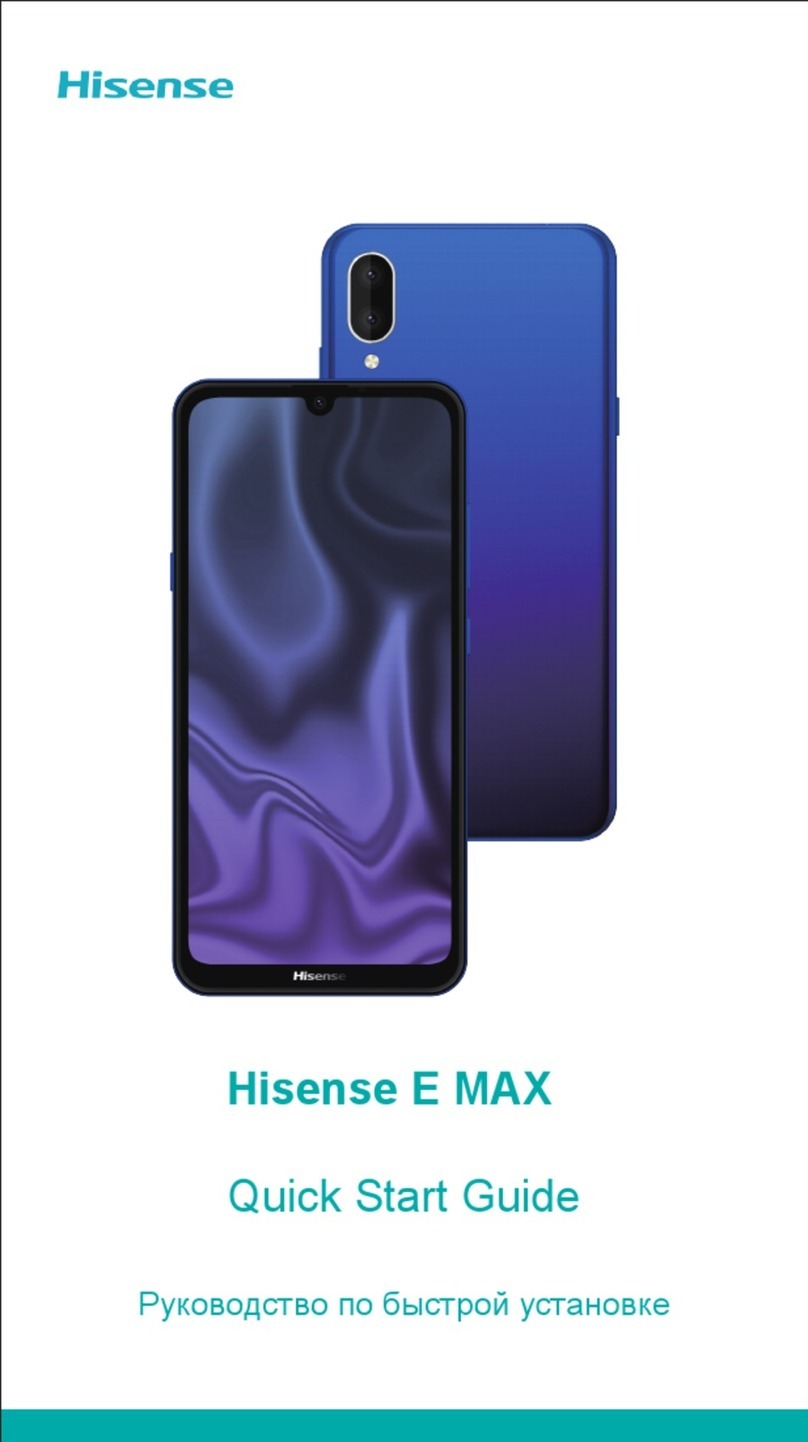
Hisense E MAX User manual

Hisense
Hisense F20 User manual

Hisense
Hisense E50Lite User manual

Hisense
Hisense Rocks 6 User manual

Hisense
Hisense E860 User manual

Hisense
Hisense HLTE102E User manual

Hisense
Hisense HS-C127 User manual

Hisense
Hisense Infinity H50 User manual

Hisense
Hisense Rock 5 User manual


