7
PROGRAMMING
Initial Start Up
The initial start up will probably be done by the technician install-
you through the process.
1. Complete all plumbing connections: inlet, outlet, drain
line and brine line. Do not add salt at this time.
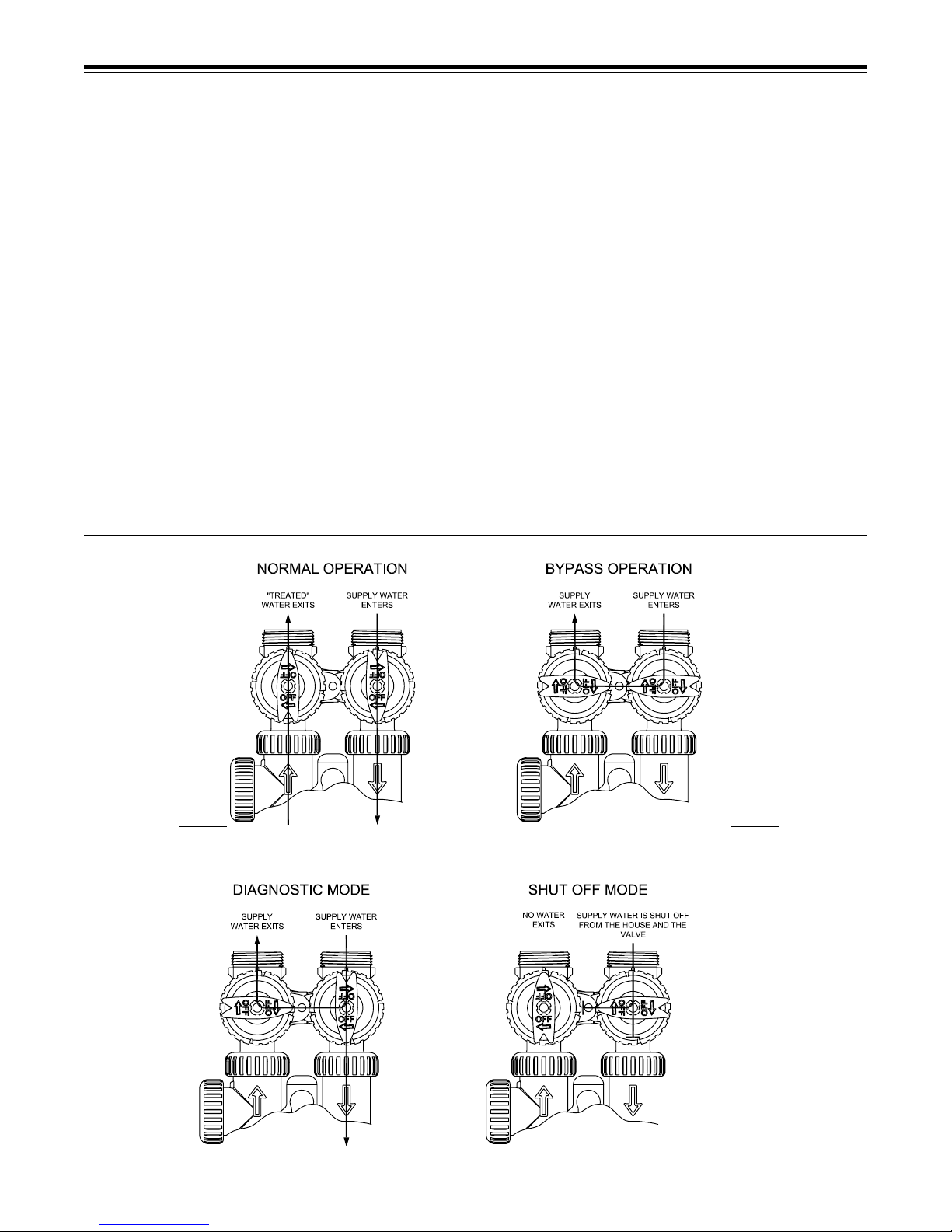
2. Place the bypass valve in the bypass position. (See
certain the outlet is uninterrupted.) Within 5 seconds the
mode and display will automatically alternate between
page 7).
page 8) and using and buttons.
Depending on how the system is programmed it could
it runs clear. Return the bypass valve to the by-pass
-
all the way and allow to run out the drain until water
clears. Then slowly place the by-pass into the “normal
8.
-
suction, see trouble-shooting guide. (See #10, Page
6b, page 6).
-
once again runs clear at the drain.
12.
and
.
General Information
-
state microprocessor.
-
Figure 7
USER DISPLAYS/SETTINGS
General Operation
remaining. Days To A Regen is the number
regeneration cycle. Capacity remaining is the
the system goes through a regeneration cycle.
The user can scroll between the displays as
automatically.
When water is being treated (i.e. water is
Figure 8
DAYS TO A REGEN
6
CAPACITY REMAINING
650
REGEN TODAY
GAL
NORMAL OPERATION SCREENS
PM
6:35
TIME OF DAY
GPM
6.8
FLOW RATE
USER DISPLAY 1
Typical user
display. Shows
capacity or days
regeneration.
USER DISPLAY 2
Displays current time.
USER DISPLAY 3
rate.
REGEN TODAY
between rotating dis-
button pushed once.
GPM
turbine is rotating.
-
5 minutes then continue to scroll. The conditional
screens will take precedence over the scrolling
and the conditional conditions will apply.
To manually reduce capacity, press down button
while capacity remaining or days to a regen is
displayed.
DEALER NAME
DEALER PHONE NUMBER
12:00
GPM