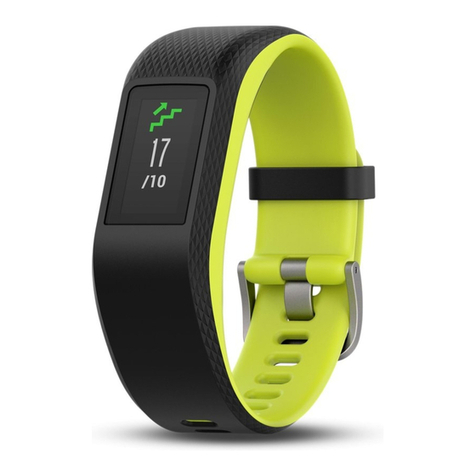
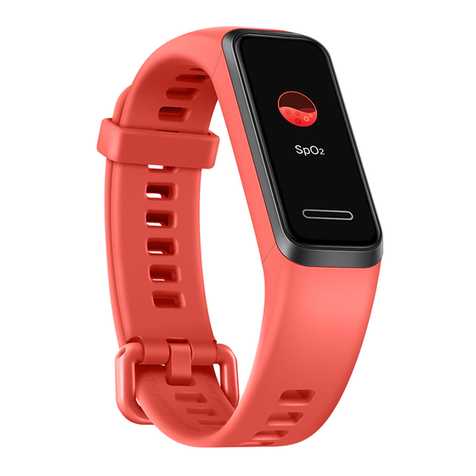
Hama 00178602 User manual

Hama GmbH &CoKG
86652 Monheim/Germany
Alllistedbrands are trademarks of the correspondingcompanies. Errors andomissionsexcepted,
andsubjecttotechnical changes. Ourgeneralterms of deliveryand paymentare applied.
www.hama.com/nep
Service &Support
www.hama.com
+49 9091 502-0
DG
00178602/04.20

F
D
GB
Operating Instructions
Bedienungsanleitung
Mode d‘emploi
with Heart Rate MonitorFitness Tracker
Fitness-Tracker mit Pulsmesser
00178602
Fr
SCHRITTE
BPM
KM
11.29
767
0
0


Fr
SCHRITTE
BPM
KM
11.29
767
0
0
Fit Track 5900
Fit Track 5900
2
3
1
4

GOperating instruction
Controls and displays
1. Sensor button
2. Removable strap
3. Closure
4. Charging contact
Display symbols:
Step counter
Calories burned
Distance covered
Heart rate activity
Speed
Duration of activity
Heart rate measurement
Notications
Selection of sport types
Walking
Running
Cycling
Hiking
Football
Basketball

Volleyball
Strength training
Badminton
Tennis
Table tennis
Bowling
Baseball
Badminton
Treadmill
Aerobics
Yoga
Spinning
Skiing
Skating
Push-ups
Skipping
Climbing
Dancing

Stopwatch
Cameraremote trigger
Selection of dial
GPS
ON
OFF
GPS settings
Telephone search
Brightness settings
Alarm
Drink reminder
Movement reminder
Thank you for choosing aHama product.
Take your time and read the following instructions and information completely.Please keep these instructions in a
safe place for futurereference.
Your new tness tracker is the ideal companion for ahealthy lifestyle and will motivate you to be active throughout
the day.Aswell as displaying the time and date, it also collects data about the number of steps you have taken,
your heart rate and the calories you have burned. Wireless connection via
Bluetooth
®to your smartphone enables
you to document the data on the associated app and thereforeconstantly keep track of your success. Check here
when you have reached your personal tness goal!

1. Explanation of warning symbols and notes
Warning
This symbol is used to indicate safety instructions or to draw your attention to specichazards and risks.
Note
This symbol is used to indicate additional information or important notes.
2. Package contents
•"Fit Track 5900" tness tracker
•1USB charging cable
•Operating Instructions
3. Safety instructions
•This product is intended for private, non-commercial use only.
•Use the product only for the intended purpose.
•Protect the product from dirt, moistureand overheating and use it in dry environments only.
•Do not use the product in the immediate vicinity of heaters, other heat sources or in direct sunlight.
•Do not operate the product outside the power limits specied in the technical data.
•Do not use the product in areas in which electronic products arenot permitted.
•The battery is integrated and cannot be removed.
•Do not open the device or continue to operate it if it becomes damaged.
•Do not attempt to service or repair the product yourself.Leave any and all service work to qualied experts.
•Do not drop the product and do not expose it to any major shocks.
•Do not modify the product in any way.Doing so voids the warranty.
•Dispose of packaging material immediately in accordance with the locally applicable regulations.
•Do not incinerate the battery or the product.
•Do not tamper with or damage/heat/disassemble the batteries/rechargeable batteries.
•While driving acar or using sports equipment, do not allow yourself to be distracted by your product and keep
an eye on the tracsituation and your surroundings.
•Consult your doctor beforestarting an exercise programme.
•Always be awareofyour body’sresponsewhen you exercise, and speak to your doctor in an emergency.
•Consult your doctor if you have amedical condition and wish to use the product.
•This is aconsumer product, not amedical device. Hence, it is not intended for the diagnosis, therapy,cureor
prevention of illnesses.
•Prolonged contact with the skin can lead to skin irritations and allergies. Consult adoctor if symptoms persist.
•This product is not atoy.Itcontains swallowable smallparts that pose asuffocation hazard.
Warning -cardiac pacemakers
This product generates magnetic elds. Persons with acardiac pacemaker should consult adoctor beforeusing
this product, as the pacemaker's proper function could be affected.
Information -Flying
•This product is aconstant transmitter of radio signals. Please be awarethat carrying and using radio
transmitters during certain phases of the ight (e.g. take-off /landing) is not permitted for safety reasons.
•Check with your airline beforeyou ywhether your tness tracker can be taken on board. If in doubt, leave
the product at home.

Warning –rechargeablebattery
•Only use suitable charging devices or USB connections to charge the product.
•Donot use defective chargers or USB ports and do not attempt to repair them.
•Donot overcharge the product or allow the battery to completely discharge.
•Avoid storing, charging and using in extreme temperatures and at extremely low atmospheric pressures (such
as at high altitudes).
4. First steps with the "Fit Track 5900" fitness tracker
4.1 Charging
•Charge your tness tracker fully beforeusing it for the rst time.
•Connect the charging cable to afreeUSB port on your computer or USB charger and the tness tracker's
charging contact [4].
•To do this, consult the operating instructions for the USB charger you areusing.
Note
•The charging time for afull battery charge is around 120 minutes. As soon as the battery shown in the
display is fully charged, the charging process is complete and you can disconnect the tness tracker from
the charging cable.
4.2 Putting and switching on
•Place the tness tracker around your wrist and fasten it using the closure.
•Hold the sensor button [1]down for 3seconds to start the tness tracker.
Note
•The position on your wrist does not matter for the tness tracker's function.
•The tness tracker can be worn on either wrist. It is also possible to attach it both above and below the wrist.
4.3 Power Off
•To switch the tness tracker off,switch to menu item [Function]and then in the sub-menu go to the item
[Power Off]. Then press the sensor button [1]for 3seconds.
4.4 Operation -Menu structure
•Press the sensor button [1]toactivate the start screen and to switch between the displays in the sequence
shown.
•The sub-menus areaccessed by pressing and holding the sensor button [1]for 3seconds (see illustration
below).
Note
•This graphic is asummary of all of the menu items that can be displayed on the tness tracker and the
sequence of displays when shipped.

Loremipsum
Loremipsum
Start screen
Step counter Weather
display Notifications Heart rate
(pulse) Stopwatch Alarm settings
Main menu
Detailed display
(Steps, calories,
distance)
Detailed display
of received
messages
Main menu Main menu
Activation of
heart rate
measurement
Detailed
display of
sport types
Detailed
display of
stopwatch
Selection of
sport types
Start
Activity
Selection
Detailed
display
End of
activity /
Main menu
Activate
stopwatch /
end stopwatch
Selection of
sub-menus
Sub-menu
Settings
Confirmation
of selection
Selection of
sport types
1sec. 1sec. 1sec. 1sec. 1sec. 1sec. 1sec.
3sec.3sec. 3sec. 3sec. 3sec. 3sec.
3sec. 3sec.
3sec.
3sec.
Main menu
1sec.
3sec. 3sec.
1sec.
1sec.
1sec. 1sec.
Table of contents
Languages:
Other Hama Fitness Tracker manuals