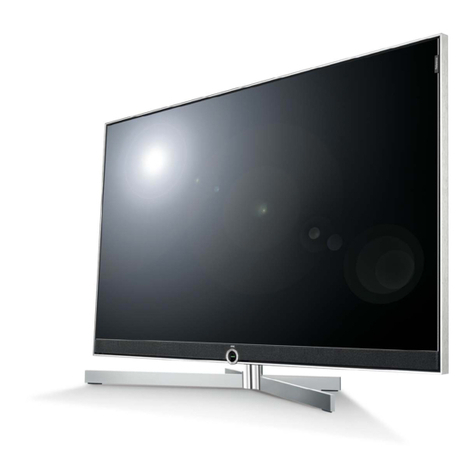
Haier ROHS-L20AV6-A0 User manual

USER'S MANUAL
15"17"20"LCD TV
Please read this manual carefully before
using your television and keep this manual
In a good place for future reference.
M O D E L :
L15S V 6-A 0, L17LV 6-A 1,L 20AV 6-A 0
L 17L6A -G 1,L 2 0L6A ,L 1 5 G 1 -A 0 ,
L17G 1-A 0,L 20G 1-A 0,L 15D2-A 0,
L17D 2-A 0


Front Panel Controls
Control Panel Function
1. MENU Press to select the main menu
2. VOL (V-/VOL-) V olume down / Left orientation to adjust the item in the OSD
VOL (V+/VOL+) Volume up / Right orientation to adjust the item/Press to
enter the submenu.
3. PR (P-/CH-) TV channel down / to select the item in the menu
PR (P+/CH+) TV channel up / to select the item in the menu
4.TV/AV Select the input signals: SCART/PC-RGB/A V/S-VIDEO/TV
5. Power supply switch
6. Power indicator
Illuminates red in standby mode, illuminates green when the display is
turned on
7.Remote Sensor Receiving remote control sends the infrared remote
signal.
12
6
7
4351243
122
33
5
66
7
7
44
MENU PR VOL TV/AV
6
75
TV/AV MENU VOL- VOL+ CH- CH+ POWER
41235
6767
TV/AV MENU VOL- VOL+ CH- CH+ POWER
41235
G1 series D2 series
Note: These buttons are on the top of the sets on these two series.


V0.1
0090508051A
Other Haier TV manuals


Haier
Haier 21F98-CD User manual

Haier
Haier 29FV6 User manual

Haier
Haier LE32F32200 User manual

Haier
Haier HTX32S31 User manual

Haier
Haier HLD-37MS User manual

Haier
Haier L37A6A-A1 User manual

Haier
Haier L32K1 User manual

Haier
Haier HT-3788 User manual

Haier
Haier 29F9D User manual

Haier
Haier HL42E - 42" LCD TV User manual