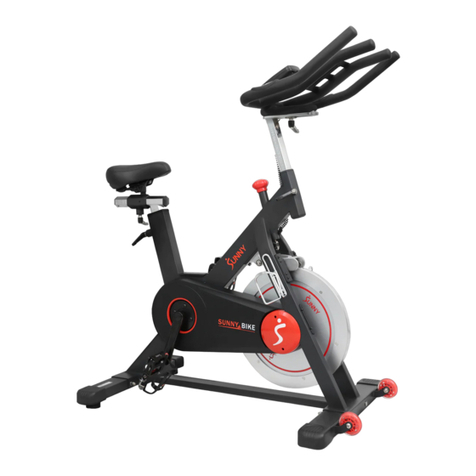
Gymstick GB8.0 User manual

GB8.0 EXERCISE BIKE
USER MANUAL
IMPORTANT: Read all instructions carefully before using this product. Retain this owner’s manual for future
reference. The specications of this product may vary from this photo, subject to change without notice.

2GB8.0 EXERCISE BIKE
BEFORE YOU BEGIN
Thank you for choosing the Gymstick GB8.0 Exercise Bike. We take great pride in producing this
quality product and hope it will provide many hours of eective exercise to make you feel better,
look better and enjoy life to its fullest.
TABLE OF CONTENT
1. SAFETY INSTRUCTIONS ................................................................................................ 3
2. PARTS LIST ....................................................................................................................... 4
3. HARDWARE PACKING LIST ............................................................................................ 5
4. EXPLODED DRAWING .................................................................................................... 6
5. ASSEMBLY INSTRUCTION ............................................................................................. 7
6. COMPUTER OPERATION INSTRUCTIONS .................................................................... 12
7. MAINTENANCE ................................................................................................................ 18
8 TROUBLESHOOTING ...................................................................................................... 18
9. WARM UP AND COOL DOWN ROUTINE ........................................................................ 19
10. IMPLIED WARRANTY ....................................................................................................... 22
READ AND FOLLOW THE SAFETY INSTRUCTIONS. FAILURE TO FOLLOW THESE INSTRUCTIONS
CAN RESULT IN SERIOUS INJURY.
!
NOTIFICATION!

3GB8.0 EXERCISE BIKE
!
WARNING!
SAFETY INSTRUCTIONS
Basic precautions should always be followed, including the following safety instructions when using
this equipment: Read all instructions before using this equipment.
1. Keep children and pets away from the machine at all times. DO NOT leave unattended children in the
same room with the machine.
2. Handicapped or disabled persons should not use the machine without the presence of a qualied health
professional or physician.
3. If the user experiences dizziness, nausea, chest pain, or any other abnormal symptoms, STOP the
workout at once. CONSULT A PHYSICIAN IMMEDIATELY.
4. Before beginning training, remove all within a radius of 2 meters from the machine. DO NOT place any
sharp objects around the device.
5. Position the machine on a clear, level surface away from water and moisture. Place mat under the unit to
help keep the machine stable and to protect the oor.
6. Use the machine only for its intended use as described in this manual. DO NOT use any other
accessories not recommended by the manufacturer.
7. Assemble the machine exactly as the descriptions in the instruction manual.
8. Check all bolts and other connections before using the machine for the rst time and ensure that the
trainer is in the safe condition.
9. Hold a routine inspection of the equipment. Pay special attention to components which are the most
susceptible to wear o, i.e. connecting points and wheels. The defective components should be replaced
immediately. The safety level of this equipment can only be maintained by doing so.
10. NEVER operate the machine if it is not functioning properly.
11. This machine can be used for only one person’s training at a time.
12. Do not use abrasive cleaning articles to clean the machine. Remove drops of sweat from the machine
immediately after nishing training.
13. Always wear appropriate workout clothing when exercising. Running or aerobic shoes are also required.
14. Before exercising, always do warm-up and stretching rst.
15. The maximum weight capacity for this product is 135 kg.
BEFORE BEGINNING THIS OR ANY EXERCISE PROGRAM, CONSULT YOUR PHYSICIAN FIRST.
THIS IS ESPECIALLY IMPORTANT FOR INDIVIDUALS OVER THE AGE OF 35 OR PERSONS WITH
PRE-EXISTING HEALTH PROBLEMS.

4GB8.0 EXERCISE BIKE
PARTS LIST
ITEM DESCRIPTION QTY ITEM DESCRIPTION QTY
1 Main Frame 1 43 Bottle 1
2 Front Post 1 44 Console cover 1
3 Handlebar 1 45 Screw ST4.2x20 2
4 Seat Post 1 46 Connect the Sensor Wire 1
5Seat Sliding Tube 1 47 Power Supply Wire L=500mm 1
6 Front Stabilizer 1 48 Adapter 1
7 Rear Stabilizer 1 49 Seat Post Bushing 1
8 Stabilizer End Cap 4 50 Sensor L=400mm 1
9Adjust the foot Pad 4 51 Press Bracket 1
10 Nut M10*30 6 52 Bolt M8*18 1
11 Bolt M8*90 2 53 Press Wheel 1
12 Big Arc Washer Ф8*Ф20*2.0 6 54 Spring Hook Ф17 *62*Ф2.0 1
13 Bolt M8*90 2 55 Flywheel 1
14 Cap Nut M8 2 56 Nut M10*1.0*6 2
15 Bolt M8*32 2 57 Adjust Bolt M6*36 2
16 Bearing 608 4 58 U-Bracket 31*30*Ф1.0 2
17 Transportation wheel 2 59 Spring Washer Ф6 6
18 Bolt M6*12 2 60 Nut M6 2
19 Left Pedal 1 61 C-Clip Ф20*1.0 2
20 Right Pedal 1 62 Wave Washer Ф20xФ24*0.3 1
21 Round Knob M16*1.5*27 1 63 Bearing 6004-2Z 2
22 Round Knob Ф19*56*M10 1 64 Belt Pulley 1
23 Seat Cushion 1 65 Belt Pulley Shaft 1
24 Washer Ф16*Ф8*1.5 8 66 Bolt M6x15 4
25 Nut M8 5 67 Nut M6 4
26 Bolt M8*15 6 68 Belt 1
27 Big Flat Washer Ф8*Ф20*2.0 4 69 Plastic Bolt Ф8*32 1
28 Hand Pulse Sensor with Wire A
L=200mm
2 70 Left Chain cover 1
29 Hand Pulse Sensor with Wire B 2 71 Left Chain cover B 1
30 Self-tapping Screw ST4.2*10 4 72 Right Chain cover 1
31 Handlebar Foam GripФ38 2 73 Right Chain cover B 1
32 Handlebar End Cap Ф32x1.5 2 74 Crank cover cap 1
33 Handlebar cover A 1 75 Nut M10*1.25 1
34 Handlebar cover B 1 76 Left Crank 1
35 Self-tapping Screw ST2.9*16 4 77 Right Crank 1
36 Extension Pulse Wire L=300MM 2 78 Self-tapping Screw ST4.2x25
37 Extension Sensor Wire 1 79 Self-tapping Screw ST4.2x20
38 Oval End Cap 1 80 Washer Ф5xФ12x1.0
39 Bolt M8*15 4 81 Motor Tension Knob (L=500MM)
40 Computer 1 82 Nut M12
41 Bolt M5*10 4 83 Motor
42 Bottle Holder 1

5GB8.0 EXERCISE BIKE
HARDWARE PACKING LIST
(13) Pan Head Square Bolt M8x90
2PCS
(14) Cap Nut M8
2PCS
Multi Hex Tool wit Phillips Screwdriver
S10 S13 S14 S15
1 PC
Allen Wrench S6
1PC
(12) Big Curve Washer
Ф8xФ20x2.0
4PCS
(14) Cap Nut M8
2PCS
(35) Screw ST2.9x16
3PCS
(45) Screw ST4.2x20
2PCS

6GB8.0 EXERCISE BIKE
EXPLODED DRAWING

7GB8.0 EXERCISE BIKE
ASSEMBLY INSTRUCTION
STEP 1
Remove two M8x90 Bolt (11) and two M8x15 Bolt (26)
from the front and rear curve of the Main frame,
remove two Fixed Tube(A/B)from the Main Frame(1).
Please note these two Fixed Tube(A/B) are use for
xed the Frame to prevent break. The xed tube(A/B),
M8x90 Bolt (11) and M8x15 Bolt (26) can be discard.
STEP 2
Installing the stabilizers
Position four Foot Pad (9) onto the Front Stabilizer (6) and the Rear Stabilizer (7). Attach the Front Stabilizer
(6) onto the front curve of the Main Frame (1) with two M8x90 Bolts (13), two Big Curve Washer Ø8x Ø20
x2.0 (12) and two Cap Nut M8(14).
Position the Rear Stabilizer (7) behind the Main Frame (1) and align bolt holes. Attach the Rear Stabilizer
(7) onto the rear curve of the Main Frame (1) with two M8x90 Bolts (11) and two Big Curve Washer Ø8x Ø20
x2.0 (12).
Foot Pedals Installation
Insert the pedal shaft of Left Foot Pedal (19) into threaded hole in the left Crank (76). Turn the pedal shaft by
hand in the counter-clockwise direction until snug.
Insert the pedal shaft of Right Foot Pedal (20) into threaded hole in right Crank (77). Turn the pedal shaft by
hand in the clockwise direction until snug.
NOTE: The Cranks, Pedal Shafts and Pedal Straps are marked “R” for Right and“L” for Left.

8GB8.0 EXERCISE BIKE
Seat Post, Seat Cushion and Seat Sliding Tube Installation
Remove three M8 Nylon Nuts (25) and three Flat Washer Ø8 (24) from underside of the Seat Cushion (23).
Then attach the Seat Cushion (23) onto the triangle plate of Seat Sliding Tube (5) with three M8 Nylon Nuts
(25) and Flat Washer Ø8 (24) that were removed.
Attach the Seat Sliding Tube (5) onto the Seat Post (4) with Seat Adjustment Knob (22). Insert the Seat Post
(4) into the Seat Post Bushing (49) on the tube of the Main Frame (1) and then attach the Locking Knob (21)
onto the tube of the Main Frame (1) by turning it in a clockwise direction, lock the Seat Post (4) in the suitab-
le position.
Adjusting the seat post:
Turn the Locking Knob (21) in a counterclockwise direction until it can be pulled out. Pull out the Locking
Knob (21) and Lock the Seat Post (4) in place by releasing the Locking Knob (21) and sliding the Seat Post
(4) up or down slightly until the Locking Knob (21) down into the locked position. For added safety, tighten
the Locking Knob (21) in a clockwise direction.
NOTE: When adjusting the height of seat post, the maximum insert depth mark line cannot higher than the
edge of the seat post cover.
STEP 3

9GB8.0 EXERCISE BIKE
Handlebar Post, Handlebar Post Cover and tension knob Installation.
Remove Six M8x15 Bolts (26), Four Ø8xØ20x2.0 Big Washers (27) and two Ø8x Ø20x2.0 Big curve
Washer(12) from the Main Frame (1).
Slide the bottle (43) down to the bottle holder (42). Slide the Console cover (44) up to the handlebar Post (2)
according to the direction of the diagram. Slide the bottle holder (42) up to Handlebar Post (2) according to
the direction of the diagram.
Connect the Sensor Wire (46) from the Main Frame (1) to the Computer Extension Wire (37) from the Hand-
lebar Post (2). Insert the Handlebar Post (2) onto the tube of the Main Frame (1) and secure with Six M8x15
Bolts (26), Four Ø8xØ20x2.0 Big Washers (27) and two Ø8x Ø20x2.0 Big curve Washer(12) that were
removed.
STEP 4

10GB8.0 EXERCISE BIKE
Handlebar Installation
Remove four M8x15 Bolt (39) and four Flat washer Ø8x
Ø16x1.5 (24) from the handlebar (3).
Attached the handlebar (3) onto the Front Post (2) with
four M8x15 Bolt (39) and four Flat Washer Ø8x Ø16x1.5
(24) that were removed.
STEP 5
Handlebar cover Installation.
Attached Handlebar cover A(33) and handlebar cover
B(34) onto the handlebar (3) with three screw ST2.9x16
(35).
STEP 6
Computer Installation.
Remove four M5x10 Bolts(41) from the Computer (40).
Attach the Computer (40) onto the top end of the Front
Post (2) with four M5x10 Bolts (41) that were removed.
Connect the Hand Pulse Sensor Wires (36) and Computer
Extension Wire (37) to the wires that come from the
Computer (40). Tuck wires into the Handlebar Post (2).
Attach the Computer (40) onto the top end of the Handle-
bar Post (2) with two M5x10 Bolts (41) that were removed.
STEP 7
Table of contents
Other Gymstick Exercise Bike manuals

Gymstick
Gymstick 6100 User manual

Gymstick
Gymstick GB4.0 User manual

Gymstick
Gymstick CRANK BIKE X4 User manual

Gymstick
Gymstick AIR BIKE PRO User manual

Gymstick
Gymstick PRO20.0 User manual

Gymstick
Gymstick VAPOR BIKE 10.0 User manual

Gymstick
Gymstick EB-DESK User manual

Gymstick
Gymstick PRO FTR User manual

Gymstick
Gymstick PRO20.0 User manual

Gymstick
Gymstick GB6.0 User manual