
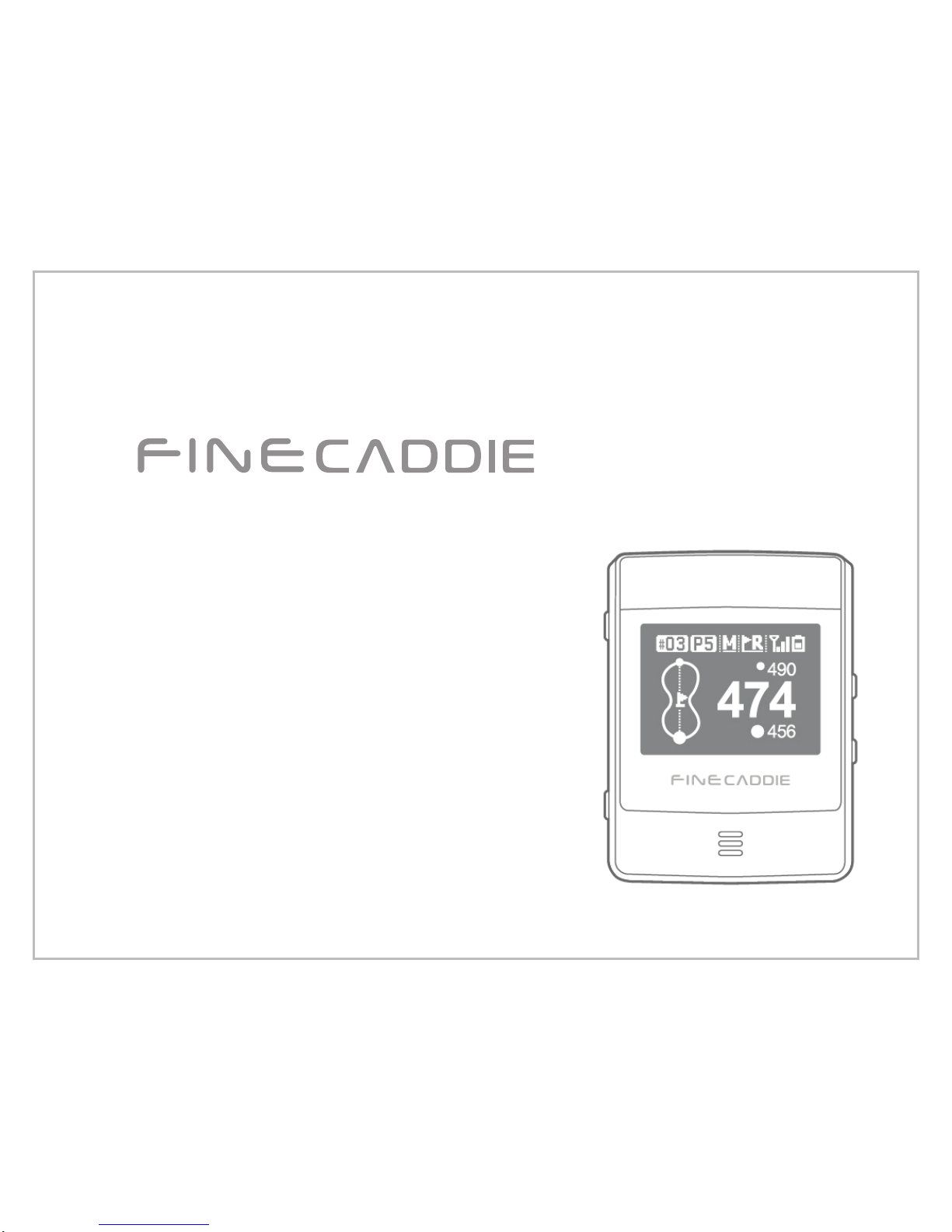
FineDigital FineCaddie User manual
사용설명서
USER MANUAL
2
Thank you very much for using FineCaddie.
Please be sure to read this user manual before using our product.
The usage of the product directly affects its lifespan, and improper use can result in breakdowns.
This manual was written for model and its functions may be limited based on the model purchased.
Form and functions may change without notice to improve performance, and information and pictures in the user manual may differ
for various software versions.
Warranty and support
• This product's software can be updated to the latest version. You can find the latest version, along with information on how to
update, at www.fine-drive.com.
The newest edition of this operating manual can also be downloaded from www.fine-drive.com.
• FineDigital, Inc. does not offer any form of warranty, including implicit warranties, for products other than those licensed by
FineDigital, Inc.
• FineDigital, Inc. takes no responsibility for accidental or intentional damage resulting from explanations, examples, functions or
uses included in this manual or for errors included in the manual, nor for any accidental or intentional damage resulting from
offers, explanations or use of the manual.
Copyright and trademark rights
This user manual is copyrighted and all rights are protected by law.
No part of this manual may be photographed, copied, amended or translated without the prior written consent of FineDigital, Inc.,
excluding those parts permitted by copyright law.
• The logo is a trademark of FineDigital, Inc.
Notice
FineDigital, Inc.
3
There is a risk of heat, fire or explosions. Please take note of the
following:
1. Keep away from fire. (do not microwave)
2. Do not leave inside the car in hot weather.
3. Do not store or use in warm, humid locations. (sauna, etc.)
4. Do not modify, repair or disassemble the product yourself.
5. Do not subject to any extraordinary impact, e.g. dropping from a high place.
6. Do not expose to temperatures over 50°C.
7. Do not allow contact with water.
8. In case of battery problems discernible to the naked eye, inquire immediately at your
nearest Customer Service Center.
9. Do not store in an enclosed space for a long time while power is on.
10. Do not disassemble, compress, or puncture.
Safety precautions
[Caution]
4
1. How to use FineCaddie correctly ...................................................................5
1. Correct usage for GPS reception ..................................................................6
2. Check basic components ..............................................................................7
3. How to wear and assemble components.......................................................8
2. Start FineCaddie ..............................................................................................13
1. Button Explanation ........................................................................................14
2. Main Screen (Green View) Explanation ........................................................14
3. Start...............................................................................................................15
4. End ................................................................................................................15
5. Green View....................................................................................................16
6. Hazard View / Bunker View / Driving Distance View.....................................17
7. Measuring Driving Distance...........................................................................18
8. Virtual Round.................................................................................................19
3. Set up FineCaddie............................................................................................20
1. How to Navigate the Menu Screen................................................................21
2. Change Pin Location .....................................................................................22
3. Change Left • Right Green ............................................................................22
4. Change Meters • Yards .................................................................................23
5. Change Hole manually ..................................................................................23
6. Reset .............................................................................................................23
7. Error code......................................................................................................24
8. Version ..........................................................................................................24
4. Appendices.......................................................................................................25
1. Product Warranty ..........................................................................................26
Table of Contents

1. How to use FineCaddie correctly
1. Correct usage for GPS reception
2. Check basic components
3. How to wear and assemble components
6
1. How to use FineCaddie correctly
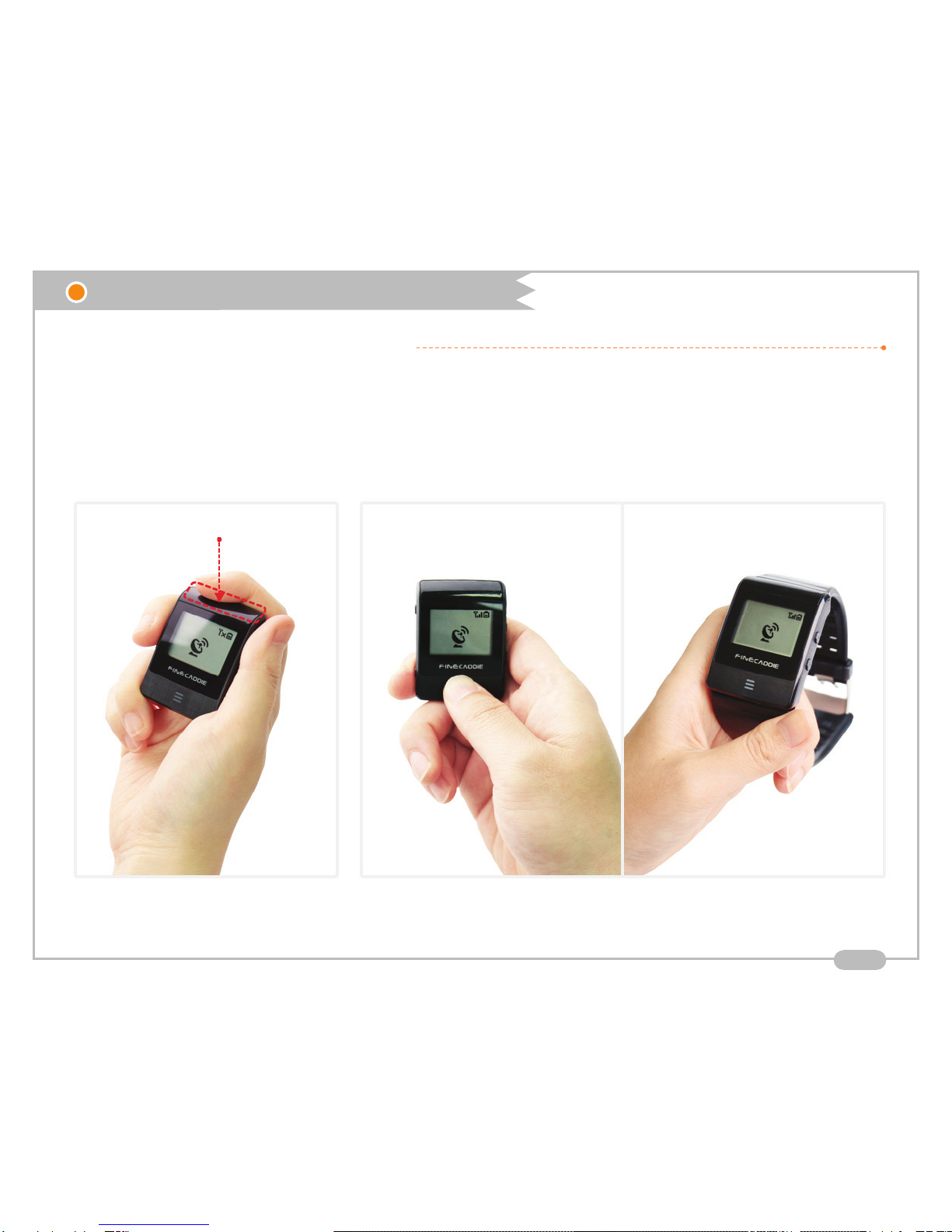
1. Correct usage for GPS reception
- For the quickest GPS signal reception, switch FineCaddie on and wait for minutes until completing to search golf courses and
receiving GPS signal with grabbing FineCaddie as 'Proper instance'
- When wearing FineCaddie on the wrist band or the waist belt, please wear it after GPS reception has been completed
- Please do not use FineCaddie to put on the top or bottom of the pocket. GPS reception sensitivity could be greatly reduced
[ Incorrect example ]
GPS receiver
[ Correct example ]
7
2. Check basic components
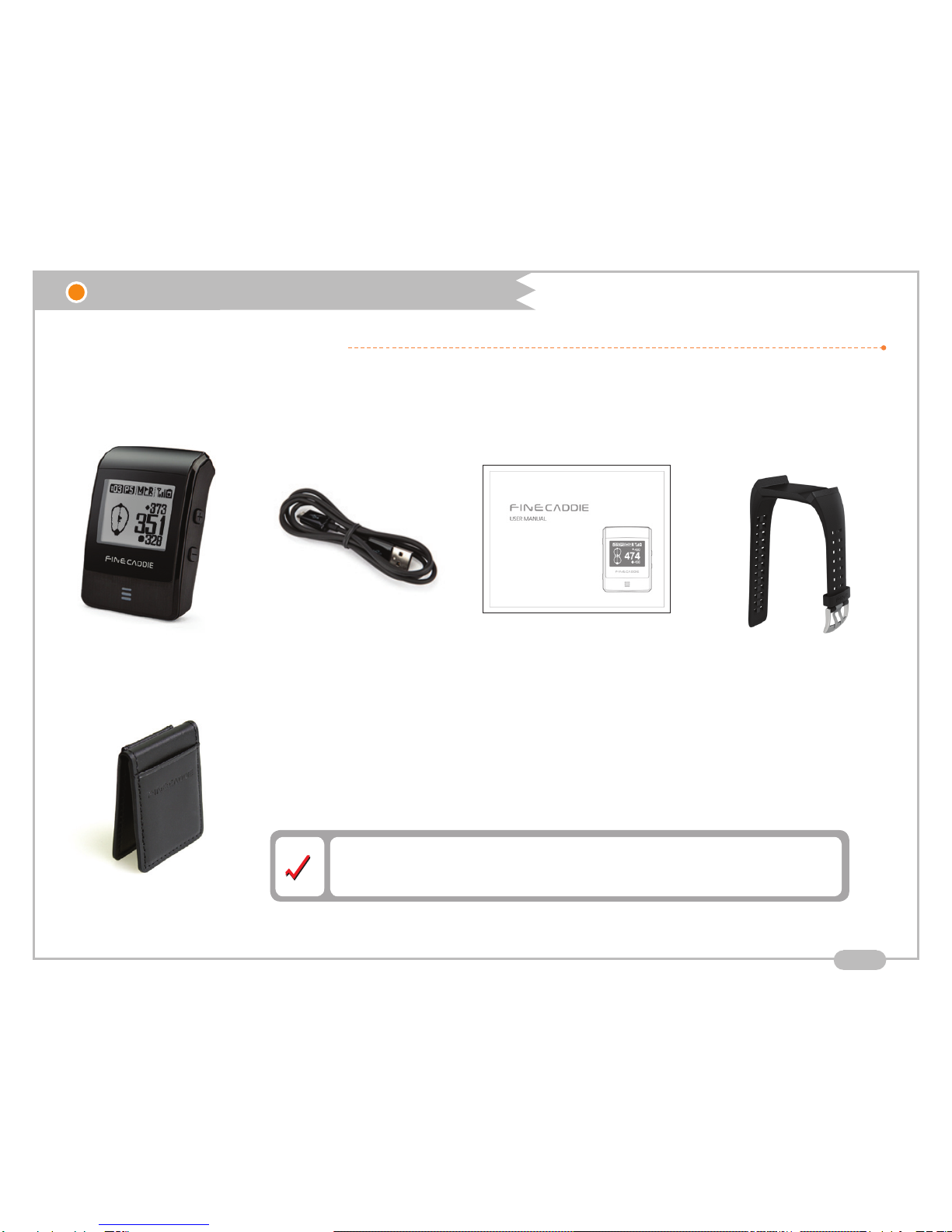
Basic components
Please, check the following item after unpacking the product
[FineCaddie] [Wrist band](Optional)[Charging cables]
[Pouch](Optional)
[FineCaddie user manual]
1. How to use FineCaddie correctly
Please contact your dealer for the missing components.
Our customer service center does not receive inquiries about missing components.
8
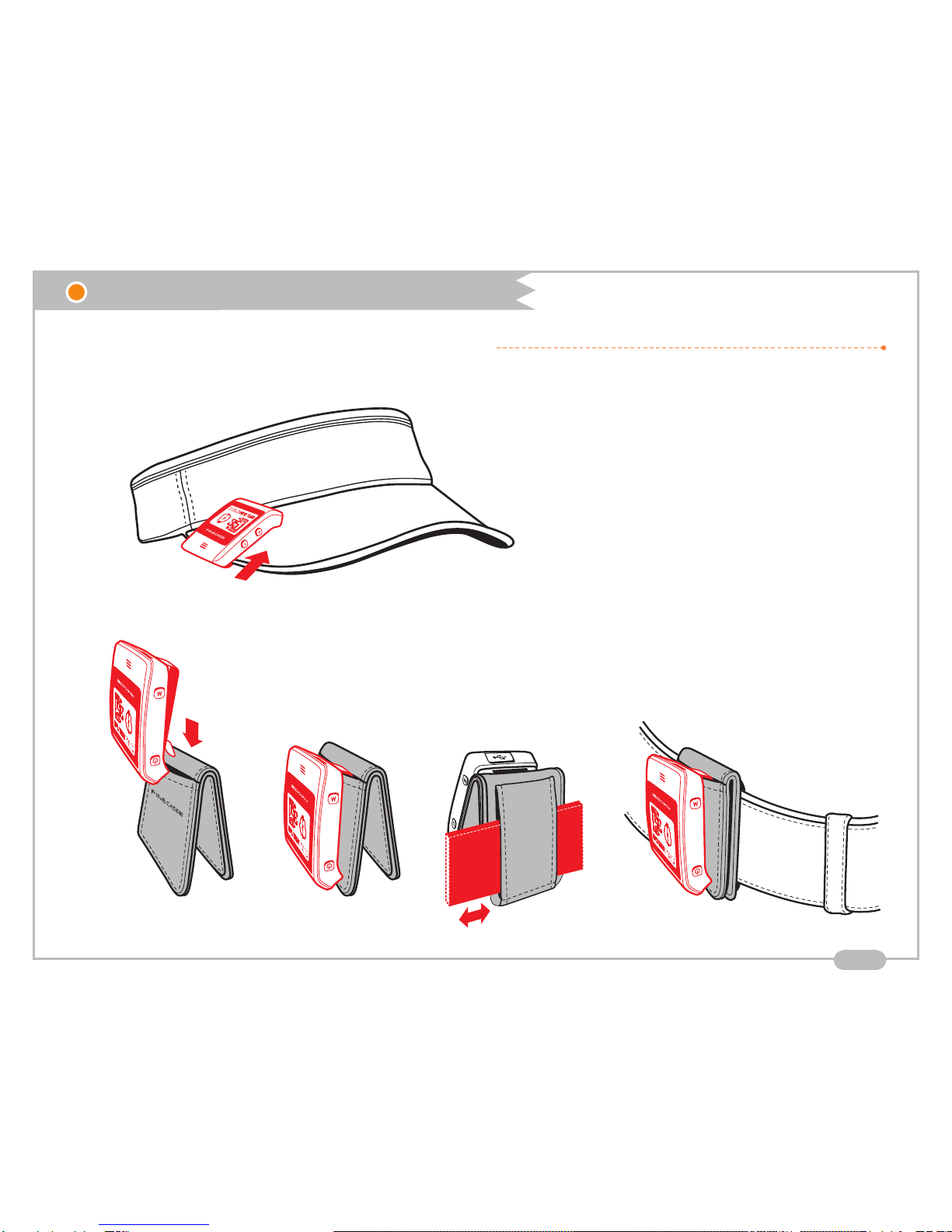
3. How to wear and assemble components
How to put it on your cap
How to put it on your belt
1. How to use FineCaddie correctly

9
3. How to wear and assemble components
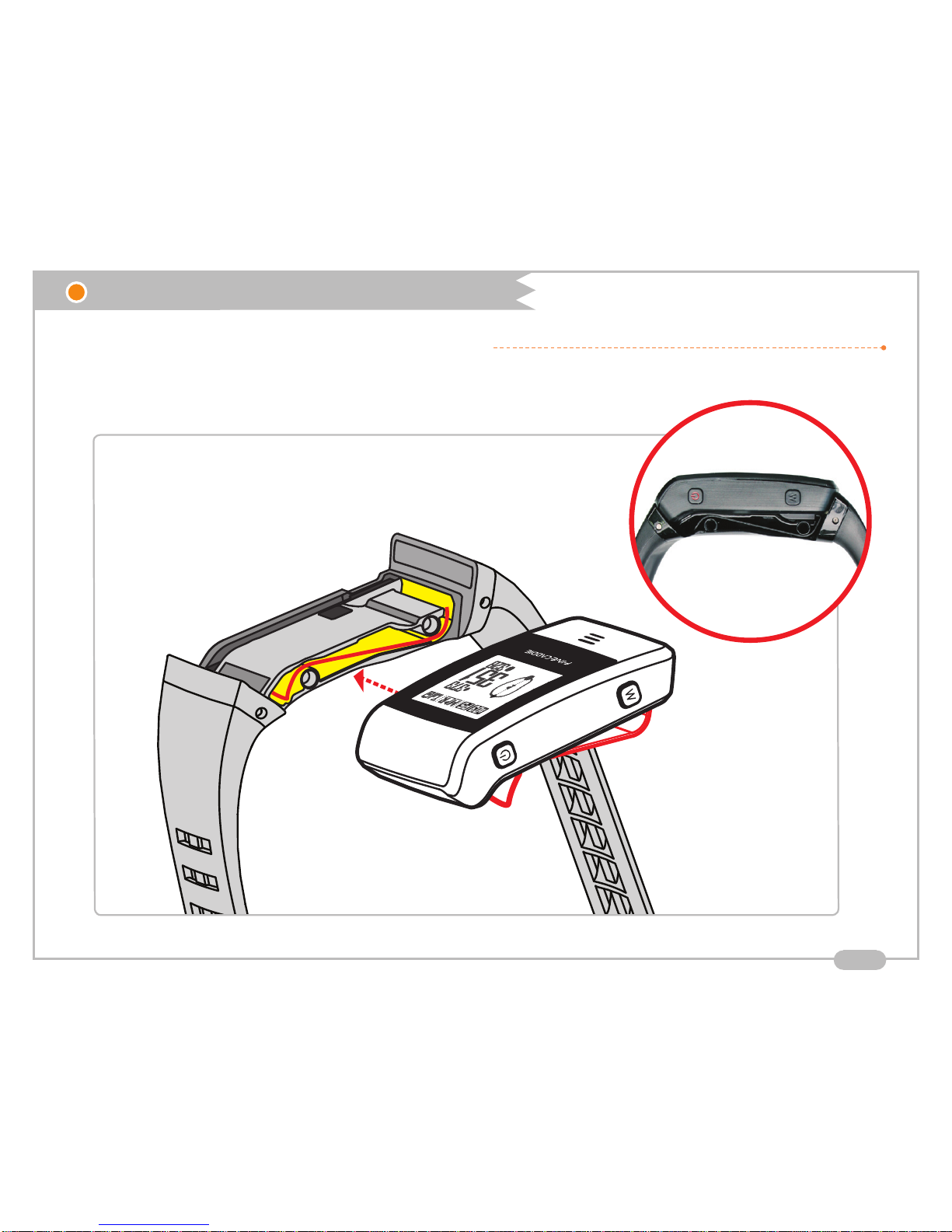
How to assemble the wrist band
How to separate wrist band and fixing pin
Wrist band
Fixing pin
1. How to use FineCaddie correctly
10
3. How to wear and assemble components
Check the clip direction
How to assemble the wrist band
How to push the FineCaddie into the wrist band
Check the clip direction
1. How to use FineCaddie correctly
Other manuals for FineCaddie
1
Table of contents
Other FineDigital GPS manuals





