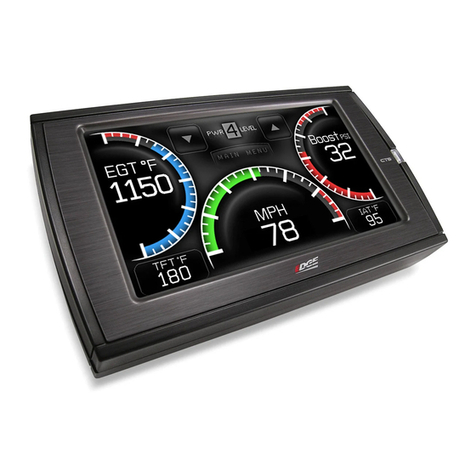
Exor eSMART Series User manual

eSMART Series
Operating Instructions
User’s Manual for eSMART Series Touchscreen Products
MANUGENESMARTxx - Version 2.01
© 2018 EXOR International S.p.A.

2
MANUGENESMARTxx - Version 2.01
© 2018 EXOR International S.p.A. - Subject to change without notice
Copyright © 2018 Exor International S.p.A. – Verona, Italy
Subject to change without notice
The information contained in this document is provided for informational purposes only. While efforts were made to verify the accuracy of the information
contained in this documentation, it is provided “as is” without warranty of any kind.
Third-party brands and names are the property of their respective owners.
www.exorint.com

3
MANUGENESMARTxx - Version 2.01
© 2018 EXOR International S.p.A. - Subject to change without notice
Table of Contents
Introduction 4
Safety guide 5
1 Product overview 6
2 Standards and approvals 7
3 Technical specications 9
4 Technical data 11
4.1 Dimensions 13
4.2 Installation environment 16
4.3 Safety instruction 17
4.4 Installation procedure 17
5 Connections 18
5.1 Serial port 20
5.2 Ethernet port 20
6 Power supply, grounding and shielding 21
7 Cleaning faceplates 22
8 Getting started 22
9 System settings 23
10 Touchscreen calibration 25
11 Unpacking and packing Instructions 25

4
MANUGENESMARTxx - Version 2.01
© 2018 EXOR International S.p.A. - Subject to change without notice
Introduction
The operational guidelines describe below is information on device technical data, installation, transporta-
tion, storage, assembly, use and maintenance.
The Manual refers to the following models:
eSMART04 Operator interface with TFT color 4.3” widescreen display touchscreen
eSMART04M High performance operator interface with TFT color 4.3” widescreen display touchscreen
eSMART07 Operator interface with TFT color 7” widescreen display touchscreen
eSMART07M High performance operator interface with TFT color 7” widescreen display touchscreen
eSMART10 Operator interface with TFT color 10.1” widescreen display touchscreen

5
MANUGENESMARTxx - Version 2.01
© 2018 EXOR International S.p.A. - Subject to change without notice
Safety Guide
The manual contains safety standards that must be respected for the personal safety and to avoid damage.
Indications of attention are divided into three levels of severity:
DANGER: indicates a failure to observe safety rules and such failure may cause death or serious injuries.
ATTENTION: indicates a failure to observe safety rules and that deciency may cause damage.
CAUTION: indicates a failure to observe safety rules and that deciency may cause defects to the equipment
or inconsistencies.
CAUTION
ATTENTION
DANGER
!
!

6
MANUGENESMARTxx - Version 2.01
© 2018 EXOR International S.p.A. - Subject to change without notice
1 Product Overview
The EXOR eSMART HMI products combine state-of-the-art features and top performance with an oustanding
design. They have been designed to offer an outstanding price/performance ratio for challenging applications.
They are the ideal choice for HMI applications including factory and building automation.
The eSMART HMI products have been designed to run the JMobile software.
• Compatible with JMobileStudio.
• Full vector graphic support. Native support of SVG graphic objects, trasparency and alpha blending.
• Screen object dynamics: control visibility and transparency, move, resize, rotate any object on screen. Change
properties of basic and complex objects.
• Multilanguage applications with TrueType fonts. Easily create, install and maintain applications in multiple
languages to meet global requirements.
• Data display in numerical, text, bargraph, analog gauges and graphic image formats.
• Rich set of state-of-the-art HMI features: data acquisition and logging, trend presentation, alarm handling,
scheduler and timed actions (daily and weekly schedulers, exception dates), recipes, security and user ma-
nagement, email and RSS feeds.
• Wide selection of communication drivers available with multiple-driver communication capability.
• Remote monitoring and control with Client-Server functionality.
• On-line and Off-line simulation with JMobile Studio.
• Powerful scripting language for automating HMI applications. Efcient script debugger improves productivity
in application development.
• Rich gallery of vector symbols and objects.

7
MANUGENESMARTxx - Version 2.01
© 2018 EXOR International S.p.A. - Subject to change without notice
The products have been designed for use in an industrial environment in compliance with the 2014/30/EU
EMC Directive.
The products have been designed in compliance with:
EN 61000-6-4 EN 55011 Class A
EN 61000-6-3 EN 55022 Class B
EN 61000-6-2 EN 61000-4-2
EN 61000-6-1 EN 61000-4-3
EN 61000-4-4
EN 61000-4-5
EN 61000-4-6
EN 61000-4-8
EN 60079-0
EN 60079-7
EN 60079-11
ATEX DEMKO 16 ATEX 1761X
EN 60079-0: 2012+A11:2013 II 3G Ex ic ec IIC T6 Gc 0≤Tamb≤+50°C
EN 60079-7: 2015
EN 60079-11: 2012
The installation of these devices into the residential, commercial and light-industrial environments is allowed
only in the case that special in measures are taken in order to ensure conformity to EN 61000-6-3.
The products are in compliance with the Restrictions on Certain Hazardous Substances (RoHS) Directive
2002/95/EC
In compliance with the above regulations the products are CE marked.
Special instruction for use
- The equipment shall only be used in an area of not more than pollution degree 2, as dened in IEC/EN 60664-1.
- The equipment shall be installed in an enclosure that provides a degree of protection not less than IP 54 in
accordance with IEC/EN 60079-7.
- Transient protection shall be provided that is set at a level not exceeding 140 % of the peak rated voltage
value at the supply terminals to the equipment.
2 Standards and Approvals

8
MANUGENESMARTxx - Version 2.01
© 2018 EXOR International S.p.A. - Subject to change without notice
Product Identication
The product may be identied through a plate attached to the rear cover. You will have to know the type of
unit you are using for correct usage of the information contained in the guide.
An example of this plate is shown in the gure below:
Note: the eSMART04 label is used as an example for eSMART Series
Product model name eSMART04
Product part number ESMA04U301
Year/week of production 1641
Serial number AA4001002000000001AA
Version id of the product 100201A07006000
Manufacturer address and Exor International S.p.A.
read instruction warning Via Monte Fiorino 9
IT-37057 San Giovanni Lupatoto (VR)
ATEX Marking DEMKO 16 ATEX 1761X
II 3G Ex ic ec IIC T6 Gc 0≤Tamb≤+50°C
2 Standards and Approvals

9
MANUGENESMARTxx - Version 2.01
© 2018 EXOR International S.p.A. - Subject to change without notice
3 Technical Specications
Touchscreen technology Resistive
RTC backup Supercapacitor
Fuse Automatic
Serial Port RS-232, RS-485, RS-422 software congurable
Recipe memory Flash
Hardware clock Clock/Calendar with supercapacitor back-up
Accuracy RTC (at 25°C) <100ppm
Environmental conditions
Operating temperature (surrounding 0 ÷ +50°C EN 60068-2-14
air temperature)
Storage temperature -20 ÷ +70°C EN 60068-2-14
Operating and storage humidity 5 ÷ 85 % RH not-condensing EN 60068-2-30
Vibrations 5 ÷ 9 Hz, 7 mm p-p EN 60068-2-6
9 ÷ 150 Hz, 1 g
Shock ± 50 g, 11 ms, 3 pulses per axis EN 60068-2-27
Protection class IP66 front panel * EN60529
Pollution degree environment 2
* The front face of the EXOR unit, installed in a solid panel, has been tested using conditions equivalent to the standards
shown in the “Environmental conditions”. Even though the level of resistance EXOR unit is equivalent to these stan-
dards, oils that should have no effect on the eSMART can possibly harm the unit. This can occur in areas where either
vaporized oils are present, or where low viscosity cutting oil are allowed to adhere to the unit for long periods of time. If
the front face protection sheet on the eSMART becomes peeled off, these conditions can lead to the ingress of oil into
the unit and separate protection measures are suggested.
If the installation gasket is used for a long period of time, or if the unit and its gasket are removed from the panel, the
original level of the protection cannot be guaranteed.

10
MANUGENESMARTxx - Version 2.01
© 2018 EXOR International S.p.A. - Subject to change without notice
3 Technical Specications
Immunity to conducted disturbances
inducted by radiofrequency eld 0.15 ÷ 80 MHz, 10V EN 61000-4-6
Voltage dips, short interruptions and
voltage variations immunity test Port: AC mains; Level:
100% duration: 1 cycle and 250 cycles (50Hz);
40% duration: 10 cycles (50Hz);
70% duration: 25 cycles (50Hz);
Phase: 0°-180°
Test executed on the 230Vac side of the EXOR International S.p.A. Power Supply EN 61000-4-11
Durability information
Backlight service life 20000 Hrs. or more
(LED type) (Time of continuos operation until the brightness of the
backlight reaches 50% of the rated value when the
sorrounding air temperature is 25°C) - see Note 1
Front foil 10 years if the surrounding air temperature is 25°C
(without direct exposure to
sunlight or UV)
UV Resistance Indoor applications: After 300 hours cycled humidity in
QUV accelerated weathering, some yellowing and
brittleness may be present.
Solvent resistance
Contact for 1/2 hour at 21°C, No visible effect: Acetone, Butyl Cellosolve, Cyclohexanone, Ethyl Acetate,
Hexane, Isopropyl Alcohol, MEK, Methylene Chloride, Toluene, Xylene
Contact for 24 hours at 49°C, No visible effect: Coffee, Ketchup, Lemon Juice, Mustard (slight yellow
stain), Tea, Tomato juice.
Touchscreen reliability > 1 milion operations
Note 1: Extended use in environments where the surrounding air temperature is 40°C or higher may
degrade backlight quality/reliability/durability.
Electromagnetic Compatibility (EMC)
Radiated disturbance test Class A EN 55011
Electrostatic discharge immunity test 8 kV (air electrostatic discharge) EN 61000-4-2
4 kV (contact electrostatic discharge)
Radiated, radio-frequency, 80 MHz ÷ 1 GHz, 10V/m EN 61000-4-3
electromagnetic eld immunity test 1,4 GHz ÷ 2 GHz, 3 V/m
2 GHz ÷ 2.7 GHz, 1 V/m
Burst immunity test ± 2 KV dc power port EN 61000-4-4
± 1 KV signal line
Surge immunity test ± 0,5 KV dc power port (line to earth) EN 61000-4-5
± 0,5 KV dc power port (line to line)
± 1 KV signal line (line to earth)

This manual suits for next models
5
Table of contents
Other Exor Touchscreen manuals

Exor
Exor eTOP605 User manual

Exor
Exor JSmart 710 User manual

Exor
Exor eTOP-MON User manual

Exor
Exor eTOP 300 Series User manual

Exor
Exor UniOP eTOP 500 Series User manual

Exor
Exor JSmart705 User manual

Exor
Exor eTOP605 User manual

Exor
Exor JSmart700 Series User manual

Exor
Exor UniOP eTOP 500 Series User manual

Exor
Exor eX700M Series User manual
Popular Touchscreen manuals by other brands

Elecro Engineering
Elecro Engineering Poolsmart Plus Installation & operating manual

Johnson Controls
Johnson Controls IQ4 HUB installation manual

Elo TouchSystems
Elo TouchSystems ET2270L user manual

Elo TouchSystems
Elo TouchSystems ET1002L user manual

Elo TouchSystems
Elo TouchSystems 3201L user manual

Duratec
Duratec S15 user manual