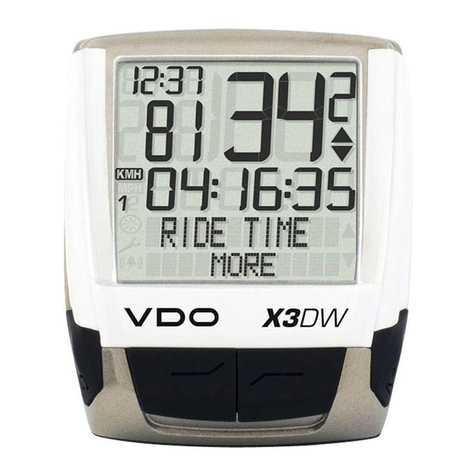
Evobike LCD-X3 User manual

USERS GUIDE
LCD–X3
Version:V2.1
Date:2007 - 10-18

Catalog
About the user manual....................................................1
Main material and color..................................................1
Appearance size chart........................................................2
Function overview and button definition..............2
Functional Overview..........................................................2
Normal display area...........................................................3
Note for users.....................................................................3
Installation Notes..............................................................4
Normal operation..............................................................4
Power on/off..........................................................................4
Instrument display interface............................................5
Power display.........................................................................6
Error code display................................................................7

User settings................................................................8
Backlight headlights on..........................................8
6KM implementation................................................8
PAS gear setting..........................................................8
Internal parameter setting....................................9
Enter settings................................................................9
Exit settings.................................................................12
Frequently Asked Questions and Answers...12
Quality commitment and warranty scope....12
Lead connection diagram....................................13
Version change.........................................................14

关于用户t te user manual
About the user manual
Dear users, in order to better operate your electric car
, please read the LCD-X3 V2.1 instrument manual
carefully before use. We will tell you every aspect of
the instrument use in the most concise language,
including hardware installation and setting to the
normal use of the instrument. At the same time,
it helps you to solve the confusion and obstacles
that may arise.
Main material and color
The LCD-X3 V2.1 product uses PC material. The shell material is
allowed to be at -20℃
It can be used normally at a temperature of 60℃,
and good mechanical properties can be guaranteed.
Appearance size chart

1

Function overview and button definition
Functional Overview
LCD-X3 V2.1 provides you with multiple functions and displays to
meet your riding needs. You can charge your mobile phone while
you are riding;
The contents displayed are:
◆Power display
◆Motor power display
◆Speed display (including real-time speed display, maximum
speed display and average speed
Degree display)
◆Mileage display (including single mileage display and total
mileage display)
◆Backlight on
◆Error code display ◆Multiple setting parameters
Normal display area
Normal display interface
2

Note for users
Pay attention to safety during use, and do not plug or unplug the
meter when it is powered on. Try to avoid bumping the instrument.
The film used by the meter is a waterproof film, please do not
tear it, so as not to affect the water resistance of the meter
can.
Regarding the background parameter setting of the instrument,
please do not change it at will, otherwise it cannot be guaranteed.
Ride often.
When the meter cannot be used normally, it should be repaired
as soon as possible.
3

Installation Notes
Fix the instrument on the handlebar and adjust the viewing
angle. When the electric bicycle is powered off, just plug
the connector of the instrument and the corresponding
connector of the controller to complete the installation.
Normal operation
Power on/off
After long pressing the 【MODE】key, the meter starts to
work and provides the working power of the controller. In
the power-on state, long press the [MODE] key to turn off
the power of the electric vehicle. In the shutdown state, the
meter no longer uses battery power and the leakage
current of the meter is less than 1uA. If the electric vehicle
is not used for more than 5 minutes, the meter will
automatically shut down.
4

Instrument display interface
After the meter is turned on, the meter defaults to display real-time speed.
Short press【MODE】key to switch display information. Displayed in turn:
single mileage TRIP-----single time TIME-------power display WATT------single
average speed AVG------single maximum mileage→MAX ------Total mileage
ODO
Real-time speed, single mileage display real-time speed, single time display
Real-time speed, real-time speed of single maximum mileage, single
average speed
Real-time speed, real-time speed of single maximum mileage, single
average speed
5

Power display
When the battery voltage is high, the five-segment LCD will be on.
When the battery voltage is low, the battery
The outer frame flashes, indicating that the battery is seriously
undervoltage and needs to be charged immediately
Battery undervoltage flashes battery power display
6
Table of contents
Other Evobike Bicycle Accessories manuals