eTung ER-701T User manual

ER-701T 4G/WAN
Router User Manual
eTung Technology Co. Ltd
305 Gengfang Plaza, Jia 13 Huayuan Road, Haidian Dist. Beijing
TEL:4008-909-611 FAX:010-64857815
Website: www.etungtech.com.cn
Copyright © 2005-2017 ALL RIGHTS RESERVED

ER-701T User Manual
2
Table of Contents
1. Product Introduction .......................................................................................................3
1.1 Brief Introduction .........................................................................................................3
1.2 Product Outlook ............................................................................................................4
1.3 Standard Accessories..................................................................................................6
1.4 Dimension........................................................................................................................8
1.5 Working Mechanism ..................................................................................................11
1.6 Specifications ...............................................................................................................12
1.6.1 Technical Parameters....................................................................................12
1.6.2 Indicator Light Description..........................................................................13
1.7 Technical Advantages ...............................................................................................14
1.8 Typical Usecases.........................................................................................................15
2. Device Configurations...................................................................................................17
2.1 Configurations..............................................................................................................17
2.1.1 Preparation........................................................................................................17
2.1.2 Configuring ER-701T .....................................................................................17
2.2 Configuration Parameters .......................................................................................21
2.3 Restore to Default ......................................................................................................22
2.4 Firmware Update ........................................................................................................24
2.5 Remote Configurations.............................................................................................26
Appendix 1: Configure ER-701T for High-Speed Internet Connection via 4G
Network..............................................................................................................................................33
Appendix 2: Configure ER-701T to Access Internet via Cable/WIFI ..........................38
Appendix 3: eYun Vircom Testing Case.................................................................................44
Appendix 4: APN Network Testing Case ................................................................................49
Appendix 5: Use ER-701T to Access LAN Remotely via VPN.........................................59
Appendix 6: Send/Receive SMS with the Router and SMS Format ............................63
Appendix 7: AT Commands on the Router’s Ethernet Interface..................................66

ER-701T User Manual
3
1. Product Introduction
This chapter mainly introduces the outlook, accessories, specifications and
mechanism of ER-701T.
1. Brief Introduction
2. Product Outlook
3. Accessories
4. Dimension
5. Working Mechanism
6. Specifications
7. Technical Advantages
8. Typical Usecases
1.1 Brief Introduction
ER-701T is a high speed 4G/WAN router. It works in
LTE-TDD/LTE-FDD 4G networks, and can access internet and transfer
video and data with high speed. In LTE-TDD network, in theory the
uplink speed can reach 18Mbps, and downlink speed can reach
61Mbps; and in LTE-FDD network, in theory the uplink speed can
reach 50Mbps, and downlink speed can reach 100Mbps.
ER-701T can use WAN or WIFI network as well: in case cable network
is available, WAN (LAN0) port can be used to access cable network;
and in case WIFI is available, ER-701T can be configured to access
internet via WIFI. 4G, WAN and WIFI are all supported by ER-701T,
this greatly facilitates customer’s project deployment that customers
do not have to choose different devices from different suppliers
because of different network access at the spot. This can not only save
procurement cost, but also reduce maintenance effort for the projects.
Comparing with eTung’s MR-900T 4G router, ER-701T has extended 4
Ethernet interfaces, and can connect 4 PCs via Ethernet cable at the
same time. Thus when customers have multiple PCs at the spot that
need to access the internet, they do not have to deploy additional hub
or wireless communication devices. This can reduce device
procurement cost and maintenance cost as well.

ER-701T User Manual
4
ER-701T has WIFI AP functionality as well, and supports 802.11b/g/n
protocol. In theory the highest speed can be 150Mbps. Either mobile
phones, PCs or other devices that has WIFI functionality, can bind
Er-701T’s WIFI access point and share Internet access via ER-701T.
This greatly extends the number of devices that can connect with
ER-701T at the same time. Meanwhile, with ER-701T’s WIFI and
extended Ethernet interfaces, customers can build a small local area
network, and all devices that connect to ER-701T via WIFI or physical
Ethernet cable are in the same local area network, and can
communicate each other freely.
ER-701T has built-in WEB configuration interface, and is easy to use.
ER-701T supports static routing, DMZ host, port forwarding and VPN,
and has performance tuning function for high speed wireless
applications as well. It can work stably and reliably in unattended
environment.
ER-701T can connect quickly with web camera, video server, PLC and
IPC, and transfer data from the customer device that connects with
ER-701T to a host in the internet, so as to transfer data remotely and
transparently. ER-701T can be widely used in industries such as
banking, road transportation, power system, environment protection
and industrial controlling.
1.2 Product Outlook
Figure 1-1: ER-701T front view
Power Light
Online Light
WIFI Light
Signal Light
LAN Light
WAN Light

ER-701T User Manual
5
Figure 1-2: ER-701T side view 1
Figure 1-3: ER-701T side view 2

ER-701T User Manual
6
1.3 Standard Accessories
Figure 1-4: 4G all frequency sucking antenna (master and slave)
Attention: in practice, it is suggested to use both master and slave antennas
at the same time; and if only one antenna is in use, it must connect to master
antenna interface.
ER-701T User Manual
7
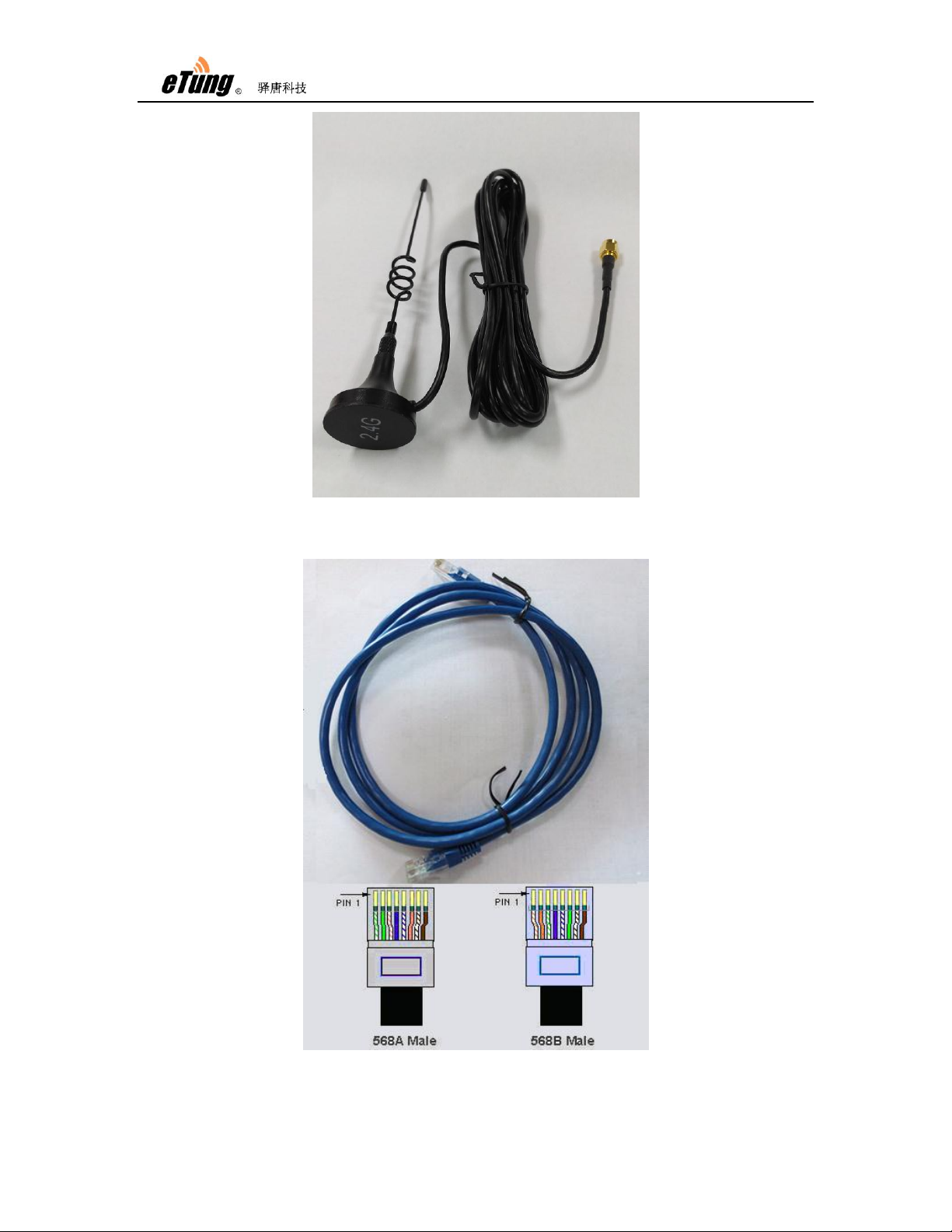
Figure 1-5: WIFI antenna
Figure 1-6: Cross cable

ER-701T User Manual
8
Figure 1-7: Power supply
1.4 Dimension
Figure 1-8: ER-701T dimension with shell
Currently, ER-701T has two optional installation accessories: orbit
type and flat type, as shown below.

ER-701T User Manual
9
Figure 1-9: Orbit type installation accessory
Figure 1-10: Flat type installation accessory
Using orbit type installation accessory: fix the orbit type installation
accessory on ER-701T’s two installation holes with screws, and then
install ER-701T on the orbit of machine room with orbit type
accessory.

ER-701T User Manual
10
Figure 1-11: Effect diagram of orbit type installation
Using flat type installation accessory: fix the flat type installation
accessory on ER-701T’s two installation holes with screws, and then
install ER-701T with the four installation holes on the installation
accessory.
Figure 1-12: Dimension of flat type installation accessory
Table of contents
Other eTung Wireless Router manuals