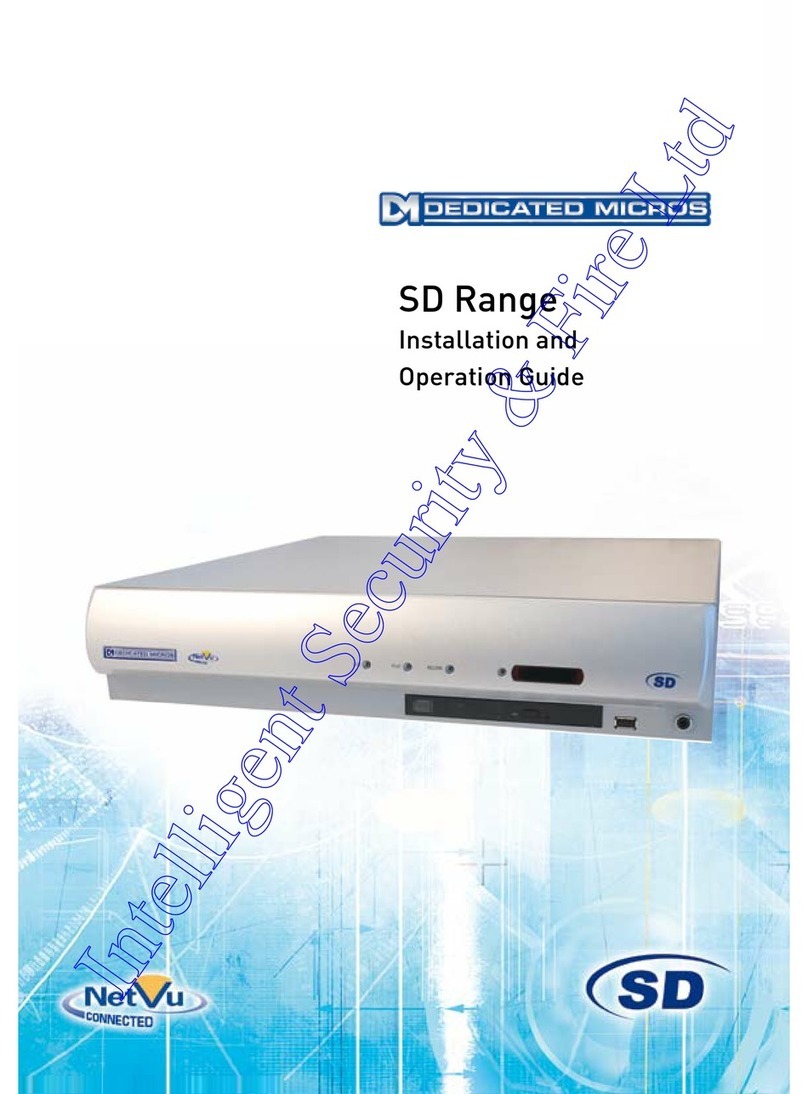
Dedicated Micros DV-IP HD Operating instructions

draft
DV-IP HD
Installation and
Operation Guide

draft
Dedicated Micros ©2008
2
DV-IP HD
Whilst every attempt is made to ensure these manuals are accurate and current, Dedicated Micros reserve the right to alter or
modify the specication of the machine described herein without prejudice.
Contents
Installing the Unit ..............................................................................................7
Installation ......................................................................................................10
Remote Control ..............................................................................................12
Installing the DV-IP HD Unit............................................................................15
Conguring the Unit .......................................................................................24
Navigating The Menus ....................................................................................25
System Settings ..............................................................................................26
Time and Date ................................................................................................31
Serial Ports .....................................................................................................32
Audio ..............................................................................................................33
Features .........................................................................................................34
Maintain ..........................................................................................................36
Console Settings ............................................................................................37
Display ............................................................................................................41
Camera Settings .............................................................................................46
Record Settings ..............................................................................................49
Alarm Settings ...................................................................................................... 57
Zone Actions ...................................................................................................61
Network Settings ............................................................................................66
Analytics & Text ..............................................................................................76
Archive ............................................................................................................78
Oracle Conguration .......................................................................................79
Using the IR Remote Control ........................................................................100
Appendix A ....................................................................................................105
Appendix B ...................................................................................................106
Appendix C ...................................................................................................108

draft
Dedicated Micros ©2008 3
DV-IP HD
Introduction
What is the…
DV-IP HD ?
A comprehensive digital recording solution, the DV-IP HD is a stand-alone high-performance
recording system offering reliable, networked, scalable CCTV with High Denition recording
capabilities at an affordable price.
The DV-IP HD is the ideal companion to the DM CamVu 2000, allowing multiple megapixel video
streams to be viewed and recorded simultaneously in high denition.
Ideal for installations were high record rates and network capabilities are required.The DV-IP HD
offers JPEG or MPEG-4 recording at scalable quality settings and global record rates of up to
200pps at 4CIF resolution.
Dedicated Micros renowned MultiMode record feature enables an operator to set different recording
rates, resolution and compression formats across scheduled, normal and alarm modes for each
individual camera.
Available with 8 camera inputs, all offering telemetry control, the DV-IP HD has built in Alarm
functionality and onboard Activity detection software.
To give operators maximum viewing exibility, the DV-IP HD can be congured to contain a mixture
of spot or main monitor outputs. Camera channels can be viewed in single or multi-screen mode on
a local monitor or remotely over an IP connection.
The accompanying Infra-Red (IR) Remote Control has a colour coded ‘Softkey’ interface with
conguration menus common to both local monitor and web interface, making for easy set-up and
operation.
Dedicated Micros trademark plug and play intuitive set-up and user-friendly interface helps keep
installation and operator training to a minimum.
The DV-IP HD includes as standard internal storage with expansion available via external high-
speed SATA ports. A DVD-R Writer and USB ports are provided for external video archiving.
The unit also offers integrated text support, allowing users to connect with cash registers in retail
applications to monitor Point Of Sale (POS) locations. Capturing and associating video with the
relevant text information allows the operator to search video footage by time, event, and text data to
provide evidence of fraud or to aid identication of regular offenders.
Among the many other features included as standard on the DV-IP HD are; multiway display, picture
in picture viewing and remote monitoring using NetVu ObserVer (utilising DM’s unique TransCoding
capabilities to provide uent live and replay images).
With telemetry control of up to 16 cameras (including coax telemetry), control of dome cameras,
audio recording, activity detection plus many more exciting features, the DV-IP HD is the ideal
product when high-performance video recording and transmission is required at an affordable cost.
For further information, please visit the website:
www.dedicatedmicros.com
or contact customer services in your region.

draft
Dedicated Micros ©2008
4
DV-IP HD
Features
The DV-IP HD from Dedicated Micros is equipped with an array of valuable features designed to
enhance the operator experience.
• 8, camera inputs
• Up to 200pps at QCIF to 4CIF resolution
• Telemetry support (Coax & Serial)
• I.P Camera support
•Megapixel camera support
•HDMI monitor support
• Alarm Inputs & Outputs
• Two way network intercom
•Internal storage
• All DVR functions fully supported by Keyboard/IR Remote Control/Mouse
• Scalable recording settings
• MultiMode Recording - Dynamically-switchable resolution, record-rate & compression
(MPEG4/JPEG) per camera
• Built in activity detection
• Single, Picture in Picture and Multiway displays
• Live and playback viewing locally and over Ethernet
•Point&go telemetry control
• JPEG or MPEG-4 recording and transmission
• Web pages provide easy remote conguration
• Embedded NetVu Console functionality
• Easy to use on-screen, colour coded softkey menu options
• Text support and text search features ideal for retail installations
• Built in DVD-R writer and USB ports for download of video archive to external ash
memory and uploading software updates
• Optional external keyboard available
• Conguration via USB mouse and USB QWERTY keyboard
•BS8418 compliant
The DV-IP HD has NetVu Connected technology built-in to ensure maximum compatibility with future
developments in networked security. NetVu Connected technology enables the DV-IP HD to fully
interact with other NetVu Connected compatible products from DM including the DVIP Decoder,
NetVu ObserVer and PDA Viewers. Providing interoperability between the worlds leading security
companies, NetVu Connected uses industry standard networking protocols supported by a wide
range of third party integration products and SDKs to ensure future on-going compatibility.
COMMON CONFIGURATION INTERFACE
A Common Conguration interface is displayed when the unit’s conguration screens are accessed
locally at the unit or remotely via a web browser. This unied system ensures that the installer is
familiar with the conguration screens irrespective of their location to the unit, minimising training
and familiarisation time and increasing the speed of installation and alteration.

draft
Dedicated Micros ©2008 5
DV-IP HD
The DV-IP HD includes a unique colour-coded, soft key menu structure and onscreen Graphical
User Interface (GUI). Context sensitive, the menu structure always represents the area of the menu
the user is in, allowing them to quickly select the options and settings they need without having to
trawl through menu pages and options. The colour coded buttons displayed on the monitor match
those on the IR Remote Control, whilst control can also be conducted through an attached USB
Mouse or supported Keyboard (KBC1 / KBC2).
VIDEO TIMELINE
The Video Timeline feature is a new intuitive interface for the control and navigation of playback
video. With control via the IR Remote Control or supported Keyboard, the colour-coded on-screen
display matches the buttons on the Remote Control or Keyboard allowing the user to control the
video forward or backwards in incremental steps of seconds, minutes, hours, days and weeks.
MAPS
Users can now navigate around their CCTV installation using graphical maps. Selecting the relevant
camera from the map will instantly connect the user to that cameras image stream. With the ability
to load bespoke map images and oor plans to reect their installations, the Maps feature is ideal for
quickly identifying camera locations around a site or CCTV network.
Point&go provides the user with easy to use, fast, accurate telemetry control via an attached
monitor. With no need for a telemetry keyboard, users are able to use Pan & Tilt control of a
Dedicated Micros Oracle Dome simply by clicking an area of the monitor. The camera will instantly
respond, positioning the selected area in the middle of the screen, ideal for tracking movement
through a scene.
ePTZ
Dedicated Micros ePTZ uses an advanced image ‘interpolation’ algorithm that reveals detailed
information that simple pixel-stretching digital zoom commands cannot. Users can operate ePTZ as
they would Analogue Zoom - moving around the scene and zooming in / out using the IR Remote
Control or a supported Keyboard - even on static analogue cameras. Electronic Zoom can be
carried out on both live and playback video. Providing the ability to retrospectively control and view
an image, a great aid in post-event analysis.
Absolute Positioning
Using Camera Selection Maps and the unique Absolute Positioning capability of Dedicated Micros
Oracle Dome cameras, an operator can, with one mouse click, select a camera and send it to view
an area of the site (Pan and tilt). Absolute Positioning is ideal for following someone from camera to
camera around a site and greatly increases event response time, particularly for operators unfamiliar
with a site layout and camera location.
Design of the manual
For ease of use, this manual has three parts:
1. Installation Shows details of how to install the unit and connect external devices.
2. Conguration Shows details of the units menus.
3. Operation Shows quick reference details on how to control the unit.
The order and layout of these pages has been designed to help the setup process. It is recommended
that the menus are edited in sequential order to enable accurate, easy and efcient

draft
Dedicated Micros ©2008
6
DV-IP HD
Important Safeguards
Read Instructions
All the safety and operating instructions should be read before the unit is operated.
Power Sources
This unit should be operated only from the type of power source indicated on the manufacturer’s
label.
Servicing
Do not attempt to service this unit yourself as opening or removing covers may expose you to
dangerous voltage or other hazards.
Refer all servicing to qualied service personnel.
Ventilation
Ensure unit is properly ventilated to protect from overheating.
All the safety and operating instructions should be read before the unit is operated.
To prevent re or shock hazard, do not expose this equipment to rain or moisture. The lightning ash
with arrowhead symbol within an equilateral triangle is intended to alert the user of this equipment
that there are dangerous voltages within the enclosure which may be of sufcient magnitude to
constitute a risk of electric shock.
This is a class A product. In a domestic environment this product may cause radio interference in
which case the user may be required to take adequate measures.
Lightning Strike
The unit has some in-built protection for lightning strike, however it is recommended that isolation
transformers be tted to the system in areas where lightning is a common occurrence.
Regulatory Notes and FCC and DOC Information
(USA and Canadian Models Only)
Warning: This equipment has been tested and found to comply with the limits for a Class A digital
device, pursuant to part 15 of the FCC rules. These limits are designed to provide reasonable
protection against harmful interference when the equipment is operated in a commercial
environment. This equipment generates, uses, and can radiate radio frequency energy and, if not
installed and used in accordance with the instruction manual, may cause harmful interference to
radio communications. Operation of this equipment in a residential area is likely to cause harmful
interference in which case the user will be required to correct the interference at their own expense.
If necessary, the user should consult the dealer or an experienced radio/television technician for
corrective action. The user may nd the following booklet prepared by the Federal Communications
Commission helpful: “How to Identify and Resolve Radio-TV Interference Problems”.
This booklet is available from the US Government Printing Ofce, Washington, DC20402,
Stock No. 004-000-00345-4.
This reminder is provided to call the CCTV system installer’s attention to Art. 820-40 of the NEC that
provides guidelines for proper grounding and, in particular, species that the cable ground shall be
connected to the grounding system of the building, as close to the point of cable entry as practical.

draft
Dedicated Micros ©2008 7
DV-IP HD
CE Mark
If this product is marked with the CE symbol it indicates compliance with all applicable directives.
Directive 89/336/EEC.
A ‘Declaration of Conformity’ is held at Dedicated Micros Ltd.,
1200 Daresbury Park, Daresbury, Cheshire, WA4 4HS, UK.
Laser
The unit supports an integrated CD/DVD writer, the following are additional warnings associated with
installing and operating the CD/DVD writer, please pay particular attention to this information.
• Caution - Use of controls or adjustments or performance of procedures other than those
specied herein may result in hazardous radiation exposure.
• To prevent exposure to laser emanations (harmful to the eyes), do not attempt to
disassemble this unit.

draft
Dedicated Micros ©2008
8
DV-IP HD
Installing the Unit
Before you start
Check the contents of the box
Remove all items from the packaging and check the items listed below are present.
• DV-IP HD DVR
• IR Remote Control
• IR Remote Control Extender
• Mouse
• Power Leads
• DV-IP HD Software disc
If any of these items are missing, please contact Dedicated Micros Technical Support team.
Note: Before installing the DV-IP HD carefully read all Safety Instructions and the following
information on where the unit should be located.
Available Accessories
The following accessories can also used in conjunction with the DV-IP HD.
• KBC1 Keyboard
• KBC2 Keyboard
• Managed Storage Unit - Extend storage capacity to 5TB
• Managed Continous Archiving - Mirrored RAID1 storage unit
For further information about any of the above products, please contact Dedicated Micros customer
services in your region.
Choosing a location for installation
• The DV-IP HD is designed to be desk, shelf or rack mounted. Rack mounting brackets
are available as an optional accessory.
• Ensure the DV-IP HD unit is properly ventilated to protect from overheating.
• Ensure there is a 3cm gap on both sides of the unit.
•Ensure the IR receiver on the front of the unit faces the operator position, and is not
more than 3 metres (10 feet) from the operator. An IR Remote Control Extender is also
available.
• Ensure the unit is not located anywhere it could be subject to mechanical shocks.
• The unit should be located in an area with low humidity and a minimum of dust. Avoid
places like damp basements or loft spaces.
• If the unit is to be installed in a closed assembly, the maximum operating temperature
must not exceed 40°C (104°F).
• Ensure there is reliable earthing of the mains outlet when tted to supply connections
(other than direct connection to the branch circuit).
• Any branch circuit supplying the unit must be rated at 15Amps.
• It is recommended that an uninterrupted power source be connected to the unit in case
of power failure (to ensure continuous operation of the unit).

draft
Dedicated Micros ©2008 9
DV-IP HD
Electrical Connections
Please ensure the following are available and have been tested prior to the installation:
• Mains point
• Network point
• Network cable
• Active video signals i.e. at least one working camera feed
• PC with CD ROM drive and connection to the same network as the DV-IP HD unit
(Recommended).
Quick Overview of DV-IP HD Record Settings CONFIRM BELOW INFO IS CORRECT
DV-IP HD units provide out of the box:
High performance recording on ALL cameras with minimal conguration.
Consistent recording duration and smooth motion video per camera regardless of the number of
cameras.
Default record settings for ‘Normal’ variant units is MPEG4 5pps, jPEG 1pps or MultiMode
recording.
Default record settings for ‘Medium’ variant units is MPEG4 2pps, jPEG 0.5pps or MultiMode
recording.
Default 14 or 30 day storage capacity.
Complete Flexibility
The advanced record menu can be used to congure individual cameras to suit specic
requirements e.g. Entry/Exit routes. Various storage sizes are available dependant on the number of
cameras, the storage options and recording rate selected.
The picture quality can easily be increased if less than 14 days standard recording is required.
Note: It is the Installer/Owner’s responsibility to ensure that the record duration is set to the
necessary requirements of the application.
MultiMode Recording
The unit supports MultiMode recording which is a storage technology developed by Dedicated
Micros. This offers the ability to set different recording rates, resolutions and compression formats
across scheduled, normal and alarm modes for each individual camera.
By varying the quality, bit rate and le size of the recorded images, the MultiMode function can
increase recording capabilities of the unit.
MultiMode offers:
Ability to set different recording resolutions.
Ability to set and switch MPEG or JPEG compression recording as required.
Ability to set PPS recording rate per camera.
Dynamically switchable resolution when switching from Normal to Event recording.
Dynamically switchable compression between MPEG4 and JPEG from Normal to Event
recording.

draft
Dedicated Micros ©2008
10
DV-IP HD
Installation
Front Panel connections
Data
DVD-R Internal DVD-R drive (located under hinged ap)
USB USB2.0 connector (located under hinged ap)
Socket Can be used to connect an external IR receiver to replace the internal unit (located
under ip down lid)
LED’s Power - The Power LED will be green to indicate power is connected to the unit
HDD (Hard Disk Drive) - This will ash when images are being stored to the hard disk
Network - The Network LED will be green to indicate a connection
Rear Panel connections
REARPANELDWGSERVER.EPS
Video
8. way unit
VID1 to VID8 75Ω BNC composite video input, 1V pk-pk with loop through
MON A 75Ω BNC composite monitor output, 1V pk-pk
MON B Spot Monitor output
MON A S Video Connection
HDMI 2x High-Denition Multimedia Interface connectiors
Audio
Audio IN (Dual) RCA (phono) socket, 8KHz/16KHz/22KHz sampling 75Ω input
impedance, 1V pk-pk
Audio OUT (Dual) RCA (phono) socket, line level <100Ω output impedance,1V pk-
pk amplication required
Table of contents
Other Dedicated Micros Recording Equipment manuals

Dedicated Micros
Dedicated Micros DV-IP Express Instruction Manual

Dedicated Micros
Dedicated Micros SD Range Operating instructions

Dedicated Micros
Dedicated Micros PICKAPOINT User manual

Dedicated Micros
Dedicated Micros SD Advanced Operating instructions

Dedicated Micros
Dedicated Micros PICKAPOINT User manual
Dedicated Micros
Dedicated Micros Digital Sprite Lite User manual