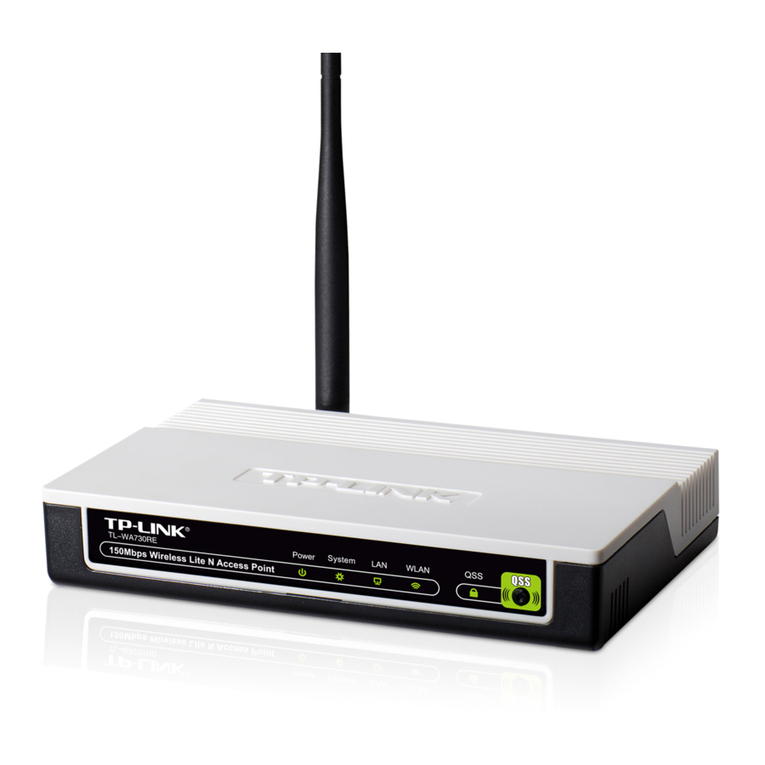
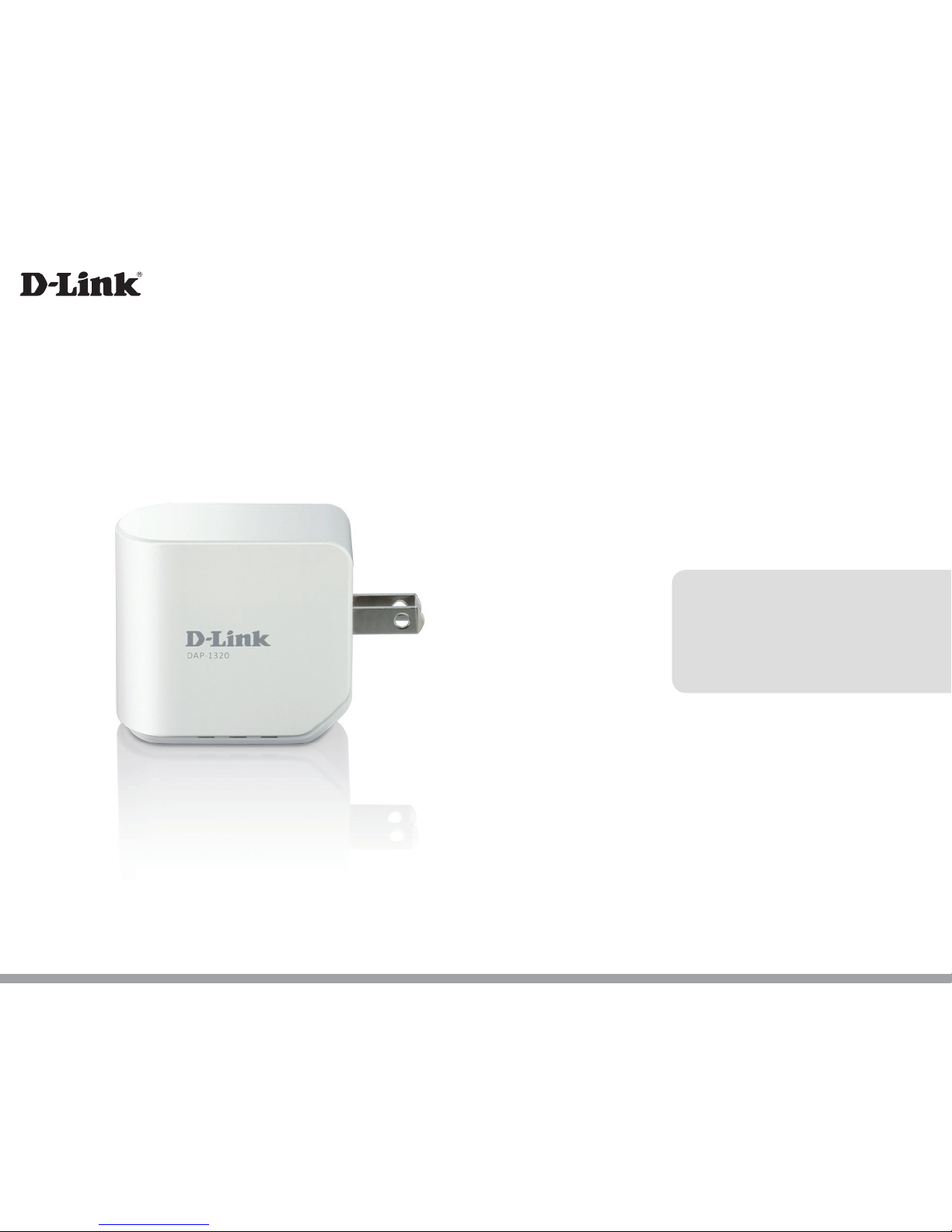
D-Link DAP-1320 User manual
Version 1.00
DAP-1320
User Manual
Wireless Range Extender N300
iD-Link DAP-1320 User Manual
D-Link reserves the right to revise this publication and to make changes in the content hereof without obligation to notify any
person or organization of such revisions or changes.
Manual Revisions
Trademarks
D-Link and the D-Link logo are trademarks or registered trademarks of D-Link Corporation or its subsidiaries in the United
States or other countries. All other company or product names mentioned herein are trademarks or registered trademarks of
their respective companies.
Copyright © 2012 by D-Link Corporation.
All rights reserved. This publication may not be reproduced, in whole or in part, without prior expressed written permission
from D-Link Systems, Inc.
This purpose of this product is to create a constant network connection for your devices. As such, it does not have a standby
mode or use a power management mode. If you wish to power down this product, please simply unplug it from the power
outlet.
Revision Date Description
1.0 October 24, 2012 • Initial release
Preface

iiD-Link DAP-1320 User Manual
Table of Contents
Preface ................................................................................. i
Manual Revisions ........................................................................... i
Trademarks ...................................................................................... i
Package Contents ......................................................................... 1
System Requirements ................................................................. 2
Introduction ................................................................................... 3
Features ............................................................................................ 4
Hardware Overview .....................................................................5
Front/Top .................................................................................5
Side and Bottom ................................................................... 6
Wireless Installation Factors ..................................................... 8
Setting Up Your DAP-1320 ................................................9
One-Touch AP Conguration .................................................10
Web-based Conguration .......................................................11
QRS Mobile App Setup .............................................................12
Web-based Conguration ...............................................16
Setup ...............................................................................................16
Setup Wizard ........................................................................16
Using the WPS method ...............................................18
Using the manual method .............................................21
Wi-Fi Setup ............................................................................23
Extended Wi-Fi Setup ........................................................25
Maintenance ................................................................................29
Admin .....................................................................................29
System ....................................................................................30
Firmware ................................................................................31
Time .........................................................................................32
Status ..............................................................................................33
Device Info ............................................................................33
Logs .........................................................................................34
Statistics .................................................................................35
IPv6 ..........................................................................................36
Help .................................................................................................37
Menu .......................................................................................37
Connecting a Wireless Client ..........................................38
WPS Button ...................................................................................38
Windows® 7 ...................................................................................39
WPA/WPA2 ............................................................................39
Windows Vista® ............................................................................42
WPA/WPA2 ............................................................................43
Windows® XP ................................................................................45
WPA/WPA2 ............................................................................46
Troubleshooting ..............................................................48
Wireless Basics .................................................................50
What is Wireless? .........................................................................51
Tips ...................................................................................................53
Technical Specications ..................................................54
GPL Code Statement........................................................55
Safety Statements ...........................................................70
Table of Contents

1D-Link DAP-1320 User Manual
Section 1 - Product Overview
Package Contents
DAP-1320 Wireless Range Extender N300
Wi-Fi Conguration Card
If any of the above items are missing from your package, please contact your reseller.
2D-Link DAP-1320 User Manual
Section 1 - Product Overview
Network Requirements
• An Ethernet-based Cable or DSL modem
• IEEE 802.11n or 802.11g wireless clients
Web-based Conguration
Utility Requirements
Computer with the following:
• Windows®, Macintosh, or Linux-based operating system
• Wireless card
Browser Requirements:
• Internet Explorer 7 or later
• Firefox 12.0 or later
• Safari 4 or later
• Google Chrome 20.0 or later
Windows® Users: Make sure you have the latest version of Java
installed. Visit www.java.com to download the latest version.
System Requirements

3D-Link DAP-1320 User Manual
Section 1 - Product Overview
Introduction
TOTAL PERFORMANCE
Combines wireless repeater features and Wireless N300 technology to provide the best wireless performance.
TOTAL COVERAGE
Provides greater wireless signal rates even at farther distances for best-in-class whole home coverage.
ULTIMATE PERFORMANCE
The D-Link Wireless N300 Range Extender (DAP-1320) lets you extend a secure wireless network throughout your home. Connect the
DAP-1320 to a router and share your high-speed Internet access with everyone on the network.
TOTAL NETWORK SECURITY
The DAP-1320 supports wireless security features to prevent unauthorized access, be it from over the wireless network or from the
Internet. Support for WPA/WPA2 standards ensure that you’ll be able to use the best possible encryption method, regardless of your
client devices.
* Maximum wireless signal rate derived from IEEE Standard 802.11n and 802.11g specications. Actual data throughput will vary. Network conditions and environmental factors,
including volume of network trac, building materials and construction, and network overhead, lower actual data throughput rate. Environmental conditions will adversely
aect wireless signal range.

4D-Link DAP-1320 User Manual
Section 1 - Product Overview
• Faster Wireless Networking - The DAP-1320 provides a wireless connection of up to 300 Mbps* with other
802.11n wireless clients. This capability allows users to participate in real-time activities online, such as video
streaming, online gaming, and real-time audio.
• Compatible with 802.11g/b Devices - The DAP-1320 is still fully compatible with the IEEE 802.11g/b standards,
so it can connect with existing 802.11g/b devices.
• User-friendly Setup Wizard - Through its easy-to-use Web-based user interface, the DAP-1320 lets you control
what information is accessible to those on the wireless network. Congure your repeater to your specic settings
within minutes.
* Maximum wireless signal rate derived from IEEE Standard 802.11n and 802.11g specications. Actual data throughput will vary. Network conditions and environmental factors,
including volume of network trac, building materials and construction, and network overhead, lower actual data throughput rate. Environmental conditions will adversely
aect wireless signal range.
Features
5D-Link DAP-1320 User Manual
Section 1 - Product Overview
Hardware Overview
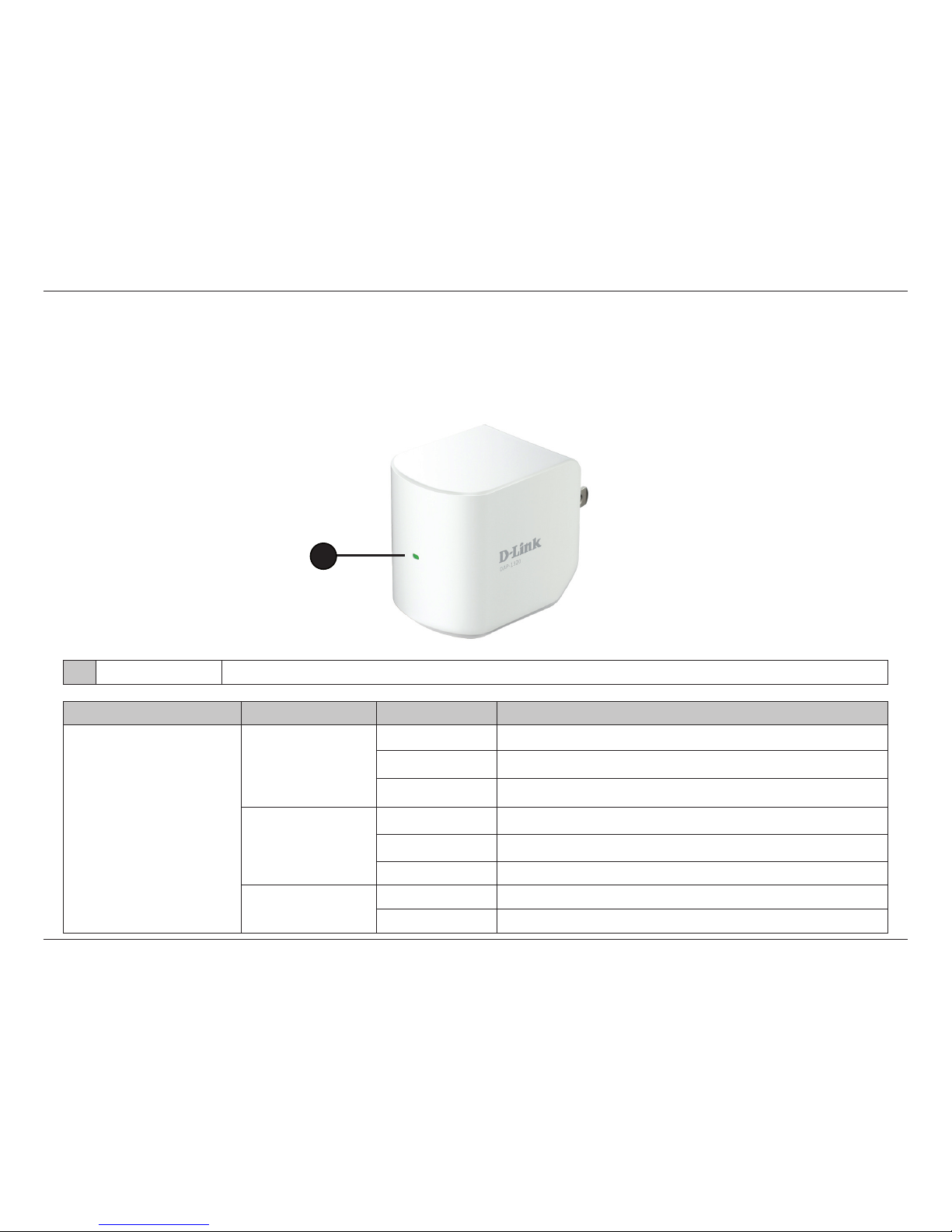
Front/Top
1LED Indicator This indicates the current status of the DAP-1320, as detailed in the table below.
LED Indicator Color Status Description
Power/Status
Green
Solid Green The device is powered ON and operating properly
Blinking Green The device is processing WPS
Light o The device is powered o
Red
Solid Red During the Power ON process or if system is defective
Blinking Red The device is under Recovery Mode or the device has malfunctioned
Light o The device is powered o
Orange
Blinking Orange Cannot connect or provision an IP address from the uplink router
Light O The device is powered o
1
6D-Link DAP-1320 User Manual
Section 1 - Product Overview
Hardware Overview
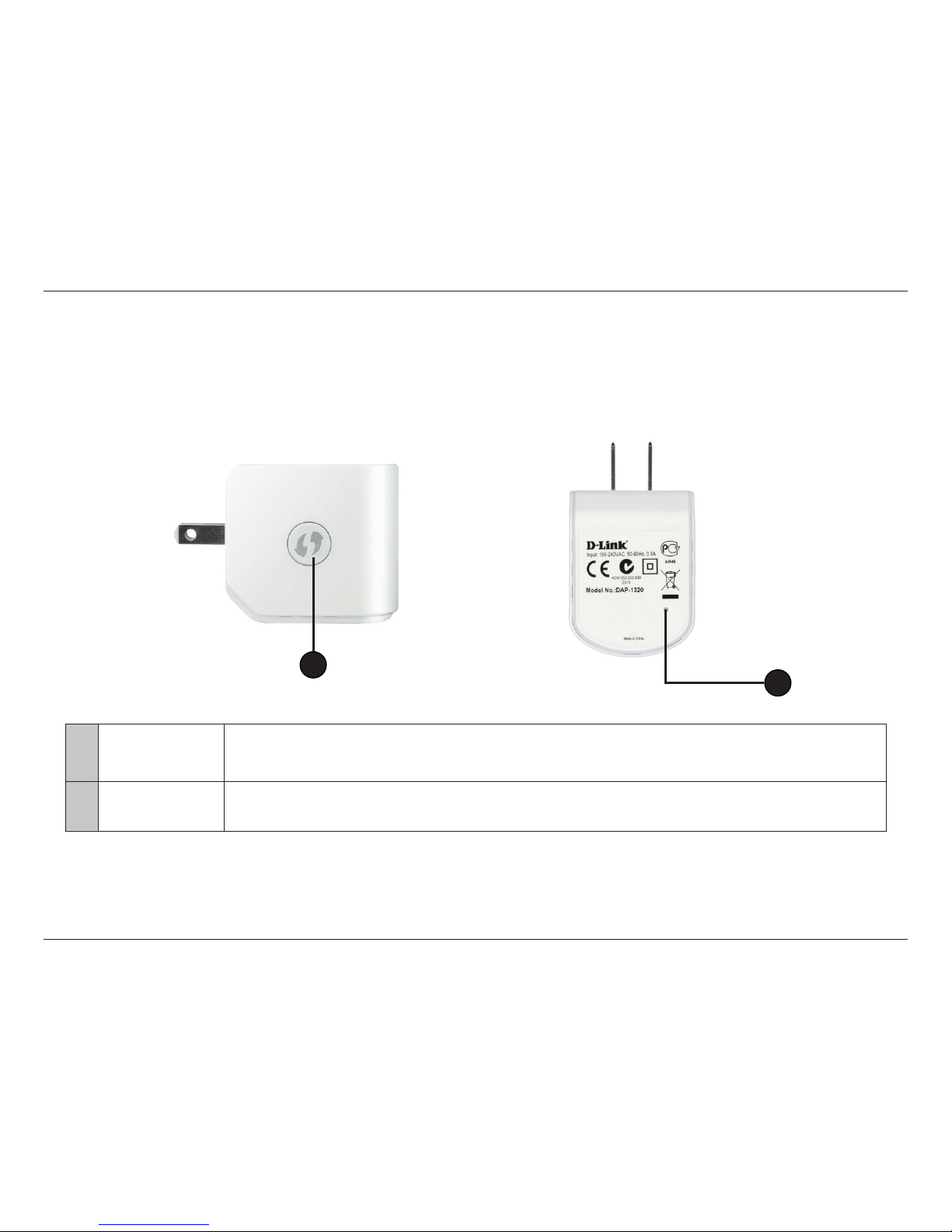
Side and Bottom
1WPS Button 1. Pressing the WPS button for 5 seconds allows you to set up the DAP-1320 through One-Touch AP Congutation.
2. Pressing the WPS button for 1 second allows you to connect with Wi-Fi clients.
2Reset Button Pressing the Reset Button allows you to reset the DAP-1320 to factory default settings.
12
7D-Link DAP-1320 User Manual
Section 1 - Product Overview
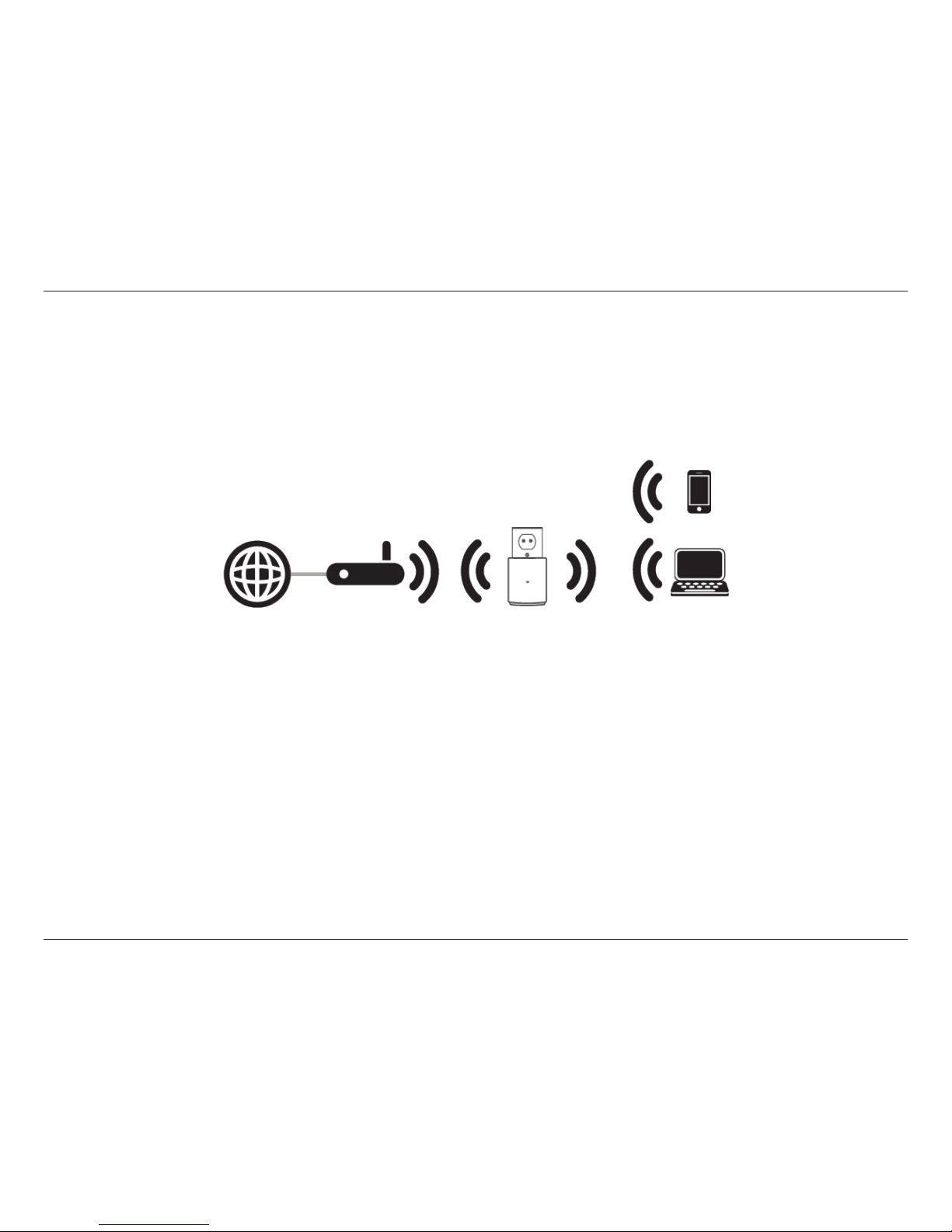
The DAP-1320 acts as a repeater to extend the range of an existing wireless network to provide better signal for parts of your
home or oce that may have poor reception.
Internet Wireless Router Wireless Devices
Other manuals for DAP-1320
14
Table of contents
Other D-Link Extender manuals

D-Link
D-Link DAP-1320 User manual

D-Link
D-Link DAP-1720 User manual

D-Link
D-Link DHP-W311AV User manual

D-Link
D-Link DRA-2060 Manual

D-Link
D-Link DAP-1620 User manual

D-Link
D-Link DAP-X1870 User manual

D-Link
D-Link DAP-1530 User manual

D-Link
D-Link DAP-1530 User manual

D-Link
D-Link DAP-1360 User manual

D-Link
D-Link DAP-1610 User manual

D-Link
D-Link DAP-1955 User manual

D-Link
D-Link DAP-1320 User manual

D-Link
D-Link AC1200 User manual

D-Link
D-Link DAP-X1870 User manual

D-Link
D-Link DHP-W220AV User manual

D-Link
D-Link DHP-W306AV User manual

D-Link
D-Link DAP-1610-US User manual

D-Link
D-Link DAP-1520 User manual

D-Link
D-Link DCH-M225 User manual

D-Link
D-Link E15 User manual