Comset CM550W-POE 5G Router User Guide
4
Port Instructions Remark
Wi-Fi 2.4GHz Wi-Fi, 5GHz Wi-Fi. Dual-band
antennas, SMA connectors.
LAN0~LAN4 10/100/1000Base-TX,MDI/MDIX self-
adaption, LAN1 & LAN2 for PoE and PoE+.
Reset Reset button. Press and hold for at least 5
seconds.
PWR Power connector. 44~57VDC
for PoE
IO Interface 5xPins. 2 x DI, 2 x DO and GND.
Terminal Block 1 x RS232,1 x RS485, 1 x DC Power.
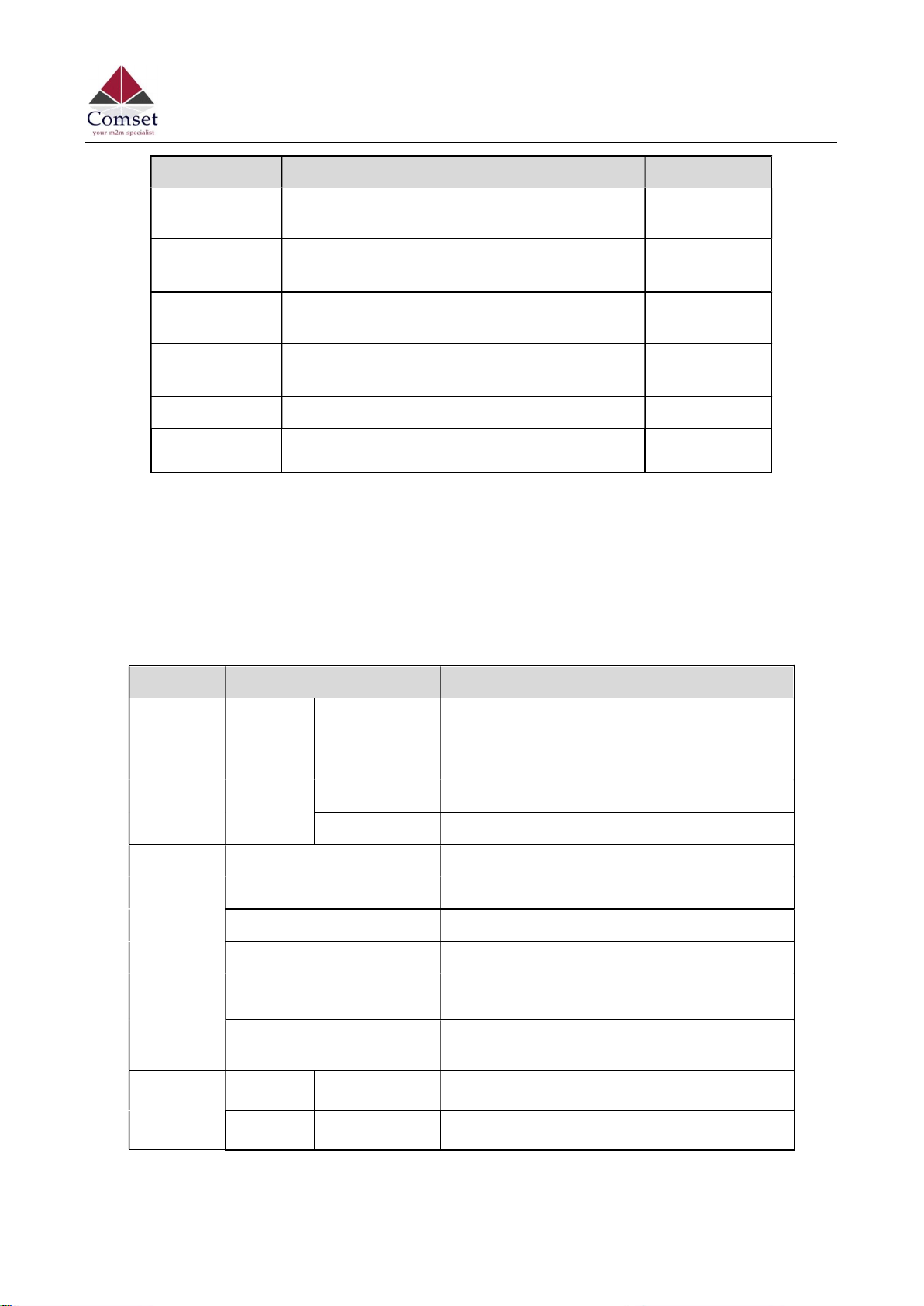
1.2 LED Status
Table 1-3 Router LED indicator Status
silk-screen
status Description
Signal
Signal Solid light LED1 indicates signal is weak (CSQ0~10)
LED2 indicates signal is good (CSQ11~19)
LED3 indicates signal is strong (CSQ20~31)
Signal 1
Blinking Dialing.
Solid light Online.
PWR Solid light System power operation.
WLAN
Solid light WLAN enabled, but no data communication.
Blinking rapidly Data is being transmitted.
Light off WLAN disabled.
ERR
Light off System in operation and 5G/4G is online.
Solid light (Red) System fail indicator. This indicates failure with
the SIM card and/or the module.
LAN
Green Solid light Connected.
Green Blinking Data is being transmitted.