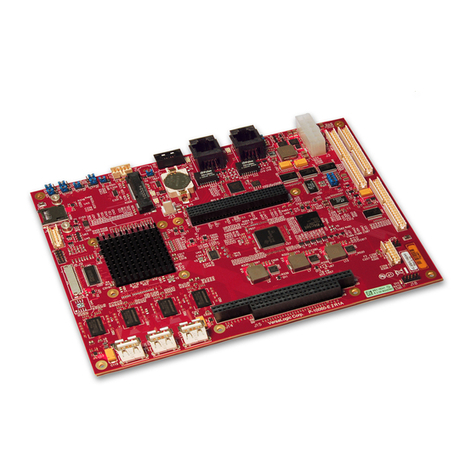
Commell HS-870S User manual

HS-870S
Half-size Single Board Computer
User’s manual
Edition 1.0
2008/11/05

HS-870S User’s Manual Preface
2
Copyright
CopyrightP
©
P2008. All rights reserved. This document is copyrighted and all rights are
reserved. The information in this document is subject to change without prior notice to
make improvements to the products.
This document contains proprietary information and protected by copyright. No part of
this document may be reproduced, copied, or translated in any form or any means
without prior written permission of the manufacturer.
All trademarks and/or registered trademarks contains in this document are property of
their respective owners. Disclaimer
The company shall not be liable for any incidental or consequential damages resulting
from the performance or use of this product.
The company does not issue a warranty of any kind, express or implied, including
without limitation implied warranties of merchantability or fitness for a particular
purpose.
The company has the right to revise the manual or include changes in the specifications
of the product described within it at any time without notice and without obligation to
notify any person of such revision or changes.
Trademark
All trademarks are the property of their respective holders.
Any questions please visit our website at TUhttp://www.commell.com.twUT.

HS-870S User’s Manual Packing List
3
Hardware:
HS-870S Single Board Computer x 1
Cable Kit:
40-pin ATA100 IDE flat cable x 1 Floppy flat cable x 1
DB25 & DB9 cable with bracket x 1 Dual USB cable with bracket x 1
Audio cable with bracket x 1
CPU Cooler x 1
4-pin to 3-pin ATX cable x 1 PS/2 Keyboard & Mouse Cable x 1
Other Accessories:
Divers CD (including User’s Manual)

HS-870S User’s Manual Index
4
Index
TUChapter1 <Introductions>UT ....................................................................................7
TU1.1 <Product Overview>UT .................................................................................7
TU1.2 <Product Specification>UT ...........................................................................8
TU1.3 <Component Placement>UT ......................................................................10
TU1.4 <Block Diagram>UT .................................................................................... 11
TUChapter 2 <Hardware Setup>UT .............................................................................13
TU2.1 <Connectors Location>UT ..........................................................................13
TU2.2 <Jumper Reference>UT .............................................................................14
TU2.3 <Connectors Reference>UT .......................................................................15
TU2.3.1 <Internal Connectors>UT ................................................................15
TU2.3.2 <External Connector>UT.................................................................15
TU2.4 <System Setup>UT .....................................................................................16
TU2.4.1 <CPU setup>UT ..............................................................................16
TU2.4.2 <Memory Module setup>UT ............................................................17
TU2.4.3 <CPU cooler setup>UT ...................................................................18
TU2.4.4 <Complete the system installation>UT ...........................................19
TU2.5 <CMOS Setup>UT ......................................................................................20
TU2.6 <Watchdog Timer Setting>UT .....................................................................21
TU2.7 <Embedded Solid State Disk>UT ...............................................................22
TU2.8 <Power and Fan Setup>UT ........................................................................23
TU2.9 <Display Interface>UT ................................................................................24
TU2.9.1 <Analog VGA interface>UT .............................................................24
TU2.9.2 <Digital VGA interface>UT ..............................................................25
TU2.10 < Ethernet Network Interface>UT .............................................................29
TU2.11 <Audio Interface>UT .................................................................................30
TU2.12 <GPIO interface>UT .................................................................................31
TU2.13 <Switch and Indicator>UT.........................................................................32

HS-870S User’s Manual Packing List
5
TUChapter 3 <Display Mode Setup>UT ......................................................................33
TUChapter 4 <BIOS Setup>UT ....................................................................................37
TUAppendix A <I/O ports pin assignment>UT ...........................................................39
TUA.1 <IDE Port>UT .............................................................................................39
TUA.2 <Floppy Port>UT ........................................................................................41
TUA.3 < Parallel Port>UT ......................................................................................42
TUA.4 <Serial Port>UT ..........................................................................................43
TUA.4.1 <External DB9 COM>UT ................................................................43
TUA.4.2 <Internal COM2>UT........................................................................43
TUA.5 <USB Port>UT ............................................................................................44
TUA.6 <IrDA Port>UT ............................................................................................44
TUA.7 <VGA Port>UT ............................................................................................45
TUA.8 <LAN Port>UT ............................................................................................45
TUA.9 <AT Keyboard Port>UT ..............................................................................46
TUA.10 <PS/2 Keyboard & Mouse Port>UT..........................................................46
TUAppendix B <Flash BIOS>UT..................................................................................47
TUB.1UT TUBIOS Auto Flash ToolUT ......................................................................47
TUB.2UT TUFlash MethodUT...................................................................................47
TUAppendix C <Watchdog Timer Programming Guide>UT .....................................49
TUContact InformationUT ............................................................................................53

HS-870S User’s Manual
6
(This Page is Left for Blank)

HS-870S User’s Manual Introduction
Product Overview 7
Chapter1 <Introductions>
1.1 <Product Overview>
The HS-870S is an all-in-one single board computer with V us. Based on Intel Mobile
solutions with 855GME chipset, it supports Intel Pentium M processor with socket479,
DDR266/333 SDRAM up to 1GB of capacity, Intel Extreme Graphics 2 Technology of
onboard VGA display interface, AC97 2 channel audio, USB2.0 interface and one Gigabit
Ethernet controller.
To be a powerful multimedia platform, HS-870S is also integrated with 24-bit dual channel
LVDS interface and one Compact Flash Type II socket. For these features HS-870S can be
easily used for industrial multimedia platform like POS or KIOSK system.
Powerful Embedded System
HS-870S also supports Intel Pentium M FC-BGA2 for embedded, you can choose it for
lower voltage and power consumption, further more, and it can be done for fan free system.
With one compact flash type II socket, you can port embedded operating system like
windows CE.net or Linux Embedded for it.
Hi-Speed USB 2.0 Interface
Intel ICH4 built-in Hi-Speed USB 2.0 controller let HS-870S offering up to 480Mbps of
Hi-Speed USB 2.0 interfaces.

HS-870S User’s Manual
8
1.2 <Product Specification>
General Specification
Form Factor Half-size ISA CPU card
CPU Intel Pentium M Processor with FC-PGA478/FC-BGA479
Battery Mode is not supported
Intel Speed Step Technology function is not supported
( The Intel® Celeron® M Processor 4xx series have been
designed to work with the Mobile Intel® 945 Express Chipset
Family only .)
Memory 1GBytes DDR200/266/333 SDRAM on one 184-pin DIMM socket
ECC is supported
Chipset Intel 82855GME GMCH and 82801DB ICH4
BIOS Phoenix-Award v6.00PG 4Mb PnP flash BIOS
Green Function Power saving mode includes doze, standby and suspend modes.
ACPI version 1.0 and APM version 1.2 compliant
Watchdog Timer System reset programmable watchdog timer with 1 ~ 255
sec./min. of timeout value
Real Time Clock Intel ICH4 built-in RTC with lithium battery
Enhanced IDE PCI enhanced IDE interface supports dual channels and up to 4
ATAPI devices at UltraATA/100
One 40-pin and one 44-pin IDE port
DiskOnModule (DOM) embedded flash disk up to 1GBytes
Multi-I/O Port
Chipset Intel 82801DB ICH4 and Winbond W83627HF-AW LPC Super I/O
controller
Serial Port One external and one internal RS-232 serial ports with 16C550
compatible UART and 16 bytes FIFO
USB Port Two Hi-Speed USB 2.0 ports with 480 Mbps of transfer rate
Parallel Port One internal bi-direction parallel port with SPP/ECP/EPP mode
Floppy Port One FDD port supports up to two FDD
IrDA Port One IrDA compliant Infrared interface supports SIR
K/B & Mouse External PS/2 keyboard and mouse ports on rear I/O panel
One internal AT keyboard port
GPIO One 12-pin Digital I/O connector with 8-bit programmable I/O
interface
VGA Display Interface
Chipset Intel 855GME GMCH built-in Intel Extreme Graphics 2
With 266 MHz VGA core and 256-bit 3D engine
Memory Intel dynamic video memory up to 64Mbytes shared with system
Display Type CRT, LCD monitor and analog display

HS-870S User’s Manual Introduction
Product Specification 9
Connector External DB15 female connector on rear I/O panel
Internal 40-pin LVDS connector
Ethernet Interface
Chipset Intel PRO/1000+ LAN interface with Intel 82540EM
Type 10Base-T / 100Base-TX/1000Base-T,
auto-switching Fast Ethernet
Full duplex, IEEE802.3U compliant
Connector External RJ45 connector with LED on rear I/O panel
Audio Interface
Chipset Intel ICH4 with Realtek ALC201A AC97 3D audio codec
Interface 2 channel 3D audio with Line-in, Line-out and MIC-in
Connector Internal 10-pin header for line-in/-out, MIC-out, 4-pin header for
CD-in
Solid State Disk Interface
Flash Type Compact Flash Type-I/II for CFC (Compact Flash Card) or IBM
MicroDrive
Capacity Up to 1 GB flash memory
Power and Environment
Power
Requirement 4-pin onboard +5V/+12V power connector
ATX function Onboard 3-pin PS-ON & 5V standby connector
Dimension 185 (L) x 127 (H) mm
Temperature Operating within 0 ~ 60P
o
PC (32 ~ 140P
o
PF)
Storage within -20 ~ 85P
o
PC (-4 ~ 185P
o
PF)
Ordering Code
HS-870S Half-size ISA bus single board computer with Intel Socket 479
Pentium-M processor Motherboard with Intel onboard VGA,
Gigabit LAN, Audio, Hi-Speed USB 2.0, Compact Flash socket
and LVDS interface.
For further product information please visit the website at TUhttp://www.commell.com.twUT

HS-870S User’s Manual
Component Placement
10
1.3 <Component Placement>
Intel Pentium M Processor
at 400MHz FSB 1 x DDR266/333 DIMM
u
p
to 1GB ICH4
Intel 855GME BIOS
Compact Flash Socket
Audio Codec
Table of contents
Other Commell Single Board Computer manuals