FT PLA UX 01 8
GROUP S.p.A.
E GLISH
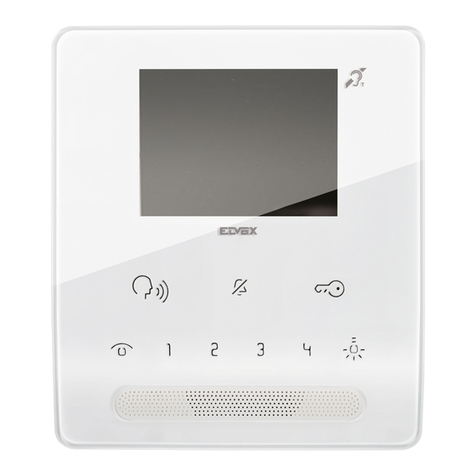
DESCRIPTIO OF THE MO ITOR
1Audio key. Activates or de-activates conversation with the external unit.The LED flashes to indicate
that a call has been received. The LED illuminates to indicate that a conversation is in progress.
2Door lock key: Use this key to open the corresponding door lock. The LED flashes to indicate that
a call has been received.
3Menu key: Use this key to access and exit the menu, and to go back one level in the menu.
4Confirm key: Confirms the selection made and provides access to the next menu level.
5avigation keys: Use these keys to scroll through the headings and modify the value of the
selected heading.
6Switchboard call key (programmable).
7Generic actuator key (programmable).
8Self-ignition key (programmable).
9Privacy / Doctor function key.
• The Privacy function disables calls from the external unit and switchboard.
• The Doctor function enables automatic activation of the lock-release in response to a call from
the external unit.
The red LED indicates that the selected function is active.
OTE If, after a key is pressed, it flashes for 4 seconds, this means the function is not available or the
system is busy.
TABLE OF CO TE TS
DESCRIPTIO OF THE MO ITOR Page 8
MO ITOR SETTI GS A D PROGRAMMI G
Using the manual Page 9
Setting the language Page 9
Programming key and Page 9
Programming and disabling the Self-ignition key Page 10
Programming the Privacy / Doctor key Page 10
Renaming headings (Actuator and Camera menus) Page 11
Displaying the software version Page 11
Entering the Programmer menu Page 12
Setting actuator codes Page 12
Setting camera codes Page 13
Changing the menu language Page 13
Resetting the system Page 13