
Columbia GM22-SVP User manual
COLUMBIA
OPERATIONS MANUAL
GM22-SVP
General Mobile Radio Service
22 Channel 2-Way Radios
With CTCSS security
GMRS/FRS Frequencies
Voice-Activated
Earpiece Included
Owners Manual
and Instructions

2
GMRS LICENSE
USE OF THIS RADIO WITHIN THE UNITED STATES REQUIRES
AN FCC GMRS LICENSE . AN INDIVIDUAL 18 YEARS OF AGE
OR OLDER , WHO IS NOT A REPRESENTATIVE OF A FOREIGN
GOVERNMENT , IS ELIGIBLE TO APPLY FOR A GMRS SYSTEM
LICENSE . YOU WILL NEED TWO FORMS FROM THE FCC; FCC
FORM 159 AND FCC FORM 605 MAIN FORM AND SCHEDULE F.
YOU CAN FIND THE FORMS ONLINE
AT:HTTP// WWW.FCC.GOV/FORMPAGE.HTWL ,OR CALL 1-800-
418-3676.
To maintain compliance with the FCC`s RF exposure guidelines,
hold the transmitter at least 1 inch (2.5 centimeters) from your face
and speak in a normal voice, with the antenna pointed up and
away. If you wear the handset on your body while using the
headset accessory, DO NOT TRANSMIT.
The GM-22 supplied belt clip is for storage purposes ONLY. Use
only the supplied antenna.
Unauthorized antennas, modifications, or attachments could
damage the transmitter and may violate FCC regulations.
Normal Position :Hold the transmitter approximately 1” from your
face and speak in a normal voice, with the
antenna pointed up .
MODIFICATIONS OR CHANGES NOT EXPRESSLY APPROVED
BY COLUMBIA TELECOMMUNICATIONS, INC. COULD VOID THE
USER`S AUTHORITY TO OPERATE THE EQUIPMENT.
CAUTONS

3
Your radio generates RF electromagnetic energy during transmit mode . This radio
is designed for and classified as “ Occupational Use Only “ ,meaning it must be
used only during the course of employment by individuals aware of the hazards ,
and the ways to minimize such hazards . This radio is NOT Intended for use by the
General Population in an uncontrolled environment .
This radio is not designed for use by the general population and is restricted to
occupational users only, where the operator has control of his or RF exposure .
Safety Information For GMRS UNIT
Your wireless handheld portable transceiver contains a low power transmitter. When
the TALK button is pushed it sends out radio frequency (RF) signals . This device is
authorized to operate at a duty factor not to exceed 50% In August 1996,the Federal
Communications Commission (FCC) adopted RF exposure guidelines with safety
levels for handheld wireless devices.
To ensure that your exposure to RF electromagnetic energy is within the FCC
allowable limits for occupational use ,always adhere to the following guldeilnes:
. DO NOT operate the radio without a proper antenna attached , as this may
damage the radio and also cause you to exceed FCC RF exposure limits . A proper
antenna is the antenna supplied with this radio by the manufacturer or an antenna
specifically authorized by the manufacturer for use with this radio.
. DO NOT transmit for more than 50% of total radio use time (50% duty cycle)
Transmitting more than 50% of the time can cause FCC RF exposure compliance
requirements to be exceeded.
.ALWAYS use authorized accessories antennas, batteries,belt clips, speaker/mic,
etc). Use of unauthorized accessories can cause the FCC RF exposure
compliance requirements to be exceeded.
ALWAYS keep the antenna at least 2.5cm (1 inch) away from the body when
transmitting ,If you wear the handset on your body while using the headset
accessory, DO NOT TRANSMIT. The GM-22 supplied belt clip is for storage
purposes ONLY. This is to ensure FCC RF exposure compliance requirements are
not exceeded. To provide the recipients of your transmission the best sound quality,
hold the antenna at least 5cm(2 inches) from the mouth, and slightly off to one side.
SAFETY TRAINING INFORMATION

4
ADJUSTMENT: REPLACEMENT or substitution of transistors,
regular diodes or other parts of a unique nature, with parts other
than those recommended by Columbia, may cause a violation of
the technical regulations of part 95 of the FCC Rules, or violation of
Type Acceptance requirements of Part 2 of the Rules.
NOTE: This equipment has been tested and found to comply with
the limits for a Class B digital device, pursuant to Part 15 of the
FCC Rules These limits are designed to provide reasonable
protection against harmful interference in a residential installation.
This equipment generates, uses and can radiate radio frequency
energy and, if not installed and used in accordance with the
instructions, may cause harmful interference to radio
communications. However, there is no guarantee that interference
will not occur in a particular installation. If this equipment does
cause harmful interference to radio or television reception, which
can be determined by turning the equipment off and on, the user is
encouraged to try to correct the interference by one or more of the
following measures:
• Reorient or relocate the receiving antenna.
• Increase the separation between the equipment and
receiver.
• Consult the dealer or an experienced radio/TV technician
for help.
This device complies with Part 15 of the FCC Rules. Operation is
subject to the following condition: this device must accept any
interference received, including interference that may cause
undesired operation.
FCC Warnings

5
Contents
FCC Warnings ..................................................... 4
Contents .............................................................. 5
Introduction ......................................................... 6
Controls and displays ....................................... 6
Component Guide ............................................... 7
Setting Up Your GMRS/FRS Radio .................... 8
Battery Installation ............................................ 8
Battery Meter ................................................... 9
Low Battery Indicator ....................................... 9
Operation .......................................................... 11
Turning on your GMRS/FRS .......................... 11
Communication .............................................. 11
Receiving communications............................. 11
Respond prompt tone ..................................... 12
Channel selection .......................................... 13
Frequencies ................................................... 13
Interference Elimination Codes ...................... 14
Transmit Power Hi/Low..................................15
To speak directly to another radio .................. 15
Range ............................................................ 16
Calling (Paging) another radio ....................... 16
Special Features ............................................... 18
Automatic Squelch ......................................... 18
Monitor........................................................... 18
Channel Lock ................................................. 19
Channel Scan ................................................ 19
Automatic Battery Save .................................. 20
VOX Selection ............................................... 20
External Microphone/Speaker Jacks .............. 20
Customer Support ............................................ 21
Channel Frequencies and Code Charts .......... 22
Warranty ........................................................... 23
6
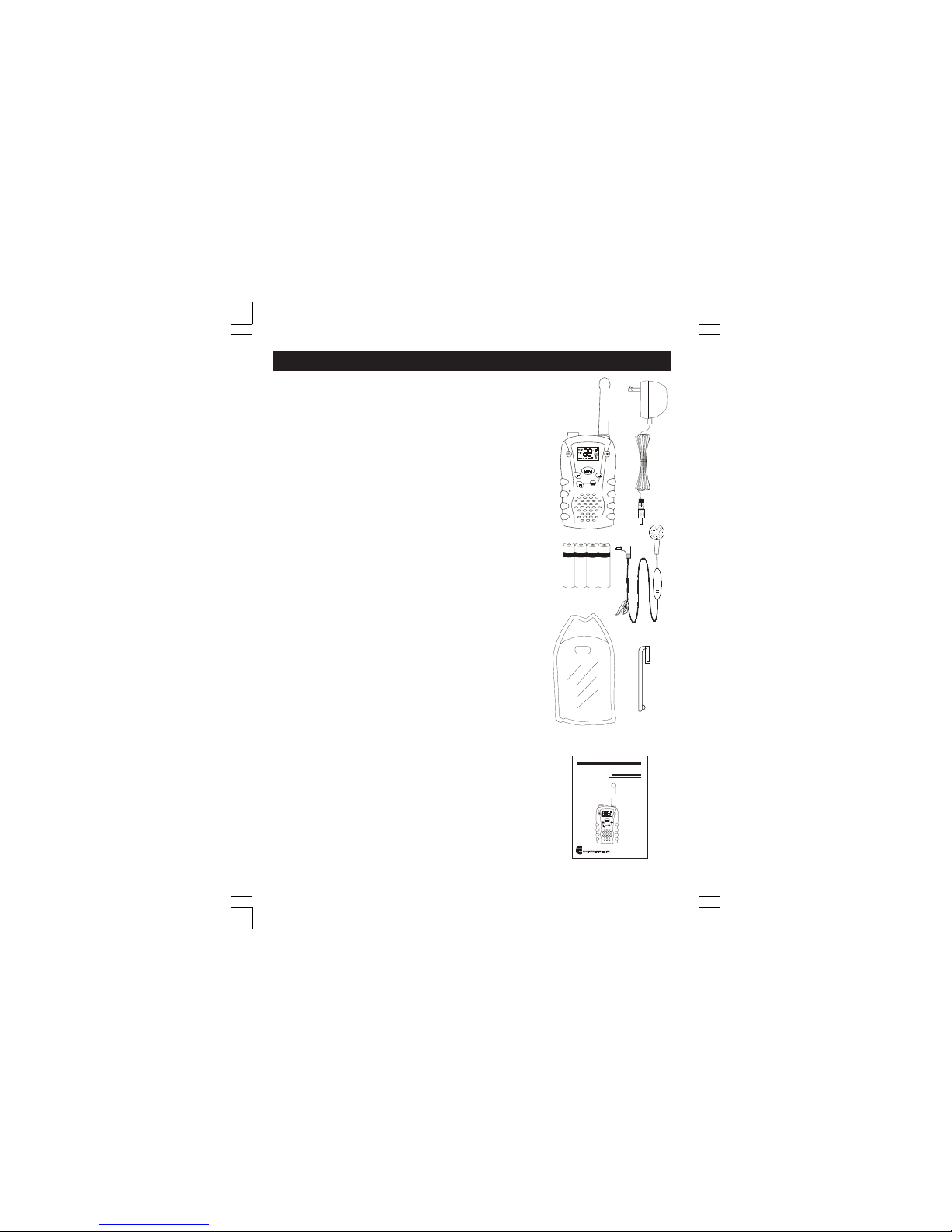
Included in your package
When you unpack your GM-22 radios,you
should find the following items enclosed in the
package.
* 2 pieces GM-22 radio
* 8 X AAA Rechargeable Batteries
* 2 Cases
* 2 Adaptors
* 2 VOX microphone earpieces
* Belt clip (attached)
* This manual
Please check for these carefully.If any items are
missing, please call COLUMBIA
Telecommunications Customer support at 1-800-
889-7434 between 9am and 5pm EST (Eastern
Standard Time).
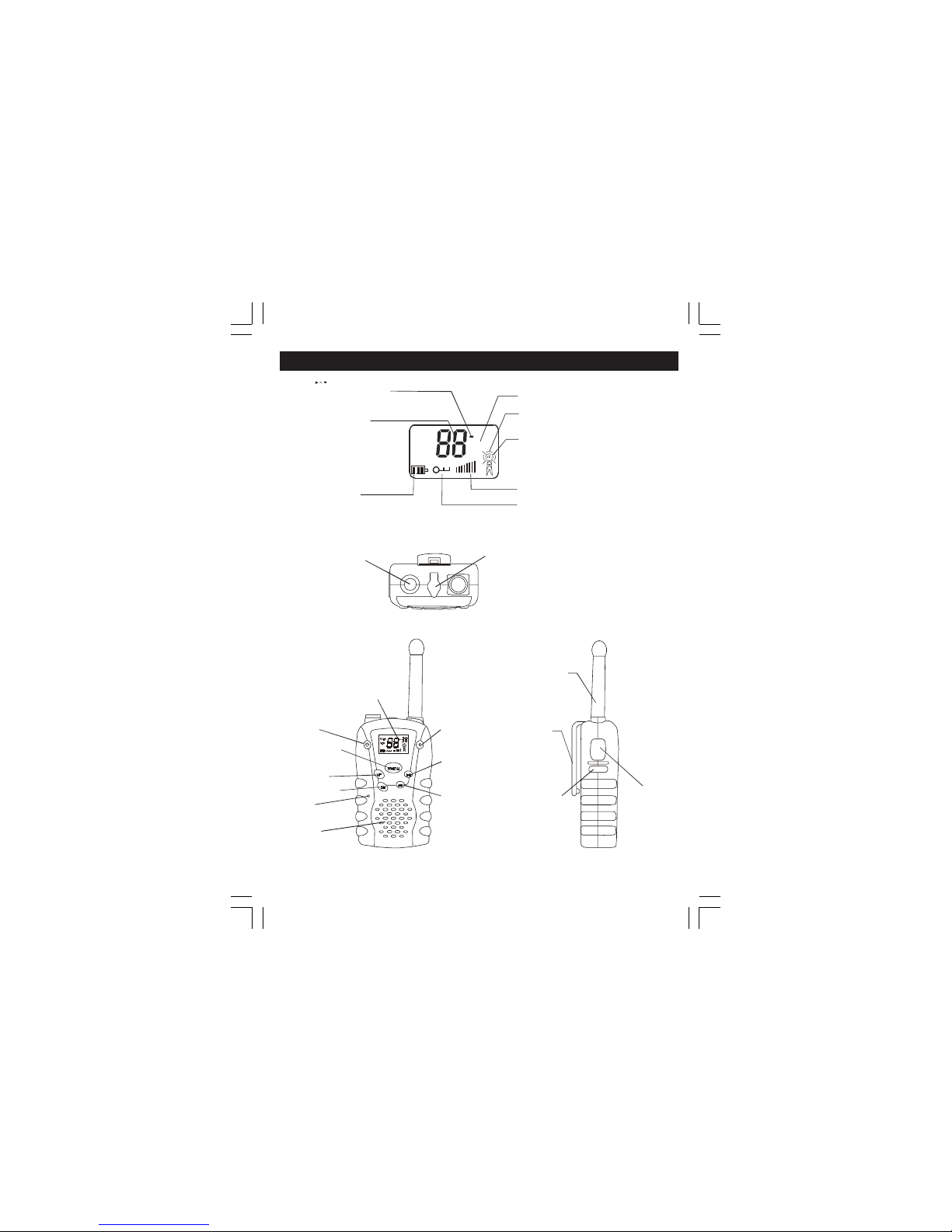
Controls and Displays
1. Mic
2. Speaker
3. Power Button
4. Lock Button
5. Menu Button
6. Monitor Button
7. Call Button
8. Talk Button
9. Antenna
10. LCD Panel
11. Up Button (Change Channel and Volume)
12. Down Button (Change Channel and Volume)
13. Belt clip
14. Mic/Speaker/Charger Jack
15. Flashlight Button
Introduction
A
A
A
A
A
A
A
A
A
A
A
A
COLUMBIA
GM22-SVP
7
Component Guide
38
Channel
Number
CTCSS Code
Transmit
Symbol
Receive
Symbol
Battery
Level Lock
SCAN
VOX
Volume
1. Mic
3. Power Button
4. Lock Button
5. Menu Button
6. Monitor Button
7. Call Button
8. Talk Button
9. Antenna
10. LCD Panel
15. Flashlight Button
Flashlight
11. Up Button
12. Down Button
13. Belt clip
Speaker
14. Mic/Speaker/Char
g
er
j
ack
TALK
Monitor
Indicates TX
power in Hi mode
8
Battery Installation
Batteries are not installed with you GMRS 2-way
radios.To use the radio, you must install 4 AAA
size alkaline batteries or 4 AAA size Ni-MH
rechargeable batteries .
Caution: incorrect positioning of the batteries
can damage both the batteries and the unit.
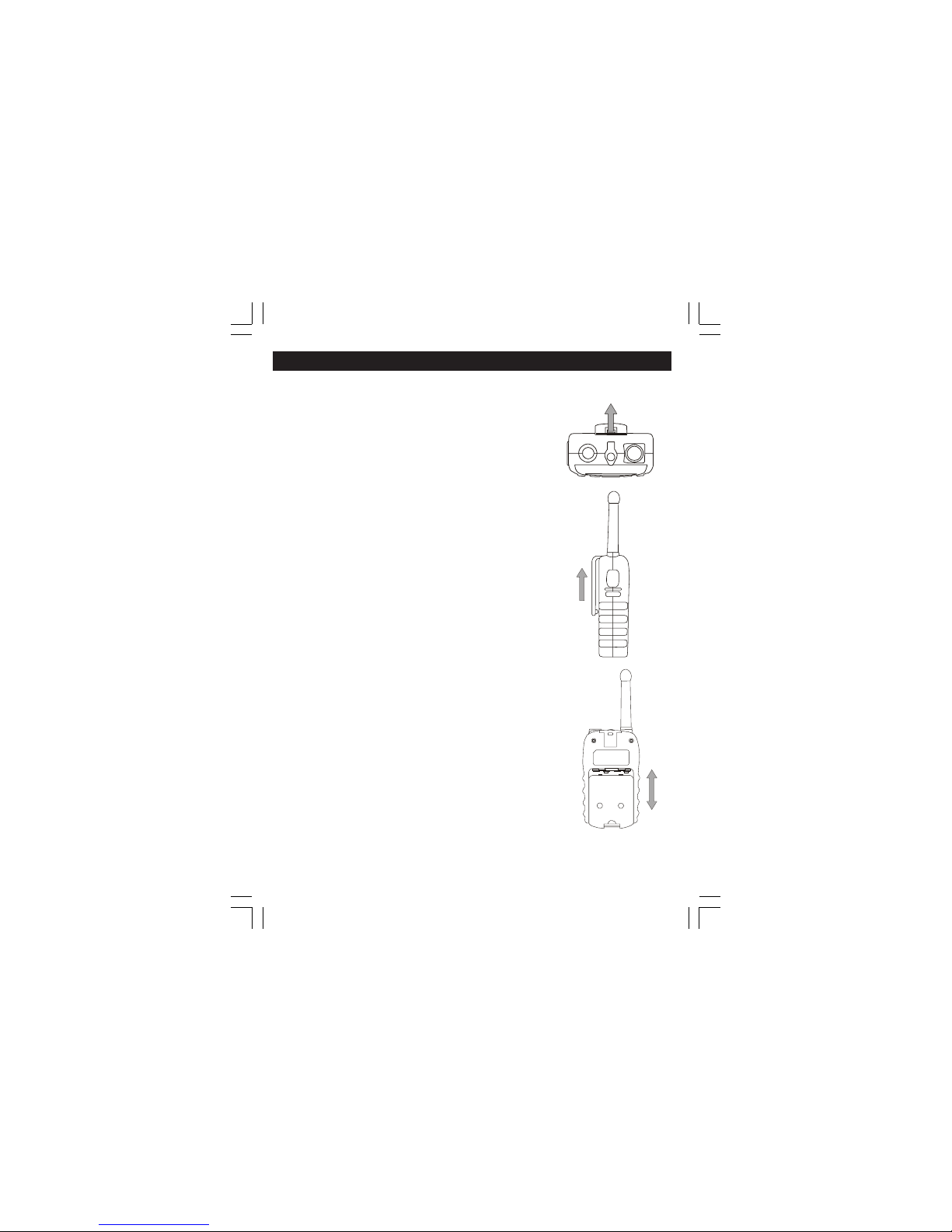
To install the batteries:
•Remove the belt clip by pulling the tab
on the top of the belt clip back, and
sliding it up and off of the unit.
•Pull the battery door lock tab down to
release the battery cover.
•lnsert four AAA batteries. Position the
batteries according to the polarity
markings on the plastic.
•Replace the battery cover. Snap the
lock tab and belt clip back into place.
connecting the adaptor
Lift the rubber flap on the top of the unit
to expose the jack.
To use the unit with an AC/DC Adaptor
rechargeable batteries, insert the round
connector (OD 2.5mm) of the7.5V DC/
200mAAC/DC adaptor into the SPK/
MIC/CHG jack on top of the unit.
Note The unit should be turned OFF in order
to charge the batteries properly.If the
unit is turned ON and placed for
Setting Up Your GMRS Radio
9
charging the charge current is too low for
the battery to charge up as the unit is still
using power.There is no charge indicator
during charging at OFF mode.It takes
approximately 6 to 7 hours to fully charge
the batteries if they are at the their lowest
lever.
WARNING
DO NOT CHARGE THIS UNIT USING AN AC
DC ADAPTOR WITH REGULAR AAA
ALKALINE BATTERIES INSTALLED.USE ONLY
THE AC/DC ADAPTOR WITH AAA
RECHARGEABLE BATTERIES
•Do not mix old and new batteries.
•Do not mix alkaline, standard
(carbon-zinc), or rechargeable
batteries.
Battery Meter
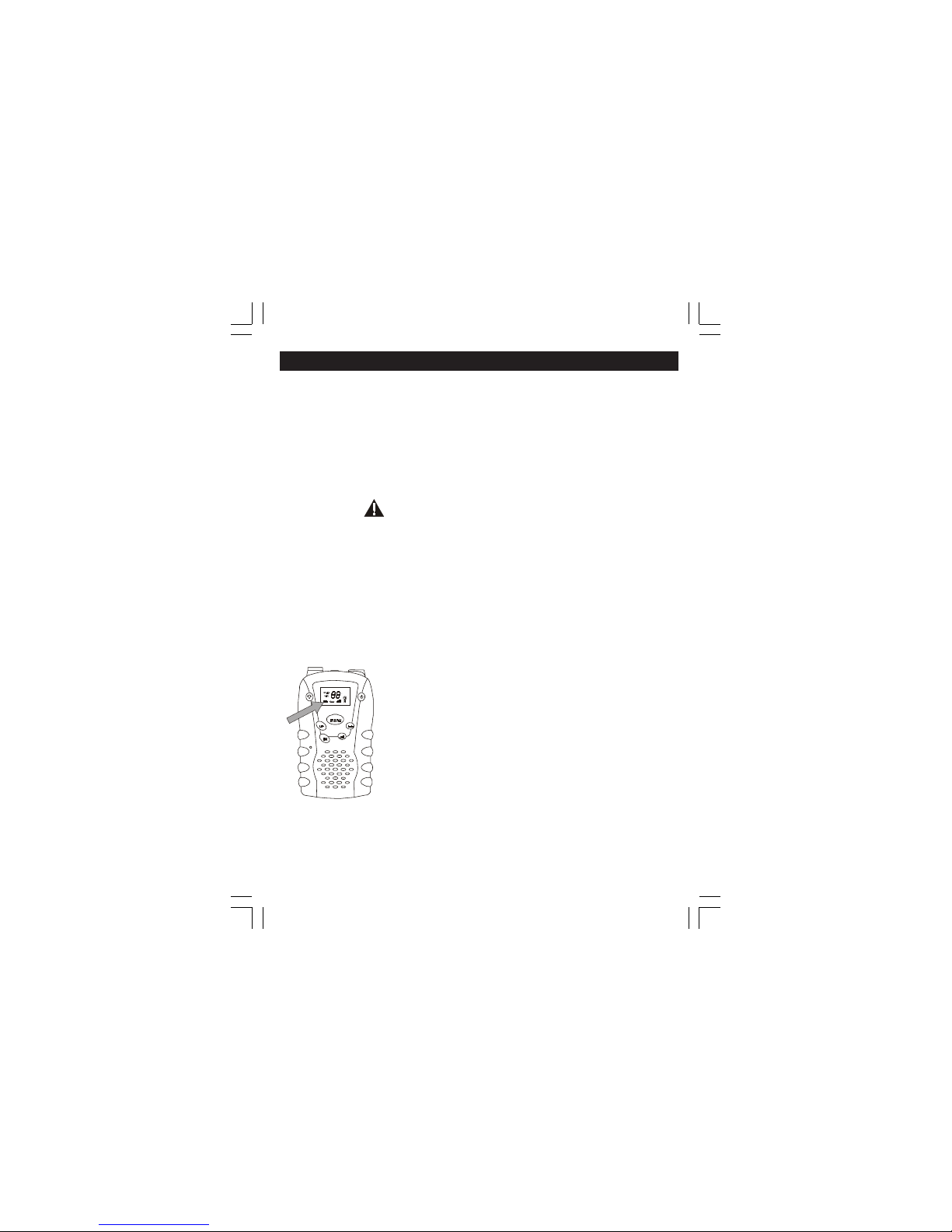
The battery meter is located in the bottom left
corner of the LCD display panel on the unit. It
looks like a battery with 3 vertical bars inside.
These indicate the amount of power available. As
the power is used, the bars will disappear.
Low Battery Indicator
When the batteries need to be changed, the
battery meter icon will flash. To ensure
uninterrupted communication, replace the
batteries as soon as possible.
Setting Up Your GMRS Radio
38

10
Note:
Always use alkaline batteries or Ni -MH type
rechargeable batteries for replacements.
If you store your radio for long periods of time,
always remove the batteries. Batteries may
corrode and leak when left unused over long
periods of time, and permanently damage your
radio.
DO NOT PUT BATTERIES INTO FIRE OR
EXPOSE TO HIGH HEAT. THEY MAY EXPLODE.
Setting Up Your GMRS Radio
Table of contents





