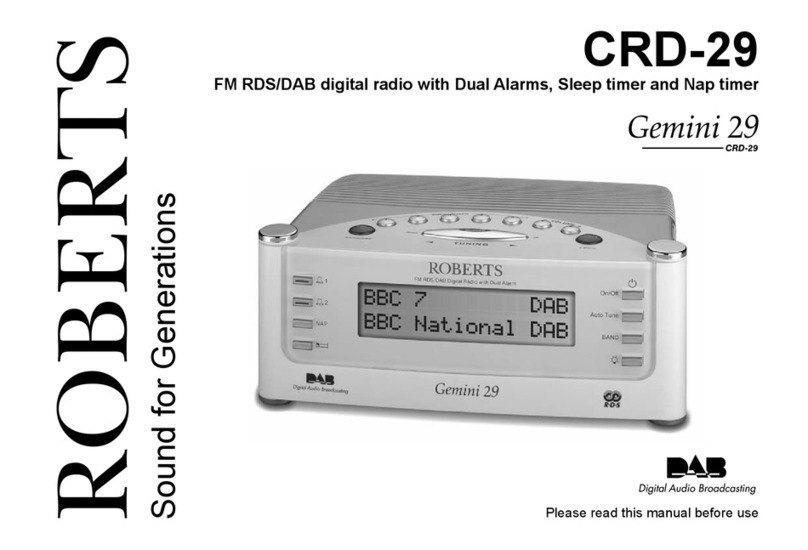
Roberts exprssion User manual

DAB / FM RDS Stereo Digital Radio with built-in battery charger
Please read this manual before use
ROBERTS
Enjoy Listening

Controls .......................................................................2-3
Battery operation using alkaline batteries ......................4
Battery operation using rechargeable batteries..............5
Using the AC adaptor .....................................................6
Operating your radio - DAB ............................................7
Selecting a station - DAB ...............................................8
Display modes - DAB .....................................................9
Finding new stations - DAB ..........................................10
Secondary services - DAB ...........................................10
Manual tuning - DAB .................................................... 11
Signal strength display - DAB....................................... 11
Dynamic range control (DRC) settings - DAB ..............12
Operating your radio - Search tuning - FM...................13
Manual tuning - FM ......................................................14
Display modes - FM......................................................15
Favourite button ...........................................................16
Recalling your favourite station ....................................16
Preset stations DAB and FM ........................................17
Stereo / Mono setting - FM...........................................18
Scan sensitivity setting - FM.........................................19
Contents
Software version...........................................................20
System reset ................................................................21
Headphone socket .......................................................22
Auxiliary input socket....................................................22
A few words about batteries ....................................23-24
Display backlight ..........................................................25
USB socket for software upgrades...............................25
General.........................................................................26
Specifications ...............................................................26
Circuit features .............................................................26
Guarantee .......................................................Back page
1

If you need any further advice, please call our Technical Helpline on :-
020 8758 0338 (Mon-Fri) 2
Controls
1. Speaker x 2
2. Volume control
3. DAB / FM button
4. Auto Tune button
(Top)
5. Favourite button
6. Info button
7. Preset button
8. On / Off button
9. Tuning / Select control
10. Charge / Low battery indicator
11. Telescopic aerial
11
3456 7829
1 1
10

3
12. Headphone socket
13. Auxiliary input socket
14. Battery compartment
15. USB socket (for service use only)
16. DC input socket
17. Battery compartment screw
Controls
(Rear)
12 13 15 1614 17

If you need any further advice, please call our Technical Helpline on :-
020 8758 0338 (Mon-Fri)
Battery operation using alkaline batteries
(also see page 23)
1. Ensure your radio is disconnected from the mains supply and the
aerial is fully retracted.
2. Open the battery cover on the base of the unit by using a flat bladed
screwdriver to loosen the screw securing the battery cover.
3. Slide the switch inside the battery compartment to the Alkaline
position.
4. Insert four LR20 (D size) Alkaline batteries into the spaces in the
compartment. Take care to ensure all batteries are inserted with the
correct polarity as shown inside the battery compartment.
5. Close the battery cover and gently tighten the screw using a flat bladed
screwdriver. Do not overtighten.
• Important: when using Alkaline batteries the battery switch must
be placed in the Alkaline position. Failure to do so could result
in serious damage to the batteries or radio.
• When the batteries are exhausted, the charge/low battery indicator
will show red for a short while. The radio will then switch itself off. It
may not be possible to switch the radio back on until the batteries are
replaced, or until the radio is connected to the mains adaptor.
• If the radio is not to be used for any extended period of time it is
recommended that the batteries are removed from the radio.
• We would recommend for economy that the Expression is used via
theAC adaptor whenever possible with battery operation for occasional
use only. If extended listening using batteries is anticipated, then the
use of rechargeable batteries is recommended.
2
4
3

Battery operation using rechargeable batteries
(also see page 23)
1. Ensure your radio is disconnected from the mains supply and the
aerial is fully retracted.
2. Open the battery cover on the base of the unit by using a flat bladed
screwdriver to loosen the screw securing the battery cover.
3. Slide the switch inside the battery compartment to the NiMH
position.
4. Insert four Rechargeable LR20 (D size) batteries into the spaces in the
compartment. Take care to ensure all batteries are inserted with the
correct polarity as shown inside the battery compartment. The radio is
designed to be used with Nickel Metal Hydride (NiMH) rechargeable
batteries.
5. Close the battery cover and gently tighten the screw using a flat bladed
screwdriver. Do not overtighten.
6. Plug the mains adaptor into your radio and then plug the adaptor into
the mains.
7. The Charge light will flash green indicating that the batteries are
charging. Batteries will be fully charged in around 3 - 7 hours depending
on their capacity. The charge light shows a steady green light when
the battery charging is complete.
• Important: when using rechargeable batteries the battery switch
must be placed in the NiMH position. Batteries will only be
charged when the radio is switched off and connected to the AC
adaptor.
• When the batteries are exhausted, the charge/low battery indicator
light will show red for a short while. The radio will then switch itself off.
It may not be possible to switch the radio back on until the batteries
are recharged, or until the radio is connected to the mains adaptor.
• If the radio is not to be used for any extended period of time it is
recommended that the batteries are removed from the radio.
5
IMPORTANT: The batteries should not be exposed to excessive heat
such as sunshine, fire or the like. After use, disposable batteries should
if possible be taken to a suitable recycling centre. On no account
should batteries be disposed of by incineration.
2
3

If you need any further advice, please call our Technical Helpline on :-
020 8758 0338 (Mon-Fri)
Using the AC adaptor
1. Insert the adaptor plug into the DC in socket on the rear of your
radio.
2. Plug the adaptor into a standard 13A mains socket outlet. Whenever
the adaptor is plugged in to the radio and switched on at the mains the
batteries are automatically disconnected. If the adaptor is plugged in to
the radio but not switched on then the radio will run from the batteries
if fitted.
The AC adaptor should be disconnected from the mains supply and
the radio when not in use.
• IMPORTANT: The mains adaptor is used as the means of connecting
the radio to the mains supply. The mains socket used
for the radio must remain accessible during normal use. In order
to disconnect the radio from the mains completely, the mains
adaptor should be removed from the mains socket outlet
completely.
6

2
Operating your radio - DAB
1. Carefully extend the telescopic aerial.
2. Press the On/Off button to switch on your radio. The display will show
"Welcome to DAB".
3. If this is the first time the radio is used a quick scan of the Band III
DAB channels will be carried out. If the radio has been used before
the last used station will be selected.
4. During the scanning process, the lower line of the display shows a
bar-graph indicating progress of the scan.
5. When the scanning is completed the first station (in numeric-alpha
order 0...9...A....Z) will be selected.
6. If the station list is still empty after the scan your radio will display
"Service not available".
7. If no signals are found it may be necessary to relocate your radio to
a position giving better reception. Then, either switch your radio off
and on again, or press the Auto Tune button to repeat the scan.
7

If you need any further advice, please call our Technical Helpline on :-
020 8758 0338 (Mon-Fri) 8
Selecting a station - DAB
1. The top line of the display shows the name of the station currently
selected.
2. Rotate the Tuning control to scroll through the list of available stations
on the lower line of the display. Stop rotating the Tuning control when
you find the station that you wish to hear.
3. Press and release the Tuning control to select the station. The display
may show "Now tuning..." while your radio finds the new station.
4. Adjust the Volume control to the required setting.
Note: If after selecting a station the display shows "Service not available"
it may be necessary to relocate your radio to a position giving better
reception.
The use of radio station presets for selecting your preferred radio stations
is described on page 17.
2,3
4

1
Display modes - DAB
Your radio has a range of display modes:-
1. Press the Info button to cycle through the various modes.
a. Scrolling text Displays scrolling text messages such as
artist/track name, phone in number etc.
b. Program Type Displays the type of station being listened
to e.g. Pop, Classic, News etc.
c. Multiplex Name Displays the name of DAB multiplex to
which the current station belongs.
d. Time and date Displays the current time and date.
e. Frequency Displays the frequency of the DAB
multiplex for the station listened to.
f. Bit rate & audio type Displays the digital bit rate & audio type
for the station being listened to.
g. Signal Strength Displays a graph showing the signal
strength for the station being received.
a
b
c
d
f
e
g
9
Table of contents
Other Roberts Radio manuals

Roberts
Roberts RD-8 User manual

Roberts
Roberts SOUND66 User manual

Roberts
Roberts R9943 User manual

Roberts
Roberts R871 User manual

Roberts
Roberts Classic FM RD-12CFM User manual

Roberts
Roberts Play Bt User manual

Roberts
Roberts Sports DAB User manual

Roberts
Roberts R881 User manual

Roberts
Roberts ZoomBox User manual

Roberts
Roberts Expression User manual

Roberts
Roberts Gemini 11 RD-11 User manual

Roberts
Roberts CRD-39 User manual

Roberts
Roberts Blutune T2 User manual

Roberts
Roberts ecologic 4 User manual

Roberts
Roberts R9906 User manual

Roberts
Roberts Revival Petite User manual

Roberts
Roberts RD-7 User manual

Roberts
Roberts RD-6R User manual

Roberts
Roberts R9904 User manual

Roberts
Roberts solarDAB 2 User manual