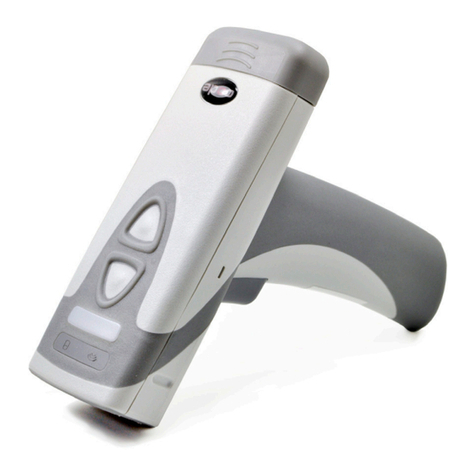
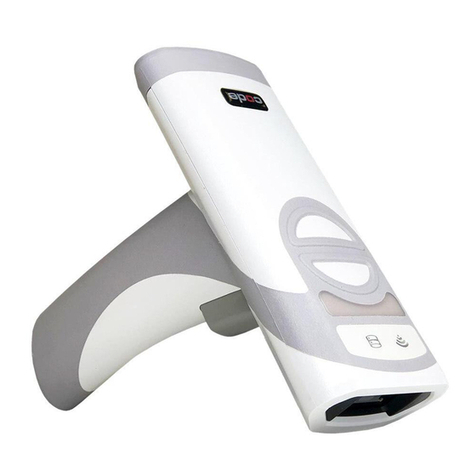
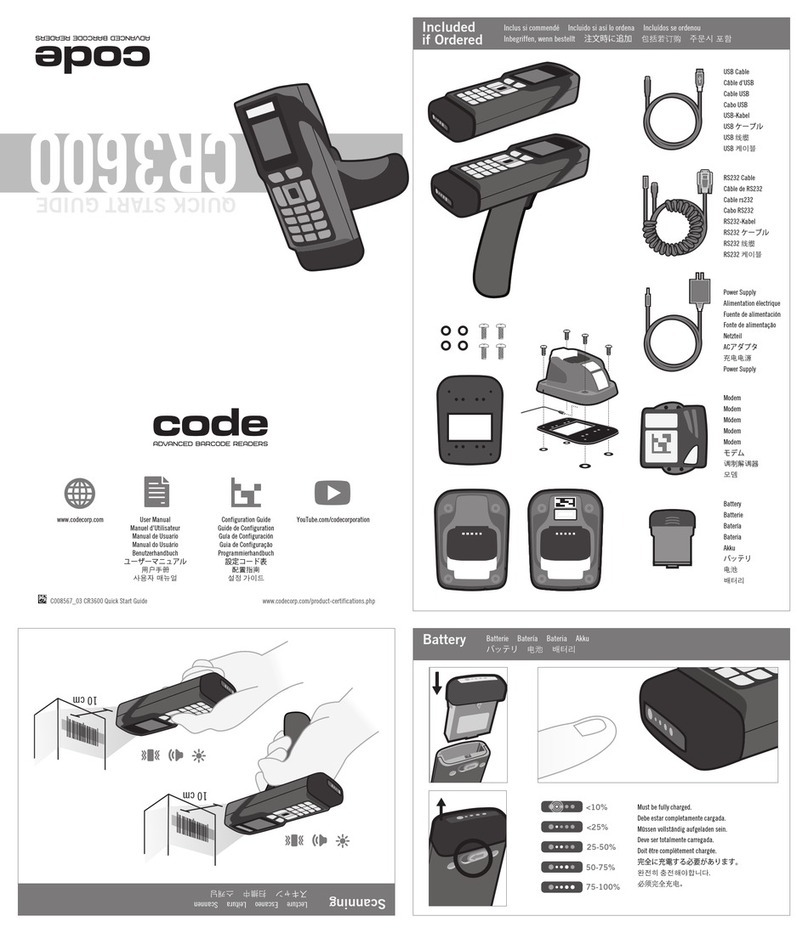
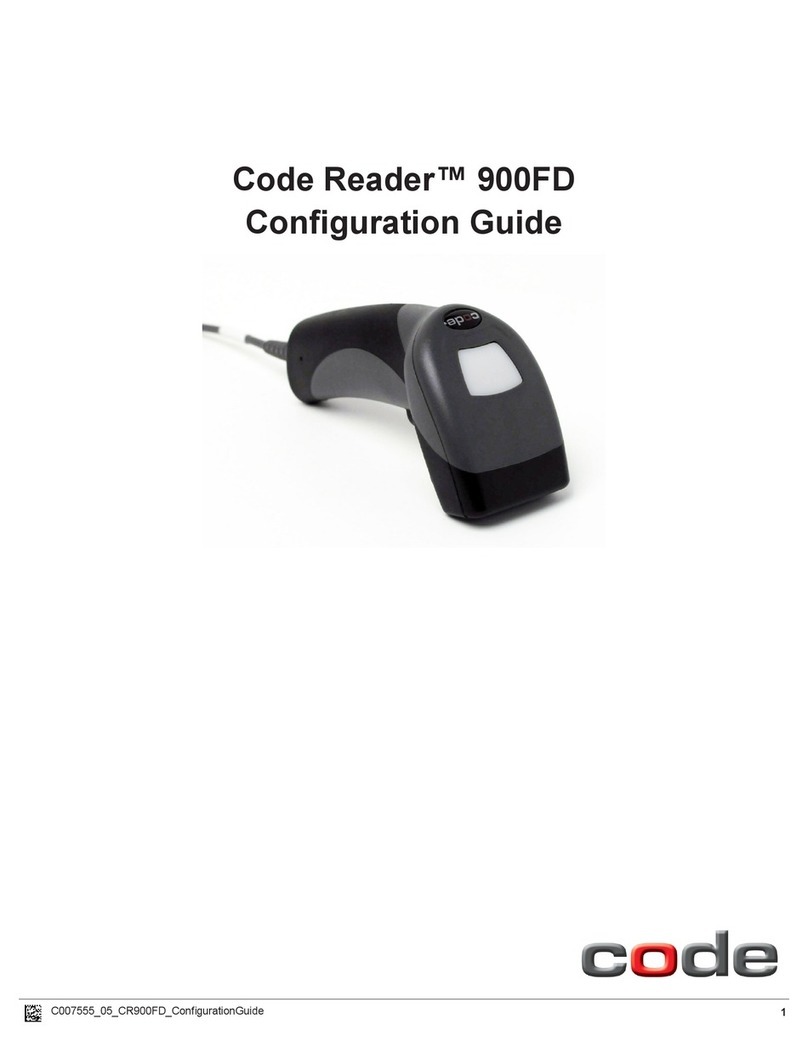
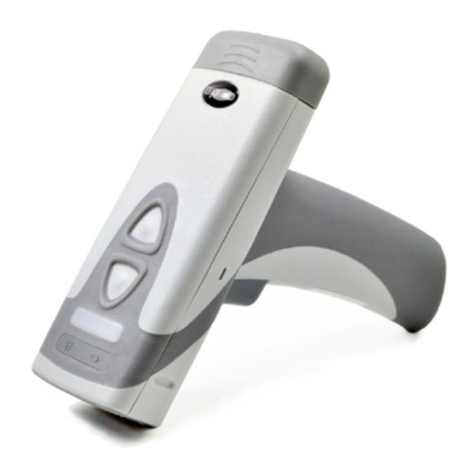
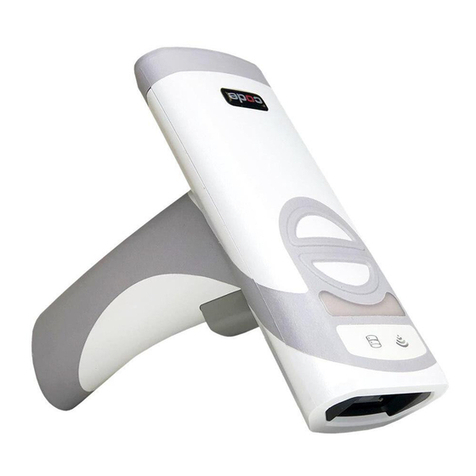
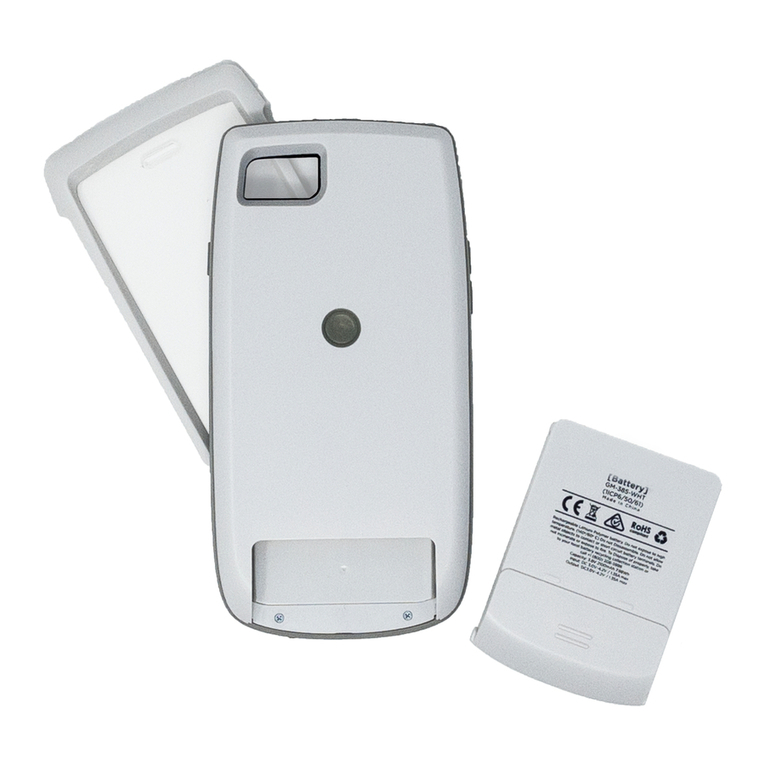
Code CORTEXJPOS CR5000 User manual

CR5000
User Manualwww.codecorp.com YouTube.com/codecorporation
CONFIGURATION GUIDE
Configuration barcodes generated based on current firmware versions
WEB GENERATED
9-7-2017

Table of Contents
Web Generated Configuration Guide For questions regarding reader configuration contact [email protected]. 2
Bluetooth Settings.......................................................................................................................................................... 7
T500 Bluetooth® iOS Keyboard Mode................................................................................................................................................. 7 (A2)
T500 Bluetooth® Disconnect .............................................................................................................................................................. 7 (A3)
T500 Bluetooth® HID Keyboard Mode................................................................................................................................................. 7 (A4)
T500 Bluetooth® Serial Port Profile (SPP) One-way Mode.............................................................................................................. 7 (B1)
T500 Bluetooth® iOS App Mode......................................................................................................................................................... 7 (B2)
T500 Bluetooth® Serial Port Profile (SPP) Two-way Mode.............................................................................................................. 7 (B3)
General Reading Mode Settings.................................................................................................................................. 7-8
Off-Counter Detect Motion Mode.......................................................................................................................................................... 7 (C2)
On-Counter Detect Motion Mode.......................................................................................................................................................... 7 (C3)
Enable Stand Alone Age Verification - Default................................................................................................................................. 7 (C4)
Disable Stand Alone Age Verification - Default................................................................................................................................ 7 (D1)
Off-Table Trigger Mode - Default........................................................................................................................................................ 7 (D2)
On-Table Trigger Mode.......................................................................................................................................................................... 7 (D3)
Off-Table Detect Barcode Mode........................................................................................................................................................... 7 (D4)
On-Table Always On Mode.................................................................................................................................................................... 7 (E1)
Off-Table Always On Mode................................................................................................................................................................... 7 (E2)
On-Table Detect Barcode Mode - Default.......................................................................................................................................... 7 (E3)
On-Table Pick List Mode...................................................................................................................................................................... 7 (E4)
Off-Table Pick List Mode...................................................................................................................................................................... 8 (A1)
Mirroring On........................................................................................................................................................................................... 8 (A2)
Mirroring Off - Default......................................................................................................................................................................... 8 (A3)
Targeting On - Default......................................................................................................................................................................... 8 (A4)
Targeting Off.......................................................................................................................................................................................... 8 (B1)
Cell Phone Reading Enhancement On - Default............................................................................................................................... 8 (B2)
Cell Phone Reading Enhancement Off................................................................................................................................................ 8 (B3)
Data Formatting (Prefix/Suffix) Settings.....................................................................................................................8-9
Turn on Timestamp Prefix.................................................................................................................................................................. 8 (C2)
Turn off Timestamp Prefix - Default................................................................................................................................................ 8 (C3)
Convert output to lowercase................................................................................................................................................................ 8 (C4)
Erase Prefix & Suffix Data - Default................................................................................................................................................. 8 (D1)
Erase Prefix Data - Default................................................................................................................................................................. 8 (D2)
Erase Suffix Data - Default................................................................................................................................................................. 8 (D3)
Prefix AIM ID On................................................................................................................................................................................... 8 (D4)
Prefix AIM ID Off - Default................................................................................................................................................................. 8 (E1)
Prefix Carriage Return Line Feed (RS232 Mode Only)...................................................................................................................... 8 (E2)
Prefix Comma......................................................................................................................................................................................... 8 (E3)
Prefix Space........................................................................................................................................................................................... 8 (E4)
Prefix Tab (USB Keyboard Mode Only)................................................................................................................................................ 9 (A1)
Prefix Tab (RS232 Mode Only)............................................................................................................................................................. 9 (A2)
Suffix Carriage Return (RS232 Mode Only)...................................................................................................................................... 9 (A3)
Suffix Carriage Return Line Feed (RS232 Mode Only)...................................................................................................................... 9 (A4)
Suffix Comma......................................................................................................................................................................................... 9 (B1)
Suffix Enter (USB Keyboard Mode Only)............................................................................................................................................. 9 (B2)
Suffix Line Feed (RS232 Mode Only).................................................................................................................................................. 9 (B3)
Suffix Space........................................................................................................................................................................................... 9 (B4)
Suffix Tab (USB Keyboard Mode Only)................................................................................................................................................ 9 (C1)
Suffix Tab (RS232 Mode Only)............................................................................................................................................................ 9 (C2)
Translate all Characters to Uppercase On......................................................................................................................................... 9 (C3)
Translate all Characters to Uppercase Off - Default....................................................................................................................... 9 (C4)
Symbology Settings........................................................................................................................................................ 9-16
Australian Post On................................................................................................................................................................................ 9 (D2)
Australian Post Off - Default.............................................................................................................................................................. 9 (D3)
Aztec On - Default................................................................................................................................................................................ 9 (D4)
Aztec Inverse On.................................................................................................................................................................................... 9 (E1)
Aztec Inverse & Normal On................................................................................................................................................................. 9 (E2)
Aztec Off................................................................................................................................................................................................. 9 (E3)
Codabar On - Default........................................................................................................................................................................... 9 (E4)

Table of Contents
Web Generated Configuration Guide For questions regarding reader configuration contact [email protected]. 3
Codabar Off............................................................................................................................................................................................ 10 (A1)
Remove Codabar Start and Stop Delimiters...................................................................................................................................... 10 (A2)
Keep Codabar Start and Stop Delimiters - Default....................................................................................................................... 10 (A3)
Codablock F On..................................................................................................................................................................................... 10 (A4)
Codablock F Off - Default................................................................................................................................................................... 10 (B1)
Code 11 On........................................................................................................................................................................................... 10 (B2)
Code 11 Off - Default......................................................................................................................................................................... 10 (B3)
Code 11 Checksum Stripped from Result On.................................................................................................................................... 10 (B4)
Code 32 (Italian Pharmacode) On....................................................................................................................................................... 10 (C1)
Code 32 (Italian Pharmacode) Off - Default..................................................................................................................................... 10 (C2)
Code 39 Off........................................................................................................................................................................................... 10 (C3)
Code 39 On - Default.......................................................................................................................................................................... 10 (C4)
Code 39 Checksum On......................................................................................................................................................................... 10 (D1)
Code 39 Checksum Off - Default....................................................................................................................................................... 10 (D2)
Code 39 Checksum Stripped from Result On.................................................................................................................................... 10 (D3)
Code 39 Extended Full ASCII Off - Default...................................................................................................................................... 10 (D4)
Code 39 Extended Full ASCII On........................................................................................................................................................ 10 (E1)
Code 93 On - Default.......................................................................................................................................................................... 10 (E2)
Code 93 Off........................................................................................................................................................................................... 10 (E3)
Code 128 On - Default........................................................................................................................................................................ 10 (E4)
Code 128 Off......................................................................................................................................................................................... 11 (A1)
Composite On......................................................................................................................................................................................... 11 (A2)
Composite Off - Default....................................................................................................................................................................... 11 (A3)
Data Matrix Inverse On - Default....................................................................................................................................................... 11 (A4)
Data Matrix Inverse Off........................................................................................................................................................................ 11 (B1)
Data Matrix Rectangular On & Rectangular Extended On............................................................................................................... 11 (B2)
Data Matrix Rectangular On & Rectangular Extended Off - Default............................................................................................. 11 (B3)
Data Matrix Rectangular & Rectangular Extended Off..................................................................................................................... 11 (B4)
Grid Matrix On....................................................................................................................................................................................... 11 (C1)
Grid Matrix Off - Default..................................................................................................................................................................... 11 (C2)
All GS1 DataBar On - Default............................................................................................................................................................ 11 (C3)
All GS1 DataBar Off............................................................................................................................................................................. 11 (C4)
GS1 DataBar Limited On...................................................................................................................................................................... 11 (D1)
GS1 DataBar Limited Off..................................................................................................................................................................... 11 (D2)
GS1 DataBar Expanded On.................................................................................................................................................................. 11 (D3)
GS1 DataBar Expanded Off.................................................................................................................................................................. 11 (D4)
GS1 DataBar Expanded Stacked On.................................................................................................................................................... 11 (E1)
GS1 DataBar Expanded Stacked Off................................................................................................................................................... 11 (E2)
GS1 DataBar Stacked and GS1 DataBar Stacked Omnidirectional On........................................................................................... 11 (E3)
GS1 DataBar Stacked and GS1 DataBar Stacked Omnidirectional Off........................................................................................... 11 (E4)
GS1 DataBar Omnidirectional and GS1 DataBar Truncated On....................................................................................................... 12 (A1)
GS1 DataBar Omnidirectional and GS1 DataBar Truncated Off...................................................................................................... 12 (A2)
Han Xin On............................................................................................................................................................................................ 12 (A3)
Han Xin Off - Default.......................................................................................................................................................................... 12 (A4)
Hong Kong 2 of 5 Off - Default........................................................................................................................................................ 12 (B1)
Hong Kong 2 of 5 On.......................................................................................................................................................................... 12 (B2)
Int 2 of 5 On - Default...................................................................................................................................................................... 12 (B3)
Int 2 of 5 Off....................................................................................................................................................................................... 12 (B4)
Int 2 of 5 Checksum Stripped from Result On................................................................................................................................ 12 (C1)
Int 2 of 5 Checksum On..................................................................................................................................................................... 12 (C2)
Int 2 of 5 Checksum Off - Default................................................................................................................................................... 12 (C3)
Japan Post On....................................................................................................................................................................................... 12 (C4)
Japan Post Off - Default..................................................................................................................................................................... 12 (D1)
KIX (Dutch Post) Code On................................................................................................................................................................... 12 (D2)
KIX (Dutch Post) Code Off - Default................................................................................................................................................. 12 (D3)
Korean Post On...................................................................................................................................................................................... 12 (D4)
Korean Post Off - Default.................................................................................................................................................................... 12 (E1)
Maxicode On........................................................................................................................................................................................... 12 (E2)
Maxicode Off - Default......................................................................................................................................................................... 12 (E3)
Matrix 2 of 5 On.................................................................................................................................................................................. 12 (E4)
Matrix 2 of 5 Off - Default................................................................................................................................................................ 13 (A1)

Table of Contents
Web Generated Configuration Guide For questions regarding reader configuration contact [email protected]. 4
Micro PDF417 On................................................................................................................................................................................... 13 (A2)
Micro PDF417 Off - Default................................................................................................................................................................. 13 (A3)
MSI Plessey On...................................................................................................................................................................................... 13 (A4)
MSI Plessey Off - Default.................................................................................................................................................................... 13 (B1)
NEC 2 of 5 On..................................................................................................................................................................................... 13 (B2)
NEC 2 of 5 Off - Default................................................................................................................................................................... 13 (B3)
PDF417 On - Default............................................................................................................................................................................ 13 (B4)
PDF417 Off............................................................................................................................................................................................. 13 (C1)
Pharmacode On...................................................................................................................................................................................... 13 (C2)
Pharmacode Reverse Barcode Decoding (Right to Left)................................................................................................................... 13 (C3)
Pharmacode Normal Barcode Decoding (Left to Right).................................................................................................................... 13 (C4)
Pharmacode Off - Default.................................................................................................................................................................... 13 (D1)
All QR Code On..................................................................................................................................................................................... 13 (D2)
Standard QR Code On - Default......................................................................................................................................................... 13 (D3)
All QR Code Off.................................................................................................................................................................................... 13 (D4)
Straight 2 of 5 On............................................................................................................................................................................... 13 (E1)
Straight 2 of 5 Off - Default............................................................................................................................................................. 13 (E2)
Telepen On............................................................................................................................................................................................. 13 (E3)
Output Telepen as ASCII...................................................................................................................................................................... 13 (E4)
Output Telepen as Numeric - Default................................................................................................................................................ 14 (A1)
Telepen Off - Default........................................................................................................................................................................... 14 (A2)
Trioptic On.............................................................................................................................................................................................. 14 (A3)
Trioptic - Enable Reverse Order option (Bit 3)................................................................................................................................. 14 (A4)
Trioptic - Disable Reverse Order option (Bit 3) - Default.............................................................................................................. 14 (B1)
Trioptic Off - Default............................................................................................................................................................................ 14 (B2)
UK Plessey On....................................................................................................................................................................................... 14 (B3)
UK Plessey Off - Default..................................................................................................................................................................... 14 (B4)
UK Royal Mail On................................................................................................................................................................................. 14 (C1)
UK Royal Mail Off - Default............................................................................................................................................................... 14 (C2)
UPC Off.................................................................................................................................................................................................. 14 (C3)
UPC On - Default................................................................................................................................................................................. 14 (C4)
UPC Supplemental On........................................................................................................................................................................... 14 (D1)
Transmit UPC-A Number System Off................................................................................................................................................... 14 (D2)
UPC Supplemental Off - Default......................................................................................................................................................... 14 (D3)
Transmit UPC-A Check Digit On - Default........................................................................................................................................ 14 (D4)
Transmit UPC-A Check Digit Off......................................................................................................................................................... 14 (E1)
Transmit UPC-A Number System On - Default.................................................................................................................................. 14 (E2)
Convert UPC-A to EAN-13 On.............................................................................................................................................................. 14 (E3)
Convert UPC-A to EAN-13 Off - Default............................................................................................................................................ 14 (E4)
UPC-E Expansion On............................................................................................................................................................................. 15 (A1)
UPC-E Expansion Off - Default........................................................................................................................................................... 15 (A2)
Transmit UPC-E Check Digit On - Default........................................................................................................................................ 15 (A3)
Transmit UPC-E Check Digit Off......................................................................................................................................................... 15 (A4)
Transmit UPC-E Number System On - Default.................................................................................................................................. 15 (B1)
Transmit UPC-E Number System Off................................................................................................................................................... 15 (B2)
Transmit EAN-8 Check Digit On - Default........................................................................................................................................ 15 (B3)
Transmit EAN-8 Check Digit Off......................................................................................................................................................... 15 (B4)
Convert EAN-8 to EAN-13 On.............................................................................................................................................................. 15 (C1)
Convert EAN-8 to EAN-13 Off - Default............................................................................................................................................ 15 (C2)
Transmit EAN-13 Check Digit On - Default...................................................................................................................................... 15 (C3)
Transmit EAN-13 Check Digit Off....................................................................................................................................................... 15 (C4)
Convert Bookland EAN-13 to ISBN On................................................................................................................................................ 15 (D1)
Convert Bookland EAN-13 to ISBN Off - Default.............................................................................................................................. 15 (D2)
Convert Bookland EAN-13 to ISSN On................................................................................................................................................ 15 (D3)
Convert Bookland EAN-13 to ISSN Off - Default.............................................................................................................................. 15 (D4)
UPU ID-Tag On...................................................................................................................................................................................... 15 (E1)
UPU ID-Tag Off - Default.................................................................................................................................................................... 15 (E2)
USPS Intelligent Mail/IMB/ 4-State CB On......................................................................................................................................... 15 (E3)
USPS Intelligent Mail/IMB/ 4-State CB Off - Default....................................................................................................................... 15 (E4)
USPS Planet On..................................................................................................................................................................................... 16 (A1)
USPS Planet Off - Default................................................................................................................................................................... 16 (A2)

Table of Contents
Web Generated Configuration Guide For questions regarding reader configuration contact [email protected]. 5
USPS Postnet On................................................................................................................................................................................... 16 (A3)
USPS Postnet Off - Default................................................................................................................................................................. 16 (A4)
Grid Matrix & Grid Matrix Inverse Decoding On............................................................................................................................... 16 (B1)
Grid Matrix & Grid Matrix Mirror Decoding On................................................................................................................................. 16 (B2)
Grid Matrix, Grid Matrix Inverse & Grid Matrix Mirror Decoding.................................................................................................... 16 (B3)
GoCode & GoCode Inverse Decoding................................................................................................................................................... 16 (B4)
GoCode & GoCode Mirror Decoding On............................................................................................................................................... 16 (C1)
GoCode, GoCode Inverse & GoCode Mirror Decoding On.................................................................................................................. 16 (C2)
Code 11 Decoding with one checksum digit checked, and remove checksum from output On................................................ 16 (C3)
Keyboard Language Settings........................................................................................................................................ 16-17
Keyboard Support: French Keyboard Mapping for Apple................................................................................................................... 16 (D2)
Keyboard Support: USInternational (Universal) Keyboard Mapping for Windows............................................................................. 16 (D3)
English Keyboard Mapping for Apple.................................................................................................................................................. 16 (D4)
Keyboard Support: Spanish Keyboard Mapping for Apple................................................................................................................. 16 (E1)
Italian Keyboard Mapping for Apple.................................................................................................................................................... 16 (E2)
German-Swiss Keyboard Mapping for Apple....................................................................................................................................... 16 (E3)
German Keyboard Mapping for Apple.................................................................................................................................................. 16 (E4)
Russian Keyboard Mapping for Windows............................................................................................................................................ 17 (A1)
Data Encoding: Raw ASCII to Keyboard XML File Lookup - Default.............................................................................................. 17 (A2)
Data Encoding: UTF8 to Unicode Codepoint - Alt Sequences for Windows................................................................................... 17 (A3)
Reader (Legacy) - US English Keyboard Mapping - with Leading 0 for Non Printable ASCII - Default................................. 17 (A4)
Shift-JIS Mode for Japanese Windows OS.......................................................................................................................................... 17 (B1)
Shift-JIS Mode for English Windows OS............................................................................................................................................. 17 (B2)
Operating System Settings........................................................................................................................................... 17
Alternative Operating System (Linux/Mac) On.................................................................................................................................... 17 (B4)
Alternative Operating System (Linux/Mac) Off - Default.................................................................................................................. 17 (C1)
USB Settings................................................................................................................................................................... 17
Reset to USB Factory Defaults............................................................................................................................................................ 17 (C3)
USB Keyboard Mode.............................................................................................................................................................................. 17 (C4)
USB Downloader Mode.......................................................................................................................................................................... 17 (D1)
USB HID POS Mode (Terminal ID 131).............................................................................................................................................. 17 (D2)
USB Native Two Way Mode.................................................................................................................................................................. 17 (D3)
USB Virtual COM One Way Mode........................................................................................................................................................ 17 (D4)
USB Virtual COM Multiple Ports.......................................................................................................................................................... 17 (E1)
USB Virtual COM Common Ports......................................................................................................................................................... 17 (E2)
USB Speed High Speed - Default....................................................................................................................................................... 17 (E3)
USB Speed Full Speed.......................................................................................................................................................................... 17 (E4)
RS232 Settings............................................................................................................................................................... 18-19
Reader - Enable RS232 OPOS/JPOS.................................................................................................................................................... 18 (A2)
Reset to RS232 Factory Defaults........................................................................................................................................................ 18 (A3)
RS232 Interface 1200 Baud Rate....................................................................................................................................................... 18 (A4)
RS232 Interface 2400 Baud Rate....................................................................................................................................................... 18 (B1)
RS232 Interface 4800 Baud Rate....................................................................................................................................................... 18 (B2)
RS232 Interface 9600 Baud Rate....................................................................................................................................................... 18 (B3)
RS232 Interface 19200 Baud Rate..................................................................................................................................................... 18 (B4)
RS232 Interface 38400 Baud Rate..................................................................................................................................................... 18 (C1)
RS232 Interface 57600 Baud Rate..................................................................................................................................................... 18 (C2)
RS232 Interface 115200 Baud Rate - Default.................................................................................................................................. 18 (C3)
RS232 Interface 7 Data Bits............................................................................................................................................................... 18 (C4)
RS232 Interface 8 Data Bits - Default............................................................................................................................................. 18 (D1)
RS232 Interface Stop Bits 1 - Default.............................................................................................................................................. 18 (D2)
RS232 Interface Stop Bits 2............................................................................................................................................................... 18 (D3)
RS232 Interface Even Parity................................................................................................................................................................ 18 (D4)
RS232 Interface Odd Parity.................................................................................................................................................................. 18 (E1)
RS232 Interface No Parity - Default.................................................................................................................................................. 18 (E2)
RS232 Interface Flow Control Off - Default...................................................................................................................................... 18 (E3)
RS232 Interface Flow Control - Hardware....................................................................................................................................... 18 (E4)

Table of Contents
Web Generated Configuration Guide For questions regarding reader configuration contact [email protected]. 6
RS232 Packet Mode.............................................................................................................................................................................. 19 (A1)
RS232 Raw Mode - Default................................................................................................................................................................. 19 (A2)
Reader Feedback Settings........................................................................................................................................... 19
Beep Volume 100% - Default............................................................................................................................................................. 19 (A4)
Beep Volume 67%................................................................................................................................................................................. 19 (B1)
Beep Volume 33%................................................................................................................................................................................. 19 (B2)
Accept non-DL PDF417 in AV Mode.................................................................................................................................................... 19 (B3)
Beep Volume 0%................................................................................................................................................................................... 19 (B4)
Reject non-DL PDF417 in AV Mode - Default................................................................................................................................... 19 (C1)
Honor Expiration Date in AV Mode - Default.................................................................................................................................... 19 (C2)
Ignore Expiration Date in AV Mode - Default................................................................................................................................... 19 (C3)
Output Good Read on RTS line Off - Default.................................................................................................................................. 19 (C4)
Output Good Read on RTS line - Active Low................................................................................................................................... 19 (D1)
Output Good Read on RTS line - Active High.................................................................................................................................. 19 (D2)
Miscellaneous Settings.................................................................................................................................................. 19
Locked Reader Accept Host Commands - Default............................................................................................................................ 19 (D4)
Locked Reader Reject Host Commands............................................................................................................................................... 19 (E1)
Reader/Modem Command Settings.............................................................................................................................. 19-20
Reader ID and Firmware Version......................................................................................................................................................... 19 (E3)
Reader Text Commands On.................................................................................................................................................................. 19 (E4)
Reader Text Commands Off - Default................................................................................................................................................ 20 (A1)
Enable Responses to Text Commands................................................................................................................................................ 20 (A2)
Reset, Clear and Save Reader Settings.................................................................................................................... 20
Clear All JavaScript Rules.................................................................................................................................................................... 20 (A4)
Clear All Stored Data and Images..................................................................................................................................................... 20 (B1)
Save All Reader Settings - Default.................................................................................................................................................... 20 (B2)
Reboot Reader........................................................................................................................................................................................ 20 (B3)

A1 A4A2 A3
B1 B2 B3
C1 C4C2 C3
D1 D4D2 D3
E1 E4E2 E3
B4
CR5000 Configuration Guide NOTE: Configuration changes will take effect immediately and be saved to memory
Web Generated Configuration Guide For questions regarding reader configuration contact [email protected]. 7
T500 Bluetooth® iOS Keyboard
Mode
T500 Bluetooth® Disconnect T500 Bluetooth® HID Keyboard
Mode
Bluetooth Settings
T500 Bluetooth® Serial Port
Profile (SPP) One-way Mode
T500 Bluetooth® iOS App Mode T500 Bluetooth® Serial Port
Profile (SPP) Two-way Mode
Intentionally Blank
Off-Counter Detect Motion
Mode
On-Counter Detect Motion Mode Enable Stand Alone Age
Verification - Default
General Reading Mode
Settings
Disable Stand Alone Age
Verification - Default
Off-Table Trigger Mode -
Default
On-Table Trigger Mode Off-Table Detect Barcode Mode
On-Table Always On Mode Off-Table Always On Mode On-Table Detect Barcode Mode
- Default
On-Table Pick List Mode

A1 A4A2 A3
B1 B2 B3
C1 C4C2 C3
D1 D4D2 D3
E1 E4E2 E3
B4
CR5000 Configuration Guide NOTE: Configuration changes will take effect immediately and be saved to memory
Web Generated Configuration Guide For questions regarding reader configuration contact [email protected]. 8
Off-Table Pick List Mode Mirroring On Mirroring Off - Default Targeting On - Default
Targeting Off Cell Phone Reading
Enhancement On - Default
Cell Phone Reading
Enhancement Off
Intentionally Blank
Turn on Timestamp Prefix Turn off Timestamp Prefix -
Default
Convert output to lowercase
Data Formatting
(Prefix/Suffix) Settings
Erase Prefix & Suffix Data -
Default
Erase Prefix Data - Default Erase Suffix Data - Default Prefix AIM ID On
Prefix AIM ID Off - Default Prefix Carriage Return Line
Feed (RS232 Mode Only)
Prefix Comma Prefix Space

A1 A4A2 A3
B1 B2 B3
C1 C4C2 C3
D1 D4D2 D3
E1 E4E2 E3
B4
CR5000 Configuration Guide NOTE: Configuration changes will take effect immediately and be saved to memory
Web Generated Configuration Guide For questions regarding reader configuration contact [email protected]. 9
Prefix Tab (USB Keyboard Mode
Only)
Prefix Tab (RS232 Mode Only) Suffix Carriage Return (RS232
Mode Only)
Suffix Carriage Return Line
Feed (RS232 Mode Only)
Suffix Comma Suffix Enter (USB Keyboard
Mode Only)
Suffix Line Feed (RS232 Mode
Only)
Suffix Space
Suffix Tab (USB Keyboard Mode
Only)
Suffix Tab (RS232 Mode Only) Translate all Characters to
Uppercase On
Translate all Characters to
Uppercase Off - Default
Australian Post On Australian Post Off - Default Aztec On - Default
Symbology Settings
Aztec Inverse On Aztec Inverse & Normal On Aztec Off Codabar On - Default

A1 A4A2 A3
B1 B2 B3
C1 C4C2 C3
D1 D4D2 D3
E1 E4E2 E3
B4
CR5000 Configuration Guide NOTE: Configuration changes will take effect immediately and be saved to memory
Web Generated Configuration Guide For questions regarding reader configuration contact [email protected]. 10
Codabar Off Remove Codabar Start and
Stop Delimiters
Keep Codabar Start and Stop
Delimiters - Default
Codablock F On
Codablock F Off - Default Code 11 On Code 11 Off - Default Code 11 Checksum Stripped
from Result On
Code 32 (Italian Pharmacode)
On
Code 32 (Italian Pharmacode)
Off - Default
Code 39 Off Code 39 On - Default
Code 39 Checksum On Code 39 Checksum Off -
Default
Code 39 Checksum Stripped
from Result On
Code 39 Extended Full ASCII
Off - Default
Code 39 Extended Full ASCII
On
Code 93 On - Default Code 93 Off Code 128 On - Default
Other manuals for CORTEXJPOS CR5000
2
Table of contents
Other Code Barcode Reader manuals
Code
Code Code Reader 1000 User manual
Code
Code CORTEXJPOS CR2600 User manual
Code
Code CR1000 User manual
Code
Code CR3600 User manual
Code
Code CR8200 User manual
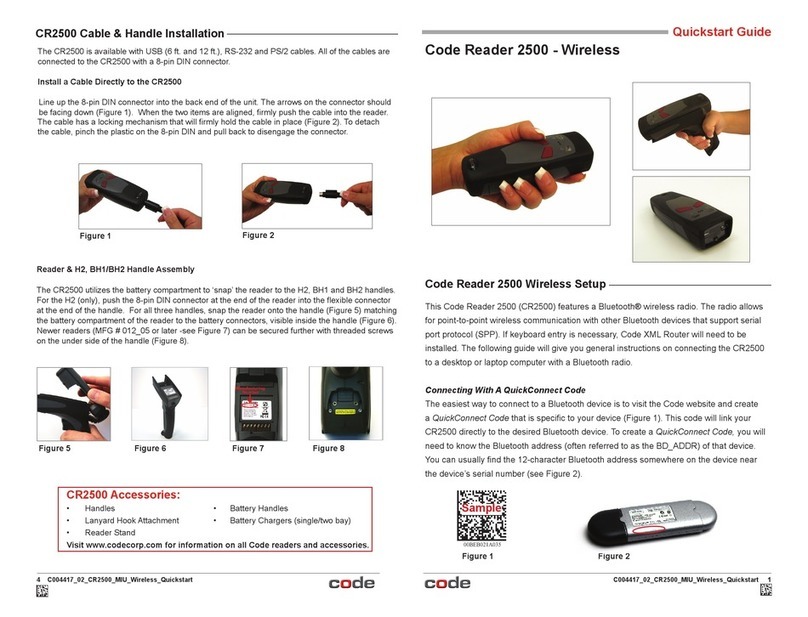
Code
Code Code Reader 2500 User manual
Code
Code CR1000 User manual
Code
Code Reader 1200 User manual
Code
Code Code Reader 1000 User manual
Code
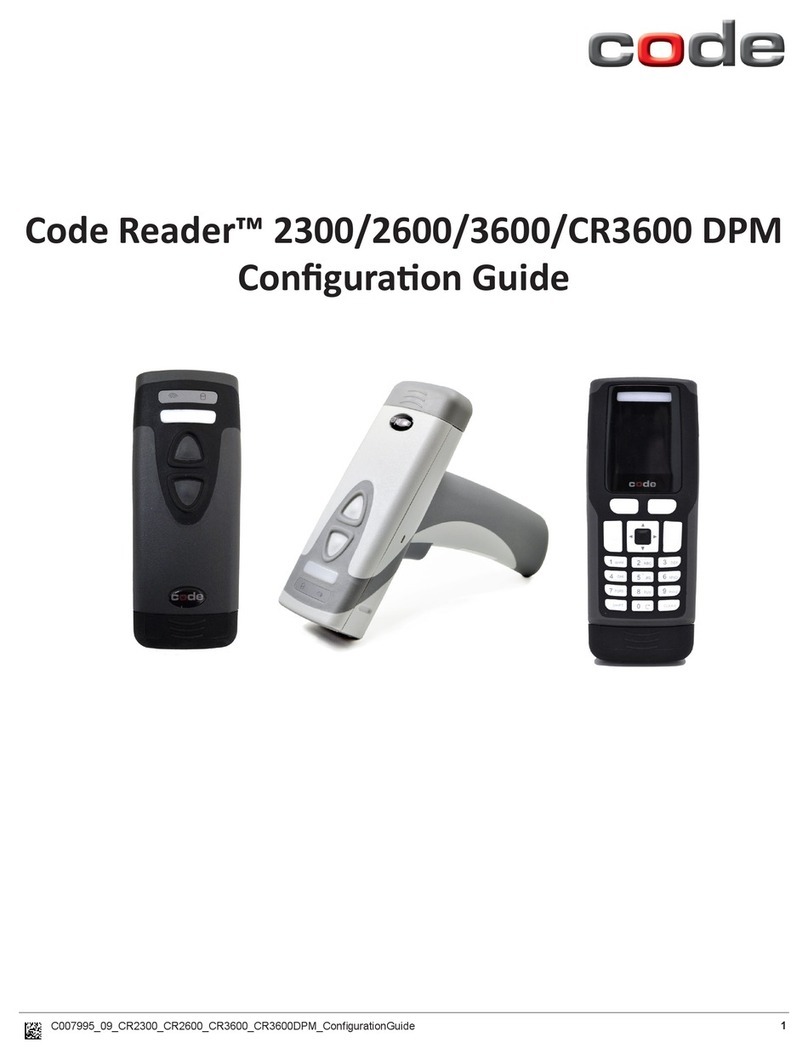
Code Reader 2300 User manual