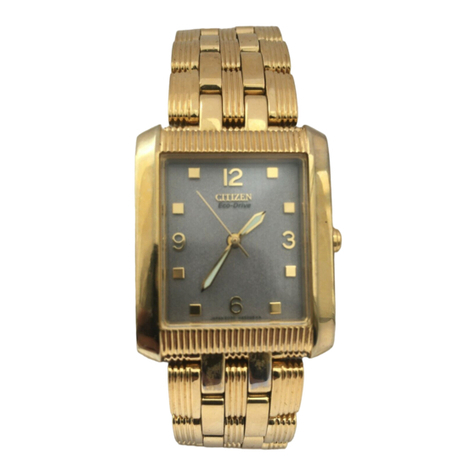
Citizen FS16 User manual

CHRONOGRAPH FUNCTION: : Chronograph 1/1 sec. Timing up to 59 minutes 59 seconds.
A) DISPLAYS AND BUTTONS
B) READING THE WATCH
C) SETTING THE TIME
D)SETTING THE DATE
E)USING THE TIME DIFFERENT CORRECTION
F)THE TIME DIFFERENCE BETWEEN THE CITIES AND UTC TIME
G)USING THE CHRONOGRAPH
H)CHRONOGRAPH RESET(AFTER REPLACING THE BATTERY)
A) DISPLAYS AND BUTTONS
Cal. FS16/FS26 Instruction manual
Chrono 60 min.
(9H)
24 hour-hand
Second hand (home time)
FS16
1/7

B) READING THE WATCH
Chronograph
second hand
Chronograph
minute hand
Hour hand
(local time)
Second hand
Minute hand
Button A
Normal Crown Position
12 hour-hand (home time)
Button
Calendar (local time)
24 hour-hand (home time)
12 Hour-
hand(A)
12 Hour-hand (B)
Home time
12 Hour-hand (C)
Home time
when the watch hands appear in the diagram;
・home time in GMT is 13:10:35
(12 hour-hand (B) & 24 hour-hand (C) display)
・
local time in Tokyo is 10:10:35
(12 hour-hand (A) display)
Note
・
The minute and second hands are the same under
home and local time.
・
The 24 hour-hand (C) is synchronized with
12 hour-hand (B)
・
The date is synchronized with 12 hour-hand (A)
FS26
2/7

C) SETTING THE TIME
There are 2 ways to use the 12 hour-hand (B) and setting the time depends on which way to use.
Please be very careful and follow the instructions below for setting the time
for both ways (Type1 & Type2).
[ TYPE 1 ]
Using the 12 hour-hand (B) and 24 hour-hand (C) for the “home time”.
In other word,using hour hand and minute hand to see the “local time”,
while the 12 hour-hand (B) and 24 hour-hand (C) to see the “home time”.
(When you use in domestic, the 12 hour-hand (B) will be hidden under the normal hour hand.)
a) Setting the home time
1. Pull the crown out to the second position when the second hand has reached the 0 position.
2. Turn the crown to set the current time,
paying attention to the motion of 12 hour-hand (B) and 24 hour-hand (C) and minute hand.
3. Return the crown to the normal position.
Setting the 12 hour hand (B) and 24 hour hand (C) and minute hand has been now completed.
4. Pull the crown out to the first position when the second hand has reached the 0 position.
Turn the crown anticlockwise to set the current time.
☆Please also set the date together.
Please refer to the next page for more details in “the setting time”.
Hour hand is linked with calendar. Please be careful if it is in morning or
afternoon when you set the time.
5. Return the crown to the normal position.
12Hour-
hand(A)
Local time
12Hour-hand(B)
Home time
12Hour-hand(C)
Home time
Time correction position
3/7

[ TYPE 2 ]
When you use the 12 hour hand (B) and 24 hour hand (C) for the “local time”.
In other word,you can select this type when using the 12 hour hand (B) and 24
hour hand (C) to see the “second time zone”(the time which has time lag),
while the hour and minute hand and 12 hour hand (B)
(linked with 24 hour hand (C) ) to see the “dual time”.
For example, if you set the 12 hour hand (B) and 24 hour hand (C) to GMT
(Greenwich Mean Time) and the normal hour and minute hand for the “second time zone”,
you can check GMT anytime and anyplace.
a) Setting the home time
1. Pull the crown out to the second position when the second hands has reached
the 0 position.
2. Turn the crown to set the current time, paying attention to the motion of
12 hour-hand (B) and 24 hour hand (C) and minute hand.
3. Return the crown to the normal position.
Setting the 12 hour-hand (B) and 24 hour-hand (C) and minute hand has
been now completed.
4. Pull the crown out to the first position when the second hand has reached
the 0 position. Turn the crown anticlockwise to set the current time.
☆Please also set the date together .
Please refer to the next page for more details in “the setting time”.
Hour hand is linked with calendar. Please be careful if it is in morning or
afternoon when you set the time.
5. Return the crown to the normal position
4/7

D)SETTING THE DATE
1. Pull the crown out to the first position when the second hands has reached
the 0 position.
2. Turn the crown clockwise to set the date. If the date is set between the hours
of around 9:00PM and 1:00PM, the date may not change on the following date.
3. After the date has been set, push the crown back to the normal position.
E)USING THE TIME DIFFERENT CORRECTION
When moving to a country or area which is in a different timezone,the current
time in the “local time” can be corrected.
As the date calendar is linked with time,the date in the “local time” is also corrected.
12Hour
-
hand(A)
Date
12Hour-
hand(B)
12Hour-
hand(C)
1st position
12Hour
-
hand(A)
Date
12Hour-
hand(B)
12Hour-
hand(C)
1st position
5/7

1. Pull the crown out to the first position when the second hands has reached
the 0 position. Turn the crown anticlockwise to set the “second time zone”.
☆Date may gain in some countries or regions. In this case,please set the
date also when you set the time.
As for details, please refer to the page “the setting date”.
2. After the date has been set, push the crown back to the normal position.
F)THE TIME DIFFERENCE BETWEEN THE CITIES AND UTC TIME
G)USING THE CHRONOGRAPH
This chronograph is able to measure and display time from 1/1 second up to
maximum of 1 hour.
[ Measuring Time with Chronograph ]
1. The chronograph can be started and stopped each time button (A) is pressed.
2. To reset, press button (B) and the chronograph second & minute hands
return to their 0 positions.
RESET
TIME
MEASUREMENT
STOP
"A"
"B"
"A"
"A"
"B"
6/7

H)CHRONOGRAPH RESET(AFTER REPLACING THE BATTERY)
This procedure should be performed when the chronograph second hand do
not return to the 0 second position after the chronograph has been reset, and
including after the battery has been replaced.
1. Pull the crown out to the 2nd position.
2. Press button (A) to set the chronograph second hand to the 0 position.
3. The chronograph hand can be advanced rapidly by continuously pressing button (A) .
4. Once the hand has reached, reset the time and return the crown to its normal position.
* Do not return crown to normal position while chronograph second hand
return to 12:00 (ZERO) position.
Hand stops on the way when crown are returned to normal position and
these positions are recognized as 12:00 (ZERO) position.
These specifications might be changed without prior notice.
7/7
Other manuals for FS16
3
This manual suits for next models
1
Table of contents
Other Citizen Watch manuals

Citizen
Citizen F990 User manual

Citizen
Citizen 8730 User manual

Citizen
Citizen H38 Series User manual

Citizen
Citizen 8730 User manual

Citizen
Citizen 8219 User manual

Citizen
Citizen JG1 Series User manual

Citizen
Citizen YF20 User manual

Citizen
Citizen 0S00 User manual

Citizen
Citizen JR00 User manual

Citizen
Citizen Eco-Drive E660 User manual