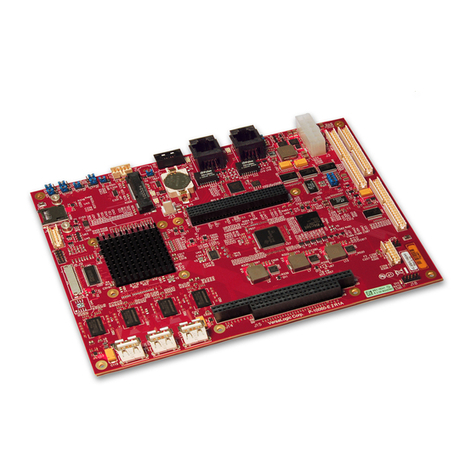
Cherry theobroma SYSTEMS PX30-mQ7 User manual

featuring the Rockchip PX30 application processor
Quad-Core ARM Cortex-A35
PX30-Q7
USER MANUAL
System-on-Module
Document revision: v1.0.1-8-g2dd91c8
Issue date: Feb 03, 2023


Contents
1 Introduction 1
1.1 Device Overview .................................................. 1
2 First Steps 2
2.1 Insert the Module .................................................. 2
2.2 Mount the Fan (optional) .............................................. 2
2.3 Power Up ...................................................... 2
3 Using the EVK 4
3.1 Evaluation Board Overview ............................................ 4
3.2 Power Supply .................................................... 5
3.3 Control Buttons and Switches ........................................... 6
3.4 CPU Fan ....................................................... 6
3.5 Boot Order ..................................................... 7
3.6 USB Serial Console ................................................. 7
3.7 RS-232 and RS-485 ................................................. 8
3.8 TTL UART ..................................................... 9
3.9 Ethernet ....................................................... 9
3.10 SD-Card ....................................................... 10
3.11 USB Interfaces ................................................... 10
3.12 Display and Camera ................................................ 11
3.13 RTC ......................................................... 12
3.14 SPI and I2C ..................................................... 13
3.15 GPIOs ........................................................ 14
3.16 Audio ........................................................ 15
3.17 CAN Bus ...................................................... 16
3.18 CTRL I/O Connector ................................................ 17
3.19 MISC Connector .................................................. 17
3.20 JTAG Connector .................................................. 18
4 Software Overview 19
4.1 Supported Distributions .............................................. 19
4.2 Compiling Linux Applications ........................................... 19
5Debianimageguide 20
5.1 Prepare the host PC ................................................. 20
5.2 Compile the ATF .................................................. 20
5.3 Compile U-Boot .................................................. 21
5.4 Compile the Linux kernel ............................................. 21
5.5 Building the debos image .............................................. 21
6 Building a Yocto image 23
6.1 Prerequisites .................................................... 23
6.2 BSP meta layer ................................................... 23
6.3 Initial setup ..................................................... 23
6.4 Initializing build environment ........................................... 24
6.5 Building a minimal image ............................................. 24
6.6 Flashing an SD card with ....................................... 25
6.7 Building with .................................................. 25
7Deployadiskimage 26
7.1 Deploy on SD Card ................................................. 26
7.2 Deploy on internal eMMC ............................................. 26
8Wifi 28
8.1 Connecting to a Wifi network ........................................... 28
PX30-uQ7 User Manual
©Theobroma Systems Design und Consulting GmbH
v1.0.1-8-g2dd91c8
Page i

8.2 Flashing the wifi firmware ............................................. 28
9SerialNumber&MACAddress 30
9.1 Serial Number .................................................... 30
9.2 MAC Address .................................................... 30
10 Hardware Guide 31
10.1 Q7 Implementation ................................................. 31
10.2 Q7 Connector Pinout ................................................ 32
10.3 Signal Details .................................................... 34
10.4 On-board Devices ................................................. 37
10.5 Wifi and Bluetooth module ............................................. 39
10.6 USB ......................................................... 41
10.7 Using Qseven Signals as GPIO ........................................... 42
10.8 Electrical Specification ............................................... 43
10.9 Mechanical Specification .............................................. 44
11 Revision History 45
v1.0.1-8-g2dd91c8
Page ii

1 Introduction
Congratulations for acquiring our new product, combining best-in-class performance with a rich set of peripherals.
Note: The latest version of this manual and related resources can always be found on our website at the following address:
https://www.theobroma-systems.com/som-product/px30-uq7/
1.1 Device Overview
PX30 is a high-performance Quad-core application processor designed for personal mobile internet device and other digital
multimedia applications. PX30 is a 64 bit low power processor with Quad Core ARM Cortex A35 and dual core Mali G31
GPU. This 64bit capable ARMv8 Cortex A35 processors support both the ARM Crypographic Extension (e.g.for wire-rate AES
encryption) and AdvSIMD vector processing. The ability to receive camera sensor input through a MIPI-CSI interface and
to process the resulting imagestream in real-time with the powerful ARM processor cores enables vision and image-analytics
applications.
PX30-uQ7 User Manual
©Theobroma Systems Design und Consulting GmbH
v1.0.1-8-g2dd91c8
Page 1

2 First Steps
This chapter provides instructions for getting the PX30-uQ7 EVK running after opening the box.
2.1 Insert the Module
Insert the PX30-uQ7 module at a 30-degree angle into the connector in the base board. Once fully inserted, push it down until
it rests on the standoffs and check alignment of the mounting holes.
Note: The module springs back into the 30-degree angle once released. This is expected, and alignment will be kept. The
module will be secured into place.
Fig. 2.1: Module mounting
2.2 Mount the Fan (optional)
The fan is only necessary in exceptionally high ambient temperatures. Under normal conditions, the PX30 operates passively
cooled.
2.3 Power Up
For bootloader configuration and Linux console, the serial interface can be used. Connect either a Micro-USB or RS-232
cable to the corresponding port. Select the correct UART with UART selector slider (1). For Micro-USB, the slider has to be
in the right position to route the default console (UART0) to the USB-UART bridge. For RS-232, the slider has to be in the left
position and the protocol slider (2) has to be in the RS-232 position (see Fig. 2.2 Serial console and boot configuration ).
Connect the power supply and verify the sliders are in the position (3) and (4). Press the
(5) to power the board. You will see the boot progress and later on a login prompt on the serial interface. If the display
is connected, video output will follow shortly after.
v1.0.1-8-g2dd91c8
Page 2

Power
USB UART
RS232
1
2
345
Fig. 2.2: Serial console and boot configuration
PX30-uQ7 User Manual
©Theobroma Systems Design und Consulting GmbH
v1.0.1-8-g2dd91c8
Page 3

3 Using the EVK
This chapter provides instructions for using the EVK (also called Haikou), such as booting and how to configure and use I/O
peripherals (e.g. serial console, Ethernet).
3.1 Evaluation Board Overview
An overview of the available connectors and devices on the EVK is shown below.
Note: The PX30-uQ7 does not support HDMI and PCIe x4 (they are shown with a * in the next figure).
v1.0.1-8-g2dd91c8
Page 4

UPDI
SPI+I2C+1-wire
GPIO
Misc I/O
CTRL I/OSMBus
CAN
Buzzer
I2S
FAN
Battery
SD - Card
Slot
Display Connector
PCIe x4 *
+12 Power
Audio
Ethernet
2x USB 2.0
USB 2.0
USB UART
USB OTG
HDMI *
RS232
Power
Reset
Wake
Sleep
Batlow
Power Mode
BOOT SW
LID SW
Fig. 3.1: The base board for to PX30-uQ7 module
(connectors marked with a * are not supported)
3.2 Power Supply
The baseboard can operate with a single 12V DC power supply.
PX30-uQ7 User Manual
©Theobroma Systems Design und Consulting GmbH
v1.0.1-8-g2dd91c8
Page 5

Fig. 3.2: 12V Power connector
Power can be controlled manually from the board using the control buttons and switches, located on the lower right
side of the board (see Section 3.1 Evaluation Board Overview).
Depending on the setting of ( ) switch, the board will boot as soon as it receives
power.
3.3 Control Buttons and Switches
The control buttons (see Fig. 3.1 The base board for to PX30-uQ7 module) provide the following functionality:
•toggles the module power supply.
•triggers a module reset.
•,and are routed to GPIOs on the uQ7 module.
Several slider switches are located on the lower left:
•is routed to a GPIO on the module, simulates lid open/close.
•( ), as described above, sets the state after power loss.
•( ) forces SD card boot or the normal boot order, respectively.
3.4 CPU Fan
Operation in high environmental temperatures may require a CPU fan. The fan connector is located next to the bottom right
corner of the Q7 expansion area.
v1.0.1-8-g2dd91c8
Page 6
Other manuals for theobroma SYSTEMS PX30-mQ7
1
Table of contents
Other Cherry Single Board Computer manuals