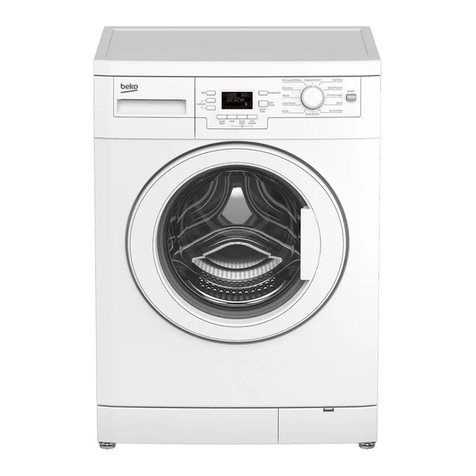
Camec AquaRV User manual

Compact 4kg Front Load Washing Machine
Instructions for use

2
Introduction
Please read these instructions for use carefully and all other information enclosed
with the washing machine.
Keep all documentation in a safe place for future reference or for any future
owners.
This appliance is intended to be used in RV’s and similar
applications such as:
- Caravans
- Motor Homes
- Campers
If the appliance is used in a manner inconsistent with the above, it may reduce
the life of the appliance and may void the manufacturer’s warranty.
Any damage to the appliance or other damage or loss arising through use that is
not consistent with RV use shall not be accepted by the manufacturer to the
fullest extent permitted by law.
Notes on disposal
All packaging material used is environmentally-friendly and recyclable. Please
dispose of the packaging via environmentally-friendly means.
Your local council will be able to give you details of
current means of disposal
Valuable materials can be salvaged from an old appliance via scrap
reprocessing.
Note: pull out the mains plug from any old appliance.
Cut the power cable and dispose of it, together with
the plug.
When disposing of an old washing machine, please ensure that the door lock is
rendered inoperable to prevent children shutting themselves in the appliance.

3
Contents Page
Introduction 2
General delivery notes 4
Safety notes 4
Quick start guide 5
Description of controls 6
Wash program guide 12
Program selector 14
Detergent drawer 16
Detergents, washing aids and amounts to use 17
Economical washing tips 19
Washing procedure 20
Cleaning and routine maintenance 22
Troubleshooting 24
Specifications 25
Setup & Installation 26
Warranty Statement 28
BEFORE SWITCHING ON THE APPLIANCE MAKE
SURE IT IS CORRECTLY INSTALLED AND THAT THE
FIXING SCREWS ARE REMOVED AS SHOWN ON
PAGE 26.

4
General delivery notes
Please check that the following items are delivered with the appliance:
- Instruction manual
- Inlet hose
Check that no damage has occurred during transit, and if so, call your nearest
Authorised Camec Dealer.
Safety notes.
Note:
For cleaning or maintenance of the washing machine.
A) Turn off the power point and pull out the plug.
B) Turn off the tap.
C) Ensure that the mains supply is earthed, and if it is not, seek assistance from a
qualified person.
D) Do not touch the appliance when your hands or feet are wet or damp. Do not
use the appliance with bare feet.
E) The use of adapters, multiple connectors and/or extension cords is not
recommended.
Note:
Water temperature can reach 90°C during the wash cycle.
F) Check there is no water left in the drum before opening the door.
G) This appliance is not intended for use by persons (including children)
with reduced physical, sensory or mental capabilities, or lack of experience
and knowledge, unless they have been given supervision or instruction
concerning use of the appliance by a person responsible for their safety.
Children should be supervised to ensure that they do not play with the appliance.
H) Do not pull the power cable or the appliance itself to remove the plug from
the socket.
I) The appliance must not be exposed to weather conditions (rain, direct sun, etc...)
L) When moving the appliance never lift it by the controls or by the detergent
drawer.

5
M) Note!
If the appliance is installed on a carpeted floor ensure that the ventilation holes
on the base of the appliance are not obstructed.
N) If the appliance is not running properly or breaks down, switch it off, turn off the
tap and do not tamper with the appliance.
Consult only an authorised Camec Dealer for possible repair.
Failure to comply with the above can compromise the safety of the appliance.
Quick start guide
Washing
- Open the door by using the handle “A” (Fig. 1, page 6)
- Select laundry and put it in the machine.
- Close the door.
- Put detergent in the compartment(s) as indicated in the program guide in this
instruction manual.
- Select program.
- The display will show the settings for the program selected.
Press additional function buttons (if required)
- Press the “Start/Pause” button (page 7)
- The program will start.
Ensure that the machine is correctly installed in line with the instructions found on page
26.
After washing
- The word “End” will appear on the display.
- Wait for the door lock to be released
(about 2 minutes after the program has finished).
The “Door Security” indicator light will go out.
- Switch off the washing machine by turning the selector
to the “OFF” position.
- Open the door and remove the laundry.

6

7
Door handle
Press the finger-bar inside the door handle to open the door.
A
NOTE: When the "Start/Pause" button has been pressed,
the appliance can take few seconds before it starts
operating.
“START/PAUSE” function
Press to start the selected cycle .
Changing the settings
after the program has started (PAUSE)
Press and hold the “START/PAUSE” button for about 2 seconds. Flashing lights on the
option buttons & time remaining indicator will indicate that the machine has been paused.
A
djust as required and press the “START/PAUSE” button again to resume washing.
If you wish to add or remove items during the wash cycle, wait 2 minutes until the safety
device unlocks the door.
When you have done this, close the door, press the "Start/Pause” button and the
appliance will continue the cycle where it left off.
CANCELLING A PROGRAM
To cancel a program, turn the selector to the OFF position.
Select a different program.
Re-set the program selector to the “OFF” position.
C
B
Program Start light
This lights up when the START button has been pressed.

8
Note: Cycle option buttons should be selected before
pressing the "Start/Pause" button.
AQUAPLUS function D
Pressing this button activates a special new wash cycle in the Cotton and Mixed
Fabrics programs, thanks to a new Sensor System. This option treats the fibers of
garments with care and therefore is a useful feature for people with delicate skin.
The load is washed in a much larger quantity of water and this, together with a
specialised combined action of the drum rotation cycles, where water is filled and
emptied, will ensure your garments have been cleaned and rinsed to perfection. The
amount of water in the wash is increased so that the detergent dissolves perfectly,
ensuring an efficient cleaning action. The amount of water is also increased during the
rinse procedure so as to remove all traces of detergent from the fibers.
This function has been specifically designed for people with delicate and sensitive
skin, for whom even a very small amount of detergent can cause irritation or allergy.
You can also use this function for children’s clothing and for delicate fabrics in general,
or when washing garments made of toweling, where the fibers tend to absorb a
greater quantity of detergent.
To ensure the best performance for your wash, this function is always activated on the
Delicates and Woolens/Hand wash programs.
“COLD WASH” function E
By pressing this button it is possible to convert every program into a cold washing one,
without modifying other settings (water level, times, etc...).

9
“DELAY START” button F
This button allows you to to delay the start of the cycle for up to 24 hours.
To delay the start use the following procedure:
Set the required program.
Press the “Delay Start” button once to activate it (h00 appears on the display) and
then press it again to set a 1 hour delay (h01 appears on the display); the pre-set
delay increases by 1 hour each time the button is pressed, until h24 appears on the
display, at which point pressing the button again will reset the delay start to zero.
Confirm by pressing the “START/PAUSE” button (the light on the display starts to
flash). The countdown will begin and when it has finished the program will start
automatically.
It is possible to cancel the delay start function with the following procedure:
Press and hold the button for 5 seconds until the display shows the settings for the
program selected.
At this stage it is possible to start the program previously selected by pressing the
“START/PAUSE” button or to cancel the process by setting the selector to the OFF
position and then selecting another program.
The spin cycle is very important to remove as much water as possible from the laundry
without damaging the fabrics. You can adjust the spin speed of the machine to suit your
needs.
By pressing this button, it is possible to reduce the maximum speed, and if you wish, the
spin cycle can be cancelled.
To reactivate the spin cycle you can press the button until you reach the spin speed you
would like to set.
To help protect your fabrics, it is not possible to increase the spin speed above
the speed automatically set by the wash program.
It is possible to modify the spin speed at any time without pausing the machine.
SPIN SPEED function G

10
1
2
3
4
“DIGITAL” Display H
The display’s indicator system allows you to be constantly informed of the status of the
washing machine:
1) SPIN SPEED
Once the program has been selected, the maximum spin speed allowed for that
program appears on the display. Pressing the spin button will reduce the speed by
100 rpm each time the button is pressed. The minimum speed allowed is 400 rpm, or
it is possible to omit the spin cycle by pressing the spin button repeatedly.
2) DELAY START LIGHT
This flashes when the delayed start has been activated.
3) “DOOR SECURITY” indicator light
The “Door Security” indicator light is illuminated when the door is fully closed and
the machine is ON. When "Start/Pause" is pressed on the machine with the door
closed the indicator will flash momentarily and then illuminate.
If the door is not closed the indicator will continue to flash.
A special safety setting prevents the door from being opened immediately after the
end of the cycle. Please wait for 2 minutes after the wash cycle has finished and the
“Door Security” light has gone out before opening the door. At the end of the cycle
turn the program selector to "OFF".
4) CYCLE DURATION
When a program is selected the display automatically shows the cycle duration,
which can vary depending on the options selected.
Once the program has started the display will indicate the time remaining to the end
of the wash.
The appliance calculates the time to the end of the selected program based upon a
standard loading. During the cycle, the appliance corrects the time based on the size
and composition of the load.
Table of contents
Other Camec Washer manuals
Popular Washer manuals by other brands

Tricity Bendix
Tricity Bendix AW 1000 W Operating & installation instructions

Panasonic
Panasonic NA-F60L5WRB operating instructions

GE
GE WSLP1500 Dimensions and installation information

Electrolux
Electrolux EWF1284EDW Service manual

Bosch
Bosch WAN2829BSN User manual and installation instructions

LG
LG TV2516DV3B owner's manual