BlueTrek Surface Sound Compact User manual

EC - Declaration of Conformity
We, ModeLabs Technologies Ltd of
31/F China Online Centre,
333 Lockhart Road,
Wan Chai, Hong Kong
declare under our sole responsibility that our product
BLUETREK SURFACE SOUND COMPACT
to which this declaration refers is in conformity with the appropriate standards
EN55013
EN55020
September 2007
Guillaume Ponticelli, Director of Development

FCC/ Industry Canada Notice
This device complies with Part 15 of the FCC rules. Operation is subject to the following two
conditions: (1) This device may not cause harmful interference. (2) This device must accept
any interference received, including interference that may cause undesired operation.
In compliance with Industry Canada regulations, technical specifications have been
provided in a declaration of conformity.This does not imply that Industry Canada approved
the equipment.
Caution: Changes or modifications to this unit not expressly approved by the party
responsible for compliance could void the user’s authority to operate it.
Trademark of New Transducers LimitedTrademark of New Transducers Limited

Before using your BLUETREK® SURFACE SOUND COMPACT for the first time, you must
charge it continuously for approximately 10 hours, until the red indicator light turns off.
Please refer to the “Charging the BLUETREK® SURFACE SOUND COMPACT”section of this
manual.
Introduction
The BLUETREK® SURFACE SOUND COMPACT is a wireless car kit based on Bluetooth®
technology. It complies with Bluetooth® 1.2 protocol, supporting Headset and Handsfree
profile.
A built-in voice alert is an advanced feature that is now available on your car kit. A
recorded voice reminds you of the actions in your car kit, such as: reject a call, redial the
last number, redial the last incoming call, when you have a missed call, dial the missed call,
cancel the missed call, when your car kit is connected/disconnected and when your car kit
needs to be charged.The voice alert feature is activated by default.You may choose to
activate/inactivate this function by pressing both TALK button and VOL- for approximately
7 seconds, it will then restart and connect automatically.
The BLUETREK® SURFACE SOUND COMPACT has 3 buttons:
“TALK” button (main button)
“VOL+”button
“VOL-“ button
1 I BLUETREK SURFACE SOUND COMPACT
English

BLUETREK SURFACE SOUND COMPACT I 2
English
VOL+ button
Rotary microphone
arm
VOL- button
Earphone socket
Flat panel speaker
Charging Socket
Indicator light
TALK button
Using the BLUETREK® SURFACE SOUND COMPACT in different
environment
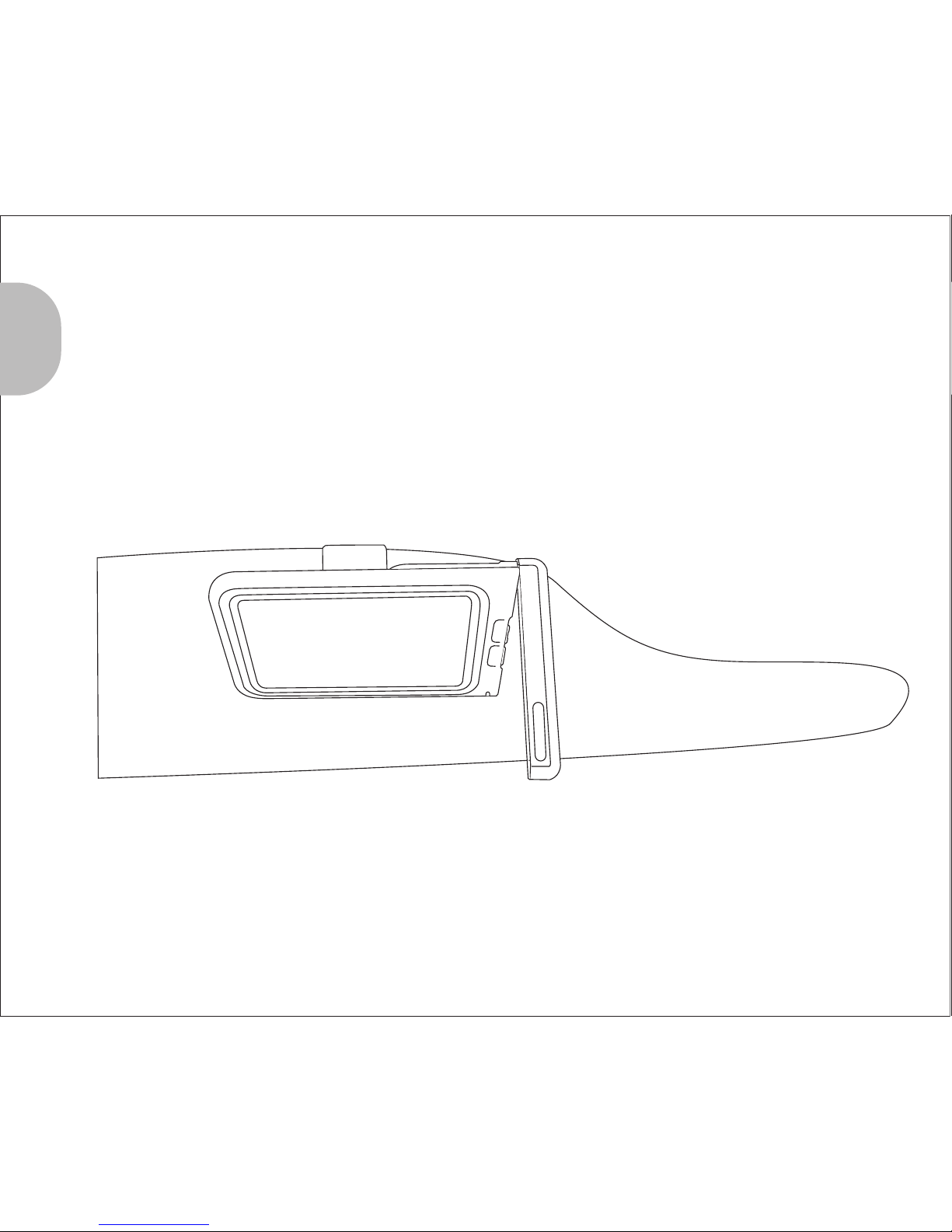
Mounting on the sun visor as a car kit
When using your BLUETREK® SURFACE SOUND COMPACT in your car, simply mount the
unit onto the visor with the clip as shown in Diagram 1.
Diagram 1
3 I BLUETREK SURFACE SOUND COMPACT
English

Diagram 2
Using the earphone for private conversations
You can enjoy private conversations by plugging the supplied earphone into the
socket as shown in Diagram 2.
English
BLUETREK SURFACE SOUND COMPACT I 4

5 I BLUETREK SURFACE SOUND COMPACT
English
Charging the BLUETREK® SURFACE SOUND COMPACT
Diagram 3
Connect the charging cable to the car charger and insert the car charger into the
cigarette lighter socket as shown in Diagram 3.
While charging, the indicator light on the BLUETREK® SURFACE SOUND COMPACT should
be red. The indicator light will turn off when the unit is fully charged. Subsequent charges
should take approximately 4 hours.
When the indicator light on your BLUETREK® SURFACE SOUND COMPACT flashes in red at
regular intervals (or the voice alert is activated), the unit needs to be recharged.
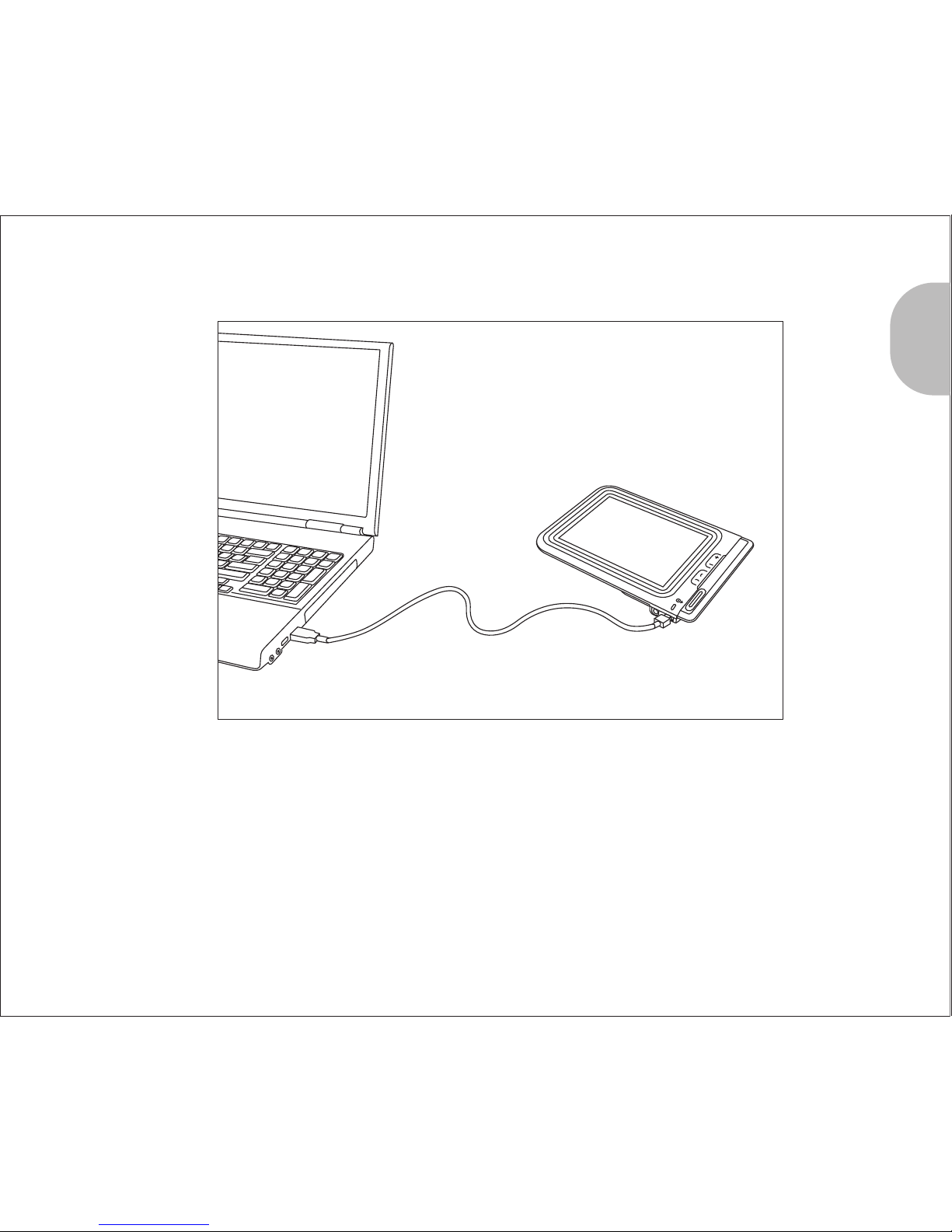
You can also connect the charging cable to a USB socket.
Diagram 4
English
BLUETREK SURFACE SOUND COMPACT I 6

7 I BLUETREK SURFACE SOUND COMPACT
English
Important:
· If your BLUETREK® SURFACE SOUND COMPACT is fully charged, the red indicator light
will not turn on when plugged into the charger.
· To maximize battery lifetime, you should recharge your BLUETREK® SURFACE SOUND
COMPACT to full capacity only when the battery is low, because the battery has a lifetime
of approximately 500 charging cycles.
· If you leave your BLUETREK® SURFACE SOUND COMPACT on with battery empty for an
extended period of time, it is recommended that you first switch off the BLUETREK®
SURFACE SOUND COMPACT before charging and charges it for 3 hours or more until it is
completely recharged. When you first charge the BLUETREK® SURFACE SOUND COMPACT
after prolonged storage, the red indicator light might not turn on until after a few
minutes.
· Do not charge your BLUETREK® SURFACE SOUND COMPACT for more than 24 hours.
· The use of any other charger will automatically void the warranty, it is strictly
forbidden and can be unsafe.

English
BLUETREK SURFACE SOUND COMPACT I 8
Pairing the BLUETREK® SURFACE SOUND COMPACT
Before using the BLUETREK® SURFACE SOUND COMPACT, you must pair it with your
Bluetooth® mobile phone. Pairing is the process of linking 2 Bluetooth® devices, so that
they can communicate.
To initiate pairing:
1. Place the BLUETREK® SURFACE SOUND COMPACT and your mobile phone within 0.3
meter (1 foot) from each other.
2. Switch on your phone and select its Bluetooth® discover mode (refer to the Bluetooth®
mobile phone user manual).
3. When the BLUETREK® SURFACE SOUND COMPACT is switched on, press and hold both
the TALK button and the VOL+ button for about 5 seconds until the indicator light
flashes red and blue alternately. And a sound can be heard in the speaker.
4. Once the mobile phone detects the car kit, a“BLUETREK COMPACT”message will be
displayed. Follow the phone instructions to accept the pairing.The PIN code (or
passkey) is 0000, then press“yes”or“ok”.
If pairing was successful, the indicator light will switch to blue and flashes slowly.
If you haven’t started the discovery mode within 5 minutes, it will stop. In this case, you
must start the pairing again as step 3 above.
Other manuals for Surface Sound Compact
1
Table of contents
Other BlueTrek Automobile Accessories manuals