APSP G6 /
3
INSTALLATION MANUAL
Table of Contents
1. PRODUCT DESCRIPTION .......................................................................................................................................................5
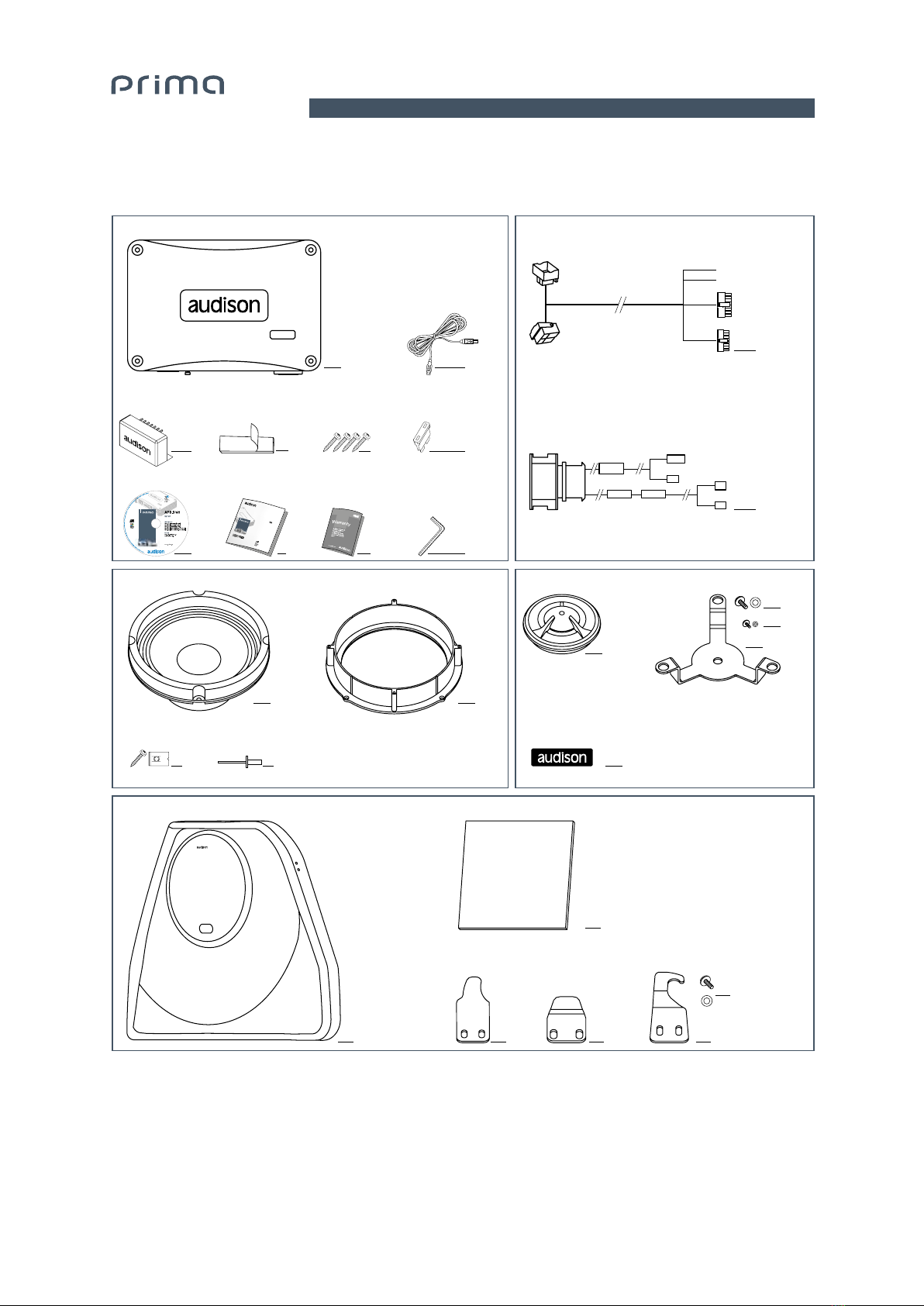
2. CONTENTS OF THE PACKAGE...............................................................................................................................................6
3. TECHNICAL SPECIFICATIONS...............................................................................................................................................7
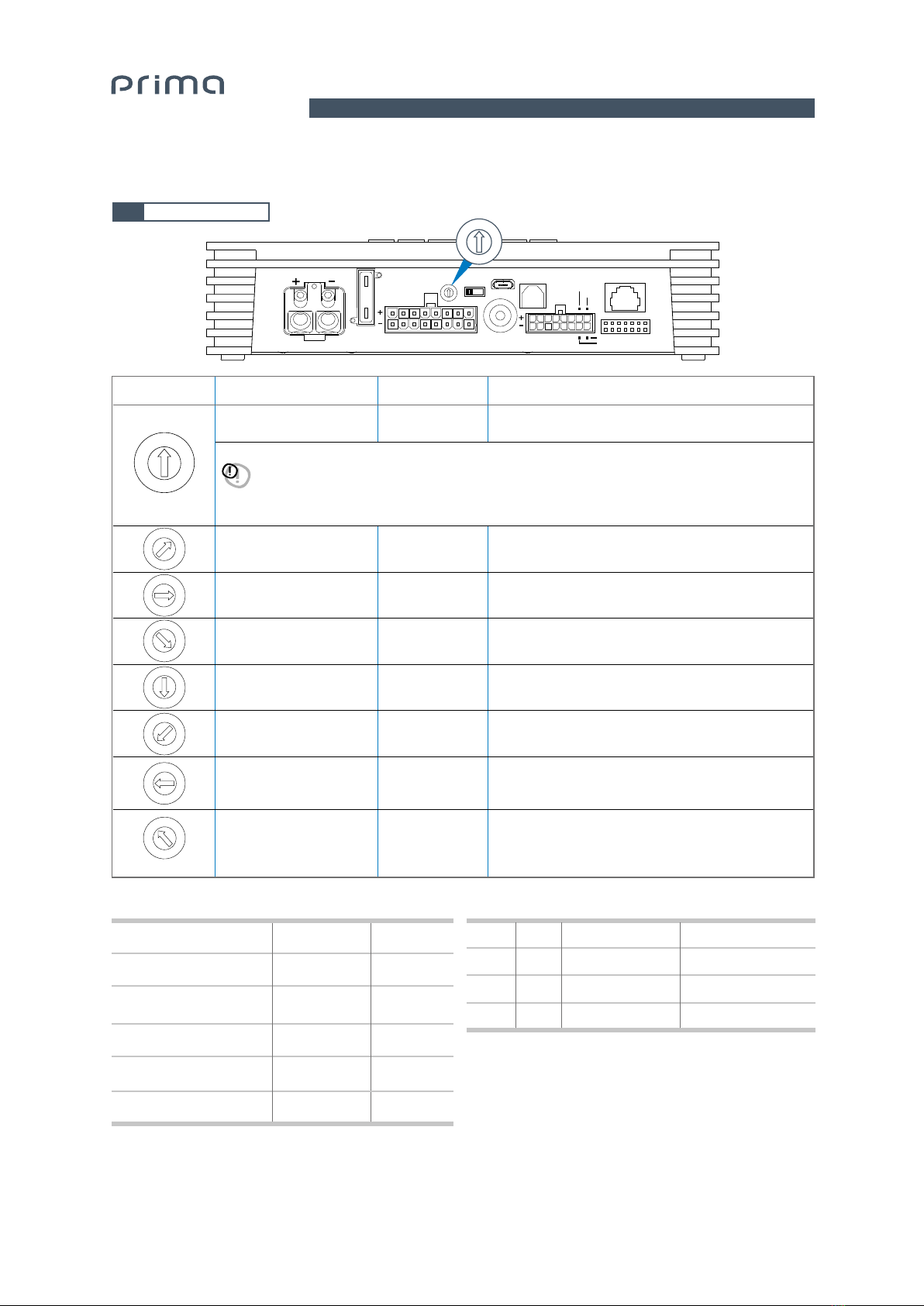
3.1 Pre-set description ........................................................................................................................................................... 7
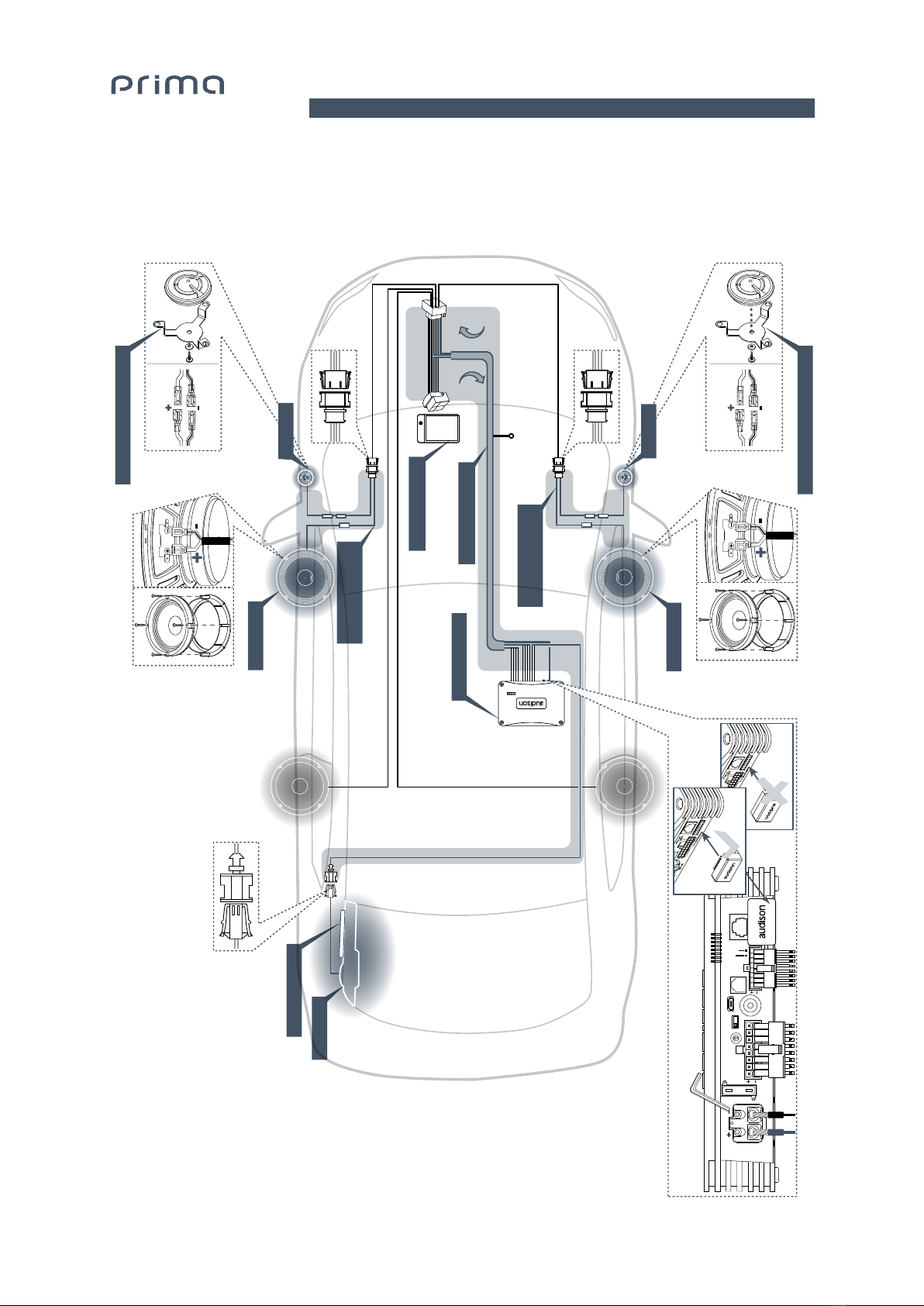
4. CONNECTIONS LAYOUT .........................................................................................................................................................8
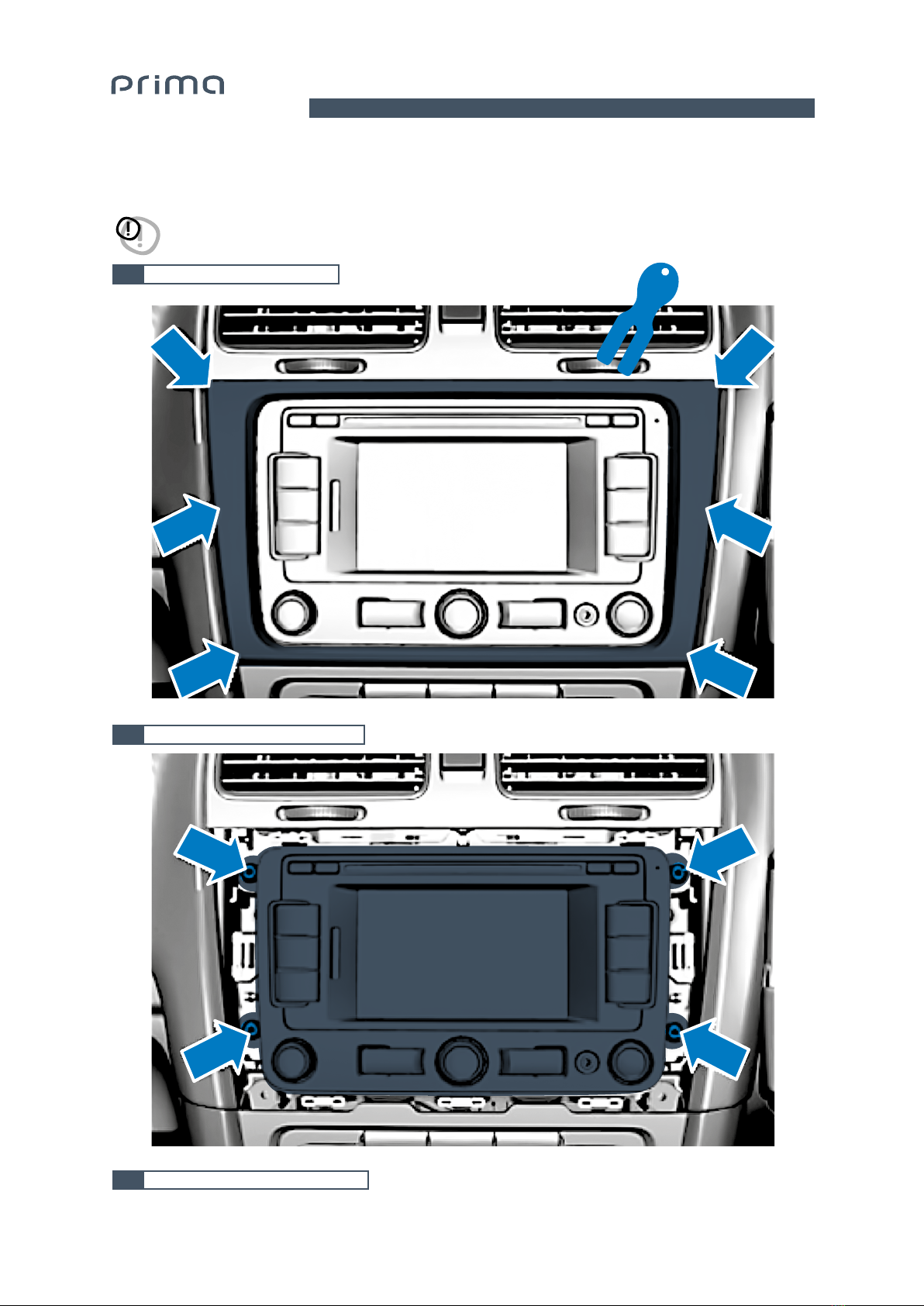
5. REMOVING THE ORIGINAL CAR RADIO..............................................................................................................................9
5.1 Removing the nishing frame........................................................................................................................................ 9
5.2 Removing the 4 fastening screws ................................................................................................................................9
5.3 Extraction of the original car audio...............................................................................................................................9
6. DISASSEMBLING THE CAR DOOR SILL AND COVERINGS FROM THE RIGHT SIDES..........................................10
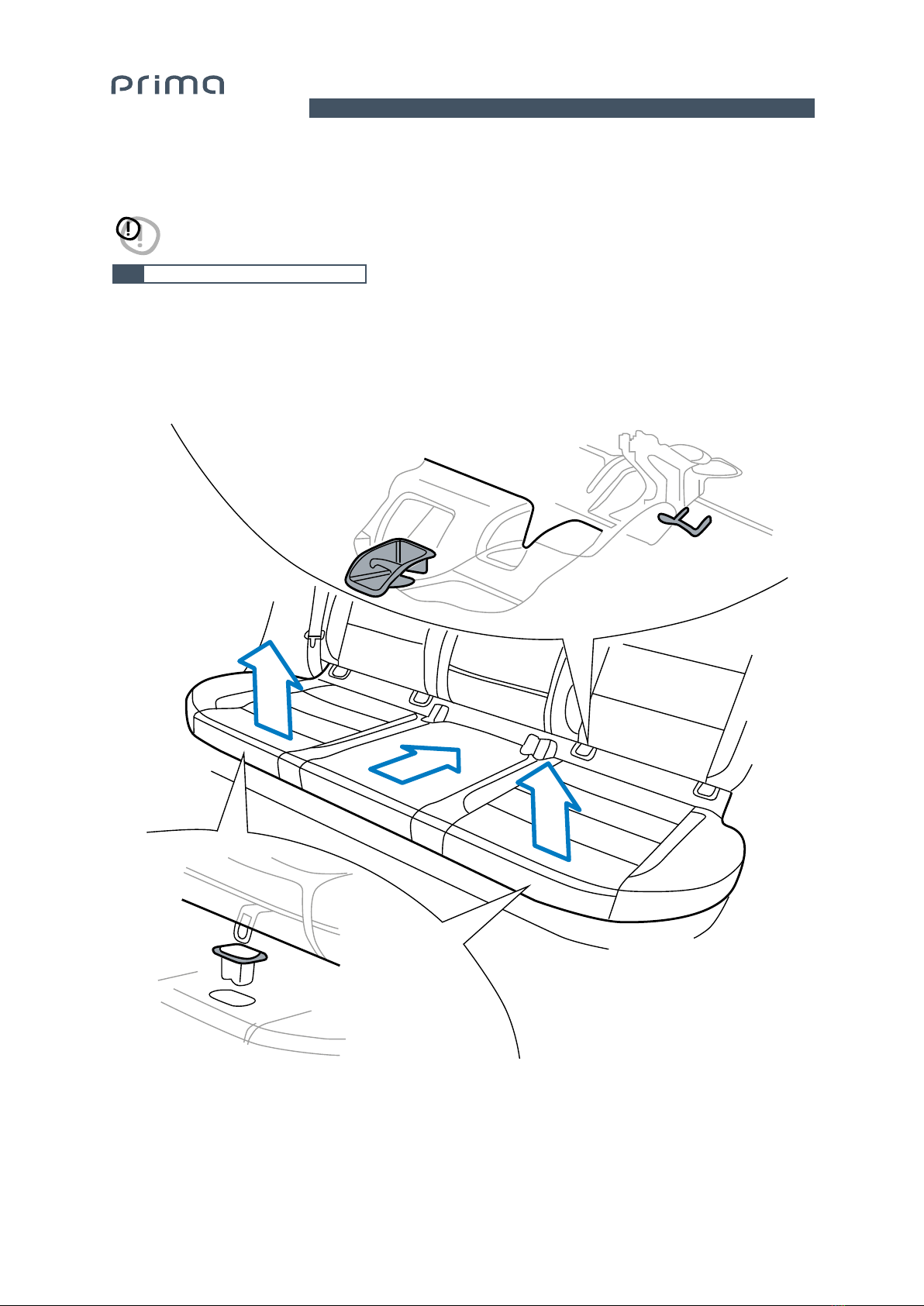
6.1 Removing the rear seat .................................................................................................................................................10
6.2 Removing the right rear wheelhouse cover (5-door version)................................................................................11
6.3 Removing the right door sill completely ....................................................................................................................12
6.4 Removing the lower cover of the right pillar .............................................................................................................13
6.5 Removing the right side covering of the dashboard ...............................................................................................13
7. DISASSEMBLING THE FRONT DOOR COVERING...........................................................................................................14
7.1 Removing the front door panel....................................................................................................................................14
7.2 Removing the tweeter casing ......................................................................................................................................15
8. PASSING APSP G6 HARNESS CABLES...........................................................................................................................16
8.1 Passing the cable in the car radio's casing to the right of the dashboard..........................................................16
8.2 Passing the subwoofer power cable up to the left rear side of the boot ............................................................17
9. INSTALLATION OF SUBWOOFER APBX G6......................................................................................................................18
9.1 Installing the mounting kit ............................................................................................................................................18
9.2 Installing APBX G6 in the car........................................................................................................................................19
9.3 APBX G6 installation completed..................................................................................................................................20
10. INSTALLATION OF WOOFERS AP 6.5 G6 .........................................................................................................................21
10.1 Removing original Woofers ..........................................................................................................................................21
10.2 APSP G6 SPEAKER CABLE connection to woofer AP 6.5 G6...............................................................................22
10.3 Assembling the woofer into the casing......................................................................................................................22
11. INSTALLATION OF TWEETER AP 1 SP..............................................................................................................................23
11.1 Removing the original Tweeters from the casing ....................................................................................................23
11.2 Installing the AP 1 SP MOUNTING KIT ......................................................................................................................23
11.3 Installing AP 1 SP in the casing ...................................................................................................................................24
12. INSTALLATION OF AP 8.9 BIT G6.......................................................................................................................................25
12.1 Install ASP (Automatic Speaker Presence) ...............................................................................................................25
12.2 APSP G6 HARNESS cable connection to AP 8.9 bit G6 .........................................................................................25
12.3 Positioning AP 8.9 bit G6...............................................................................................................................................25
13. CONNECTION OF THE APSP G6 HARNESS CABLE TO THE ORIGINAL CAR RADIO ............................................26
13.1 Connect the APSP G6 HARNESS cable.....................................................................................................................26
14. REASSEMBLING ALL PARTS...............................................................................................................................................26
14.1 Reassemble all parts of the vehicle by following the operations described in
the disassembly section in reverse order......................................................................................................26
15. OPTIONAL ACCESSORIES....................................................................................................................................................27
15.1 DRC (Digital Remote Control).......................................................................................................................................27
15.2 DRC-MP (Digital Remote Control)...............................................................................................................................27
15.3 Bit Play HD........................................................................................................................................................................27
15.4 OP 1.5 TOSLINK OPTICAL CABLE 1.5 M / 59.05 IN.................................................................................................28
15.5 OP 4.5 TOSLINK OPTICAL CABLE 4.5 M / 177.16 IN...............................................................................................28
15.6 STA - F/F SOCKET TOSLINK ADAPTER.....................................................................................................................28
15.7 ECK DRC ...........................................................................................................................................................................28
16. TROUBLESHOOTING..............................................................................................................................................................29