AMS KIT-360-VIEW User manual

360° VISION SYSTEM
For more detailed information :
www.ams-diffusion.com
Item code: KIT-360-VIEW

AMS Diffusion - Rue des Galeries - ZA du Chevalement - 59286 Roost Warendin - FRANCE - Tél. +33 (0)3.27.94.44.44 - Fax. +33 (0)3 27 94 44 45
Email : contac[email protected] - www.ams-diffusion.com RCS DOUAI A 451 360 382 - CODE APE 4531Z - SIRET 451 360 382 00035 - TVA FR 55 451 360 382
2
1. EQUIPMENT
WARNING
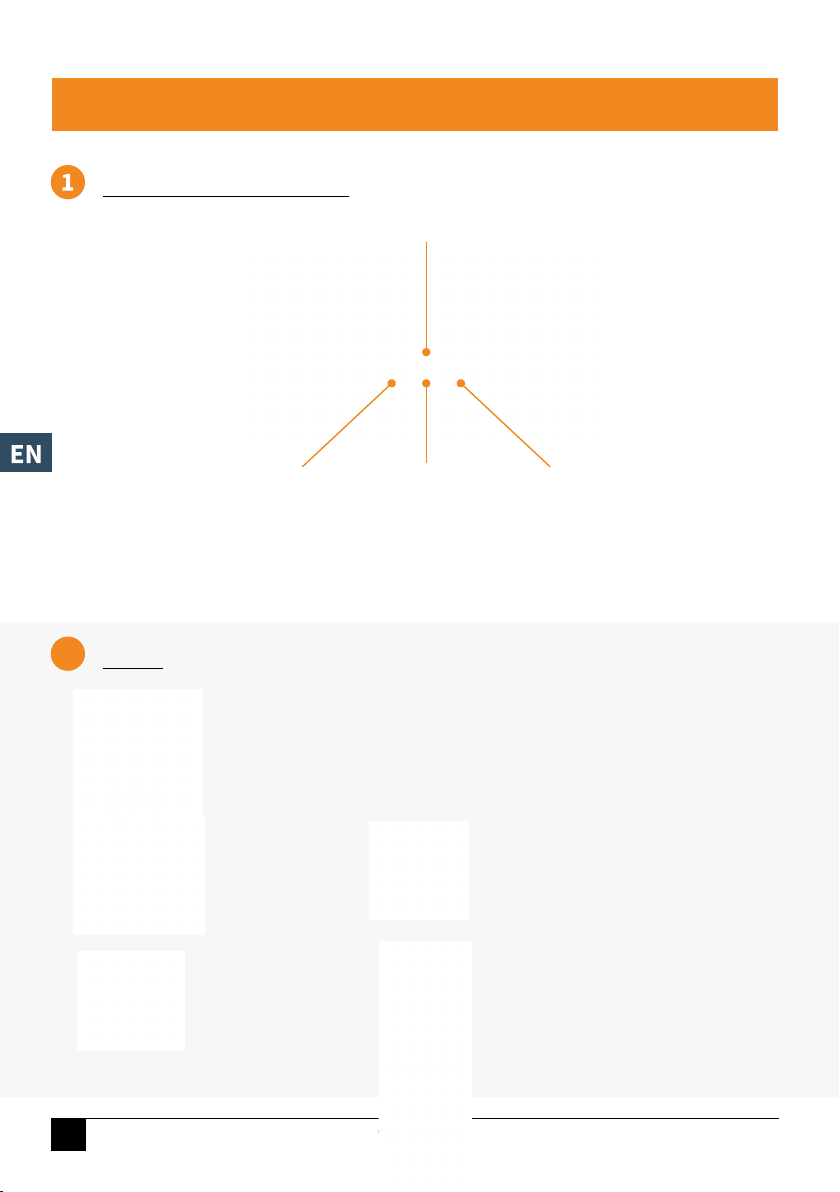
4 Full HD
wide-angle cameras
Control unit
Power cable
Camera connection
cable
4 calibration mats
Remote control
VICAM-AMS-360-CAM1
- We recommend that you have your equipment installed by a professional (see legal information section). Failure to comply with
the instructions may result in material damage and adversely affect the functioning of the device. It may also endanger people’s
safety. AMS cannot be held liable for failure to comply with these instructions.
- Do not expose the system to excessive heat or cold. Do not use the device in excessively damp, dusty or smoky environments (the
control unit is not watertight or airtight). Avoid dropping or knocking the device. Avoid using it in enclosed spaces, areas subject
to extreme vibrations or serious impacts. Never pierce, scratch or use abrasive cleaning products on this device. Ensure that the
cables are correctly connected and positioned so that they cannot be pinched or trodden on. Incorrect cable connection may
damage the system. The device can be powered using a 12 V or 24 V car battery or a vehicle electrical system. Check the polarity
when connecting. Disconnect the power cable when you are not using the device. Disconnect all cables from the control unit
before cleaning the device. Use mild household detergent and clean the device with a soft, slightly damp cloth. Never use powerful
solvents such as diluent or benzene, as they may damage the finish on the device.
- Cable connection:
Before carrying out work on the electrical components of your device, always disconnect the negative terminal of the battery (and
possibly that of the additional battery) to prevent any risk of a short circuit. When you disconnect the negative terminal of the
battery, the volatile memories of convenience electronics lose all recorded data.
Video signal
connection cable
and trigger wire
2. INSTALLATION

AMS Diffusion - Rue des Galeries - ZA du Chevalement - 59286 Roost Warendin - FRANCE - Tél. +33 (0)3.27.94.44.44 - Fax. +33 (0)3 27 94 44 45
Email : contac[email protected] - www.ams-diffusion.com RCS DOUAI A 451 360 382 - CODE APE 4531Z - SIRET 451 360 382 00035 - TVA FR 55 451 360 382 3
+
4 cameras
camera connection cable
IR cable
power supply harness
video signal connection cable
left
right
front
rear
2. INSTALLATION
CONNECTING THE SYSTEM

AMS Diffusion - Rue des Galeries - ZA du Chevalement - 59286 Roost Warendin - FRANCE - Tél. +33 (0)3.27.94.44.44 - Fax. +33 (0)3 27 94 44 45
Email : contac[email protected] - www.ams-diffusion.com RCS DOUAI A 451 360 382 - CODE APE 4531Z - SIRET 451 360 382 00035 - TVA FR 55 451 360 382
4
3
2. INSTALLATION
4CONNECTION TO THE SCREEN
CONNECTIONS
PRIORITY WIRES
Connection to + 12 V/+ 24 V.
Automatic activation on engine ignition
Trigger -L
Trigger to display the left camera
Trigger -R
Trigger to display the right camera
Trigger extend
Trigger to display the 360 view in full-screen mode
Backward
Trigger to reverse gear
V_control
+12 V trigger output
+12 V
Trigger output 12 V
Ground (GND)
Ignition
black
yellow
pink
red
white
brown
yellow
blue
green
The 360 system can be connected to an analogue screen (less than 800 TVL) or to an HD
screen (1080P).
CVBS > Connection of an analogue screen
AHD > Connection of an HD screen
Other connections:
RADAR > A reversing camera can be connected here
CAN > Invalid (special OEM)
USB > Connect a USB memory stick to export or import images

AMS Diffusion - Rue des Galeries - ZA du Chevalement - 59286 Roost Warendin - FRANCE - Tél. +33 (0)3.27.94.44.44 - Fax. +33 (0)3 27 94 44 45
Email : contac[email protected] - www.ams-diffusion.com RCS DOUAI A 451 360 382 - CODE APE 4531Z - SIRET 451 360 382 00035 - TVA FR 55 451 360 382 5
2. INSTALLATION
5POSITIONING THE CALIBRATION MATS
The calibration mats must be placed at the four corners of the vehicle. Ensure that each camera
has a full view of both test patterns. This will allow you to perform the calibration process,
described on page 7.
AMS Diffusion - Rue des Galeries - ZA du Chevalement - 59286 Roost Warendin - FRANCE - Tél. +33 (0)3.27.94.44.44 - Fax. +33 (0)3 27 94 44 45
Email : contac[email protected] - www.ams-diffusion.com RCS DOUAI A 451 360 382 - CODE APE 4531Z - SIRET 451 360 382 00035 - TVA FR 55 451 360 382
6
2
USER
SETUP
STORAGE AVM
VIDEO INFORMATION
CONNECTION INTERFACE
MENU
3. SETTINGS
Change password ReturnConfirm login
Enter the password
(default password: 88888888)
User Setup
Storage
Video
AVM
Information
Basic settings:
- Time
- Region
- TV system adjustment
- Display/hide icons
- Standby timer
- Standby adjustment
- Language
- Storage management
- SD card and
USB drive formatting
- System logs management
(selection, export, deletion)
- Play the recorded videos
- Export the files
- Calibration
- Calibration file export/import
- Change of vehicle model
- Display mode settings
Check and update the
MCU CPU version
Recording settings:
- Registration plate adjustment
- Video resolution
- Automatic recording
- Duration of the video
- Type of recording
Display settings:
- Screen settings
- Logo configuration
- Fusion zone
- Video mode (2D or 3D)
- Display orientation
(horizontal or vertical)
- Default view
To change language
1. Click to «User Setup»
2. Then on «Basic Setup»
3. And choose the language
4. Click on Shift and Save + Enter
5. Confirm your choice
6. Go back 2 times («Esc» on your remote control)

AMS Diffusion - Rue des Galeries - ZA du Chevalement - 59286 Roost Warendin - FRANCE - Tél. +33 (0)3.27.94.44.44 - Fax. +33 (0)3 27 94 44 45
Email : contac[email protected] - www.ams-diffusion.com RCS DOUAI A 451 360 382 - CODE APE 4531Z - SIRET 451 360 382 00035 - TVA FR 55 451 360 382 7
3CALIBRATION
A - Automatic calibration
3. SETTINGS
Calibration file
3D
perspective
Automatic
calibration
Calibrate
automatically
Calibration history
Display the
calibration logs
Surround
view
Parking lines 3D display
adjust
Vehicle type
Back view
perspective
- export calibration images
- import calibration images
Define the perspectives
for the 3D image
change the vehicle
type
Define 3D display
Define the angle
of fusion and the
surrounding vision
range
Adjust the parking
lines
Define the rear-view
perspective for the
3D image
Comment: during calibration, the system tells you if the test patterns have been detected correctly.
If they have not been detected correctly, move them and restart calibration.
To calibrate your cameras click on AVM

AMS Diffusion - Rue des Galeries - ZA du Chevalement - 59286 Roost Warendin - FRANCE - Tél. +33 (0)3.27.94.44.44 - Fax. +33 (0)3 27 94 44 45
Email : contac[email protected] - www.ams-diffusion.com RCS DOUAI A 451 360 382 - CODE APE 4531Z - SIRET 451 360 382 00035 - TVA FR 55 451 360 382
8
3. SETTINGS
Return
Adjust the vehicle length
Adjust the vehicle width
Rotate the vehicle model
Move the vehicle model
Refresh the calibration result after
adjustment
Save the calibration result
Continue to settings adjustment
B - Calibration le
C - Vehicle type
Export the
calibration images
on the USB drive,
including the images
from four channels
and the xml files
Import the
calibration file
on your computer.
Check the file by its
name
2D personalised vehicle model
place the png image of the vehicle
in the USB root directory and
select the personalised model
Adjust the vehicle size
If automatic calibration constantly fails, you can perform calibration on your computer. To do so, insert a USB memory
stick into the reader and export the data.

AMS Diffusion - Rue des Galeries - ZA du Chevalement - 59286 Roost Warendin - FRANCE - Tél. +33 (0)3.27.94.44.44 - Fax. +33 (0)3 27 94 44 45
Email : contac[email protected] - www.ams-diffusion.com RCS DOUAI A 451 360 382 - CODE APE 4531Z - SIRET 451 360 382 00035 - TVA FR 55 451 360 382 9
3. SETTINGS 3. SETTINGS
E - Parking lines
D - Surround view
F - 3D perspective
Move the parking lines
(up, down, right, left)
Width/height scale
Adjust the width/height of the
parking lines
Adjust the blending angle from 0 to 90°
Set the measurement unit (inches or cm)
Define the distance visible by each camera
Transparency of the vehicle
Define the transparency of the
vehicle
Zoom in/out of the 3D image
Rotation of the 3D image

AMS Diffusion - Rue des Galeries - ZA du Chevalement - 59286 Roost Warendin - FRANCE - Tél. +33 (0)3.27.94.44.44 - Fax. +33 (0)3 27 94 44 45
Email : contac[email protected] - www.ams-diffusion.com RCS DOUAI A 451 360 382 - CODE APE 4531Z - SIRET 451 360 382 00035 - TVA FR 55 451 360 382
10
4
3. SETTINGS
H - 3D display adjust
G - Back view perspective
Adjust the accuracy level
Display mode
Mode 1 is suggested for 3D
Mode 2 is suggested for 2D
Selection of the month
Comment: This function is only accessible if one or two SD cards have been inserted in the product
and after validating the recording.
Mirror display
Display the top view as a mirror
image
Plane radius
Define the plane radius.
The larger the radius, the smaller
the 3D view will be
Zoom in/out of the 3D image
Rotation of the 3D image
Selection:
All/None
Delete the
selection
Export the
selection
Read the files
VIDEO
Table of contents
Languages: