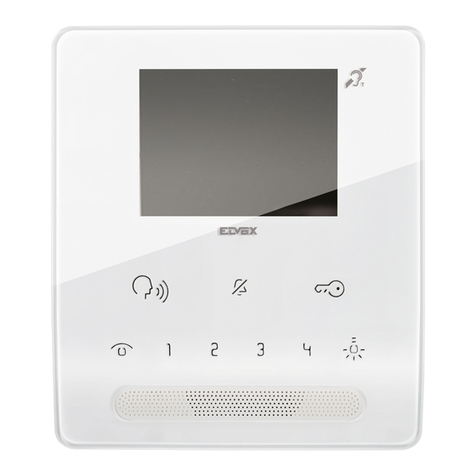
Amroad DP3010R User guide

\

COPYRIGHT
Copyright
© 2011 Amroad Technology Inc.
All Rights Reserved. No part of this publication may be reproduced, transmitted, transcribed, stored in a retrieval system or translated into
any language in any form or by any means without the express written permission of Amroad Technology Inc. To obtain consent, write to the
attention of Amroad Technology Inc.
Document No. DP3010R 2011-1125
www.amroad.com.tw
DISCLAIMER
Amroad reserves the right to change product specification without prior notice.
Changes may be made to the information in this publication without obligation to notify. Amroad shall not be liable for technical or editorial
errors contained herein.
TRADE MARKS
Amroad logo is copyright of Amroad Technology Inc. All other products, services or trade marks mentioned in this document are the
property of their respective owners, companies or organizations.

CONTENTS
i
Contents
Copyright .........................................................................................................................................................................2
Contents ...........................................................................................................................................................................i
CHAPTER 1: INTRODUCTION ...........................................................................................................................................1
Welcome..........................................................................................................................................................................1
General Application of Door Entry System.........................................................................................................................3
Use of SIP .........................................................................................................................................................................5
CHAPTER 2:KNOWING VIDEO DOOR PHONE ....................................................................................................................7
Package Contents .............................................................................................................................................................7
Front Panel.......................................................................................................................................................................9
Rear Panel & Side View....................................................................................................................................................10
Dimensions ....................................................................................................................................................................11
CHAPTER 3:INSTALLING VIDEO DOOR PHONE.................................................................................................................13
Suggested Installation Position .......................................................................................................................................13
Lighting Condition ..........................................................................................................................................................13
Installing Procedures.......................................................................................................................................................14
1. Wall Hole Drilling......................................................................................................................................................................14
2. Installing Wall Mounting Box (Flush Mount)............................................................................................................................15
3. Wire and Cable Connection.......................................................................................................................................................18
GPIO (General Purpose Input/Output) & Relay Control ...................................................................................................................19
Connecting to Ground Wire.............................................................................................................................................................20
Fasten Rear Cover and Waterproof Mat...........................................................................................................................................21

CONTENTS
ii
4. Installing DP3010R...................................................................................................................................................................22
Lock DP3010R on the Wall...............................................................................................................................................................23
CHAPTER 4:USES OF THE DOOR PANEL..........................................................................................................................25
Access the Building or Community ..................................................................................................................................25
Basic and Important Operation .......................................................................................................................................26
System Boot ...................................................................................................................................................................27
DESCRIPTION ...................................................................................................................................................................................27
SCREEN............................................................................................................................................................................................27
System Boot-Up................................................................................................................................................................................27
Home Screen.....................................................................................................................................................................................28
LCD Screens for Visitor and Resident Operation...............................................................................................................29
TABLE ..............................................................................................................................................................................................29
DESCRIPTION ...................................................................................................................................................................................29
SCREEN............................................................................................................................................................................................29
Password Entry Screen.......................................................................................................................................................................29
Password Entry Screen.......................................................................................................................................................................29
RFID Entry Screen..............................................................................................................................................................................30
Number Entry Screen.........................................................................................................................................................................32
Security Connection Screen ................................................................................................................................................................34
System Out OF ORDER ...................................................................................................................................................37
Out Of Order ....................................................................................................................................................................................37
System Management Screens..........................................................................................................................................38
System Management Screen ..............................................................................................................................................................38
IP Address Display Screen...................................................................................................................................................................39
Device Restart Screen ........................................................................................................................................................................39
Switch to Static IP .............................................................................................................................................................................40

CONTENTS
Have Your Own Home Screen via Web UI.........................................................................................................................41
DESCRIPTION ...................................................................................................................................................................................41
SCREEN............................................................................................................................................................................................41
Format of Home Screen .....................................................................................................................................................................41
Number Entry Screen ......................................................................................................................................................42
DP3010R RFID Card Usage...............................................................................................................................................43
Issue Master RFID Card First Time.......................................................................................................................................................43
Issue a New Card with Master RFID Card:............................................................................................................................................43
CHAPTER 5:CONFIGURING VIDEO DOOR PHONE .............................................................................................................45
Finding Video Door Phone on Networks...........................................................................................................................45
Entering Web User Interface ...........................................................................................................................................46
System - Basic Settings ...................................................................................................................................................48
System – Network Settings .............................................................................................................................................50
System - Login Name ......................................................................................................................................................51
System Login Name...........................................................................................................................................................................51
System Reboot ..................................................................................................................................................................................51
Streaming Settings – Video .............................................................................................................................................52
Streaming Settings – Audio.............................................................................................................................................54
SIP Settings.....................................................................................................................................................................55
Entrance Settings – Extensions........................................................................................................................................58
Entrance Settings – GPIO ................................................................................................................................................62
Entrance Settings –RFID..................................................................................................................................................64
Upgrade –Upgrade..........................................................................................................................................................66
Configurations................................................................................................................................................................68

CONTENTS
iv
APS ................................................................................................................................................................................71
Functions Performed by the IP-PBX (Compatible with Amroad IP-PBX).............................................................................72
APPENDIX A:APPLICATION .........................................................................................................................................73
Electronic Lock..................................................................................................................................................................................73
Electronic Bolt ..................................................................................................................................................................................73
Electronic Strike ................................................................................................................................................................................75
Example of the wiring for Electronic Lock with Open Door Button.........................................................................................................76
Diagram of the wiring for Electronic Lock with Open Door Button ........................................................................................................77
APPENDIX B:REGULATORY INFORMATION .....................................................................................................................79
FCC STATEMENT ...............................................................................................................................................................................79
FCC Radiation Exposure Statement ....................................................................................................................................................79
CE DECLARATION OF CONFORMITY (EUROPE)......................................................................................................80

DP3010R VIDEO DOOR PHONE
1
Chapter 1: Introduction
Welcome
Thank you for choosing this Video Door Phone. This device is designed to work as Video Door Phone of large building or
community to form a SIP-based door entry system. Besides taking advantages of IP technologies, this device links to other SIP
devices. It will work with most IP PBX systems supporting audio and video, and it can be configured via a web interface.
This product contains following main features:
Talk to visitors with real time video and voice on IP Video Phone or Video Indoor Station
SIP 2.0 (RFC3261) Compliant
Support H.263 video format.
Support G.711 audio formats.
4.3” TFT LCD Screen (Sunlight Readable)
RFID card reader (ISO14443A/13.56MHz (MIFARE Standard) with embedded RFID card database
Support Peer-to-Peer Mode
Key in address number to access resident
Build-in wide angle lens and white LED light-compensator.
Build-in speaker and microphone.
Water and dust resistance capabilities (IP55).
Scan RFID card or Enter password to open the door
Figure 1: DP3010R

MANUAL FOR SYSTEM INTEGRATOR
2
Support PoE (Power over Ethernet, 802.3af) module (External power supply AC 48V)
Web user interface for configuration and management.
NOTE: The Max Power Consumption of DP3010R is 24W (DC 12V/2A).
Please read this user guide before installing the device. Please contact your dealers or system integrators if you have questions.

DP3010R VIDEO DOOR PHONE
3
General Application of Door Entry System
There are two major series of Video Door
Phone: community series and single unit
series. They are applied on different
conditions. Please see following
descriptions:
Single Unit Application
Single unit series is designed for units of
apartment or single house. Please see Figure
2 for reference.
Using a home IP PBX to connect all
SIP-based devices.
Communicate with each device simply
with extension numbers.
Connect to SIP VoIP services via Internet.
Figure 2: Single Unit Application

MANUAL FOR SYSTEM INTEGRATOR
4
Community Application
Community series is
designed for building,
apartment or
community. Please
contact with your local
dealer about Amroad
DP3010R, and DP100.
Connect each house or
apartment with a
large IP PBX.
Inhabitants can check
visitors with VP113/P,
ID5101, monitor public
areas or call each
others with extension
numbers.
Connect to SIP VoIP services via Internet.
Figure 3: Community Application
Other manuals for DP3010R
1
Table of contents
Other Amroad Intercom System manuals

Amroad
Amroad DP101 User manual

Amroad
Amroad DP3211 User manual

Amroad
Amroad DP100-25 User manual

Amroad
Amroad DP3211 User manual

Amroad
Amroad DP101 Quick setup guide

Amroad
Amroad DP3010R User manual

Amroad
Amroad DP101 User manual

Amroad
Amroad DP3210 User manual

Amroad
Amroad VP115 User manual

Amroad
Amroad XL COMMUNITY STATION User manual

Amroad
Amroad DP3210 User manual

Amroad
Amroad ID5101 User manual

Amroad
Amroad DP100 User manual

Amroad
Amroad ID5101-RN User manual

Amroad
Amroad AMROAD P3 User manual

Amroad
Amroad DP101R User manual

Amroad
Amroad DP3210 User manual

Amroad
Amroad AMROAD P3 User manual

Amroad
Amroad DB3100R User manual

Amroad
Amroad ID5101 User manual