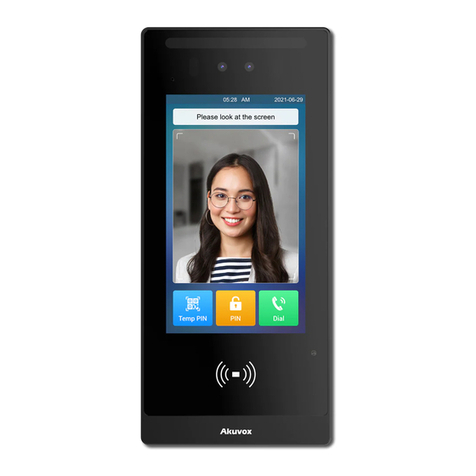
Akuvox R26B Manual

R26B Door Phone Admin Guide

About this manual
Thank you for choosing Akuvox’s R26B door phone. This manual is intended for end userswho need to properly configure the door
phone. This manualis applicable to 26.31.4.xx version, and it provides all functions’ configurations of R26B. Please visit Akuvox
forum or consult technical support for any new information or latest firmware.
Note: Please refer to universal abbreviation form in the end of manual when meet any abbreviation letter.

Content
1. Product Overview...............................................................................................................................................................................................1
1.1. Product Description................................................................................................................................................................................... 1
1.2. Connector Introduction..............................................................................................................................................................................1
1.3. LED Status Information............................................................................................................................................................................. 2
2. Daily Use...............................................................................................................................................................................................................3
2.1. Making a Call.............................................................................................................................................................................................. 3
2.2. Receiving a Call......................................................................................................................................................................................... 3
2.3. Unlock.......................................................................................................................................................................................................... 4
2.3.1. Unlock by RFID Cards.................................................................................................................................................................... 4
2.3.2. Unlock by DTMF Codes................................................................................................................................................................. 4
3. Basic Setting....................................................................................................................................................................................................... 5
3.1. Getting Started........................................................................................................................................................................................... 5
3.1.1. IP Announcement............................................................................................................................................................................ 5
3.1.2. Access the device website............................................................................................................................................................. 5
3.2. Password Modification.............................................................................................................................................................................. 6

3.2.1. Modify the Web Password............................................................................................................................................................. 6
3.3. Phone Configuration..................................................................................................................................................................................6
3.3.1. Language.......................................................................................................................................................................................... 6
3.3.2. Time................................................................................................................................................................................................... 7
3.3.3. Network............................................................................................................................................................................................. 7
3.3.3.1. VLAN.............................................................................................................................................................................................. 9
3.3.3.2. TR069.......................................................................................................................................................................................... 10
3.3.4. Sound.............................................................................................................................................................................................. 11
3.3.5. DND................................................................................................................................................................................................. 12
3.4. Intercom Call............................................................................................................................................................................................ 13
3.4.1. Direct IP Call.................................................................................................................................................................................. 13
3.4.2. SIP Call........................................................................................................................................................................................... 14
3.4.2.1. SIP Account.................................................................................................................................................................................14
3.4.2.2. SIP Server 1&2...........................................................................................................................................................................15
3.4.2.3. Outbound Proxy Server............................................................................................................................................................ 15
3.4.2.4. Transport Type............................................................................................................................................................................15
3.4.2.5. NAT...............................................................................................................................................................................................16

3.4.3. Auto Answer................................................................................................................................................................................... 16
3.4.4. Web Call......................................................................................................................................................................................... 17
3.4.5. Push To Hang Up.......................................................................................................................................................................... 17
3.5. Security......................................................................................................................................................................................................17
3.5.1. Live view......................................................................................................................................................................................... 17
3.5.2. RTSP............................................................................................................................................................................................... 18
3.5.3. ONVIF............................................................................................................................................................................................. 19
3.6. Access Control......................................................................................................................................................................................... 20
3.6.1. Relay............................................................................................................................................................................................... 20
3.6.2. Card Setting................................................................................................................................................................................... 21
3.6.3. Open Relay via HTTP...................................................................................................................................................................22
3.6.4. Unlock via Exit Button...................................................................................................................................................................23
3.7. Reboot....................................................................................................................................................................................................... 24
3.8. Reset..........................................................................................................................................................................................................24
4. Advance Feature.............................................................................................................................................................................................. 25

4.1. Phone Configuration............................................................................................................................................................................... 25
4.1.1. LED.................................................................................................................................................................................................. 25

4.1.2. IR LED.............................................................................................................................................................................................26
4.1.3. RF Card Code Display Related...................................................................................................................................................27
4.2. Intercom.................................................................................................................................................................................................... 27
4.2.1. Call Time Related.......................................................................................................................................................................... 27
4.2.2. Return Code When Refuse..........................................................................................................................................................28
4.2.3. SIP Call Related............................................................................................................................................................................ 28
4.2.4. Codec.............................................................................................................................................................................................. 29
4.2.5. DTMF...............................................................................................................................................................................................30
4.2.6. Session Timer................................................................................................................................................................................ 31
4.2.7. Encryption.......................................................................................................................................................................................31
4.2.8. NAT.................................................................................................................................................................................................. 31
4.2.9. User Agent...................................................................................................................................................................................... 32
4.3. Access Control......................................................................................................................................................................................... 33
4.3.1. Web Relay...................................................................................................................................................................................... 33
4.4. Security......................................................................................................................................................................................................34
4.4.1. Anti-alarm....................................................................................................................................................................................... 34
4.4.2. Motion..............................................................................................................................................................................................35

4.4.3. Action...............................................................................................................................................................................................35
4.4.3.1. Action Parameters..................................................................................................................................................................... 35
4.4.3.2. Push Button Action.................................................................................................................................................................... 37
4.4.3.3. Input Interface Triggered Action...............................................................................................................................................38
4.4.3.4. Motion Triggered Action............................................................................................................................................................ 38
4.4.3.5. Action URL.................................................................................................................................................................................. 38
4.5. Upgrade.....................................................................................................................................................................................................39
4.5.1. Web Upgrade................................................................................................................................................................................. 39
4.5.2. Autop Upgrade...............................................................................................................................................................................40
4.5.3. Backup Config File........................................................................................................................................................................ 42
4.5.4. DHCP Option................................................................................................................................................................................. 42
4.6. Log............................................................................................................................................................................................................. 43
4.6.1. Call log............................................................................................................................................................................................ 43
4.6.2. Door Log......................................................................................................................................................................................... 43
4.6.3. System Log.....................................................................................................................................................................................43
4.6.4. PCAP...............................................................................................................................................................................................44

1
R26B
Admin Guide
1. Product Overview
1.1. Product Description
Akuvox R26B is a SIP-compliant, hands-free, five buttons door
phone. It can be connected with Akuvox indoor monitors for remote
unlock control and monitor. Users can operate the indoor phone to
communicate with visitors via voice and video. Users can also use
RFID cards to unlock the door It’s applicable in villas, office and so
on.
1.2. Connector Introduction
Ethernet (POE): Ethernet (POE) connector, which can provide both
power and network connection.
12V/GND: External power supply terminal if POE is not available.
RS485 A/B: RS485 terminal.
Figure 1.2-1 R26B’s interface
Figure 1.1 Product Description

2
R26B
Admin Guide
DOOR A/B: Trigger signal input terminal.
Relay A/B (NO/NC/COM): Relay control terminal.
Note: The general door phone interface diagram is only for
reference.
1.3. LED Status Information
LED Status Description
Blue Always on Normal status
Flashing Calling
Red Flashing Network is unavailable
Green Always on Talking on a call
Flashing Receiving a call
Pink Flashing Upgrading
Figure 1.2-2 General interface

3
R26B
Admin Guide
2. Daily Use
2.1. Making a Call
Press one of the call buttons to call out the predefined SIP account
or IP address and if LED turns green, it means the call has been
answered.
2.2. Receiving a Call
User can use IP phone or indoor monitor to call R26B and R26Bwill
answer it automatically by default. If user disable auto answer,
pressing button to answer incoming call.
Other manuals for R26B
2
Table of contents
Other Akuvox Intercom System manuals

Akuvox
Akuvox A01X User manual

Akuvox
Akuvox R27V Manual

Akuvox
Akuvox E18 User manual

Akuvox
Akuvox A05 Series Service manual

Akuvox
Akuvox R20A User manual

Akuvox
Akuvox X933 Series Service manual

Akuvox
Akuvox R26C User manual

Akuvox
Akuvox C313 Series User manual

Akuvox
Akuvox C319 Series User manual

Akuvox
Akuvox R28 Series Service manual

Akuvox
Akuvox R27A User manual

Akuvox
Akuvox C313 Series Service manual

Akuvox
Akuvox IT82 Series Manual

Akuvox
Akuvox R26 Manual

Akuvox
Akuvox R20A-2 Series User manual

Akuvox
Akuvox R23C User manual

Akuvox
Akuvox X916 series User manual

Akuvox
Akuvox E21 Series User manual

Akuvox
Akuvox R29C Assembly instructions

Akuvox
Akuvox R20K Manual