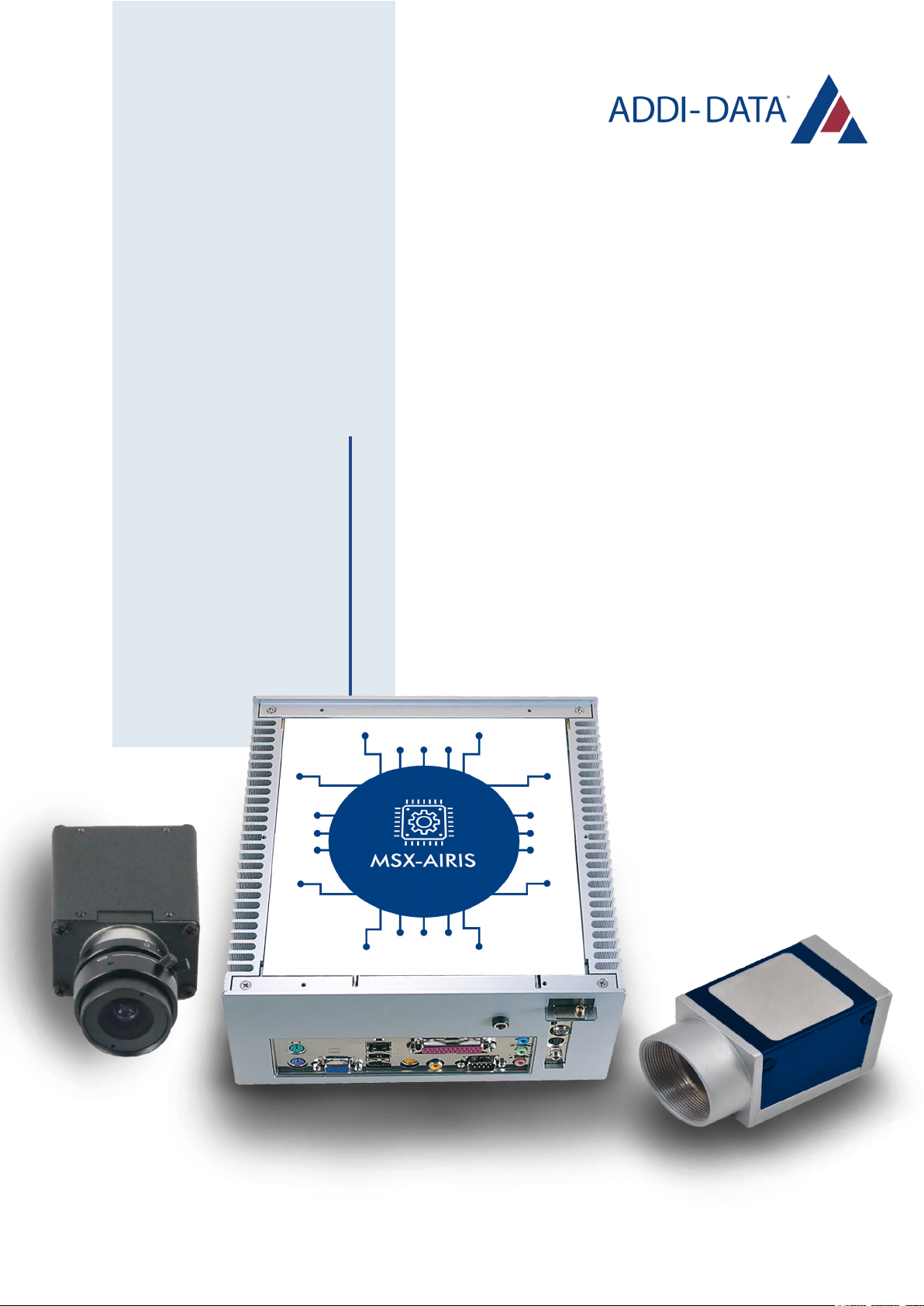
Addi-Data MSX-AI-5000 User manual
USER
MANUAL
MSX-AI-5000
Edge AI vision system

2
TABLE OF
CONTENTS
Product information .................................................................... 3
Brief description ............................................................................ 5
Connecting the peripherals ..................................................... 6
Download the Android application ....................................... 7
Android application user guide ............................................. 8
Return of the material .............................................................. 25
Contact and support ................................................................. 26
- Warranty and liability ............................................................... 3
- Copyright ................................................................................. 3
- ADDI-DATA software product licence ........................................ 4
- Trademarks ............................................................................. 4
- Features .................................................................................. 5
- Included components ............................................................... 5
- Optional components .............................................................. 5
-Connection to the system .......................................................... 8
- Wi-Fi hotspot ................................................................ 9
- Local Ethernet network ................................................ 10
- Select agent(s) ........................................................................ 11
- Create a new account ............................................................ 12
- User login .............................................................................. 13
- Menu ..................................................................................... 13
- Camera settings ..................................................................... 14
- Access to cameras settings .......................................... 14
- Cameras configuration ................................................ 15
- Task launch ............................................................................ 16
- Access to the tasks ...................................................... 16
- Add a task .................................................................. 17
- Configuration of a task ............................................... 19
- Watch a task ............................................................... 21
- Delete a task ............................................................... 22
- MQTT reporting settings ........................................................ 23
- Access to MQTT settings .............................................. 23
- MQTT parameters ....................................................... 24

3
PRODUCT
INFORMATION
This manual contains the technical installation and important instructions for correct commissioning and
usage, as well as production information according to the current status before printing. The content of
this manual and the technical product data may be changed without prior notice. ADDI-DATA GmbH
reserves the right to make changes to the technical data and the materials included herein.
The user is not permitted to make changes to the product beyond the intended use, or to interfere with
the product in any other way.
ADDI-DATA shall not be liable for obvious printing and phrasing errors. In addition, ADDI DATA, if legally
permissible, shall not be liable for personal injury or damage to materials caused by improper installation
and/or commissioning of the product by the user or improper use, for example, if the product is operated
despite faulty safety and protection devices, or if notes in the operating instructions regarding transport,
storage, installation, commissioning, operation, thresholds, etc. are not taken into consideration.
Liability is further excluded if the operator changes the product or the source code files without authorisation
and/or if the operator is guilty of not monitoring the permanent operational capability of working parts
and this has led to damage.
This manual, which is intended for the operator and its staff only, is protected by copyright. Duplication of
the information contained in the operating instructions and of any other product information, or disclosure
of this information for use by third parties, is not permitted, unless this right has been granted by the
product license issued. Non-compliance with this could lead to civil and criminal proceedings.
Warranty and liability
Copyright

4
Please read this license carefully before using the standard software. The customer is only granted the
right to use this software if he/she agrees with the conditions of this license.
The software must only be used to set up the ADDI-DATA products.
Reproduction of the software is forbidden (except for back-up and for exchange of faulty data carriers).
Disassembly, decompilation, decryption and reverse engineering of the software are forbidden. This
license and the software may be transferred to a third party if this party has acquired a product by
purchase, has agreed to all the conditions in this license contract and the original owner does not keep
any copies of the software.
• ADDI-DATA, APCI-1500, MSX-Box and MSX-E are registered trademarks of ADDI-DATA GmbH.
• Turbo Pascal, Delphi, Borland C, Borland C++ are registered trademarks of Borland Software
Corporation.
• Microsoft .NET, Microsoft C, Visual C++, MS-DOS, Windows XP, Windows 7, Windows 8, Windows
Server 2000, Windows Server 2003, Windows Embedded and Internet Explorer are registered
trademarks of Microsoft Corporation.
• Linux is a registered trademark of Linus Torvalds.
• LabVIEW, LabWindows/CVI, DASYLab, DIAdem are registered trademarks of National Instruments
Corporation.
• CompactPCI is a registered trademark of PCI Industrial Computer Manufacturers Group.
• VxWorks is a registered trademark of Wind River Systems, Inc.
• RTX is a registered trademark of IntervalZero.
• Google Chrome is a trademark of Google LLC.
• Mozilla Firefox is a registered trademark of Mozilla Foundation.
ADDI-DATA software product license
Trademarks

5
BRIEF DESCRIPTION
MSX-AI-5000 edge vision systems are intended to capture video streams from several industrial cameras,
to run embedded vision algorithms in real-time, and to visualize the ongoing processing as a live stream.
The system comes with two user interfaces: an Android application and a web browser interface. They
allow you to setup, monitor and live visualize the machine vision applications. The web browser interface
also allows you to centrally manage the deployed devices.
• NVIDIA® Jetson Xavier™ NX
• 8GB LPDDR4x
• Multi-storage option: 16GB eMMC / MicroSD slot / mSATA slot / 2.5 drive bay
• GbE PoE/PSE LAN x 2
• HDMI Input x 1 & HDMI Output x 1
• Digital I/O 13-channel
• Expansion support for WiFi/LTE
Included components
• 1x hardware module
• 1x power supply cable
• 1x LAN Ethernet cable
• 2x Wi-Fi antennas
• Cameras (optional)
• Camera cables
• Mounting system
• Light system
Features
Included components
Optional components
6
CONNECTING
THE PERIPHERALS
Power supply
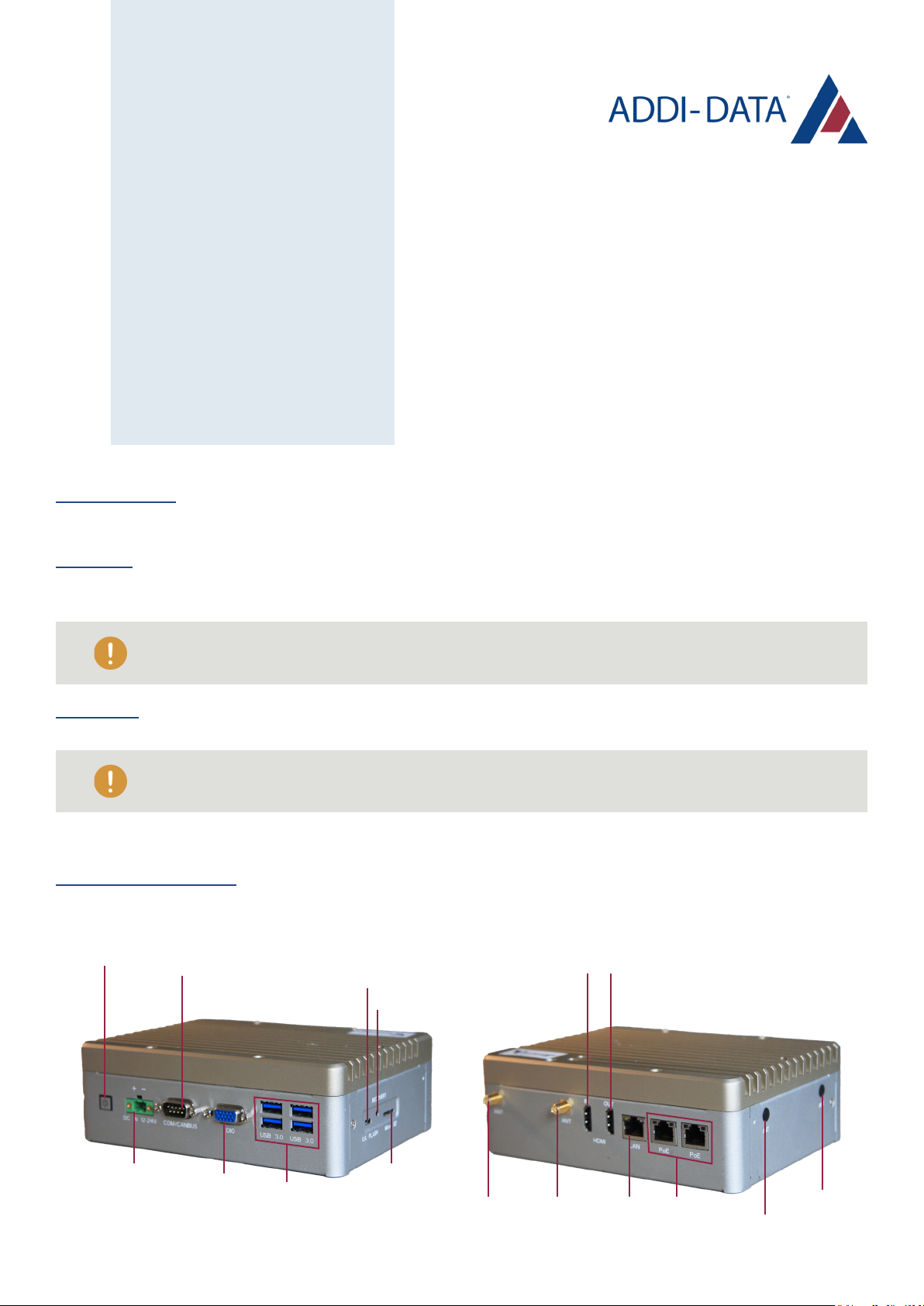
Connect the power supply cable to the DC IN 12~24V port of the module and to your power grid.
Ethernet
If you need to establish a wired connection, plug the Ethernet cable to the module’s LAN port and to your
internal Ethernet network.
Cameras
• If you use Ethernet cameras, connect them to the module’s Power Over Ethernet (PoE) ports.
• If you use USB cameras, connect them to the module’s USB ports.
Antennas (optional)
If needed, connect the Wi-Fi antennas to the ANT ports.
ANT
ANT
ANT
HDMI IN X1
OS Flash x1
Power Button COM/CANBUS x1
Recovery
HDMI OUT X1
ANT PoE x2
USB 3.2 Gen 1 x4
LAN
Micro SD x1
DC IN 12-24V DIO x1
Please note that the PoE ports aren’t suitable for this purpose.
Please note that the LAN port isn’t suitable for this purpose.

7
DOWNLOAD THE
ANDROID APPLICATION
The Android application can be downloaded from the
Google Play Store by searching for "Addi-Data".
You can also simply scan this QR Code to download it.

8
ANDROID APPLICATION
USER GUIDE
Turn on the MSX-AI-5000 and wait a few minutes for the system to boot up.
There are 2 options to connect the system to the application:
• by Wi-Fi hotspot
• by local Ethernet network
Connection to the system

9
In the Wi-Fi menu of your device, connect to the Wi-Fi
network named ADDI-DATA-XXXXXX.
The default password is the serial number.
Since this hotspot doesn’t provide internet connection,
your device may display an error message.
Please ignore this pop-up and
don’t disconnect your device from
the network.
Wi-Fi hotspot
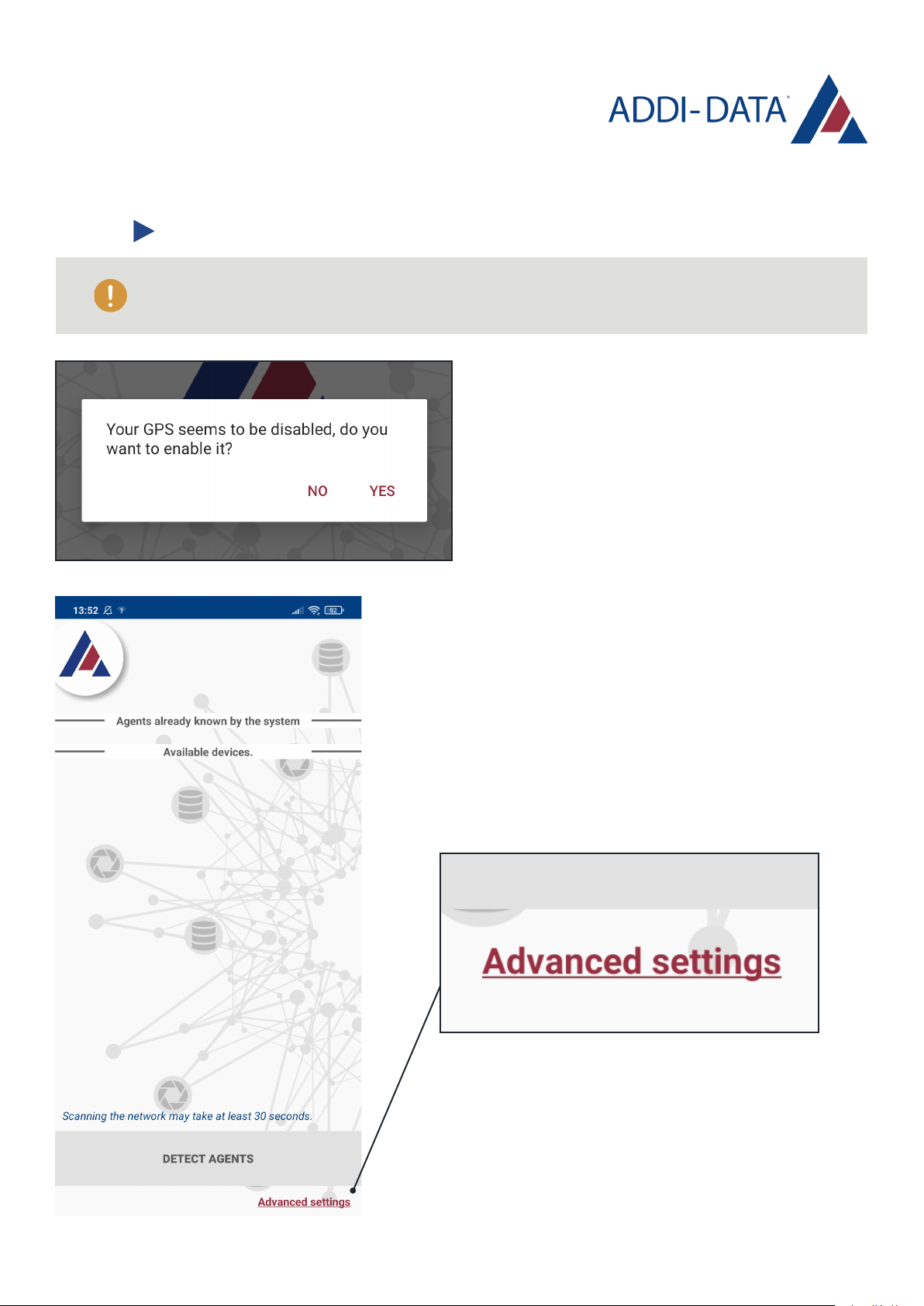
• Open the application.
• Click on "YES" to accept the access requests (GPS and
media file) and start the application.
You are in the section to connect the system to the application by Wi-Fi hotspot.
If you want to connect by local Ethernet network, please go to the next section.
10
• Open the application.
• Click on "YES" to accept the access requests
(GPS and media file) and start the application.
Local Ethernet network
You are in the section to connect the system to the application by local
Ethernet network. If you want to connect by Wi-Fi, please go to the previous section.
Make sure that your device is in the same Ethernet subnet
as the MSX-AI-5000. If not, you can modify the range of IP
addresses to scan within the "Advanced settings" options.
Contact your network administrator to find out the address
of the subnet.
Other manuals for MSX-AI-5000
1
Table of contents
Other Addi-Data I/O System manuals

Addi-Data
Addi-Data ADDINUM PA 1500 Parts list manual

Addi-Data
Addi-Data PA 1508 Parts list manual

Addi-Data
Addi-Data APCI-3010 Parts list manual

Addi-Data
Addi-Data ADDIALOG PA 358 Parts list manual

Addi-Data
Addi-Data ADDIALOG PA 3110 Parts list manual

Addi-Data
Addi-Data APCI-1648 Parts list manual

Addi-Data
Addi-Data APCI-3003 Parts list manual

Addi-Data
Addi-Data ADDINUM CPCI-1500 Parts list manual

Addi-Data
Addi-Data APCI-3010 Parts list manual

Addi-Data
Addi-Data ADDINUM APCI-1500 Parts list manual